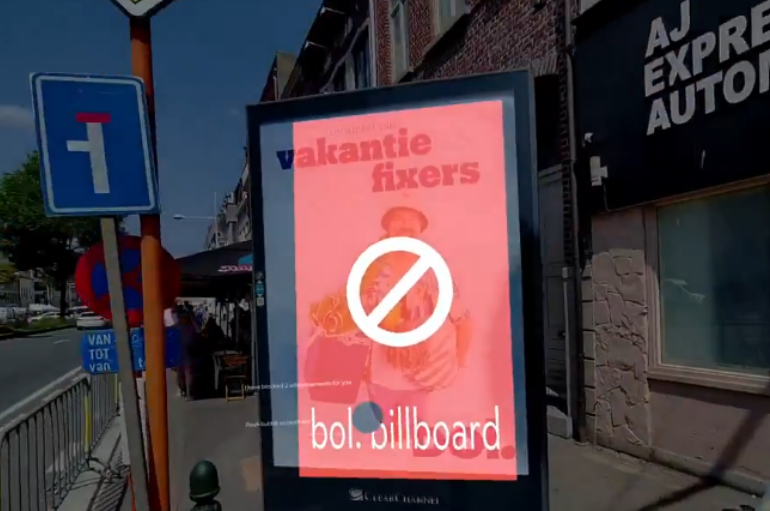
We’ve grown used to blocking ads online — but what about the ones we encounter in the real world? Can they be blocked, how would that work, and should they be?
AdGuard for Android v4.10 makes the app more intuitive for new users: setting up the HTTPS certificate is now easier for everyone, regardless of their technical background.
AdGuard Mail v1.0 brings the features you’ve asked for — email replies and more alias domains. Unlock these and other advanced features with a subscription.
The new version now uses post-quantum encryption to keep you protected against future threats. It also brings some other handy updates — read the post to find out more.
What if, despite all the in-built protections, platforms could still access unique user identifiers and reliably tie them to the user browsing history? That’s exactly what Meta and Yandex discovered they could do.
AdGuard for Windows v8.0 marks a major milestone for us! With a fresh design and tons of improvements, this version is such a big step forward that we couldn’t wait for the final release to talk about it.
Ad-Filtering Dev Summit is back again, and this time it’ll take place in beautiful Limassol, on the coast of the warm Mediterranean sea. Join us on October 23–24 for exciting ad filtering and privacy protection discussions.
AdGuard-download er startet
Klik på den af pilen angivet knap for at starte installationen.
Vælg "Åbn" og klik på "OK". Afvent at filen downloades. I det åbnede vindue, træk AdGuard-ikonet til "Apps"-mappen. Tak fordi du valgte AdGuard!
Vælg "Åbn" og klik på "OK". Afvent at filen downloades. I det åbnede vindue, klik på "Installér". Tak fordi du valgte AdGuard!
Installér også AdGuard til mobilenheder
Installation
AdGuard til Android er tilgængelig i flg. app-butikker:
AdGuard kan ikke udgives via Google Play. For yderligere detaljer, tjek vores blog. Bruger man Google Play, følg da denne vejledning for at installere AdGuard til Android manuelt.
1. Tillad download
Viser webbrowseren en advarsel, tillad download af adguard.apk.
Installationstilladelser
Er installationer fra webbrowseren ikke tilladt, vises en notifikation. I denne trykkes på Indstillinger → Tillad fra denne kilde.
Note til Samsung-brugere med One UI 6 (Android 14) og nyere
På visse Samsung-enheder kan funktionen Auto Blocker forhindre APK-installationer. For at installeres appen:
Åbn enhedsindstillingerne.
Gå til Sikkerhed og fortrolighed.
Rul ned og tryk på Auto Blocker.
Deaktivér indstillingen.
Denne funktion kan genaktiveres efter installationen.
2. Installér appen
Tryk i dialogboksen på Installér.
3. Start appen
Afvent, at installationen færdiggøres, og tryk på Åbn. Færdig!
Skan for at downloade
Brug en hvilken som helst QR-kodelæser fra enheden
Skan for at downloade
Brug en hvilken som helst QR-kodelæser fra enheden
Download en ældre AdGuard-version?
Denne OS-version understøttes ikke. En ældre AdGuard-version kan bruges, men den vil ikke modtage opdateringer
Ved at downloade programmet accepterer du betingelserne i Licensaftalen