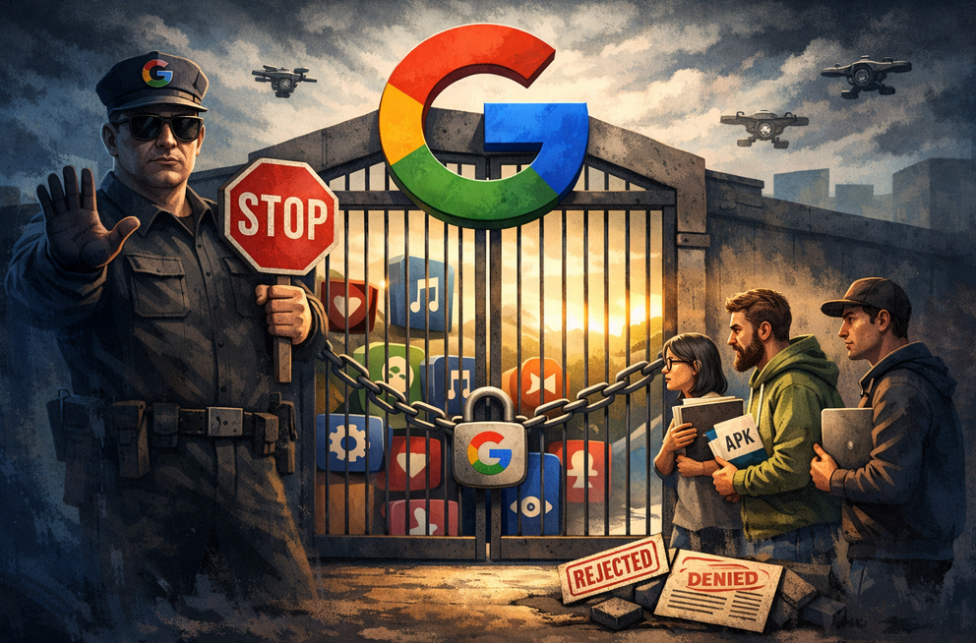
AdGuard is proud to be among the signatories of a newly published open letter opposing Google’s upcoming developer verification policy. The campaign was spearheaded by F-Droid, which launched it last year and has been rallying support ever since.
YouTube comes up with a new way to strike at the users of ad blockers — now by hiding the comment and descriptions of all videos. How will ad blockers respond?
Andrey Meshkov, Co-Founder and CTO of AdGuard, sat down with Henry Fisher from TechLore to talk about the past, the present, and the future of ad blocking in general and the AdGuard’s role in it.
When searching for “brew macos”, a sponsored result (supposedly verified by Google) leads to an official ClaudeAI page containing user-generated instructions that appear to distribute malware.
Anthropic, an OpenAI rival best known for its Claude chatbot, has seized on the ad debate — and the way it chose to do so says a lot about how intransigent the AI arms race has become.
The ads recently promised by OpenAI have arrived in ChatGPT, both in beta Android app and the web app. Let’s see what they look like and if AdGuard will be able to block them.
In this new edition of TechTok, we’re tackling two very different questions. One is incredibly broad in scope, while the other is much narrower. But what ties them together is that the answers to both may seem more straightforward than they actually are.
Not long after AdGuard Mini’s debut, here comes its first improvement. Now, you can manually set the app’s theme to light, dark, or system. We also added a dark version of the app's Dock icon for a better appearance in dark mode.
AdGuard-download er startet
Klik på den af pilen angivet knap for at starte installationen.
Vælg "Åbn" og klik på "OK". Afvent at filen downloades. I det åbnede vindue, træk AdGuard-ikonet til "Apps"-mappen. Tak fordi du valgte AdGuard!
Vælg "Åbn" og klik på "OK". Afvent at filen downloades. I det åbnede vindue, klik på "Installér". Tak fordi du valgte AdGuard!
Installér også AdGuard til mobilenheder
Installation
AdGuard til Android er tilgængelig i flg. app-butikker:
AdGuard kan ikke udgives via Google Play. For yderligere detaljer, tjek vores blog. Bruger man Google Play, følg da denne vejledning for at installere AdGuard til Android manuelt.
1. Tillad download
Viser webbrowseren en advarsel, tillad download af adguard.apk.
Installationstilladelser
Er installationer fra webbrowseren ikke tilladt, vises en notifikation. I denne trykkes på Indstillinger → Tillad fra denne kilde.
Note til Samsung-brugere med One UI 6 (Android 14) og nyere
På visse Samsung-enheder kan funktionen Auto Blocker forhindre APK-installationer. For at installeres appen:
Åbn enhedsindstillingerne.
Gå til Sikkerhed og fortrolighed.
Rul ned og tryk på Auto Blocker.
Deaktivér indstillingen.
Denne funktion kan genaktiveres efter installationen.
2. Installér appen
Tryk i dialogboksen på Installér.
3. Start appen
Afvent, at installationen færdiggøres, og tryk på Åbn. Færdig!
Skan for at downloade
Brug en hvilken som helst QR-kodelæser fra enheden
Skan for at downloade
Brug en hvilken som helst QR-kodelæser fra enheden
Download en ældre AdGuard-version?
Denne OS-version understøttes ikke. En ældre AdGuard-version kan bruges, men den vil ikke modtage opdateringer
Ved at downloade programmet accepterer du betingelserne i Licensaftalen