Popular programs without ads
Many internet users, tired of endless ads and annoying popups in their browsers, have already solved this problem with the help of ad blockers. However, a lot of people are not even aware that annoying banner ads are also easy to remove from different programs.
Let's see how you can get rid of banners and pop-ups in programs. Not all ad blockers can help you. For example, well-known extensions such as AdBlock and Adblock Plus are unable to remove ads from programs because they only work at the browser level and are powerless when it comes to filtering annoying ads in apps.
In contrast, AdGuard Ad Blocker is able to clear ads not only from websites, but also any programs developed for Mac and Windows. Including all the most popular programs such as BitTorrent, uTorrent, Spotify, KMPlayer and many others.
How to remove ads from apps on your computer
To get rid of ads in apps, first download AdGuard for Windows or AdGuard for Mac. Then you will need to add the selected program to the filter list, as AdGuard only filters browsers by default.
On Windows: open AdGuard and go to Settings → Network. Find there the Traffic filtering section and click the List of filtered applications. In the opened window click the plus icon and Add Application. Then select from the list the executable file of the app in which you want to block ads and click Add selected.
On Mac: open AdGuard and go to Preferences → Network and click the right-sided Applications button. In the opened window click the plus icon, choose from the list the app where you want to block ads and click Open.
How to remove ads in Spotify
Spotify – a digital music, podcast, and video platform. With AdGuard, you can be sure that ads won't stop you from enjoying millions of songs and other content from all over the world.

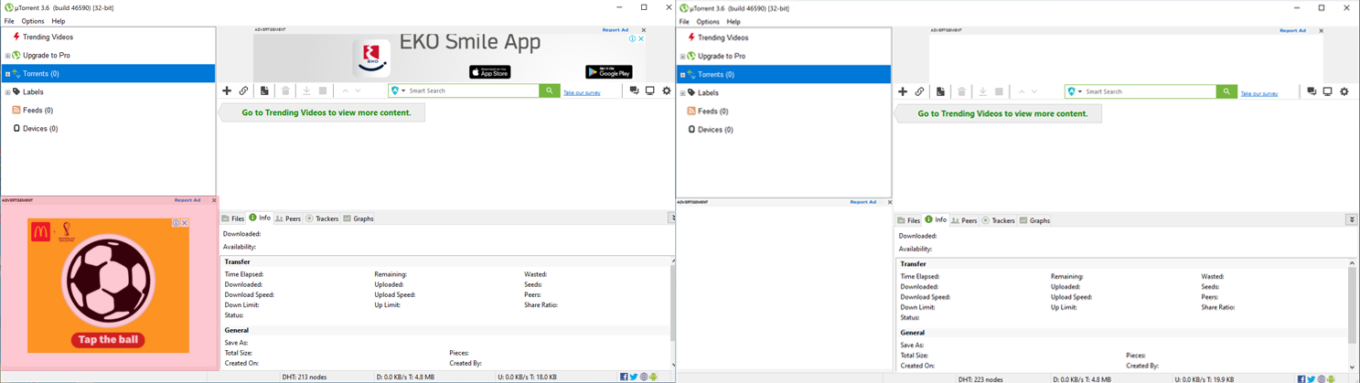
How to remove ads in uTorrent
uTorrent – the well-known torrent client, which helps you to download necessary files really fast. AdGuard won’t let advertisements distract you from downloading music, movies, games and much more.
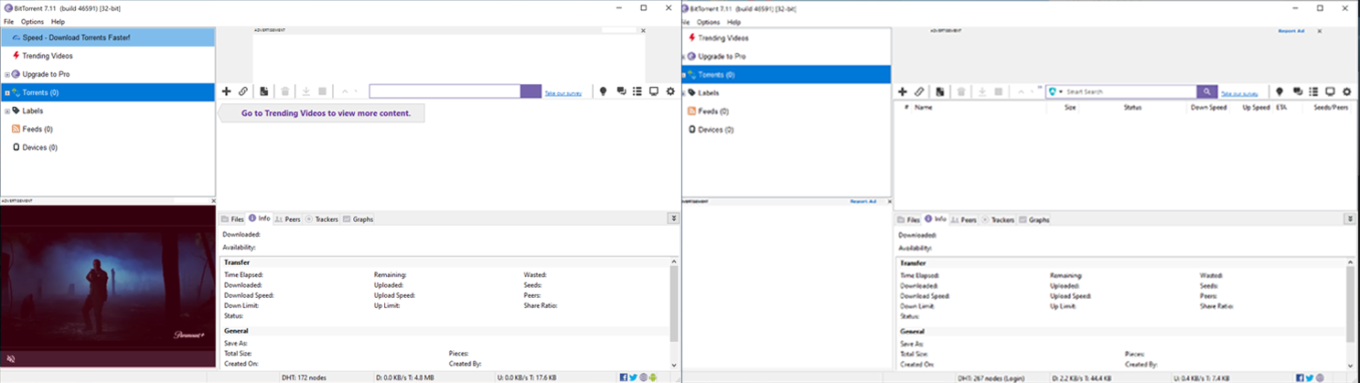
How to remove ads in BitTorrent
BitTorrent is an app that allows you to download files fast and effectively. With AdGuard, you can download new seasons of your favorite TV-series, movies, music, videos, and many others without undesirable ads.
How to remove ads in KMPlayer
KMPlayer – a powerful multimedia player for playing audio and video files. And advertising here is absolutely unwelcomed. With AdGuard, you can watch movies and listen to music without being distracted by banners.