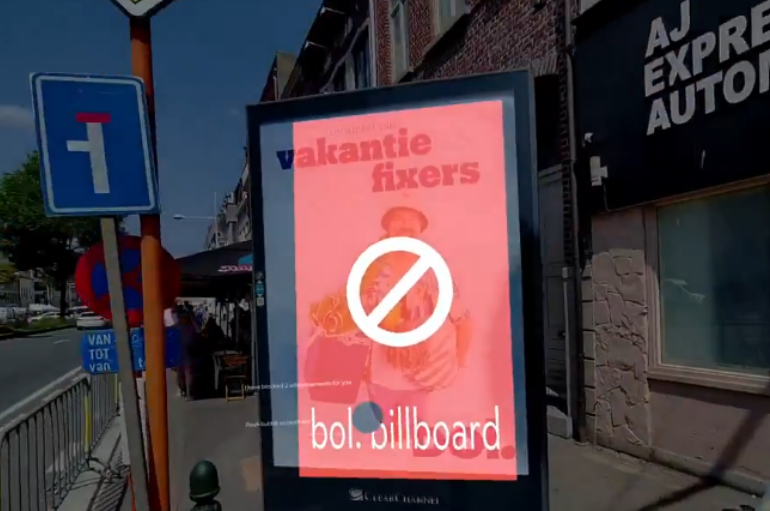
We’ve grown used to blocking ads online — but what about the ones we encounter in the real world? Can they be blocked, how would that work, and should they be?
AdGuard for Android v4.10 makes the app more intuitive for new users: setting up the HTTPS certificate is now easier for everyone, regardless of their technical background.
AdGuard Mail v1.0 brings the features you’ve asked for — email replies and more alias domains. Unlock these and other advanced features with a subscription.
The new version now uses post-quantum encryption to keep you protected against future threats. It also brings some other handy updates — read the post to find out more.
What if, despite all the in-built protections, platforms could still access unique user identifiers and reliably tie them to the user browsing history? That’s exactly what Meta and Yandex discovered they could do.
AdGuard for Windows v8.0 marks a major milestone for us! With a fresh design and tons of improvements, this version is such a big step forward that we couldn’t wait for the final release to talk about it.
Ad-Filtering Dev Summit is back again, and this time it’ll take place in beautiful Limassol, on the coast of the warm Mediterranean sea. Join us on October 23–24 for exciting ad filtering and privacy protection discussions.
Downloaden AdGuard
Klik op het door de pijl aangegeven bestand om AdGuard te installeren.
Selecteer "Open" en klik op "OK" - wacht even tot het bestand gedownload is. Sleep dan in het geopende venster het AdGuard icoontje naar de "Applications" map. Dank u dat u voor AdGuard gekozen heeft.
Selecteer "Open" en klik op "OK" - wacht even tot het bestand gedownload is. Klik dan in het geopende venster op "Installeren". Dank u dat u voor AdGuard gekozen heeft.
AdGuard op je mobiele apparaat installeren
Installatie
AdGuard voor Android is beschikbaar in de volgende appstores:
AdGuard kan niet worden gepubliceerd op Google Play. Voor meer details, bekijk onze blog. Als je Google Play gebruikt, volg je deze instructies om AdGuard voor Android handmatig te installeren.
1. Downloaden toestaan
Als je browser een waarschuwing weergeeft, sta dan downloaden adguard.apk toe.
Installatietoestemmingen
Als installaties vanuit je browser niet zijn toegestaan, krijg je een melding. Tik in deze melding op Instellingen → Toestaan vanuit deze bron.
Opmerking voor Samsung-gebruikers met OneUI 6 (Android 14) en nieuwer
Op sommige Samsung-apparaten kan de Automatisch blokkeren-functie APK-installaties voorkomen. Om de app te installeren:
Open de instellingen van je apparaat.
Ga naar Beveiliging en privacy.
Scroll naar beneden en tik op Automatisch blokkeren.
Schakel de instelling uit.
Je kunt deze functie na de installatie opnieuw inschakelen.
2. Installeer de app
Tik in het pop-upvenster op Installeren.
3. Start de app
Wacht tot de installatie is voltooid en tik op Openen. Helemaal klaar!
Scannen om te downloaden
Gebruik een QR-codelezer die beschikbaar is op je apparaat
Scannen om te downloaden
Gebruik een QR-codelezer die beschikbaar is op je apparaat
Een oudere AdGuard-versie downloaden?
Deze OS-versie wordt niet ondersteund. Je kunt een oudere versie van AdGuard gebruiken, maar deze zal geen updates ontvangen