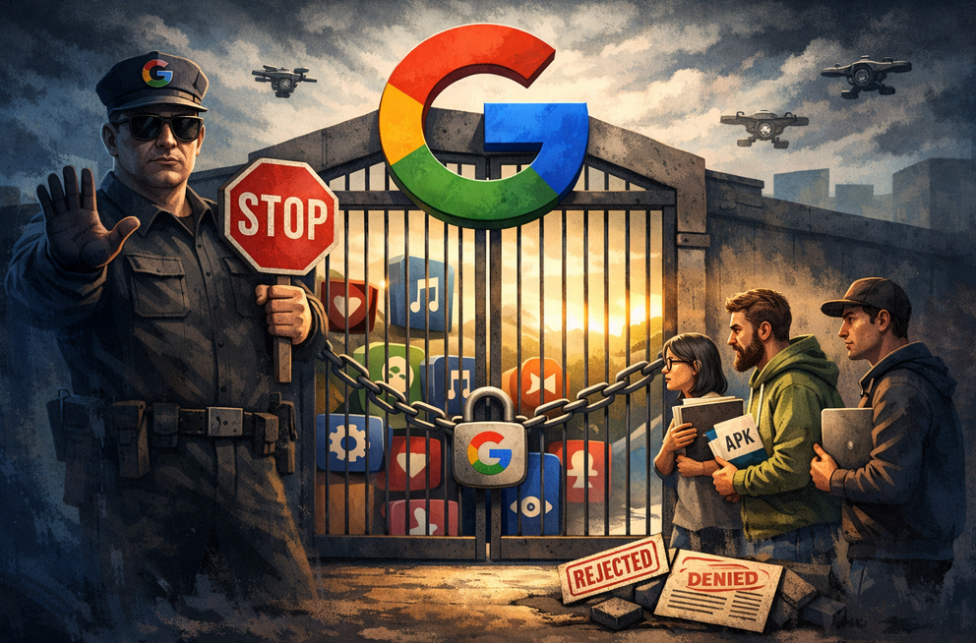
AdGuard is proud to be among the signatories of a newly published open letter opposing Google’s upcoming developer verification policy. The campaign was spearheaded by F-Droid, which launched it last year and has been rallying support ever since.
YouTube comes up with a new way to strike at the users of ad blockers — now by hiding the comment and descriptions of all videos. How will ad blockers respond?
Andrey Meshkov, Co-Founder and CTO of AdGuard, sat down with Henry Fisher from TechLore to talk about the past, the present, and the future of ad blocking in general and the AdGuard’s role in it.
When searching for “brew macos”, a sponsored result (supposedly verified by Google) leads to an official ClaudeAI page containing user-generated instructions that appear to distribute malware.
Anthropic, an OpenAI rival best known for its Claude chatbot, has seized on the ad debate — and the way it chose to do so says a lot about how intransigent the AI arms race has become.
The ads recently promised by OpenAI have arrived in ChatGPT, both in beta Android app and the web app. Let’s see what they look like and if AdGuard will be able to block them.
In this new edition of TechTok, we’re tackling two very different questions. One is incredibly broad in scope, while the other is much narrower. But what ties them together is that the answers to both may seem more straightforward than they actually are.
Not long after AdGuard Mini’s debut, here comes its first improvement. Now, you can manually set the app’s theme to light, dark, or system. We also added a dark version of the app's Dock icon for a better appearance in dark mode.
Downloaden AdGuard
Klik op het door de pijl aangegeven bestand om AdGuard te installeren.
Selecteer "Open" en klik op "OK" - wacht even tot het bestand gedownload is. Sleep dan in het geopende venster het AdGuard icoontje naar de "Applications" map. Dank u dat u voor AdGuard gekozen heeft.
Selecteer "Open" en klik op "OK" - wacht even tot het bestand gedownload is. Klik dan in het geopende venster op "Installeren". Dank u dat u voor AdGuard gekozen heeft.
AdGuard op je mobiele apparaat installeren
Installatie
AdGuard voor Android is beschikbaar in de volgende appstores:
AdGuard kan niet worden gepubliceerd op Google Play. Voor meer details, bekijk onze blog. Als je Google Play gebruikt, volg je deze instructies om AdGuard voor Android handmatig te installeren.
1. Downloaden toestaan
Als je browser een waarschuwing weergeeft, sta dan downloaden adguard.apk toe.
Installatietoestemmingen
Als installaties vanuit je browser niet zijn toegestaan, krijg je een melding. Tik in deze melding op Instellingen → Toestaan vanuit deze bron.
Opmerking voor Samsung-gebruikers met OneUI 6 (Android 14) en nieuwer
Op sommige Samsung-apparaten kan de Automatisch blokkeren-functie APK-installaties voorkomen. Om de app te installeren:
Open de instellingen van je apparaat.
Ga naar Beveiliging en privacy.
Scroll naar beneden en tik op Automatisch blokkeren.
Schakel de instelling uit.
Je kunt deze functie na de installatie opnieuw inschakelen.
2. Installeer de app
Tik in het pop-upvenster op Installeren.
3. Start de app
Wacht tot de installatie is voltooid en tik op Openen. Helemaal klaar!
Scannen om te downloaden
Gebruik een QR-codelezer die beschikbaar is op je apparaat
Scannen om te downloaden
Gebruik een QR-codelezer die beschikbaar is op je apparaat
Een oudere AdGuard-versie downloaden?
Deze OS-versie wordt niet ondersteund. Je kunt een oudere versie van AdGuard gebruiken, maar deze zal geen updates ontvangen