Discord delays global age checks rollout after fierce pushback: full breakdown

Discord, like several other major platforms including Reddit and Roblox, has been facing mounting regulatory pressure to better protect minors from adult content.

After implementing age checks in compliance with the UK’s Online Safety Act and Australia’s Online Safety Amendment Act — which bans social media access for users under 16 — Discord attempted to preempt similar legislation in the EU, the US, and elsewhere by expanding its age assurance program globally.

On February 9, Discord announced that “all new and existing users worldwide will have a teen-appropriate experience, with updated communication settings, restricted access to age-gated spaces, and content filtering that preserves the privacy and meaningful connections that define Discord.”

The phrasing did not land well.

Many users interpreted the announcement to mean that everyone would be downgraded to a “teen experience” by default unless they verified their age — either through a face scan or by submitting a government-issued ID. Panic spread quickly across forums, social media, and YouTube commentary channels.

Discord later clarified that the “vast majority of people can continue using Discord exactly as they do today, without ever being asked to confirm their age.” But by then, the damage was done. The backlash had already snowballed into a full-blown public trust crisis.

Discord breaking its promise of on-device processing

Throughout its announcement, Discord emphasized privacy safeguards. Among the key features highlighted was “on-device processing,” with the company stating that video selfies used for facial age estimation “never leave a user’s device.”
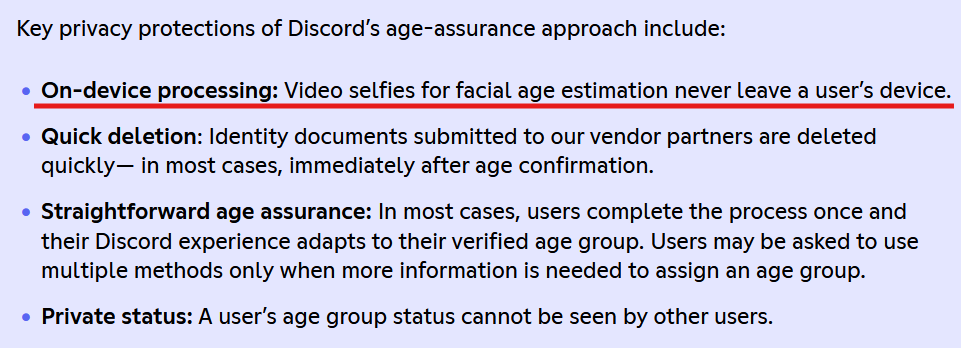
A quote from Discord’s statement

Notably, it did not make the same explicit claim about ID-based verification.

The overall impression many users took away was that sensitive personal data would remain local — processed on-device and never transmitted to third parties. That reassurance was meant to calm privacy concerns.

Instead, it fueled them.

Discord’s old support page (it can now be accessed through web archive) revealed that users in the UK “may be part of an experiment” involving the age-verification vendor Persona.

The disclaimer read:

“Important: If you're located in the UK, you may be part of an experiment where your information will be processed by an age-assurance vendor, Persona. The information you submit will be temporarily stored for up to 7 days, then deleted. For ID document verification, all details are blurred except your photo and date of birth, so only what's truly needed for age verification is used.”
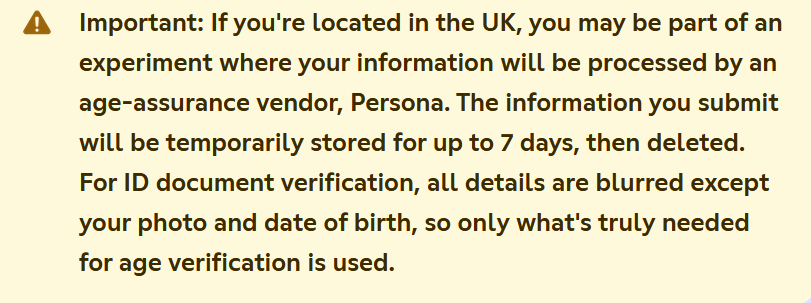
A quote from Discord’s support page

Persona is a cloud-based identity verification service. By definition, that means user data is transmitted to and processed on external servers, not purely on-device.

While the admission did not directly contradict Discord’s earlier messaging — after all, the company never explicitly promised that all age-verification data would be processed on-device — it made one thing unmistakably clear: the system was not purely local after all. Even if limited to a UK experiment, it created the perception that Discord had been speaking in half-truths or at the very least communicating extremely poorly.

Concerns deepened due to Persona’s broader data practices. Internet sleuths examining its policies pointed out references to checks against “third party databases, government records, and other publicly available sources.”
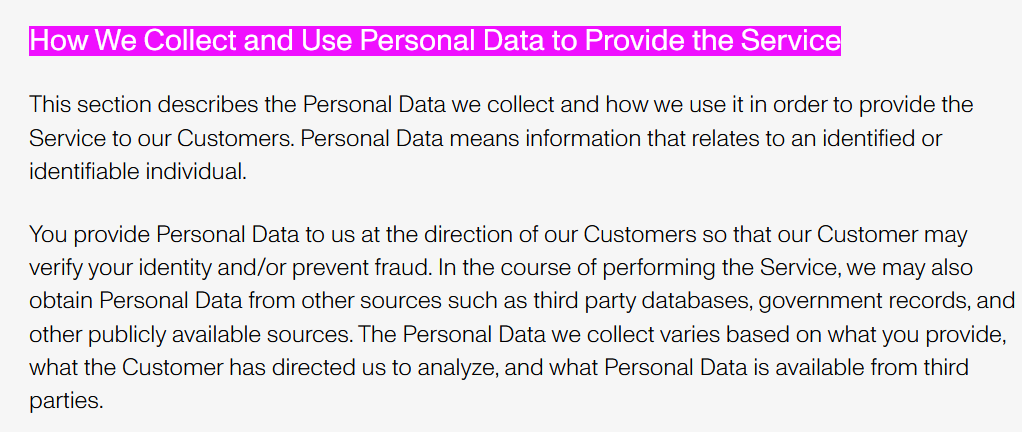
Persona’s data collection policy

Persona CEO Rick Song later told Ars Technica that data from verified individuals in Discord’s test was deleted immediately. However, the fact that data could have been stored for up to seven days, combined with Persona’s external processing model, only intensified skepticism.

Matters worsened when reporting revealed that a Persona frontend had been left exposed, potentially allowing unauthorized access to sensitive verification data. According to Malwarebytes, the exposure stemmed from a misconfigured web component that made internal resources accessible from the internet before being secured. Though there was no confirmed evidence of exploitation in the Discord case, the timing amplified public distrust.

Meanwhile, critics pointed to a far more damaging episode: a September 20 breach in which attackers accessed data held by Discord’s third-party customer service provider. The compromised information included government ID images submitted by users who were appealing failed age determinations, along with usernames, emails, limited billing details, IP addresses, and support messages. For many observers, the incident confirmed their worst fears — that even if ID checks are meant to be a one-off occasion, forcing users to resubmit sensitive documents in edge cases dramatically increases the risk of real-world exposure.

Although references to Persona were quietly removed around February 15 — as noted by The Verge — the damage was already done. For many users, the mere fact the partnership existed contradicted the spirit of Discord’s privacy-forward branding.

Apologies and belated clarifications: Will they be enough?

With backlash mounting, Discord’s CEO Stanislav Vishnevskiy published a lengthy post on February 24 aimed at calming fears.

He reiterated that for roughly 90% of users, nothing would change. Most users, he said, do not access age-restricted content or modify default safety settings.

Vishnevskiy also revealed that Discord already uses an internal system to estimate age based on account-level signals, stating:

“Age determination works the same way, using the same category of account-level signals: how long your account has existed, whether you have a payment method on file, what types of servers you're in, and general patterns of account activity. It does not read your messages, analyze your conversations, or look at the content you post.”

He acknowledged that “trust us” is not sufficient reassurance and promised to publish a technical blog post explaining the methodology before a global launch.

As for the Persona partnership, Vishnevskiy confirmed it was a limited UK test conducted in January and stated that Discord no longer uses the service because it “did not meet the bar for entirely on-device processing.”

The question remains whether these clarifications came too late, or if they are enough.

Bottom line

Age verification is one of the most contentious issues facing online platforms today. Regulators see it as a necessary safeguard for minors. Users often see it as a slippery slope toward surveillance.

Even when implemented with privacy protections, age verification inherently introduces new risks. It creates additional data flows, expands the number of entities handling sensitive information, and increases the attack surface for potential breaches. Every additional verification vendor becomes another possible point of failure.

Discord’s experience illustrates a broader tension: platforms are trying to navigate tightening regulatory requirements without alienating privacy-conscious users. But in doing so, they risk eroding the very trust that made them successful.

Whether Discord’s delayed global rollout reflects a lesson learned — or simply a pause before renewed controversy — will depend on how transparently and cautiously it proceeds next.


Podobał Ci się ten post?
AdGuard VPN AdGuard DNS AdGuard Mail AdGuard Wallet
Ekran główny AdGuard dla Windows
Ekran ochrony AdGuard dla Windows, pokazujący funkcje ochrony i ustawienia
Ekran statystyki AdGuard dla Windows, pokazujący statystyki zablokowanych reklam i trackery
Ekran Zarządzanie aplikacjami w AdGuard dla Windows, pokazujący opcje zarządzania ochroną dla aplikacji zainstalowanych na urządzeniu
20 752 20752 recenzje
Doskonały!

AdGuard dla Windows: bloker reklam na PC

AdGuard dla systemu Windows to coś więcej niż bloker reklam. To wielofunkcyjne narzędzie, które blokuje reklamy, kontroluje dostęp do niebezpiecznych stron, przyspiesza ładowanie stron i chroni dzieci przed nieodpowiednimi treściami

Pobierając program, akceptujesz warunki Umowy licencyjnej
Microsoft Store
Pobierając program, akceptujesz warunki Umowy licencyjnej
AdGuard na Windows v8.0, 14-dniowa wersja próbna
Ekran główny AdGuard dla Mac
Ekran Trybu ukrytego w AdGuard dla Mac
20 752 20752 recenzje
Doskonały!

AdGuard: bloker reklam na Maca

AdGuard dla Mac to wyjątkowy bloker reklam zaprojektowany z myślą o macOS. Oprócz ochrony przed uciążliwymi reklamami w przeglądarkach i aplikacjach chroni Cię przed śledzeniem, phishingiem i oszustwami
Pobierając program, akceptujesz warunki Umowy licencyjnej
Przeczytaj więcej
AdGuard na Mac v2.19, 14-dniowa wersja próbna
Ekran główny AdGuard dla Android
Ekran Ochrona przed śledzeniem w AdGuard dla Android
Ekran Zarządzanie aplikacjami w AdGuard dla Android, pokazujący opcje zarządzania ochroną dla aplikacji zainstalowanych na urządzeniu
Ekran statystyki AdGuard dla Android, pokazujący statystyki zablokowanych reklam i trackery
Ekran główny prywatnej przeglądarki AdGuard dla Android
Kod QR, aby pobierz AdGuard dla Android
20 752 20752 recenzje
Doskonały!

AdGuard: bloker reklam na Androida

Blokuje reklamy i moduły śledzące we wszystkich przeglądarkach, grach i innych aplikacjach. Chroni Twoją prywatność i pozwala kontrolować, w jaki sposób aplikacje korzystają z Internetu. Instalowane za pomocą pliku APK
Pobierając program, akceptujesz warunki Umowy licencyjnej
Przeczytaj więcej
Skanuj, aby pobrać
Użyj dowolnego czytnika kodów QR dostępnego w Twoim urządzeniu
AdGuard na Android v4.14, 14-dniowa wersja próbna
Ekran główny AdGuard dla iOS
Ekran ochrony AdGuard dla iOS, pokazujący funkcje ochrony i ustawienia
Ekran statystyki AdGuard dla iOS, pokazujący statystyki zablokowanych reklam i trackery
Kod QR, aby pobierz AdGuard dla iOS
20 752 20752 recenzje
Doskonały!

AdGuard na iOS: bloker reklam poza Safari

Najlepszy bloker reklam na iOS dla iPhone’a i iPada. AdGuard usuwa wszelkiego rodzaju reklamy i elementy śledzące w Safari oraz chroni Twoją prywatność we wszystkich aplikacjach na poziomie DNS
Pobierając program, akceptujesz warunki Umowy licencyjnej
Przeczytaj więcej
Skanuj, aby pobrać
Użyj dowolnego czytnika kodów QR dostępnego w Twoim urządzeniu
AdGuard na iOS v4.5
Ekran główny AdGuard Content Blocker
Ekran Filtry w AdGuard Content Blocker
Ekran ustawienia w AdGuard Content Blocker
20 752 20752 recenzje
Doskonały!

Blokada treści AdGuard

AdGuard Content Blocker eliminuje wszelkiego rodzaju reklamy w przeglądarkach mobilnych, które obsługują technologię blokowania treści — a mianowicie Samsung Internet i Yandex Browser. Jego funkcje są ograniczone w porównaniu z AdGuard na Androida, ale jest darmowy, łatwy w instalacji i wydajny
Pobierając program, akceptujesz warunki Umowy licencyjnej
Przeczytaj więcej
Blokada treści AdGuard v2.8
Ekran główny AdGuard Browser Extension
Ekran Ochrona przed śledzeniem w AdGuard Browser Extension
20 752 20752 recenzje
Doskonały!

Rozszerzenie przeglądarki AdGuard

AdGuard to najszybsze i najlżejsze rozszerzenie blokowania reklam, które skutecznie blokuje wszystkie typy reklam na wszystkich stronach internetowych! Wybierz AdGuard dla swojej przeglądarki i uzyskaj szybkie i bezpieczne przeglądanie Internetu pozbawione reklam.
Instalacja
Pobierając program, akceptujesz warunki Umowy licencyjnej
Instalacja
Pobierając program, akceptujesz warunki Umowy licencyjnej
Instalacja
Pobierając program, akceptujesz warunki Umowy licencyjnej
Instalacja
Pobierając program, akceptujesz warunki Umowy licencyjnej
Instalacja
Pobierając program, akceptujesz warunki Umowy licencyjnej
Przeczytaj więcej
Instalacja
Pobierając program, akceptujesz warunki Umowy licencyjnej
Przeczytaj więcej
Rozszerzenie przeglądarki AdGuard v5.5
Ekran główny Asystenta przeglądarki
20 752 20752 recenzje
Doskonały!

Asystent AdGuard

Towarzyszące rozszerzenie przeglądarki dla aplikacji desktopowych AdGuard. Umożliwia blokowanie niestandardowych elementów na stronach internetowych, dodawanie stron internetowych do listy dozwolonych i wysyłanie raportów bezpośrednio z przeglądarki
Asystent AdGuard v1.4
20 752 20752 recenzje
Doskonały!

AdGuard Home

AdGuard Home to sieciowe rozwiązanie do blokowania reklam i modułów śledzących. Zainstaluj go raz na routerze, aby objąć nim wszystkie urządzenia w sieci domowej — nie jest wymagane żadne dodatkowe oprogramowanie klienckie. Jest to szczególnie ważne w przypadku różnych urządzeń IoT, które często stanowią zagrożenie dla Twojej prywatności
AdGuard Home v0.107
Ekran główny AdGuard Pro dla iOS
Ekran Ochrona w AdGuard Pro dla iOS, pokazujący funkcje i ustawienia ochrony
Ekran statystyki w AdGuard Pro dla iOS, pokazujący statystyki zablokowanych reklam i trackerów
20 752 20752 recenzje
Doskonały!

AdGuard Pro dla iOS

AdGuard Pro na iOS oferuje wszystkie zaawansowane funkcje blokowania reklam. Oferuje te same narzędzia, co płatna wersja AdGuard na iOS. Doskonale blokuje reklamy w Safari i pozwala dostosować ustawienia DNS, aby dostosować poziom ochrony. Blokuje reklamy w przeglądarkach i aplikacjach, chroni dzieci przed nieodpowiednimi treściami i dba o bezpieczeństwo danych osobowych.
Pobierając program, akceptujesz warunki Umowy licencyjnej
Przeczytaj więcej
AdGuard Pro dla iOS v4.5
Ekran główny AdGuard Mini dla Mac
Ekran ochrony Safari w AdGuard Mini dla Mac
Ekran tworzenia reguły w AdGuard Mini dla Mac
20 752 20752 recenzje
Doskonały!

AdGuard Mini dla Mac — bloker reklam Safari

AdGuard Mini dla komputerów Mac to potężny bloker reklam w Safari. Ta lekka aplikacja usuwa reklamy, blokuje moduły śledzące i przyspiesza ładowanie stron. Umożliwia przeglądanie internetu w Safari bez rozpraszania uwagi i chroni prywatność danych
Instalacja
Pobierając program, akceptujesz warunki Umowy licencyjnej
Przeczytaj więcej
AdGuard Mini dla Mac v2.3
Ekran główny AdGuard dla Android TV z włączoną ochroną
Ekran blokowanie reklama AdGuard dla Android TV, pokazujący jego funkcje i ustawienia
Ekran ustawienia AdGuard dla Android TV
Ekran Zarządzanie aplikacjami AdGuard dla Android TV, pokazujący aplikacje, w których reklamy i trackery są zablokowane
20 752 20752 recenzje
Doskonały!

AdGuard dla Android TV

AdGuard dla Android TV to jedyna aplikacja, która blokuje reklamy, chroni prywatność i działa jak zapora sieciowa dla Smart TV. Otrzymuj ostrzeżenia o zagrożeniach internetowych, używaj bezpiecznego DNS i korzystaj z szyfrowanego ruchu. Zrelaksuj się i zanurz się w swoich ulubionych programach z najwyższej klasy zabezpieczeniami bez reklam!
AdGuard dla Android TV v4.14, 14-dniowa wersja próbna
Maskotka AdGuard, Agnar, trzymający pingwina Linux
20 752 20752 recenzje
Doskonały!

AdGuard dla Linux

AdGuard for Linux to pierwszy na świecie systemowy bloker reklam dla systemu Linux. Blokuj reklamy i elementy śledzące na poziomie urządzenia, wybieraj spośród wstępnie zainstalowanych filtrów lub dodawaj własne — wszystko za pośrednictwem interfejsu wiersza poleceń
AdGuard dla Linux v1.4
20 752 20752 recenzje
Doskonały!

AdGuard Temp Mail

Darmowy generator tymczasowych adresów e-mail, który zapewnia anonimowość i chroni prywatność. Brak spamu w głównej skrzynce odbiorczej!
20 752 20752 recenzje
Doskonały!

AdGuard VPN

75 lokalizacji na świecie

Dostęp do wszelkich treści

Silne szyfrowanie

Polityka braku logów

Najszybsze połączenie

Wsparcie 24/7

Wypróbuj za darmo
Pobierając program, akceptujesz warunki Umowy licencyjnej
Przeczytaj więcej
20 752 20752 recenzje
Doskonały!

AdGuard DNS

AdGuard DNS to alternatywne rozwiązanie do blokowania reklam, ochrony prywatności i kontroli rodzicielskiej. Łatwy w konfiguracji i darmowy, zapewnia niezbędną minimalną ochronę przed reklamami, śledzeniem i phishingiem, bez względu na platformę i urządzenie, z którego korzystasz.
20 752 20752 recenzje
Doskonały!

AdGuard Mail

Chroń swoją tożsamość, unikaj spamu i zabezpiecz swoją skrzynkę odbiorczą dzięki naszym aliasom i tymczasowym adresom e-mail. Skorzystaj z naszej bezpłatnej usługi przekazywania e-maili oraz aplikacji na wszystkie systemy operacyjne
20 752 20752 recenzje
Doskonały!

AdGuard Wallet

Bezpieczny i prywatny portfel kryptowalutowy, który daje Ci pełną kontrolę nad Twoimi aktywami. Zarządzaj wieloma portfelami i odkrywaj tysiące kryptowalut, aby je przechowywać, wysyłać i wymieniać
Rozpoczęto pobieranie AdGuard Kliknij przycisk wskazany strzałką, aby rozpocząć instalację Wybierz „Otwórz” i kliknij „OK”. Poczekaj aż plik zostanie pobrany. W otwartym oknie, przeciągnij ikonę AdGuard do folderu „Aplikacje”. Dziękujemy za wybrania AdGuard! Wybierz „Otrwórz” i kliknij „OK”. Poczekaj aż plik zostanie pobrany. W otwartym kliknij „Instaluj”. Dziękujemy za wybrania AdGuard!
Zainstaluj również AdGuard dla urządzeń mobilnych

















































