Popular Android apps are stealing users' email addresses
Android is an awesome operating system that provides us developers with incredible capabilities. There are quite a few great apps and features Android users benefit from that are simply impossible to implement on other platforms.
Unfortunately, nothing comes free, and this wide array of capabilities is the main reason why Android is so vulnerable from privacy and security standpoints.
In our latest research, we decided to focus on the privacy issues. We took a look at the top 1000 Android apps to find out if they collect any sensitive personal data.
Disclaimer: most apps do collect a lot of information they deem to be "anonymized" and "non-identifiable", such as browsing history, list of installed apps, advertising and device ID, your location, IMSI, IMEI, and other similar specific, but non-personal data. While I find lack of user control over this information unacceptable, I admit that it is not surprising, and people may not realize how easily this "non-identifiable" information may be exploited to break their personal anonymity.
There are some data that are obviously identifiable, and I don't need to explain why it is important to keep that information private. In our research, we focused on searching for the popular apps that silently track your email address with no explicit user consent. Further, in this research, we showed that Android apps can silently extract not just email addresses, but even your contacts and text messages and that there is almost no protection from this.
It is important to mention that this behavior seems to me to be a direct violation of the Google Play content policies, as described in the malicious behavior section:
The following are explicitly prohibited: Apps that steal a user’s authentication information (such as usernames or passwords) or that mimic other apps or websites to trick users into disclosing personal or authentication information.
Also, with no doubt this is a violation of the Privacy terms of Google Play:
Your app’s request for consent:
...
Must not begin personal or sensitive data collection prior to obtaining affirmative consent;
...
How we conducted our research
We designed an automated platform that scans top Google Play apps and looks for some common violations. Scanning includes decompiling the apps' code, installing on a device and inspecting the apps' traffic.
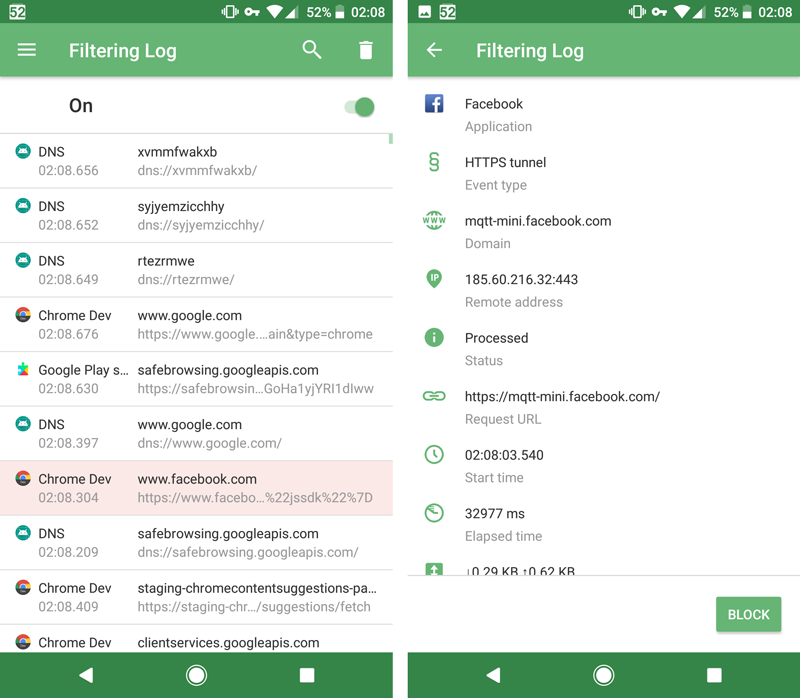
Here's a tip for fellow researchers: there is a better way for inspecting the apps' traffic than good old mitmproxy or Fiddler. Besides being a popular ad blocker and a privacy protection tool, AdGuard for Android is also an excellent tool for this kind of research. You can check what requests are being sent by the apps in the filtering log, and you can examine them closely if you record an HAR (Http Archive) file. Moreover, you can use AG in conjunction with mitmproxy or Fiddler by setting it as an outbound proxy in AdGuard settings.
Our research summary
- We scanned the top 1000 most popular Google Play apps
- Nine of them began extracting and sending user email right after the first run with no explicit consent from a user and no additional permissions requested
- According to Google Play, the total number of downloads of these apps is greater than 350 million
- Most of the apps send the data over plain HTTP exposing it to any intermediate third party (like your ISP for instance)
- There is not much you can do to protect yourself from this kind of malicious behavior
I am pretty sure that what we found is just the tip of the iceberg. The apps we found violating user privacy do it in a very straightforward way. I am sure that there are lots of them who hide it better, and we need to use a more sophisticated approach to discover them.
Here are some interesting stats. Among the top 1000 Android apps:
- 494 apps permissions are enough to extract your phone number and track your phone calls;
- 213 — to get your email addresses;
- 208 — to read your contacts;
- 88 — to read your text messages (SMS and MMS);
Track and Share with BookMyShow
Imagine how surprised we were when the first app we discovered was the highly popular (10M+ downloads), award-winning, "Editors' Choice" of Google Play - the BookMyShow app.
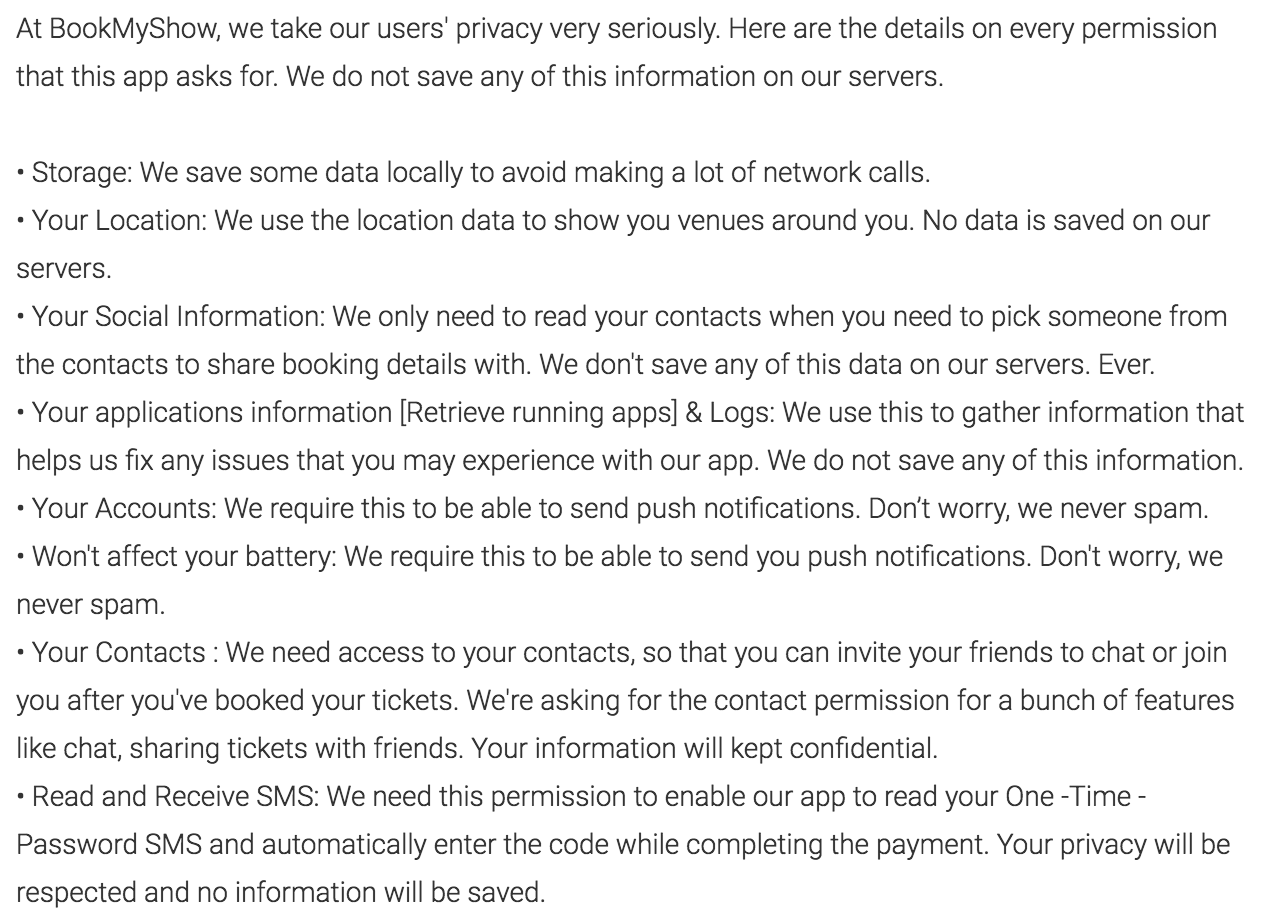
The app developers tried to be open about the information their app collects and the way this information is being used, and they describe everything in detail right on the app page.
How come they do such a notorious thing? The request containing the email address was actually sent to a third-party domain called wzrkt.com. This domain belongs to the analytics system known as CleverTap that advertises itself as a "powerful behavioral analytics [tool] that fuels user-centric engagement". From what the CleverTap documentation on user profiles says, it appears that the BookMyShow developers should have manually filled the email field.
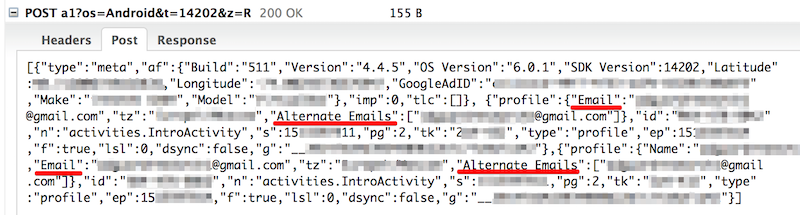
To sum it up, not only was the email silently tracked by the app, it was also immediately shared with a third-party.
Good old GO
This one was not surprising at all. You may remember our previous research about the nasty GO keyboard apps spying on their users? One might have hoped that they would have changed their attitude after the wide exposure given by that research. Unfortunately, this is not the case. We found out that at least three apps developed by the Chinese company called GOMO violate user privacy and try to sneak out as much information as possible.
The first one is the GO SMS Pro app. This app boasts more than 100M installs according to Google Play. Right after the app's installation, it sends your email to the domain goconfigsync.3g.cn right in the request URL, using plain HTTP. Hence, your email is not just being sent to their server, but it is also exposed to every intermediate third-party along the way, such as your ISP.
Two more apps we found are Z Camera - Photo Editor, Beauty Selfie, Collage and S Photo Editor - Collage Maker, Photo Collage with more than 100M installs each. Both apps send your email along with tons of other information to the zcamera.lzt.goforandroid.com domain.
Ironically, GOMO likes to focus on privacy in their apps' descriptions. GO SMS advertises the so-called "Privacy Box" feature:
And both photo editor apps feature the "Private Gallery" that keep private photos safe (from what?):
Guys, really? It'd be so nice if you started protecting user privacy by not violating it yourselves.
Psst, want some free VPN?
Net Neutrality is gone and now more and more people are looking for VPNs to gain better privacy and security. While searching, please be careful about free VPN services. Remember the old rule: when a product is free, you are the product. In our research, we found a perfect example of that. We discovered that two seemingly independent free VPN apps, Turbo VPN - Unlimited Free VPN and VPN Proxy Master-Free security (with more than 10M installs each) send similar requests to the 139.59.113.236 and 139.59.216.231 hosts. These requests can contain not just your email address, but also your phone number, IMSI, and IMEI. Of course, none of that is mentioned in the apps privacy policies (which by the way are also almost identical): https://turbovpn.com/static/privacy_policy_turbovpn.html and http://d32z5ni8t5127x.cloudfront.net/privacy_policy.html.
Beautiful wallpapers in exchange for your email address
The next app on the list is Premium Wallpapers HD with more than 10M installs, according to Google Play. Right after the installation, it requests the list of favorite wallpapers from the URL like this:
http://api.pwhd.space/api/v5/wallpapers/favorites/email@example.com
To be honest, this looks more like a developer's mistake than a deliberate plan to steal your email address and use it for further tracking. Nevertheless, this is still a serious privacy issue, and the use of plain HTTP makes it worse.
Other apps
Two more apps we discovered are Recharge, Bill Payment, Wallet and MyCalendar with more than 10M installs each.
The first app is an Indian digital payment platform, and I can assume that people regularly trust them with much more than just a tiny email address. However, tracking users email before registration is not acceptable and I think they should fix this in future versions.
The second app was last updated on December 22, 2014, and seems to have been abandoned. There is one interesting technical detail about it, though. It puts your personal information (including email) to the Cookie header of every request made to the www.mycalapp.com domain. All the requests are made over plain HTTP as usual.
Why is this happening?
You might think that there are a great many naughty developers on Google Play, but I don't think that this is the problem. The root cause is that on Android it is very easy to silently extract personal information, and Android does not make it clear enough when apps request access to dangerous permissions. We prepared a sample app that you can run and observe for yourself.
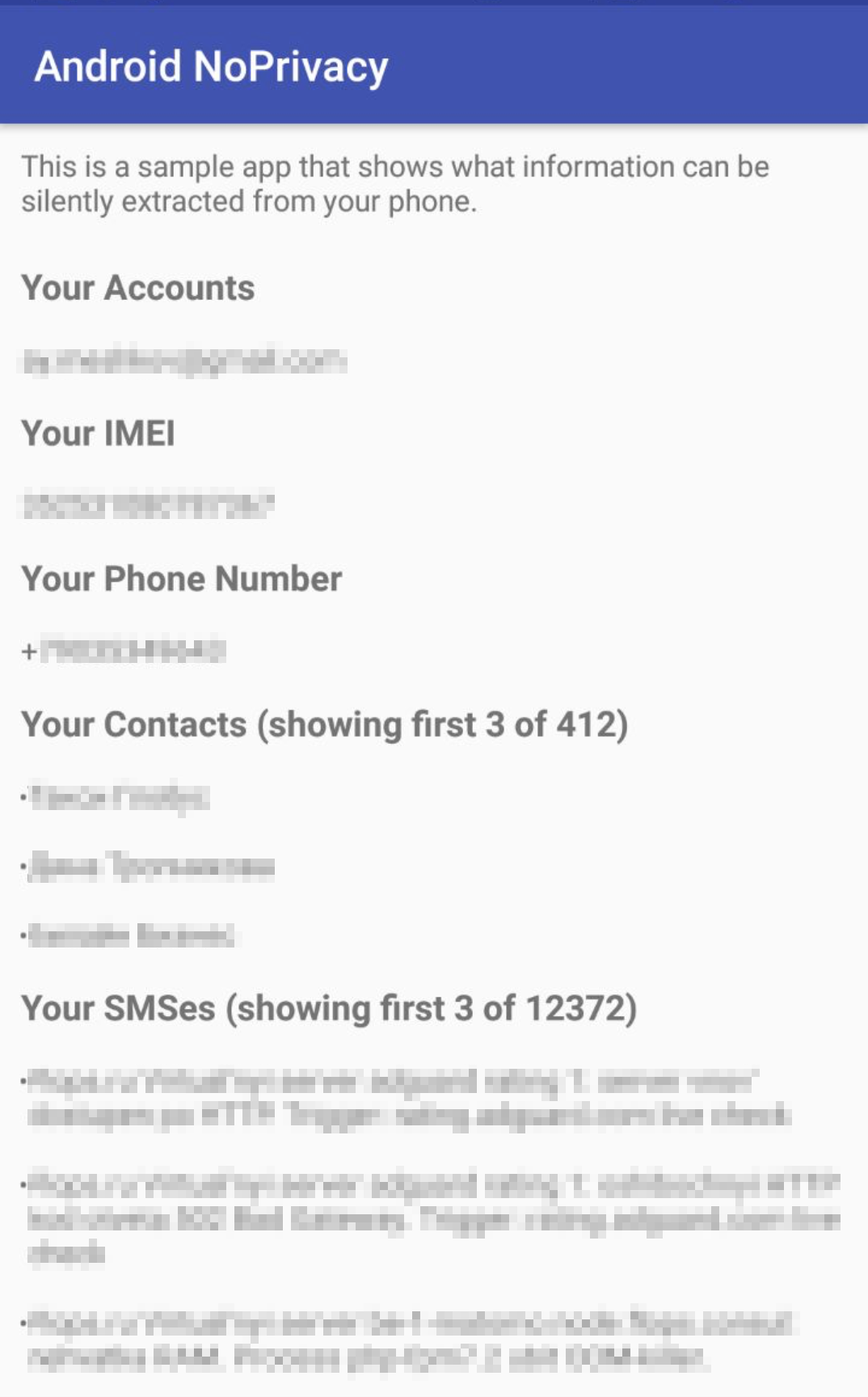
Here is the information this app is able to silently extract:
- Email address
- IMEI
- All your contacts
- All your SMS messages
- We may add more examples later (location, IMSI, cellular provider, apps, photos, etc)
The second problem is Google Play itself. It usually shows you what permissions the app requires prior to the installation. Here is what this looks like for one of the apps listed above:
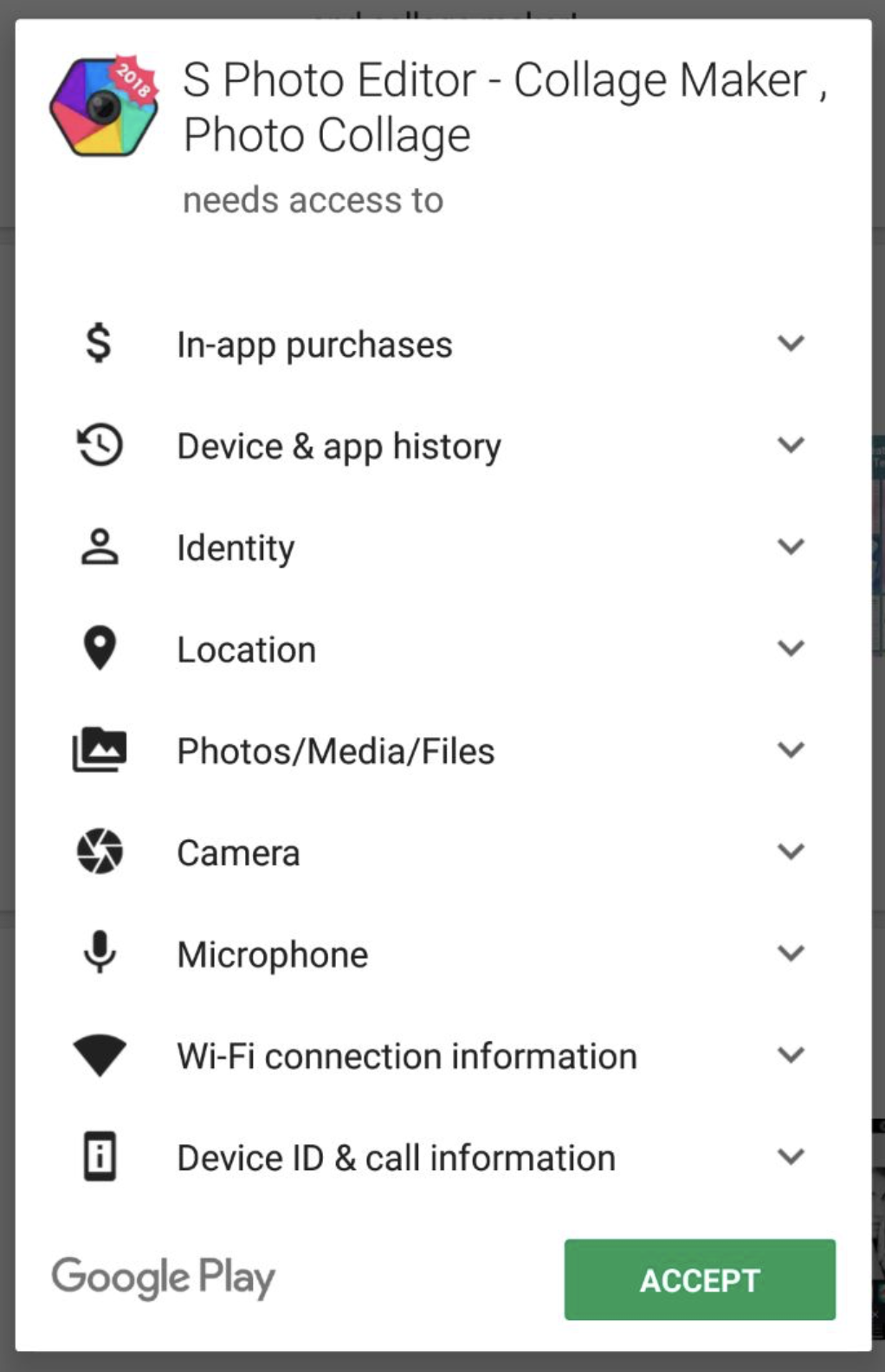
However, I'd like to remind you that this app was installed more than 100M times. Apparently, most end-users just do not understand how dangerous granting some of these permissions might be because Google Play does not make it clear enough.
To sum it up, the state of Android's privacy is astonishingly bad. Your important information is not protected from unrestricted access, and Google Play does not provide enough transparency.
How can I protect myself?
I could just say, "install AdGuard; it will block all the tracking servers, etc.", but I won't. The problem is that this threat is not limited to some known trackers, it can be exploited by literally any app and there's not much you can do to protect yourself, save for some seemingly obvious general rules you should follow:
- Do not install apps from the developers you don't trust.
- Examine the apps permissions very carefully. After all, why would a wallpaper app or a selfies editor need to get access to your accounts information?
- If you are an AdGuard user, use the filtering log to examine the apps network activity.