Perplexity AI introduces ads — could this be the end of unbiased AI search?
It’s been roughly two years since AI-powered search engines first made their mark on the tech scene, and not long after, they began to introduce ads in their outputs. Bing AI (now Copilot) was the first to experiment with ads, and Microsoft is still refining its various ad formats in its AI-powered search engine. Recently, ads have started appearing in Google Overview, the AI-generated summaries of Google Search results, and they might eventually make their way to ChatGPT. OpenAI has stated that while they have no immediate plans to incorporate ads, they’re not ruling out the possibility in the future.
So, it’s not all that surprising that Perplexity AI, the first search engine built from the ground up with artificial intelligence, has also followed suit by introducing ads alongside its AI-generated answers. Founded in August 2022 by a former OpenAI employee, Perplexity AI has quickly become a buzz word in the sphere of technology, enamoured by AI, and an investor darling. With big names like Jeff Bezos backing the company, Perplexity is now seeking a valuation of $9 billion and hopes to raise $500 million in its latest fundraising round.
Ads in Perplexity AI now appear in two distinct spots: as follow-up questions to the main query, and as video ads shown separately on the right-hand sidebar.

The company says that any and all advertising will be labeled as “sponsored,” and that answers to these Sponsored Questions will still be generated by the technology, not influenced or written by the brands sponsoring them.
How much does an AI-powered engine cost?
When the era of AI-powered search engines first began, none of them featured ads. For a brief moment, some of us might have entertained the idea that this could be the way forward — that we’d have a clean, ad-free search experience. But that could have been nothing more than a pipe dream. The subscription model, or the freemium model where certain features are locked behind a paywall, has so far proven to be largely unsustainable, at least when it comes to search engines. We’ve seen ad-free, subscription-based search engines like Neeva shut down, (though, it’s up for a debate whether it would, have not the market been monopolized by Google), and privacy champions like Mozilla (the maker of Firefox) entrenching themselves deeper into the advertising industry.
The reality is, companies behind search engine products have not found any other way to monetize them on a large scale. Running ads seem to be the most straightforward and surefire way of doing so. One crucial factor that makes AI-powered search engines even less sustainable is that the companies behind them need to cover the hefty costs associated with the large language models (LLMs) that power them.
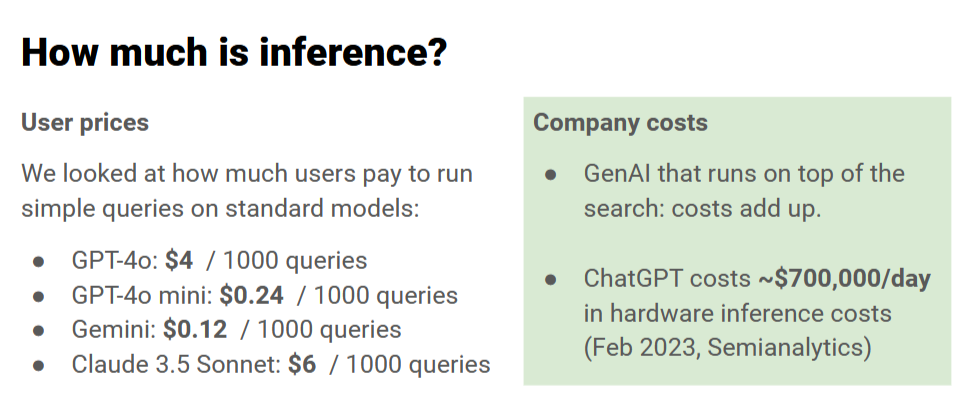
Running these models doesn’t come cheap — pricing for inference, which is the process of generating responses from an AI model, can vary significantly. For example, GPT-4 can cost up to $4 per 1,000 queries, while GPT-4 mini is cheaper at $0.24 per 1,000 queries, and Gemini costs around $0.12 per 1,000 queries. With models like Claude 3.5 Sonnet, the price rises to about $6 per 1,000 queries. This means that every search query and AI-generated response is draining company budgets, particularly when you scale up to millions of daily users. For instance, running ChatGPT incurs an estimated $700,000 per day in hardware inference costs.
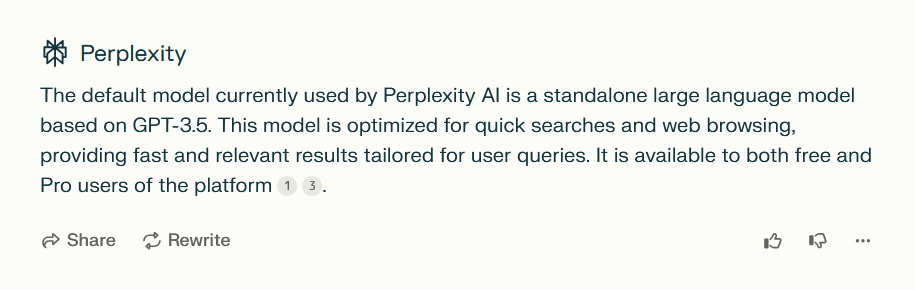
Perplexity, which operates on a freemium model, uses a standalone LLM based on GPT-3.5 for the free version, while the premium Perplexity Pro unlocks more advanced models like GPT-4, Claude 3.5, and proprietary in-house LLMs.
With costs adding up quickly, it’s clear that maintaining an AI-powered search experience is far from cheap, and finding a sustainable financial model is a significant challenge. Perplexity itself says that subscriptions alone just don’t cut it. But while it says that the ad formats may evolve over time, it insists that two principles will remain at the heart of their approach:
- The ads will not affect their commitment to providing “direct unbiased answers”.
- They will never share your personal information with advertisers.
Of course, these are Perplexity’s own claims, and while they claim their ad strategy is designed to complement the user experience, it remains to be seen how this plays out in practice.
If it looks like a duck and quacks like a duck...
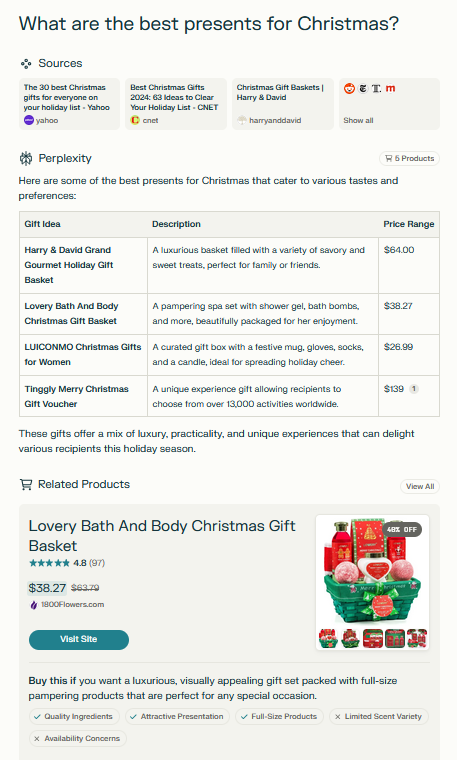
In addition to the ads clearly labeled as “sponsored,” Perplexity has launched a new AI-powered “shopping assistant” that shows you product cards after you ask a shopping-related question, like “What are the best Christmas presents to buy?” For Perplexity Pro users in the US, there’s also the added convenience of a feature called “Buy with Pro,” which lets you check out directly on the Perplexity site or app. If “Buy with Pro” isn’t available for a particular product, you’re redirected to the merchant’s website to finish the transaction.
Perplexity is adamant that these are no ads although they eerily resemble such. According to the company, “When you ask Perplexity a shopping question, you’ll still get the precise, objective answers you expect, plus easy-to-read product cards.” They insist these cards are not sponsored, but rather “unbiased recommendations, tailored to your search by our AI.” This new feature is the result of a collaboration with platform integrations, including Shopify.
The product cards appear after the AI-generated answer, nestled below the ‘related questions’ section. When asking for the best Christmas presents, we were shown as many as five product cards — massive ones that take up a huge portion of the screen, requiring a fair bit of scrolling to move past them.

While Perplexity mentions that the product recommendations are “unbiased” and not sponsored, the reality is that AI algorithms often rely on data from merchants, reviews, and other third-party platforms. If the algorithm is influenced by sales trends, top-rated products, or specific partnerships (like Shopify), those influences might skew the recommendations, even if the AI itself isn’t directly “biased.” If a merchant pays to be featured more prominently on the platform or offers incentives to get listed more often, it could introduce subtle biases in what the AI surfaces.
Blocking the ads: does it require any new approaches?
You might assume that the rise of more sophisticated search engines would lead to even more advanced ads, and to some extent, that’s true. We’ve already seen examples of ads blending seamlessly into search results — becoming part of the response itself. Blocking those types of ads would require a more sophisticated approach, like hijacking user queries or processing chatbot responses with an ad-blocking LLM. It may sound too complex, and it really is. Click here to try the demo that showcases how blended ads work and how they can be blocked.
However, with Perplexity AI, things aren’t quite as complicated — at least not yet. The ads you encounter here can still be blocked using more traditional methods, like setting up filtering rules specifically targeting the sponsored sections.
As for the shopping cards that pop up after you ask a question, they can definitely be a bit much, especially when they take over the screen. Luckily, these can also be dealt with. Taking into account user feedback to that Perplexity feature and the fact that there’s no option to disable or hide the product cards, we’ve decided to introduce a rule in our Other Annoyances Filter to hide the product cards within the body of the answer. However, since we recognize that this feature might still be useful to some, those who wish to view the products can simply click “All Products” at the bottom of the response, which will open the product cards in a separate window.
All in all, it’s not about reinventing the wheel — just applying some conventional techniques to clear out the clutter. So, for now, at least, blocking ads on Perplexity doesn’t require breaking out any advanced tricks, but we cannot rule out that at some point it might.
Conclusion
The arrival of ads in AI-powered search engines seems inevitable. Google, originally launched without ads, incorporated them in 2000 and has never looked back. Similarly, as the costs of running AI models increase, search engines like Perplexity AI are turning to ads as a means of monetization. As for whether ads undermine the unbiased nature of a search engine, it’s a complex issue. While sponsored questions are clearly labeled, the answers themselves can be influenced by the sponsorship. For example, if a sponsored question mentions a brand like Whole Foods, the answer will prioritize that brand, even though the response isn’t labeled as sponsored.
The introduction of shopping cards adds another layer of controversy, as it’s difficult to reconcile claims of “unbiased” recommendations with the involvement of partnerships and data from merchants. Despite these claims, it’s hard to see how such features could be entirely free of bias. Ultimately, as AI-powered search engines evolve, the balance between monetization and maintaining trust with users will remain a challenging issue.




















































