The year in articles: we wrote, we blocked, we conquered + Digital hygiene cheat sheet
As we prepare to ring in the New Year, it’s time to take stock and look back. This year has been rich in industry news, both good and not so much. It also gave rise to new trends: we’ve seen AI-powered tools go mainstream, ads come back in droves to TV screens and streaming platforms, and tracking techniques become increasingly sophisticated and harder to fool.
All in all, it’s been a busy year, with its trials and tribulations, and we’re more than ready for a new one. To make sure you’re locked and loaded for 2023 as well, we’ve prepared an updated list of rules to follow to keep your data safe and private in the coming year. You can skip the recap and go straight to the checklist, or stay with us as we say goodbye to the past year by reflecting on everything we wrote and commented on in 2022.
Google — the Grinch of the Year, and other Big Tech
We have written extensively about Big Tech not because we’re overly fixated on Google, Apple, Meta, and others, but because their impact on the industry is overbearing and every small step (or a misstep, as it often happens) they make affects hundreds of millions of people.
Big Tech earns a huge profit by selling our data to advertisers — we’ve attempted to break down how much exactly. But if we have to pick a giant among big tech giants, it would be Google. This year Google started testing its “Privacy Sandbox” — a set of rules and standards that supposedly should make advertising less invasive and protect users from fingerprinting. And while it includes several sound initiatives, we still believe it’s mostly smoke and mirrors. And we’ve explained why and what we’re going to do about this in detail here.

Photo: Dylan Carr/Unsplash
In general, it’s hard to believe companies that constantly break their promises when it comes to tracking and data protection. As the saying goes, deeds speak louder than words. As whether words are just wind in Apple’s case as well, we yet to find out: the company that has famously promised not to make a product out of the customer, is now building its own advertising empire — and we’re not stoked about this.
Taming the beast smart tech
There is Big Tech, and then there is small tech — literally — that can sometimes fit in the palm of your hand or blend in with the surroundings… and silently listen. Despite their often diminutive size, internet-connected smart tech can be just as dangerous privacy-wise.
We talked about how voice assistants can, unbeknownst to you, record and share your intimate conversations and what precautions to take; we wrote about the double-edged nature of baby monitors and gave tips how to best secure one. Finally, we delved into the fascinating world of wearable tech that, on the one hand, is saving lives (with its fall detection belts, tracking soles and real-time sugar level monitoring watches), but, on the other hand, poses inherent privacy and security risks.
Trends to watch out for
Smart gadgets have been slowly but surely permeating every sphere of our life: sport, fitness, fashion, construction, healthcare, policing — you name it. But it’s by far not the only trend that has caught our attention.
AdGuard would not be a thing if there were no digital ads — you could call it a love-hate relatinship, a codependency of sorts. So, because of the nature of our work, we keep an eye on what’s going on in the brave not-so-new world of advertising. This year, TV service providers have continued to embrace tracking and invasive advertising techniques, such as “jump ads” and “shoppable” ads — read more about this and how we can help with that. Perhaps even more alarming is that ads are flooding back to streaming platforms: the fall of the last ad-free stronghold, Netflix, marks the end of an era. Moreover: seeing how automakers are introducing subscriptions, we feat that ads may soon invade cars as well.
In a sea of doom and gloom, we’ve also seen some good omens. Regulators in several countries have successfully challenged the dominance of Apple’s and Google’s app stores, and we expect the duo to give up even more of their leverage in coming years — the status quo hurts developers, who have to deal with high commissions and obscure, drawn-out review processes, and users alike. Having Apple and Google pull all the strings stifles innovation and competition — and as we’ve seen this year, Big Tech can be ruthless in going after those who rubs it the wrong way.
Another emerging trend is the growing disenchantment with the old, ad-cluttered social networks among younger users. Whether the rising popularity of ad-free social media apps, such as BeReal and Mastodon, is a harbinger of a change in the social media landscape is yet to be seen. But we believe it is not a fluke, and part of a bigger picture.

Photo:Alex Knight/Unsplash
Last but not least, we could not but mention the widespread adoption of the artificial intelligence-powered tools. It seems that everyone and their mother is now playing with text-to-image generators and AI-powered photo-editing apps. We agree, they’re cool, and we did end up playing as well. But behind the shiny veneer, there is a darker side to AI — it trains on large pools of copyrighted and personal data without asking, as in the case with GitHub’s AI-powered programming assistant Copilot. In addition to being ethically and legally questionable, AI is also a privacy threat.
Newsmakers: Elon Musk, Mark Zuckerberg… Internet Explorer
Trends are what you typically watch for, but it’s often individuals that steal the show. This year, we want to give honorary Oscars to: the CEO of everything and Twitter, Elon Musk, who, we believe, has a very slim chance to create order out of the Twitter chaos; Mark Zuckerberg, who has put all his chips on the underwhelming metaverse in an attempt to rescue the sinking ship called Meta, but his master plan looks increasingly like a disaster movie plot. Him attacking Apple does not seem to help
And what is a proper Oscar ceremony without the ‘In Memoriam’ segment. This year, we bid farewell to the Internet Explorer as we know it. Everybody’s least favorite browser and the butt of multiple jokes was sunset by Microsoft, and has become merely a mode in Edge. In our obituary for IE, we have detailed our struggles with regards to ad blocking in the browser — you can bet, we won’t be missing it.
Only human: going against the grain to protect yourself
It is human nature to want to be seen and stand out from the crowd. In our time and age, social media is the easiest way to do this, and if you do not have socials, you are automatically considered a weirdo. But there’s a fine balance to strike.
Oversharing can backfire big time, enabling cybercriminals steal your money and identity — some of the cases we’ve written about have ended fatally. Your digital identity may not rest in peace even after your death, as it can fall victim to a type of identity theft known as “ghosting,” inflicting debt and suffering on your loved ones. It may sound a bit eerie, but it’s only prudent to protect your online identity from post-mortem abuse. We’ve written about how to do that (as well as how to “live forever” as a digital avatar — if that’s more to your liking).
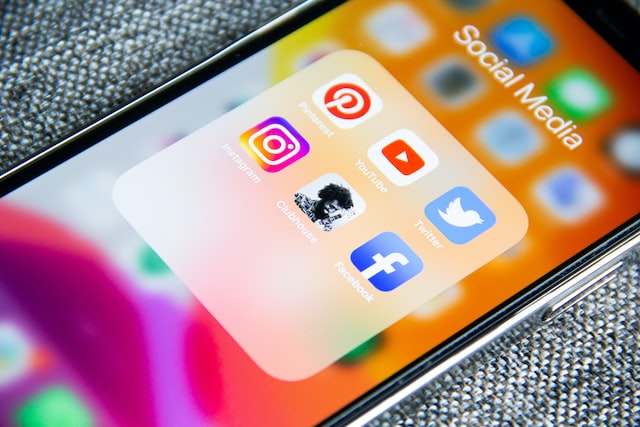
Photo: Adem AY/Unsplash
The most general advice will be to share less and be mindful of what you share and who you share it with. Sometimes, however, even this is not enough. Tracking techniques are constantly evolving: one brand new fingerprinting method, for instance, allows you to distinguish between two seemingly identical GPUs. Read more about what fingerprinting is, why it’s the future of tracking, and how you can try to hide your tracks.
The ultimate bad guys
Santa brings coal to those who violate user privacy in a particularly egregious way, hack businesses, or abuse power by spying on unsuspecting victims. This year we covered several such stories.
One involved a firm called SafeGraph that harvested sensitive user location data from apps to sell it in bulk. Another was about hackers from Lapsus$ going on a major data-stealing spree. We also wrote about a rogue cop who used a job-issued surveillance tool to stalk women on Snapchat, a case that serves as a prime example of why one bad apple is one too many.
These stories serve as a cautionary tale that our data is not safe with either big corporations or the government. To think that you have nothing to hide and therefore are of no interest to either hackers or police is tantamount to lulling yourself into a false sense of security. The more data the government and Big Tech accumulate, the more likely it is to be leaked or otherwise mishandled.
To help you protect yourself from Big Tech’s snooping, rogue employees, and cyber criminals, we’ve prepared a list of rules and recommendations to follow.
Rules to keep your data safe and private
The rules that you’ll find below are based on the main principles of digital hygiene. The list is not exhaustive, and while we have tried to cover the basics, you’re always welcome to contribute.
Use 14-character long passwords with numbers, lowercase and uppercase letters — the longer the password, the harder it is to crack. Instead of writing down passwords on a sheet of paper or saving them to a text file, use a password manager that will generate unique, long passwords for you and will store them safely.
Turn on two-factor authentication for all your accounts and devices and use an authenticator app. 2FA will add another layer of security to your accounts, and an authenticator app will generate a verification code right on your device — which is much safer than receiving it via SMS.
Do not share private information about yourself and your children on social media, even in direct messages. Messaging apps owned by Big Tech are not as secure as they might seem: you can fall victim to a hack or to an unscrupulous employee with access to your profile. Morever, the companies behind many of these apps are known to share data with law enforcement, so the latter can also get to know the intimate details of your life.
Be careful when using photo-editing services, e.g. to remove the background of your photo or turn yourself into an anime character. The data you share with these services ends up in the hands of companies who can use it to train neural networks.
Lock your devices with a PIN-code or a biometric key, such as your fingerprint or Face ID, so that nobody can easily access your data when you turn away.
Make sure you’re not being tracked by an unknown AirTag — Apple’s Bluetooth tracker. If you have an Apple device, you should automatically receive a push alert, if an AirTag follows you for an extended period of time. To scan for AirTags on Android, you’ll need to install a special app.
Set up automatic software and firmware updates — thus you won’t miss critical patches and fixes.
Delete unused accounts — an attacker can take over your old accounts without you even noticing and harvest sensitive information from them.
Remove outdated apps and software — they can be dangerous due to lack of updates. They also clutter up disk space and slow down performance.
Change your router’s default credentials to make it harder for attackers to hack your home network.
If possible, change logins and passwords of your smart devices. Thus you will decrease the risk of them being hacked and serving a gateway to your home network.
Don’t give apps that do not require certain functionality permission to use that functionality.
Think twice before clicking on an email link or opening an attachment. Remember that the sender’s address can be spoofed.
Be extremely careful when participating in paid surveys, giveaways and quizzes. If you really want to take part in them, use a separate mailbox.
Back up your data to a separate location, like a USB stick or the cloud, to make sure you don’t lose it all in a computer crash, ransomware attack, or if your laptop gets stolen.
Install AdGuard Browser extension to block ads, trackers, phishing websites, adware and malware in Chrome, Safari, Firefox, Opera, Edge and Yandex.Browser. To block ads and trackers in all browsers and apps instead of just one browser, install the AdGuard app for Windows, Mac, iOS or Android.
Set up DNS filtering on your router if you need to protect devices from ads and trackers that do not support an ad blocker (for example, smart TV).
Use AdGuard VPN to hide your IP, mask your real location, keep your browsing history a secret and your traffic private.
Be selective with who you trust. Some VPN service providers may log and share your data, and have built-in trackers. If a VPN advertises itself as totally free with unlimited bandwidth, that’s a red flag. A VPN provider has to compensate for hardware and development costs, and if you’re not paying to keep your data secure, someone else is probably paying to use your data.
Bottom line: your data is a hot commodity, and you don’t want to squander it. By following the basic cyber hygiene rules on our checklist you’ll take good care of your privacy and security — AdGuard will help you with the rest.




















































