AdGuard Mail — a new AdGuard product to protect your email
AdGuard has launched a privacy-focused email management tool designed to help you bring order to another part of the Internet — your mailbox. For those ready to dive in right away:
If you’d like to learn more about the product first, here’s what it offers.
No more spam
Imagine this: you’re traveling. You download a local taxi app — let’s call it FastFurious. You enter your email to register, use the service, and then delete the app because you won’t need it when you get back home. But then you’re bombarded with promotional emails, not only from FastFurious but also from other services. You’re getting offers for food delivery, clothing discounts, and even invitations to music festivals. This happens because sometimes databases with email addresses are shared or sold to other companies — legally, with user consent written in small print, or not.
You end up wasting your time manually unsubscribing from countless newsletters. While you can stop emails from specific senders, there’s no guarantee that others won’t flood your inbox, especially if your email address has already been shared or added to their databases.
Instead of using your real email address, you could use an alias — an address for email forwarding. The alias will forward the verification code to your primary inbox, allowing you to register with the app. Waiting for other emails from this sender? They’ll arrive too. And when you no longer need them, you can simply disable or delete the alias. Even if FastFurious shares your email alias with anyone else, it won’t matter anymore.
No more tracking
Third-party cookies have long been used for online tracking. They allow advertisers to know which websites we go to and can create a comprehensive profile of each user. But while third-party cookies are being phased out, advertisers have found new ways to track users. What do ad tech companies build user profiles around? Surprisingly, email addresses can be used for that, and this trend is gaining momentum.
To prevent ad tech companies and data brokers from tracking you online, we offer a solution: using aliases. They will prevent advertisers from tying all the information collected about you to a single email address. For example, if you sign up for one service with a personal email address and another with an alias, it will be harder to match your data and create your digital profile. That means you’ll see less targeted ads and keep your personal information safe.
Control over newsletters
The best part is that you can create as many aliases as you need. There’s no need to reuse a single alias on multiple websites — otherwise, you might end up receiving both useful emails and spam on the same alias. It also works the other way around: if you disable such an alias to avoid spam, you’ll stop receiving useful emails as well. The more aliases you have, the more flexibility you gain: disable one if it’s no longer needed, keep another if you enjoy the newsletters it forwards. You can even keep an alias disabled and enable it only when expecting a specific email.
But what if you don’t want to use a certain service for a long time and receive emails from it? There is temp mail for that. Temporary email addresses can be used for one-time interactions — to take part in giveaways or try a new service. And when you are no longer interested in further interaction, you can easily delete the temporary email address and all the emails in it.
The feature of creating temporary email addresses is available both within AdGuard Mail and as a separate service, AdGuard Temp Mail. Within AdGuard Mail, you can choose the option that best suits your needs: aliases or temporary email addresses. Curious to learn more about AdGuard Temp Mail? Visit its website or read about its latest release in our blog post.
What’s inside
The AdGuard Mail app offers aliases, recipients, and Temp Mail. Here’s how they work:
Aliases
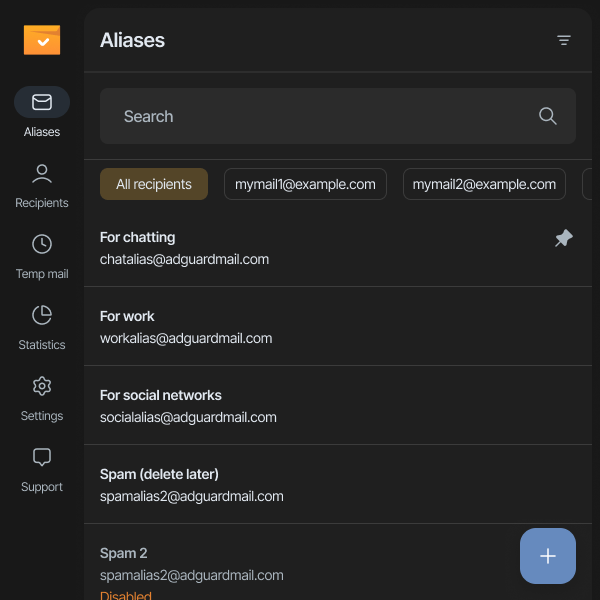
Aliases are your forwarding email addresses. Copy an alias, use it on any website, and all emails from that website will be sent to the alias. The alias will forward them to the linked recipient – your personal email address.
If you get tired of emails, just disable the alias. Nothing more will be forwarded.
To make it easier to manage aliases, you can name them after the services they’re used for.
Recipients
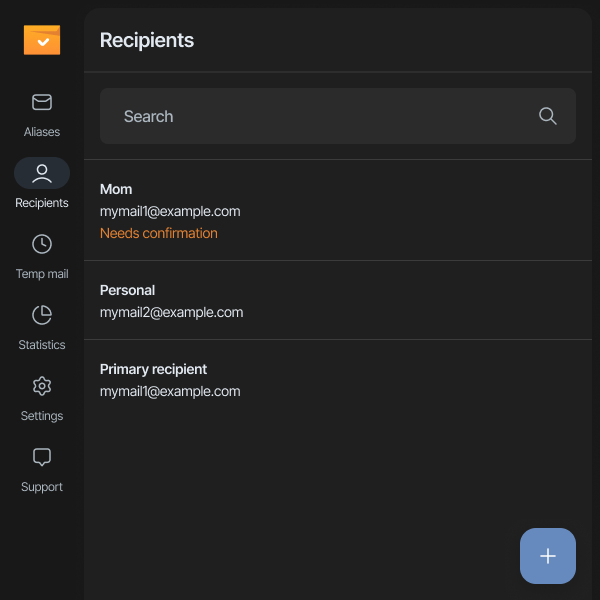
Recipients are the email addresses you want to protect. Add your personal and work addresses, or even those of your family members if they ask.
Temp Mail
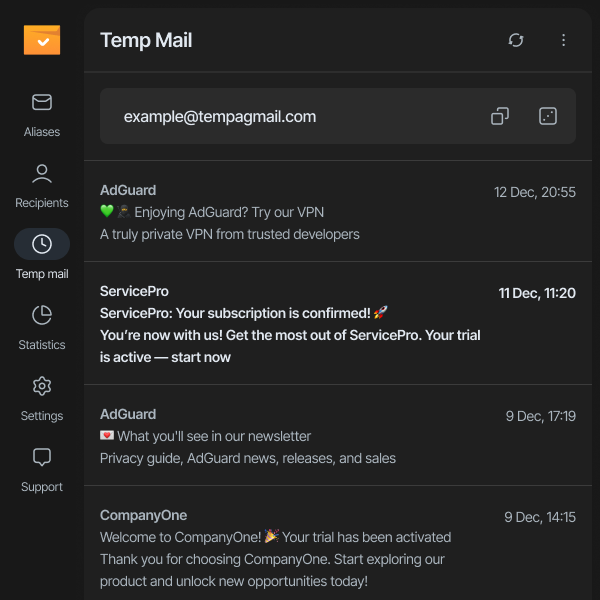
You can use this feature to receive emails straight into your AdGuard Mail mailbox. However, keep in mind that a temporary email address along with the inbox is deleted easily but it can’t be recovered. That’s why we recommend using Temp Mail for one-time tasks, like receiving a promo code or activating a free trial. For anything more important, stick to aliases.
How to download
AdGuard Mail is available in all major app stores and as a web version. Choose the option that suits you best:
Currently, AdGuard Mail is completely free. Try it out and share your reviews in app stores or by contacting our support team. This is our first experience with email management tools and we would be very happy to get your feedback — we will keep it in mind while further developing our product.



















































