AdGuard Pro for iOS is back from the dead
Recently, AdGuard Pro for iOS received a very small update. Basically, we just updated localizations and one or two random bug fixes. It looks very unassuming at first glance, but it means a whole lot. Why? To explain that, we need to go back in time and look at AdGuard Pro's bumpy road to where it is today.
The rise and fall of AdGuard Pro
It all started almost three years ago. AdGuard Pro (in beta stage at the time) was positioned as an app that could block ads outside of Safari, something that no other app could have done before. For a long time, everything was going more or less normally: AdGuard Pro was getting regular updates and was becoming better at doing its job — that is, until one day Apple decided it was not going to be that way anymore. We were trying to push a small run-of-the-mill AdGuard Pro update, and the app was rejected because:
Your app uses a VPN profile or root certificate to block ads or other content in a third-party app, which is not allowed on the App Store.
We could argue that our app wasn't even doing any of that by default, but it didn't matter. When Apple makes up its mind, you can throw yourself against the wall as much as you want, but it won't matter. AdGuard Pro looked like it was done for; we were forced to freeze development. We would have had to abandon every network-level feature to make any further changes to it, and it just wasn't worth it. AdGuard Pro wasn't the sole victim, either: lots of other apps suffered the same fate. For almost a year, AdGuard Pro went into a deep slumber.
We had to choose a different path, so we concentrated our efforts on developing the free AdGuard for iOS app. As a result of many months of hard work, we managed to partially recover some of the AdGuard Pro functionality in AdGuard 3.0 for iOS. Obviously, it was lacking some key features compared to the Pro app, but it more than made up for it with drastically improved Safari content blocking. It was definitely something, and under the new rules it didn't really seem feasible to achieve much more. And what do you know, literally a week before the scheduled release date, we got more news from a certain fruit-related company.
New beginning
As it often happens with Apple, everything comes out of the blue. Just like their sudden policy changes first crippled, and then practically killed AdGuard Pro, one day they effectively resurrected it from the dead.
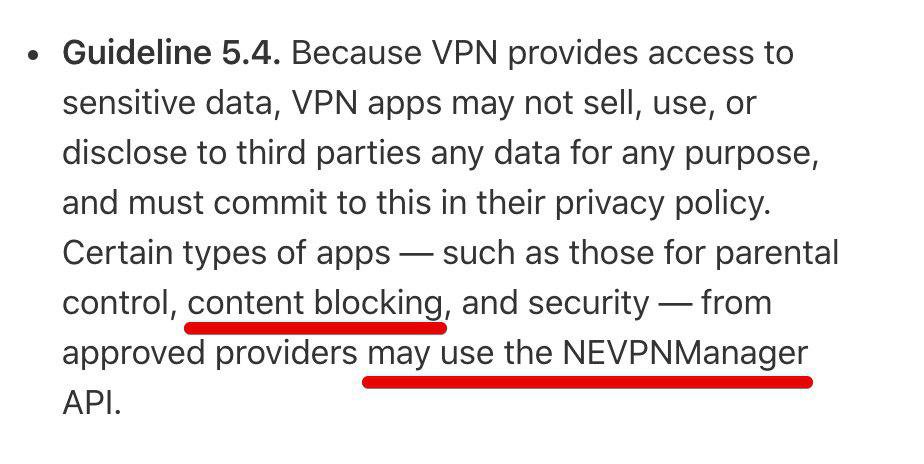
AdGuard Pro is a content blocking app, so it looks like this should apply to us.
The new AppStore review Guidelines were published on June 4th, stating that:
Certain types of apps — such as those for parental control, content blocking, and security — from approved providers may use the NEVPNManager API.
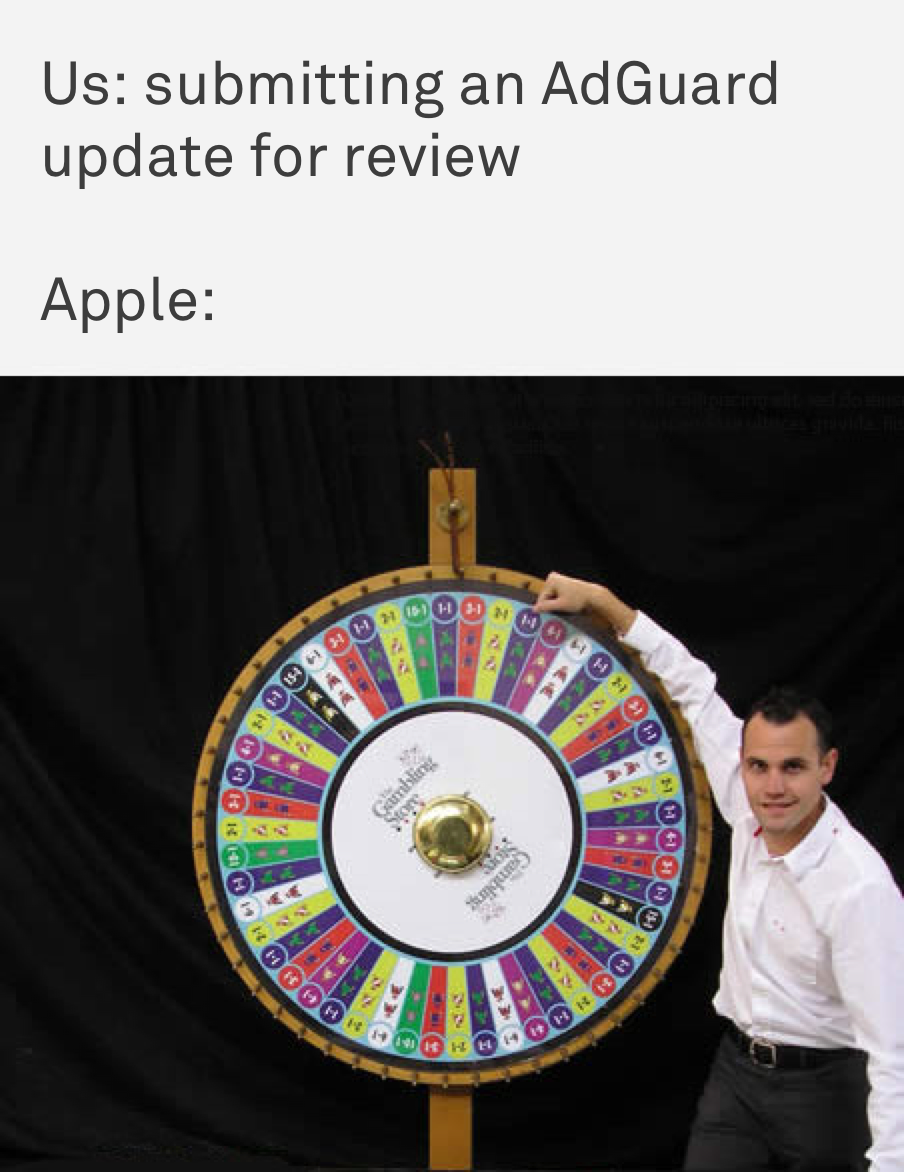
This API is exactly what was needed to be able to filter other apps' traffic. Our iOS developers immediately dusted off the AdGuard Pro code and submitted the same exact update that had been meant to come out a year before. Long story short, the update was rejected, we resubmitted it again, it was rejected again, rinse and repeat. No, seriously, repeat a couple times more. We lost count anyway. And finally, on this blessed day, AdGuard Pro for iOS was approved. Perhaps now you understand why this measly little update means so much to us. It opens doors to many more future ones.
Future plans
What are we going to do now when all these new possibilities have dawned on us? What do we do with two different but similar apps? I'll try to give you answers to these and other questions.
Let’s start by looking at what we have: AdGuard for iOS that’s much better at blocking ads in Safari but lacks system-wide filtering, and for AdGuard Pro it’s the other way around. If everything goes according to our plans, AdGuard and AdGuard Pro will eventually become closer and closer to each other: we will add system-wide filtering to our regular app and then we’ll update AdGuard Pro to match it in features. At that point, both apps will become basically the same in terms of functionality. Neither will get removed from the App Store, so if you’re already used to one or the other, it won’t matter; you won’t have to switch.
Of course, it means that AdGuard Pro's price will likely go up once it gains more features. That may not be pleasant news, but we'd rather be honest upfront.
PS: that being said, we are still not 100% sure everything will go our way long term. Just few days ago our long approved free AdGuard for iOS app got bashed with Apple's banhammer and then was shortly restored back. It was a frightening 30 minutes, let me tell you that! Let's hope it was a simple reviewer's mistake, but you never know.
Where to get our apps?
AdGuard for iOS is available for free in the App Store. The link to the store and other useful information can be found on our website.
AdGuard Pro for iOS can be purchased and downloaded from the App Store as well. The link and FAQ are available here.
We'll be happy to answer any questions related to the present and future states of our iOS apps in the comments, so if you have any, fire away!


















































