AdGuard Safari extension
It seems that Apple is not really on a path to make adblockers’ life easy. As you might have heard, Safari 12 came out and disabled all Safari adblocking extensions that were downloaded directly from the Web without using Mac App Store.
Since Mojave will make Safari 12 version mandatory, we decided to make our extension App Store-compatible ASAP, but we lost much time on review.
Anyway, meet our new free and open source, highly customizable and lightning fast ad blocking extension: AdGuard for Safari.
Features overview
Let's glance over what the new extension offers you in terms of functionality. Mostly, all the usual suspects:
Ad blocking
This is the most obvious and yet most important feature. That's why we always make sure that all our products provide ad blocking of the best quality. Once you install the AdGuard extension, all ads will be automatically blocked.
Whitelisting
Often, you might want some websites not to be filtered by AdGuard, for example sites you would like to support financially. You can always just add website's domain to the whitelist.
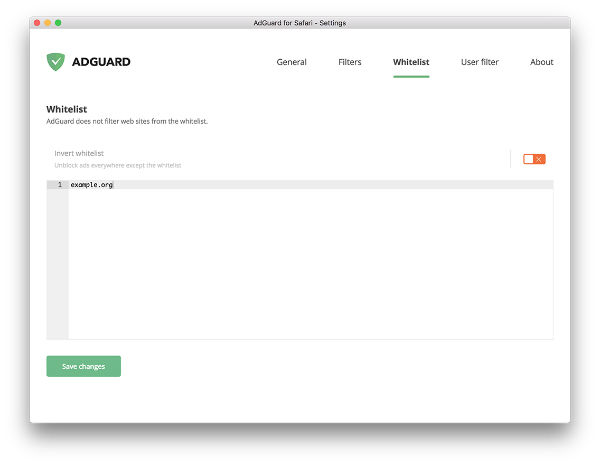
A curious option is "Invert whitelist". It turns the filtering upside down, now no websites are filtered except for those from the list.
Filters
Depending on the user, the amounts and types of elements they want to be blocked may differ. That's why you can customize in detail what will be filtered and what won't, and you can do so by toggling various purpose-specific "blocks", i.e. combinations of filters.
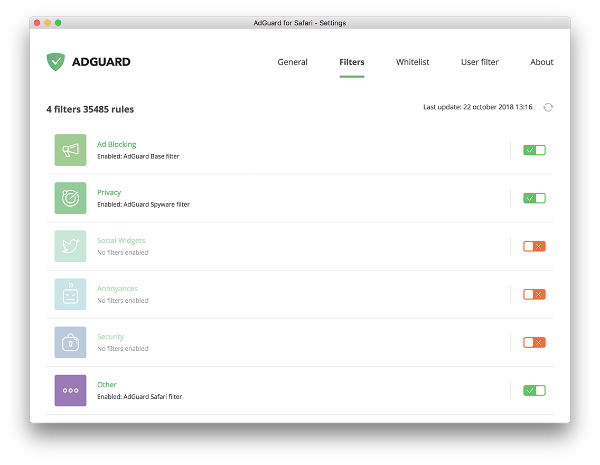
E.g. if you are annoyed by social widgets (intrusive Like/Share buttons etc.) you can switch on the "Social widgets" filter cluster. Moreover, you can go inside the cluster to cherry-pick the exact filters of which the cluster consists.
Even more, you can add your own custom filters by URL or from a local file!
User filter
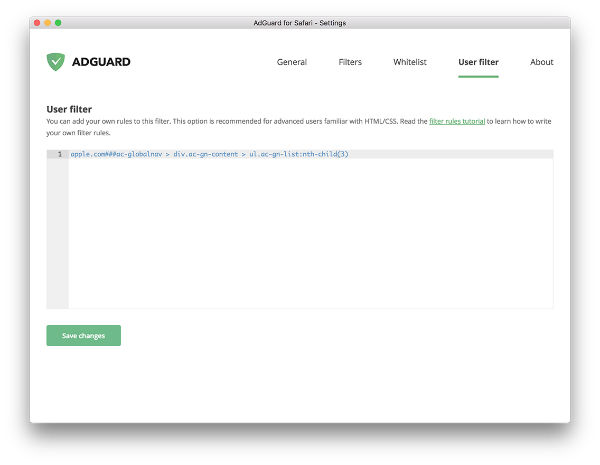
If you are an advanced user and know ad blocker syntax you can create individual filtering rules. And if you are not familiar with this process yet but would like to learn — don't worry, we have a comprehensive guide in our Knowledge Base.
Manual blocking tool
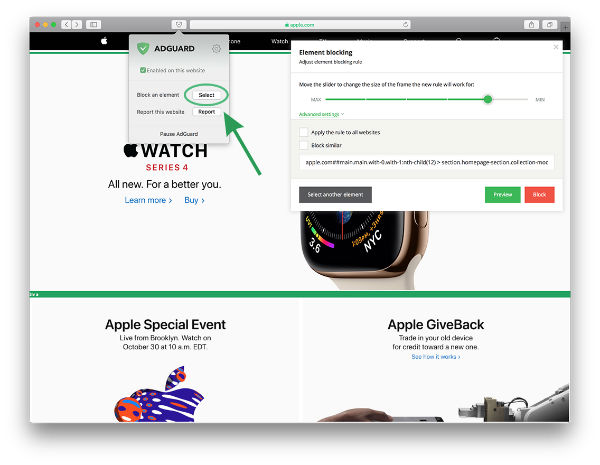
A very handy instrument to get rid of anything on the page that you don't want to be there — not necessarily a missed ad (although that happens sometimes, too). Just select the element that you want to hide, and AdGuard will automatically make a corresponding rule to deal with it.
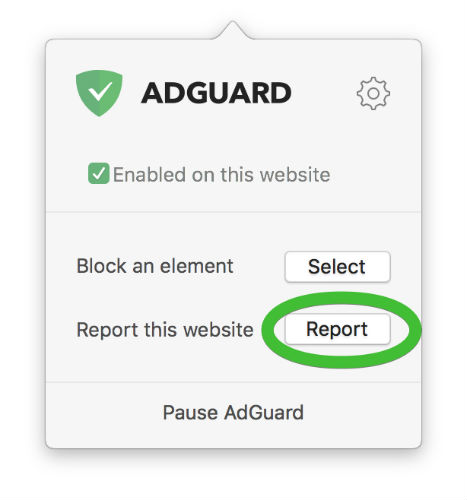
We are constatly looking to improve our ad blocking capabilities. Essentially, we value the feedback from our users and even largely rely on it to know about the missed ads. If any ads or annoyances happen to slip through, please let us know through the "Report" button in the extensions menu. We appreciate your help!
How to install AdGuard Safari extension
We have to give credit where credit is due — the installation process is rather simple with App Store.
- Download the extension from the App Store and run it
- Click "Open preferences" in the dialogue box
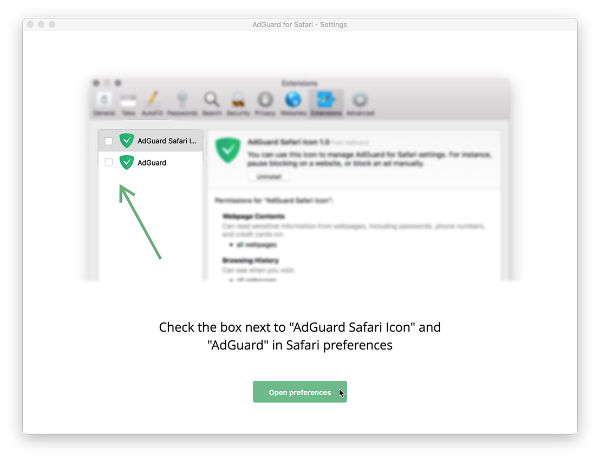
- In the opened Safari Preferences check the boxes "AdGuard Safari Icon" and "AdGuard"
- Show those pesky ads who is in charge here!
Comparison with other ad blockers
As a matter of fact, there are very few other ad blocking extensions present in the App Store (by the time this article is written). Their functionality range isn’t exactly impressive.
We studied all the major alternatives to AdGuard Safari extension and tried to stay unbiased. This is the visual representation of capabilities of four most popular free ad blocking browser extensions currently present in the Store:
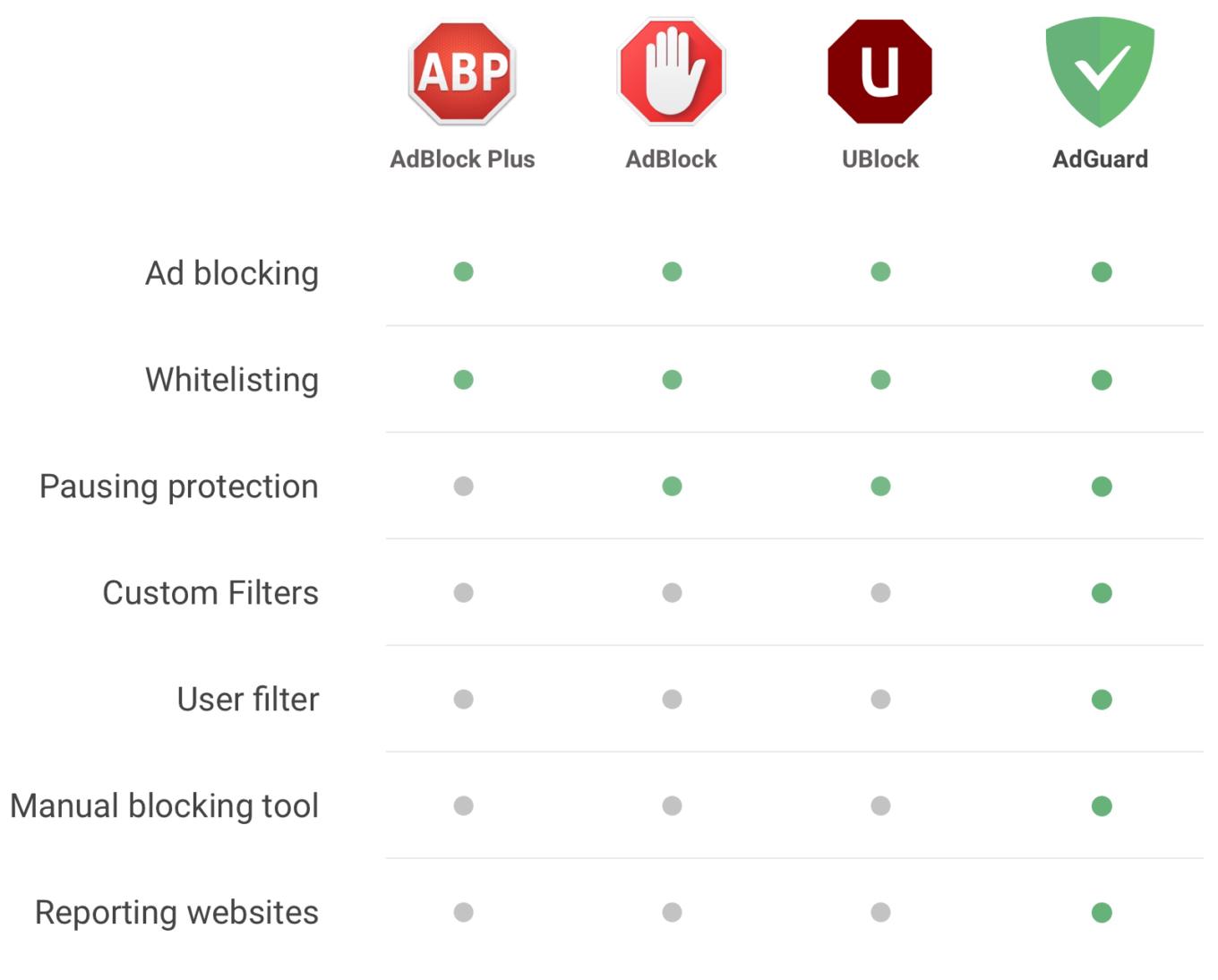
A comparison chart for Safari ad blockers
You can try any of them out right now and see why we are so confident that you won’t find a better free Safari extension than AdGuard.
Why open source?
We have a clear stance on that. We believe that if an app/extension is free (and is in charge of user’s privacy) it shall be open-source.
AG for Safari is no exception to this rule, and is also available on GitHub. By the way, if you want to help us improve AdGuard, we welcome your contribution.
Better yet, there is a full-fledged AdGuard for Mac
With all above said, there is a solution that is even more effective than AG Safari extension. I mean, of course, AdGuard for Mac. It can:
- filter your traffic in all browsers and apps on your Mac
- have an unlimited number of filter rules
- provide a better filtering quality (due to the lack of browser API restrictions)
You can try it out for free, and should you decide it is a worthy solution, we even have a special 30% discount going on for the next couple weeks due to the aforementioned Safari 12 changes.
Please note that if you use the full-fledged AdGuard version, you don't really need any other ad blocking extension.


















































