AdGuard VPN for Android Grand Release (Stable Version)
Meet AdGuard VPN for Android First Stable Version! Now that we've just finished the last tests and polished up the app's performance and the battlefield between our Android team and the QAs has finally gone quiet, we still can't believe it's actually happening!

But first things first: Dear beta testers, fellow geeks and those who were not indifferent, THANK YOU! For all your feedback, bug reports, suggestions, improvements, sharp criticism and helpful remarks – you have no idea, how grateful we are! Sending you our best! Hoping, you will enjoy the result.
This is indeed the first stable version, but certainly not the final one, we still have a lot to work on — there are more fixes and product improvements ahead.
As you know, we at AdGuard value our users' privacy the most. We are working hard to provide an alternative way to experience the web: private, secure and yet with an immense freedom of unrestricted access. Hiding your location, preventing personal data leaks, evading region-based content restrictions – it’s all what VPN is about. So does AdGuard VPN have any extra benefits? Indeed, and here they are:
Fastest endpoints
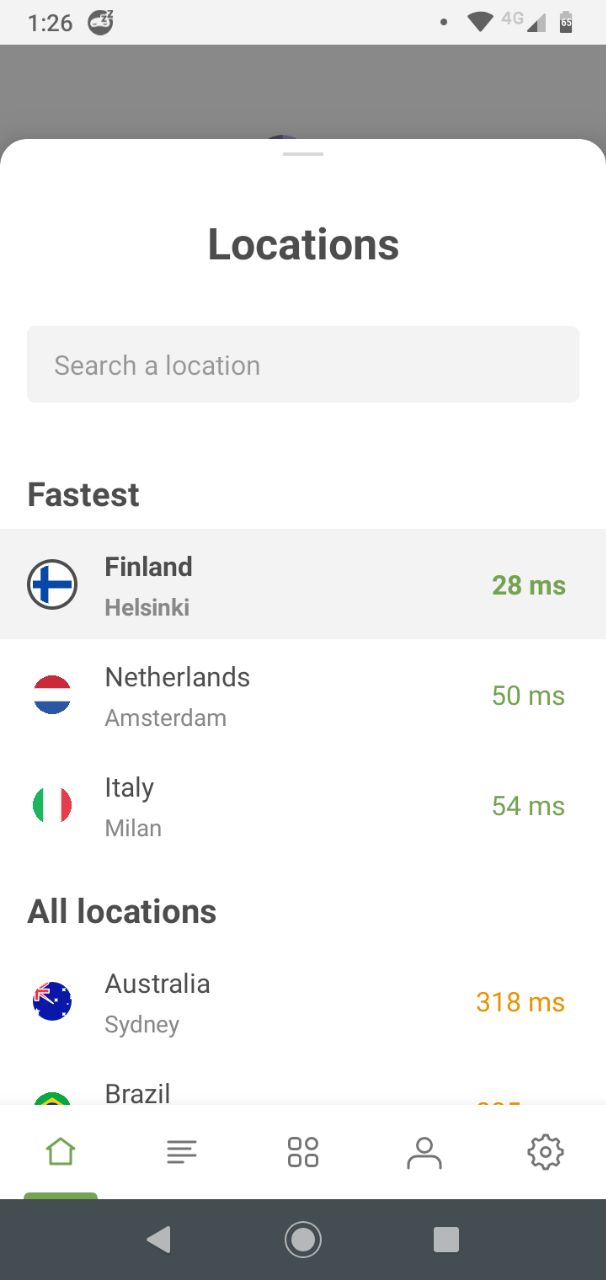
We support various locations. Sometimes you need a specific one. But most of the time it’s all about the speed. Ping is a specific rate that determines time of a location-server response. When ping-rate is from 50ms to 100ms a VPN connection is considered good. And the lower the better. Our feature is that we display locations’ pings, and we also show top 3 fastest locations. You decide which one’s the winner!
Split Tunneling
This feature allows you to split your traffic, so that one part is routed through the VPN and the other part goes through your local ISP. A major plus and a very important criteria, by which a modern VPN service is judged. Bypass regional restrictions on streaming content and use your local network where necessary at the same time. Just choose apps you want to exclude, it works very good for banking apps.
There are two possibilities to manage apps traffic routing.
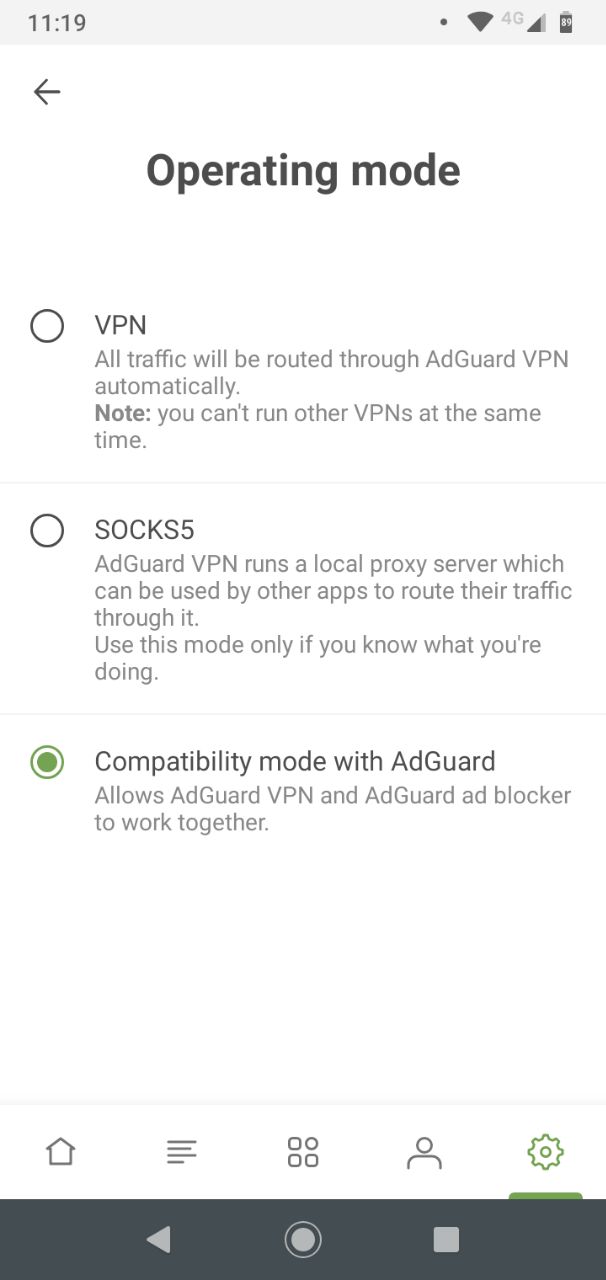
Go to Settings → Advanced Settings → Operating mode
- When Compatibility mode with AdGuard ad blocker is enabled.
In case you didn't know — yes, we have an ad blocker too! And setting up a compatibility mode between them is really easy, you barely need to do anything. Ok, now that you have it sorted out, excluding apps from VPN routing is not much harder. Go to Menu → Apps Management, you will be redirected to AdGuard ad blocker. Find your application on the list, tap on it and turn AdGuard protection off, as shown in the GIF below.
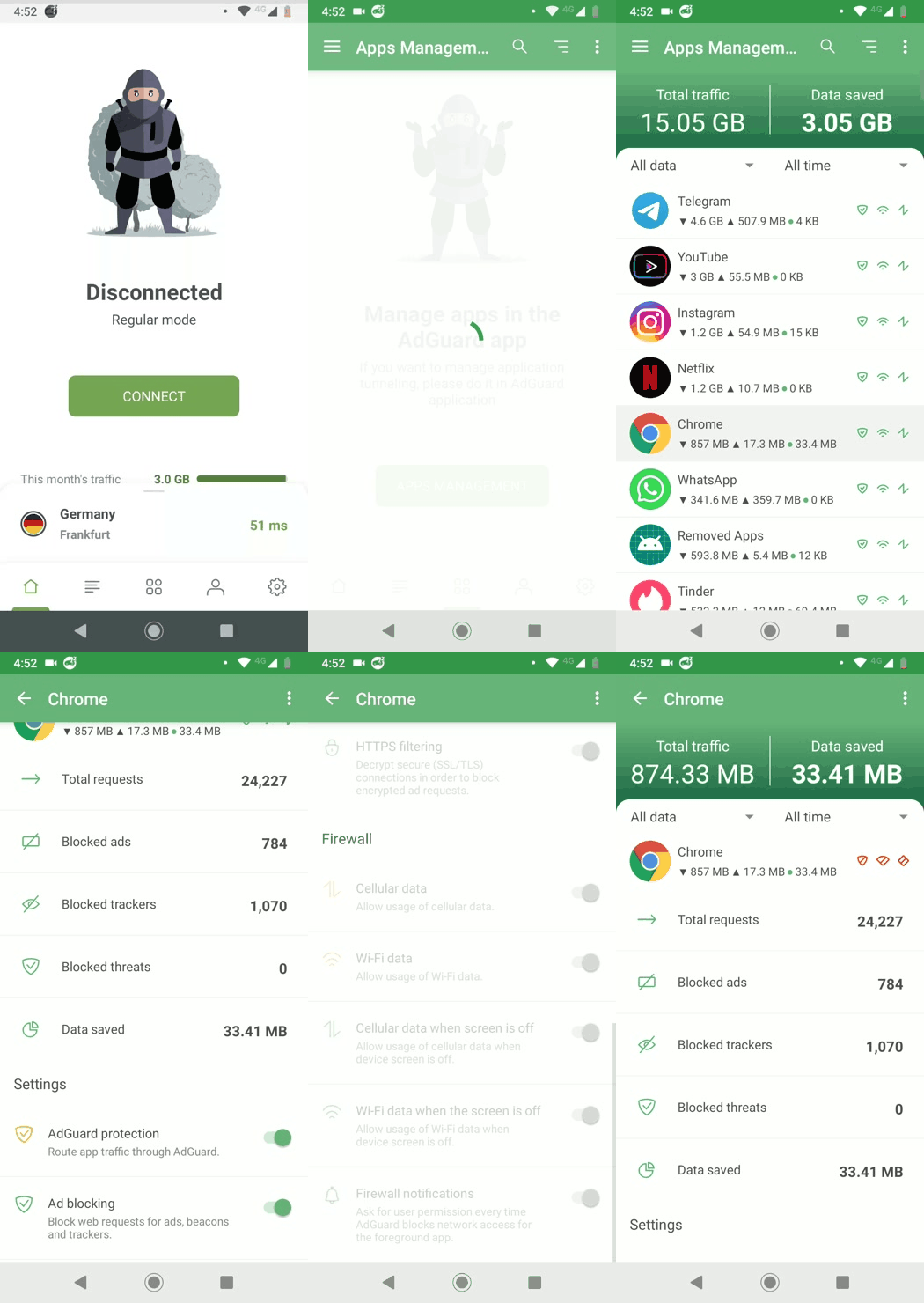
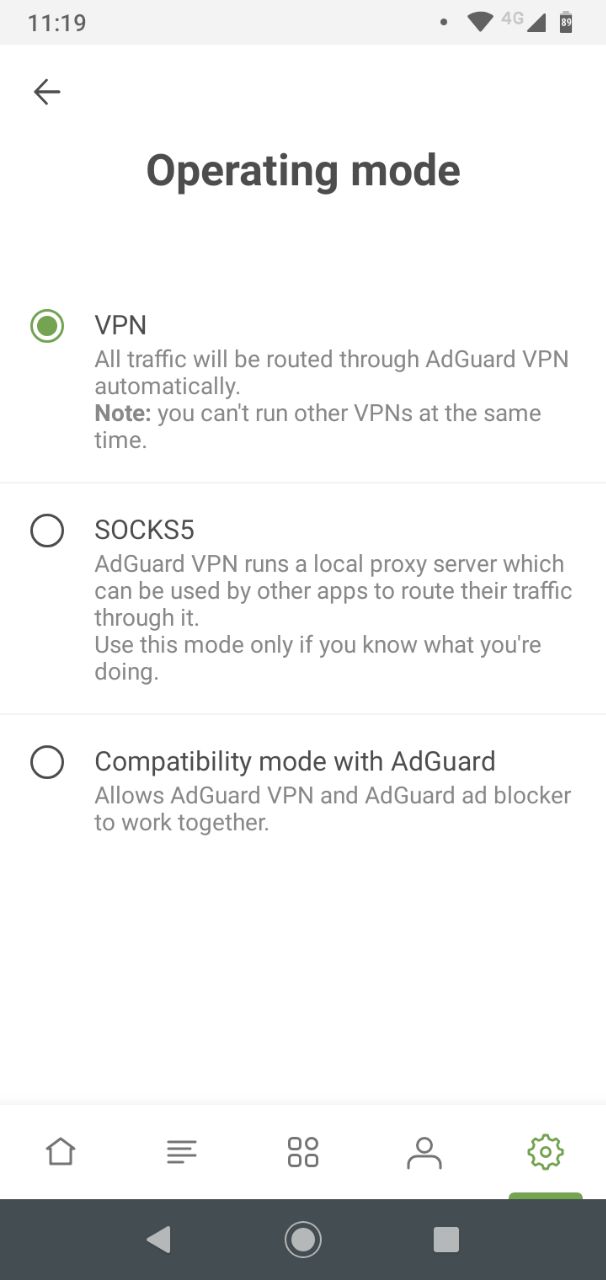
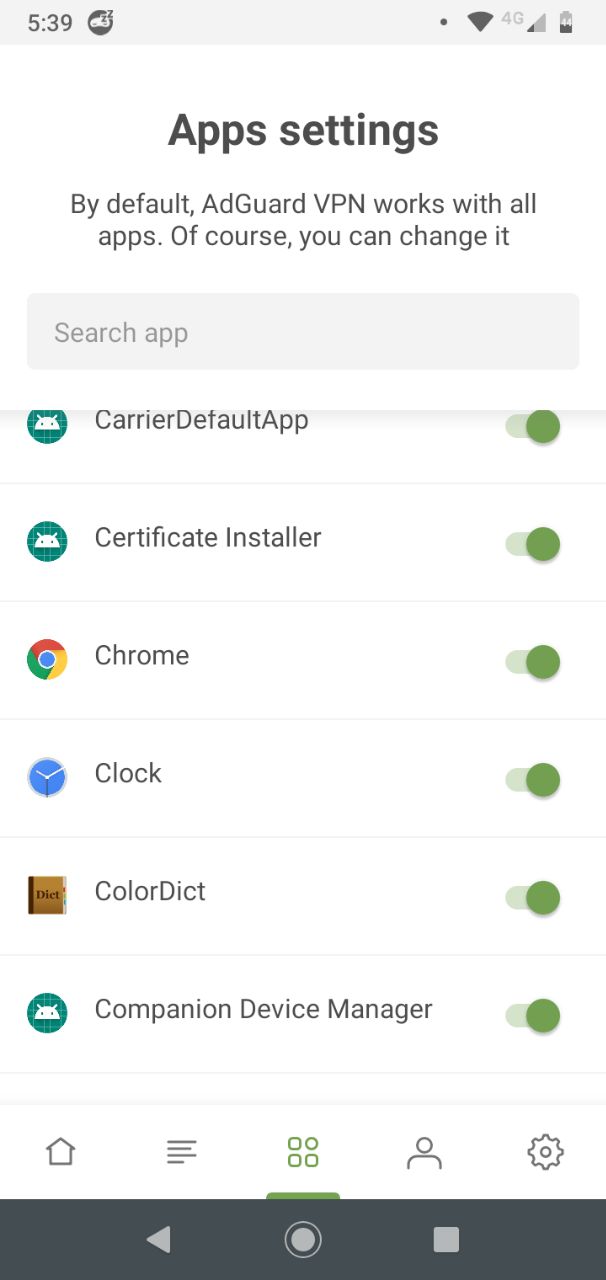
- When VPN mode is enabled. Go to Menu → Apps settings and find the app in the list.
Kill Switch
There are situations where we cannot afford to expose our data or web actions, when connected to a public Wi-Fi for instance. Kill Switch shuts your connection down the moment a VPN tunnel breaks. A mighty useful feature! To turn Kill Switch on go to Settings → Kill Switch → Open settings → Adguard VPN and turn on both "Always on VPN" and "Block connections without VPN" switches.
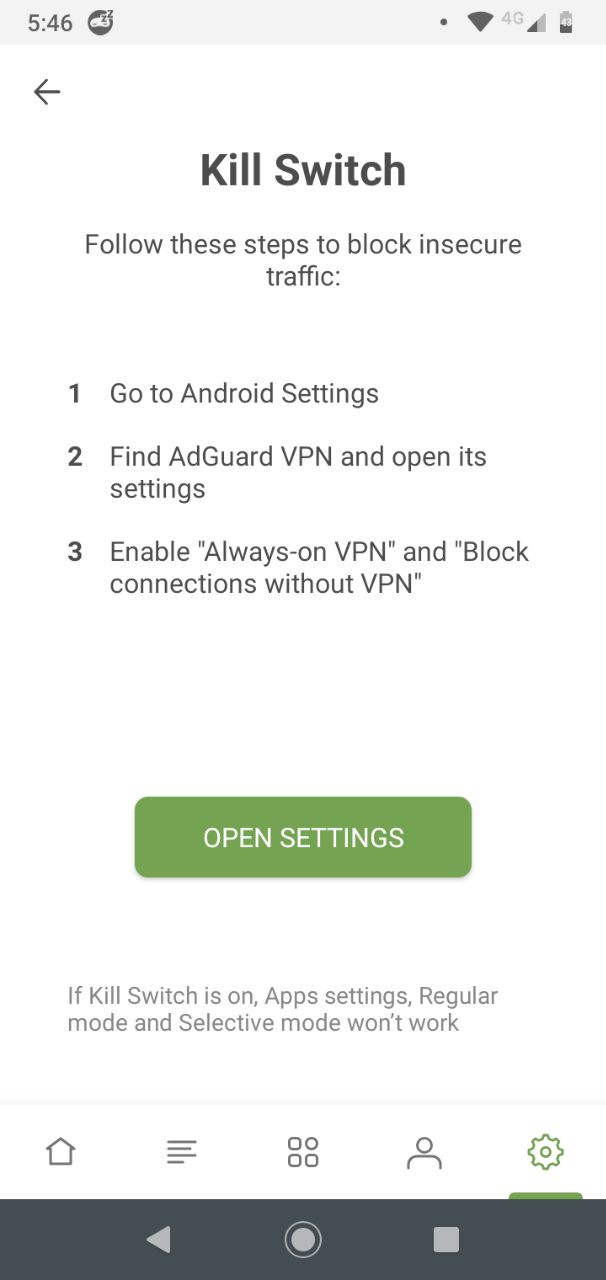
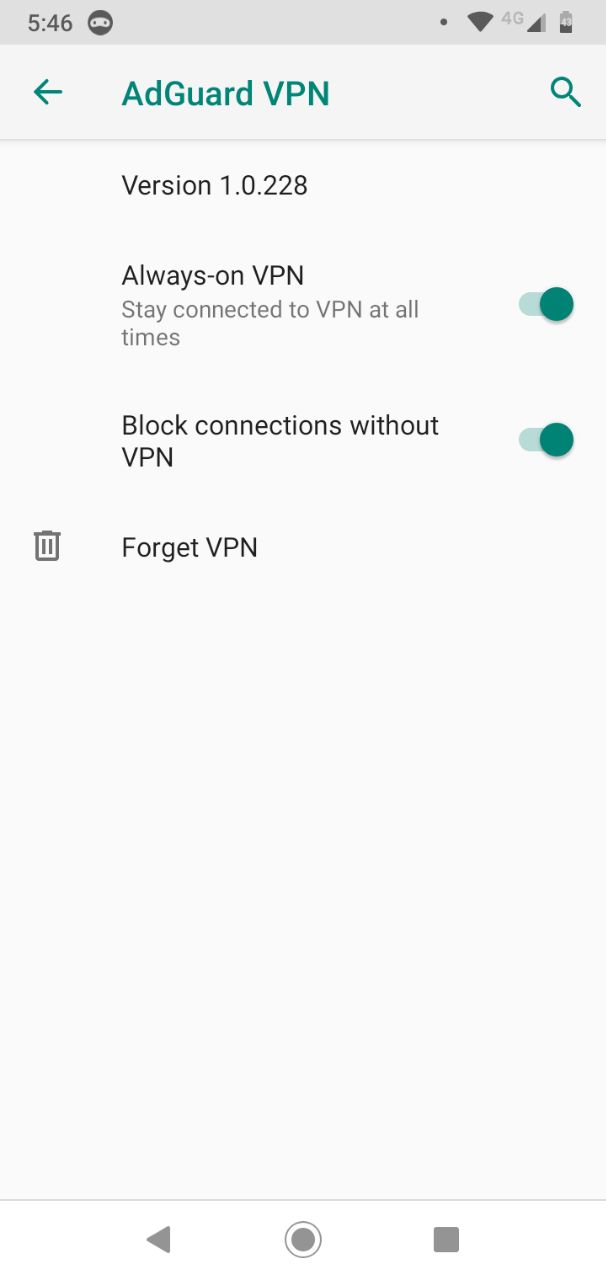
When Kill Switch is turned on, all connections should run through VPN. Apps that aren't connected to VPN in this case won't have internet access. However, we made it possible for excluded apps to continue working. Check that VPN mode is turned on, then go to Apps Settings and find applications you want to exclude. Turn them off, as described in the previous paragraph of this article. Now these apps will continue to work and the traffic will run through your local ISP, even with enabled Kill Switch.
Two VPN modes
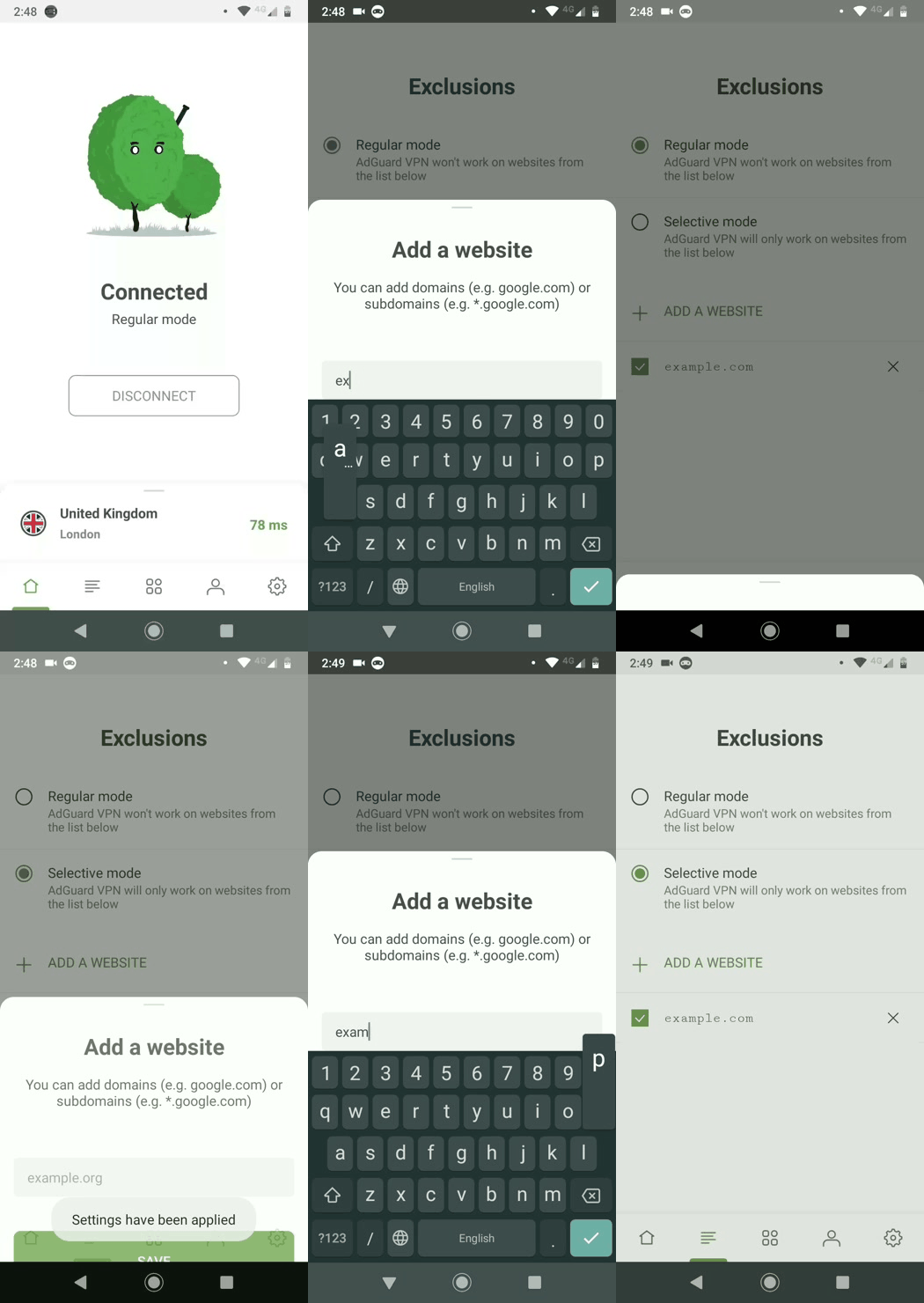
Regular mode enables VPN routing for all domains by default. This mode is great when you want everything to connect through VPN. But what if you want example.com to run without VPN? No sweat. Just add it to the list of exceptions.
Selective mode is just the opposite. Now, everything runs without VPN.
If you want only example.com to use VPN – add it to the list => all set!
These features allow you to personalize your VPN settings. Create your own lists of websites, adjust them to suit your needs and make the most of it!
Compatibility with the AdGuard ad blocker
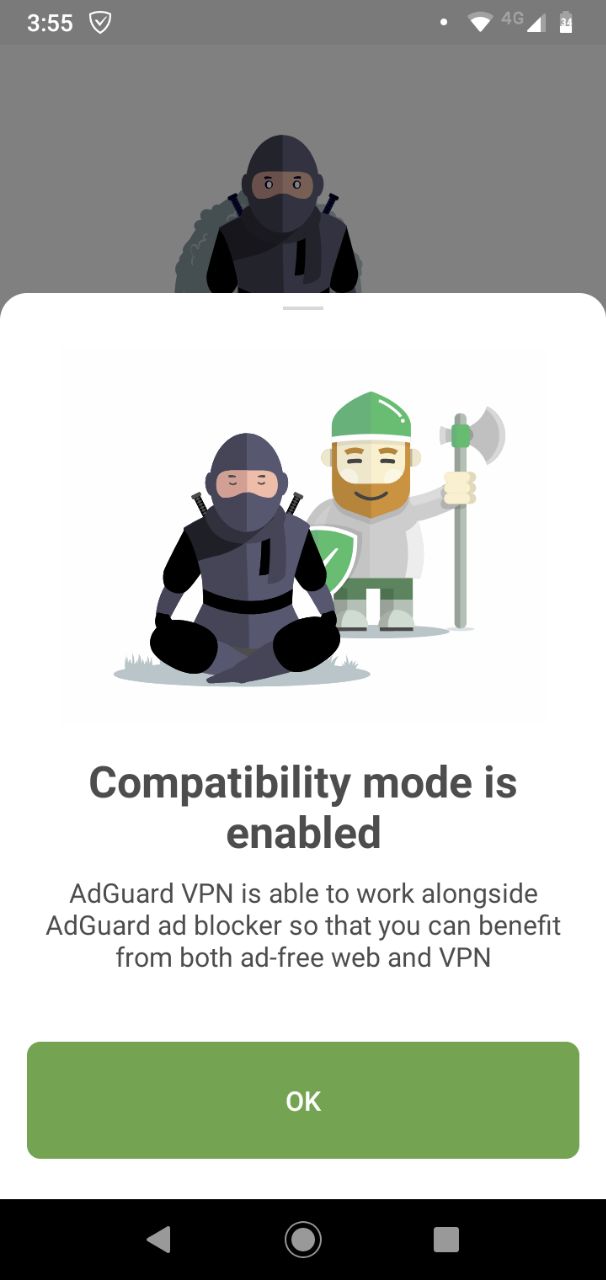
Last but not the least! As promised we added compatibility mode with AdGuard ad blocker (version 3.5 and newer). Both applications will now recognize each other and set up a seamless collaboration. Presuming you already have AdGuard ad blocker installed, just go to the app settings and turn on compatibility mode. It is also described in our article about 3.5 version of AdGuard ad blocker.
Free option
As we launch the app, we give our users 3GB of free traffic which is renewed every month, so that you can have a taste of it and decide whether to upgrade to the unlimited. Please note that free traffic applies to your account and extends to all devices. Assuming you've used 1GB in the AdGuard VPN Browser extension, now you only have 2GB left in AdGuard VPN for Android on your phone. Keep in mind that we also limit the connection speed to 20 Mbps for the free version — of course paid version has unlimited speed.
If you want to get unlimited AdGuard VPN, consider purchasing a subscription.
How to install
Got tired of reading this article? Don’t take our word for it, download AdGuard VPN for Android from our website or get it on Google Play Store and try yourself. Also any kind of feedback is highly welcome: write comments here or contact us in social media. See y'all!


















































