Filtern wird nicht beendet, wenn AdGuard Mini deaktiviert ist
Infos
In diesem Artikel geht es um AdGuard Mini für Mac, der nur Ihren Safari-Browser schützt. Um Ihren Mac vollständig zu schützen, laden Sie die AdGuard-App herunter
Wenn das Filtern nicht eingestellt wird, wenn AdGuard Mini für Mac deaktiviert ist, kann das daran liegen, dass die Inhaltsblocker zu lange brauchen, um sich zu aktualisieren.
Behebung
- Öffnen Sie Safari.
- Klicken Sie auf Safari in der linken oberen Ecke des Menüs.
- Klicken Sie auf Einstellungen… → Erweiterungen.
- Deaktivieren Sie die Kontrollkästchen für die Erweiterungen von AdGuard Mini: Benutzerdefiniert, Allgemein, Sonstiges, Datenschutz, Sicherheit, Soziales und AdGuard für Safari.
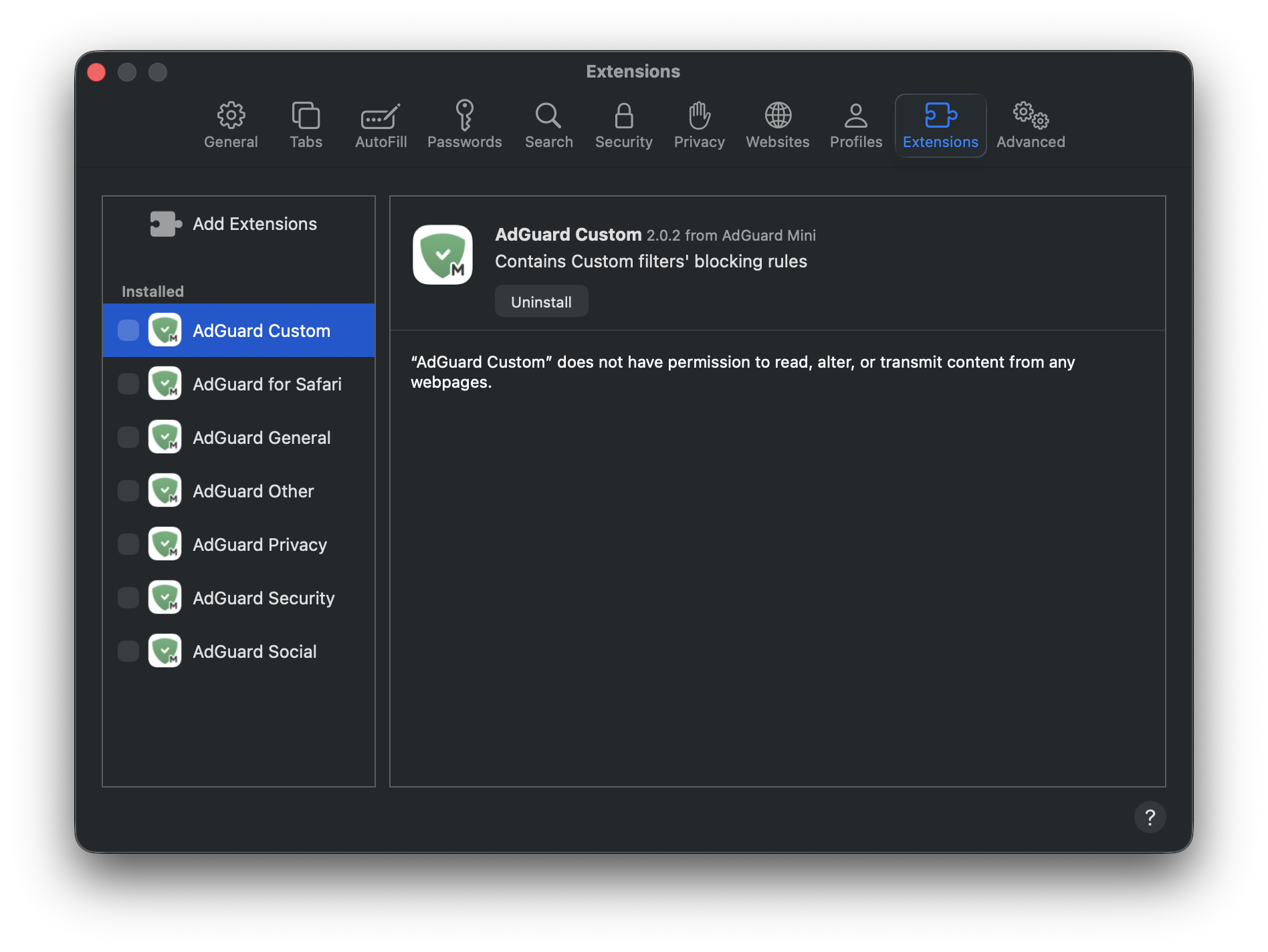
- Starten Sie Safari neu.
- Kehren Sie zurück zu Safari → Einstellungen… → Erweiterungen und aktivieren Sie die AdGuard-Erweiterungen erneut.
Jetzt sollte alles wie vorgesehen funktionieren: Die Filterung ist eingeschaltet, wenn AdGuard Mini für Mac aktiviert ist, und die Filterung ist ausgeschaltet, wenn sie deaktiviert ist.