AdGuard’s GitHub repositories
At AdGuard, our goal is to make the Internet safer, more comfortable, and more transparent. This commitment is reflected not only in our product features and strict privacy policies, but also in the fact that we keep our work as open as possible. That includes actively interacting with our community.
This is why all of our products have public repositories — online spaces where anybody can see what we are working on, report issues directly to AdGuard developers, and even contribute to our open-source projects. The repositories cover our ad-blocking apps, filters, browser extensions, DNS solutions, VPN tools, developer utilities, and more. There are different platforms that offer such functionality, but the most popular one by far is GitHub, and all AdGuard projects are stored there.
This article lists the most important repositories by category, summarizes the purpose of each one, and gives a simple breakdown of what users can do there.
Pro tip: Creating an issue on GitHub is the most effective way to bring the attention of AdGuard developers to a problem. Just make sure to check that a similar issue doesn’t already exist and describe the problem in a comprehensive but concise way. If it does exist, you can upvote it.
What is Github and its repositories
Very simply put, you can think of GitHub as sort of Google Docs for code, where multiple people can work on the same project, track changes, and see who made which updates. It provides a central, cloud-based place to store your code so it’s accessible from anywhere. It also has teamwork tools for reviewing changes, fixing issues, and merging everyone’s work smoothly.
GitHub is widely used for open-source projects, letting anyone view the code, suggest improvements, and contribute.
A repository (often called “repo” for short) is the most basic element of GitHub. It’s a place where you can store your code, your files, and each file’s revision history. Repositories can have multiple collaborators and can be either public or private.
What can you do in AdGuard’s repositories
You can find links to key repositories below in this article or visit the general AdGuardTeam GitHub page for a full list. In most repos, you can:
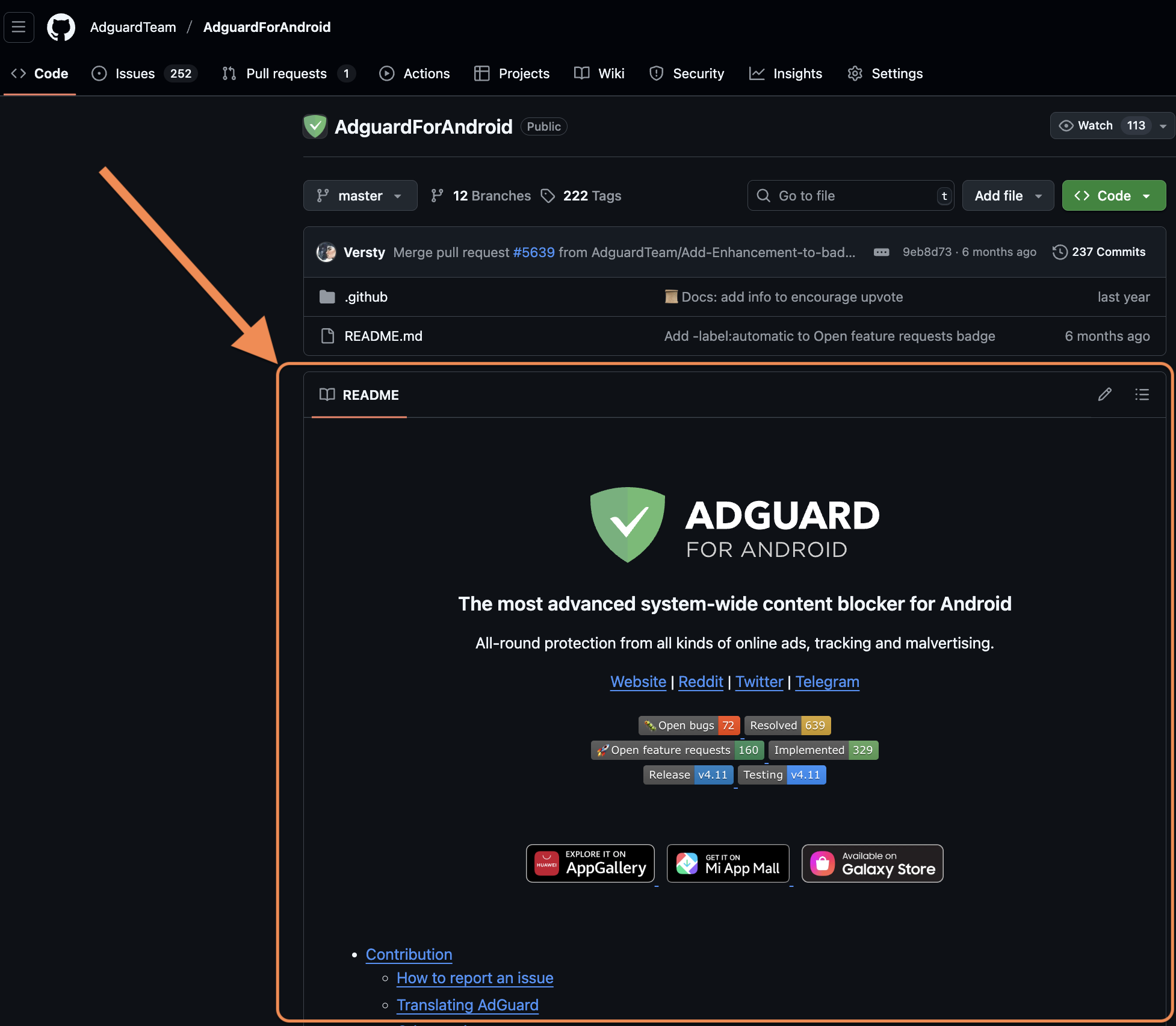
View README file on the main page: it gives you an introduction to the product and its repo
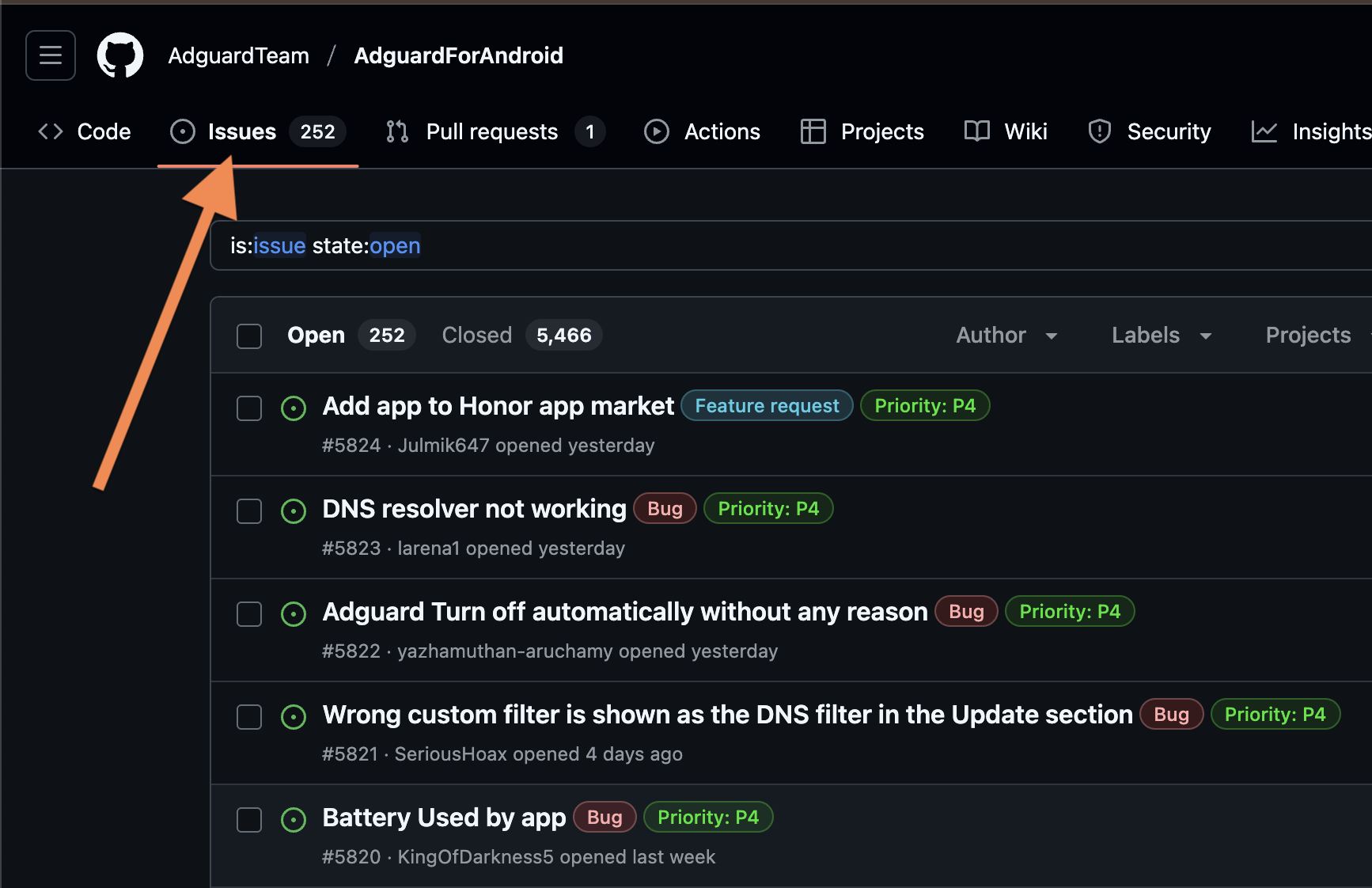
Check existing bug reports or feature requests, comment and upvote
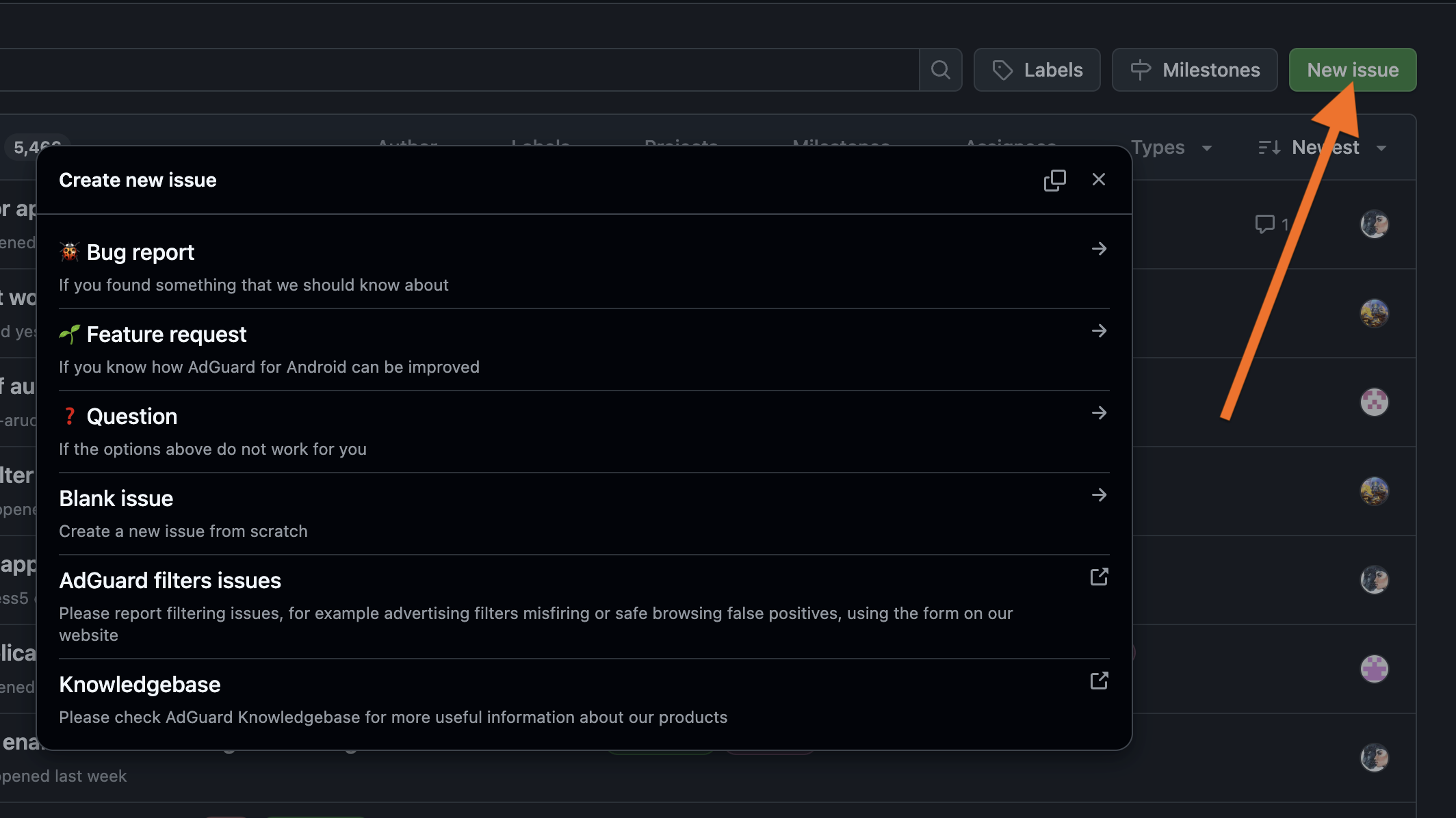
Create issues to report bugs or request features
Check releases for different versions and their changelogs (and install an older version if needed)
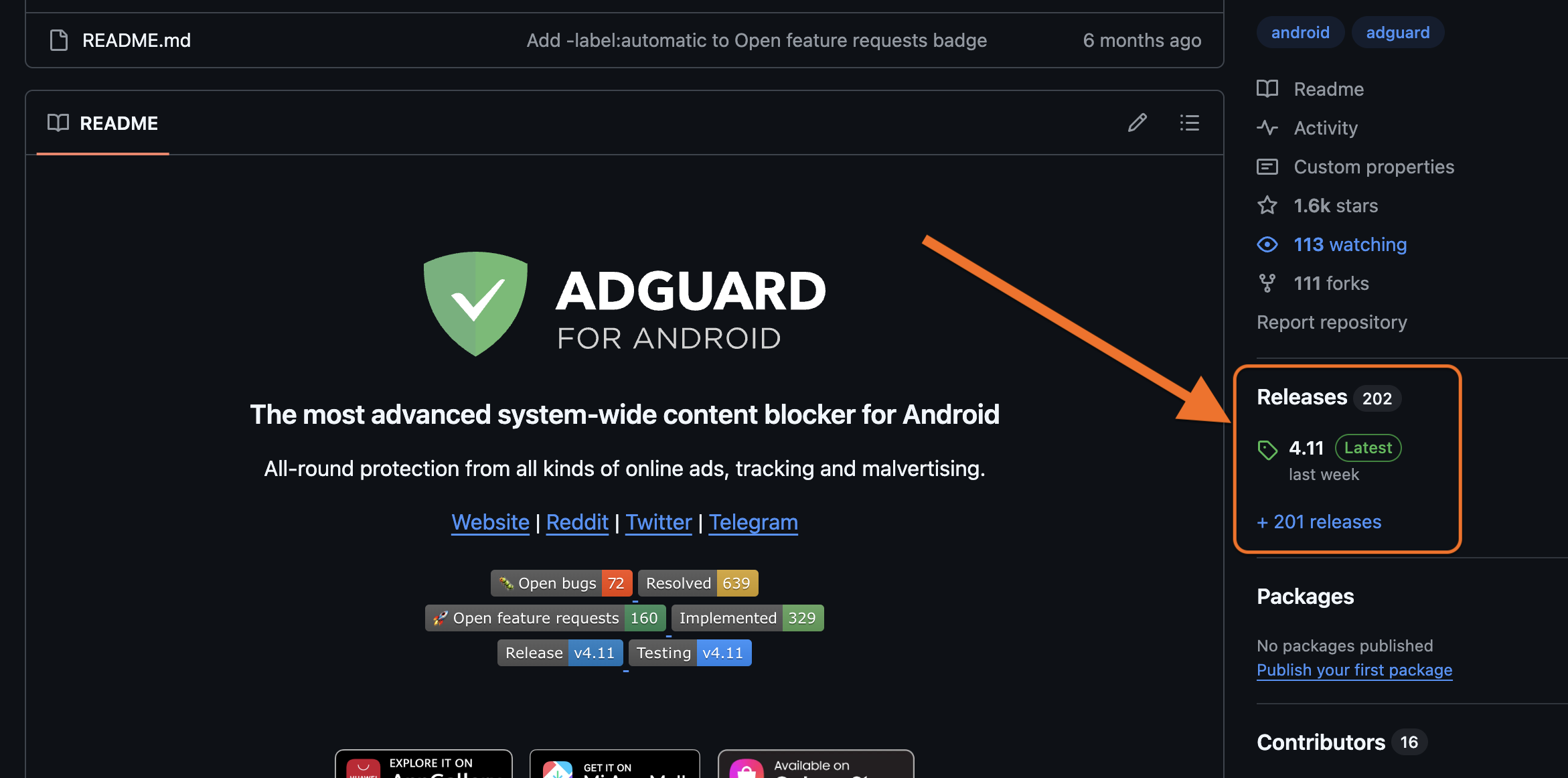
Install any older or beta version if needed
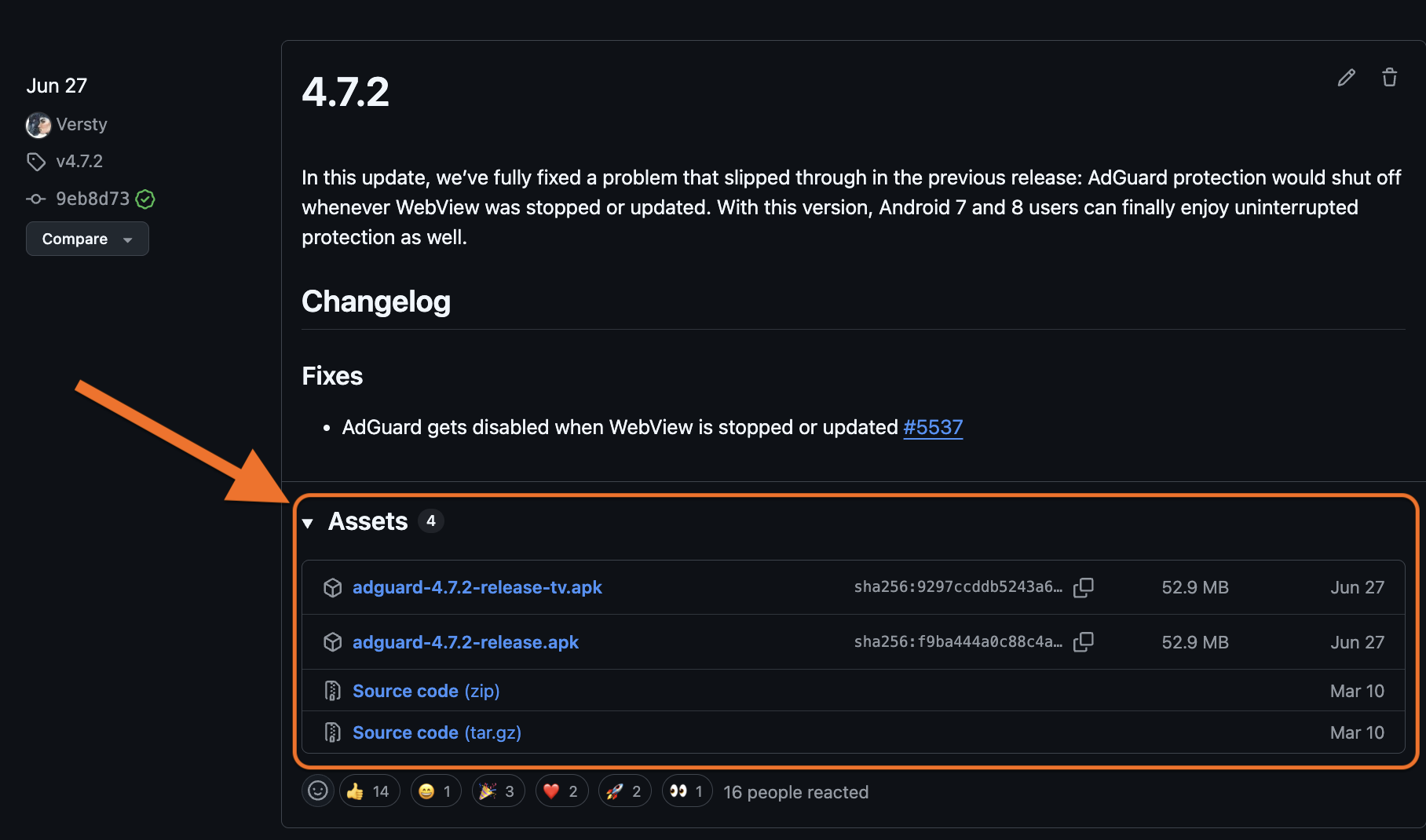
If you are new to GitHub, you’ll need to create a GitHub account in order to create new issues and comment on the existing ones.
In open-source repos advanced users can also:
- Browse code to understand product logic, what technologies are used and how they are implemented
- Fork and contribute via pull requests
Whether you’re a casual user, technical expert, or a developer, AdGuard welcomes all community participation across its GitHub repos.
Legal documents
LegalDocs
As part of our commitment to transparency, we host all legal documents — such as End-User License Agreements, Privacy Policies, and Terms and Conditions — on GitHub. Our LegalDocs repo lets anyone check the full history of changes to these documents.
AdGuard Ad Blocker products
In these repositories, users can:
- View and report bugs or feature requests via GitHub issues
- Check changelogs, track release history, monitor updates
- Download latest, previous, and beta builds (except for iOS)
AdguardForAndroid
Repository of AdGuard for Android — an app that provides system-wide ad blocking.
AdguardForiOS
Repository of AdGuard for iOS — Safari content blocker with DNS and custom filters. Users can also check open-source code.
AdguardForWindows
Repository of AdGuard for Windows. Non-open-source; GitHub used as an open bug tracker.
AdguardForMac
Repository of AdGuard for Mac — macOS standalone content blocker. Bug tracker only.
AdguardBrowserExtension
Repository of AdGuard Browser Extension — extension that provides ad blocking with enhanced privacy for Chrome, Firefox, Opera, Edge.
AdguardForSafari
Repository of AdGuard for Safari — Safari ad blocking extension for Mac. Users can also check open-sourced code.
AdGuardCLI
Repository of AdGuard for Linux — a command‑line interface for managing ad blocking.
AdGuard VPN products
In these repositories, users can:
- View and report bugs or feature requests via GitHub issues
- Check changelogs, track release history, monitor updates
- Download latest, previous, and beta builds (except for iOS)
AdGuardVPNForiOS
Repository of AdGuard VPN for iOS. Serves as an open bug tracker.
AdGuardVPNForAndroid
Repository of AdGuard VPN for Android. Serves as an open bug tracker.
AdGuardVPNForWindows
Repository of AdGuard VPN for Windows. Serves as an open bug tracker.
AdGuardVPNForMac
Repository of AdGuard VPN for Mac — app designed for macOS.
AdGuardVPNExtension
Repository of AdGuard VPN Browser Extension.
AdGuardVPNCLI
Repository of AdGuard VPN for Linux — a command‑line interface for managing VPN connection. The repo acts as a bug tracker.
DNS-based products
AdGuardDNS
Open-source repository that is also used for tracking bugs and issues related to AdGuard DNS service. Users can:
- View and report DNS issues
- Suggest improvements
AdGuardHome
Repository of AdGuard Home — free network-wide software for blocking ads and trackers via DNS. Users can:
- Check and file bug reports or feature requests
- Review or contribute to code
- Download and install releases
Documentation and Knowledge bases
Knowledge bases are aimed to help users better understand and use AdGuard. They describe each AdGuard product in detail: from feature overviews and problem-solving guides to advanced setting manuals and API documentations. In the repositories users can:
- Suggest corrections or edits to knowledge base articles
- Propose new articles
- Test or run the local version
KnowledgeBase
Central documentation for AdGuard Ad Blocker and the technologies related to it.
KnowledgeBaseDNS
Detailed feature overview, troubleshooting guides and documentation for AdGuard DNS (both Public and Private), AdGuard Home, and everything related to them.
KnowledgeBaseVPN
Detailed feature overview and troubleshooting guides for AdGuard VPN.
KnowledgeBaseMail
Detailed feature overview and troubleshooting guides of AdGuard Mail.
Core libraries
AdGuardCoreLibs
AdGuard’s cross-platform core filtering engine. Used in Android, Windows, and Mac products. Users can:
- Explore filtering logic and DNS handling
- Report bugs and suggest features via Issues, contribute code via Pull requests
DNSLibs
A DNS library used by CoreLibs and AdGuardHome. Users can:
- Review and contribute to low-level DNS implementation
- Suggest optimizations
VPNLibs
Shared codebase used in AdGuard VPN products across platforms for AdGuard VPN protocol implementation. Users can:
- Contribute to VPN stack behavior
- Report or view performance issues and bugs
Core ad blocking and filtering technologies
AdguardFilters
Contains AdGuard’s core filter lists. Users can:
- View and download filter lists
- Create issues to report false positives or suggest new rules
- Monitor updates to filter logic
AdGuardSDNSFilter
Repository of AdGuard DNS filter — the main DNS-level blocking list used in AdGuard DNS and DNS filtering features. Users can:
- Inspect the current rule set
- Propose changes or additions
AGLint
A linter for adblock filter list syntax. Users can:
- Install AGLint to check their projects for rule issues
- Contribute to lint rules
Scriptlets
JavaScript helpers used in filtering rules. Users can:
- Explore available scriptlets
- Submit pull requests for new scriptlets
tsurlfilter
TypeScript content blocker library for browser extensions. Users can:
- Explore how filtering logic is implemented
- Contribute fixes and features
There’s more
Above, we listed 27 main public AdGuard repositories out of 96 total. If you want to go down the rabbit hole, you can find the rest on the AdGuardTeam GitHub page.
We’ll be waiting for your feedback there! Stay safe online and offline.