Die Filterung funktioniert nicht und die Werbung wird nicht blockiert
In diesem Artikel geht es um AdGuard Mini für Mac, der nur Ihren Safari-Browser schützt. Um Ihren Mac vollständig zu schützen, laden Sie die AdGuard-App herunter
In einigen Fällen funktioniert das Filtern möglicherweise nicht und es wird weiterhin Werbung angezeigt, obwohl AdGuard Mini für Mac und die entsprechenden Filter aktiviert sind. Dies geschieht in der Regel, wenn bei Filteraktualisierungen aufgrund von Safari-Fehlern ein Problem auftritt.
Behebung
- Öffnen Sie Safari.
- Klicken Sie auf Safari in der linken oberen Ecke des Menüs.
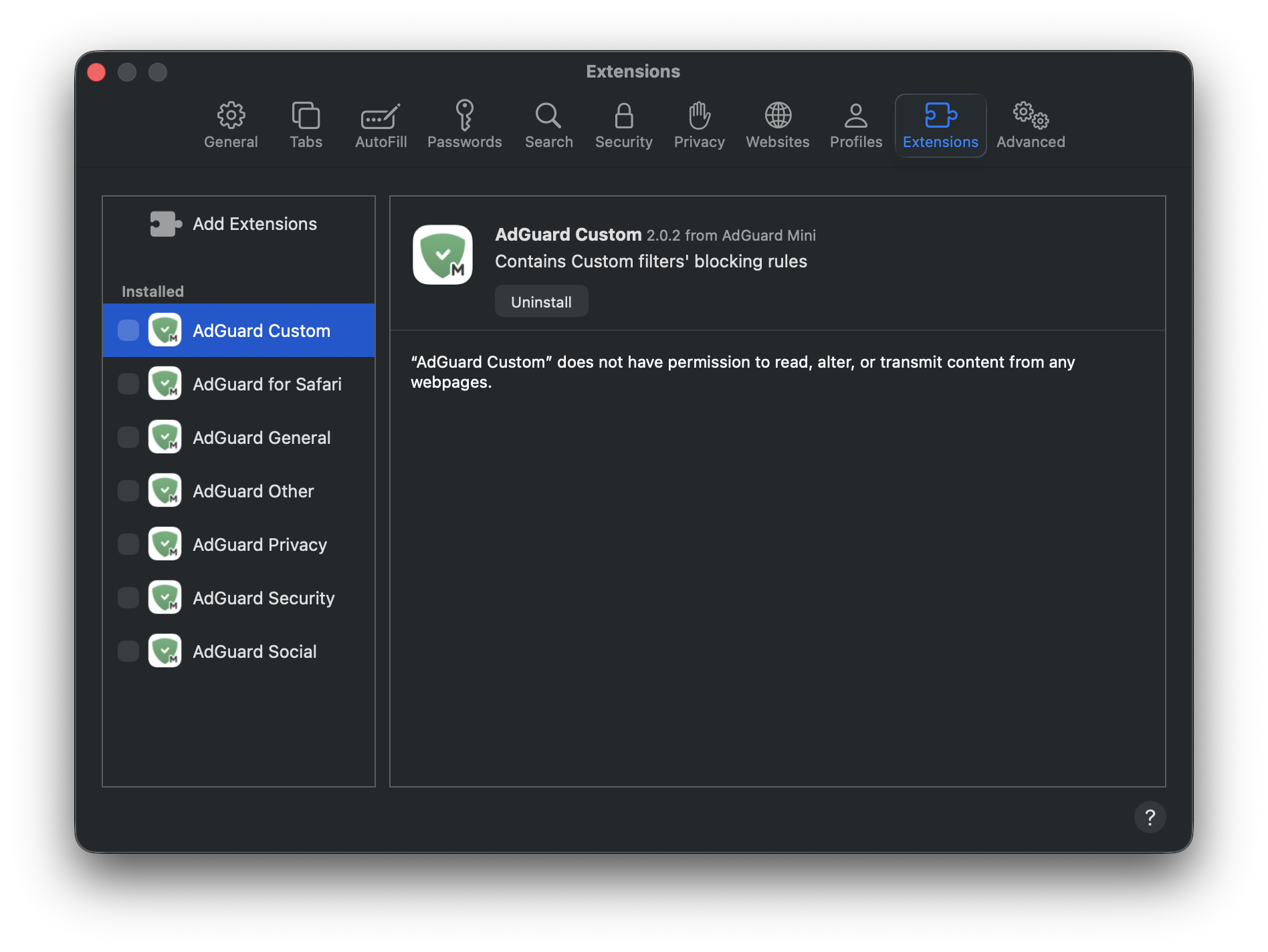
- Klicken Sie auf Einstellungen… → Erweiterungen.
- Deaktivieren Sie die Kontrollkästchen für die Erweiterungen von AdGuard Mini: Benutzerdefiniert, Allgemein, Sonstiges, Datenschutz, Sicherheit, Soziales und AdGuard für Safari.
- Starten Sie Safari neu.
- Kehren Sie zurück zu Safari → Einstellungen… → Erweiterungen und aktivieren Sie die AdGuard-Erweiterungen erneut.
- Öffnen Sie das Menü von AdGuard Mini.
- Klicken Sie auf das Symbol Nach Updates suchen.
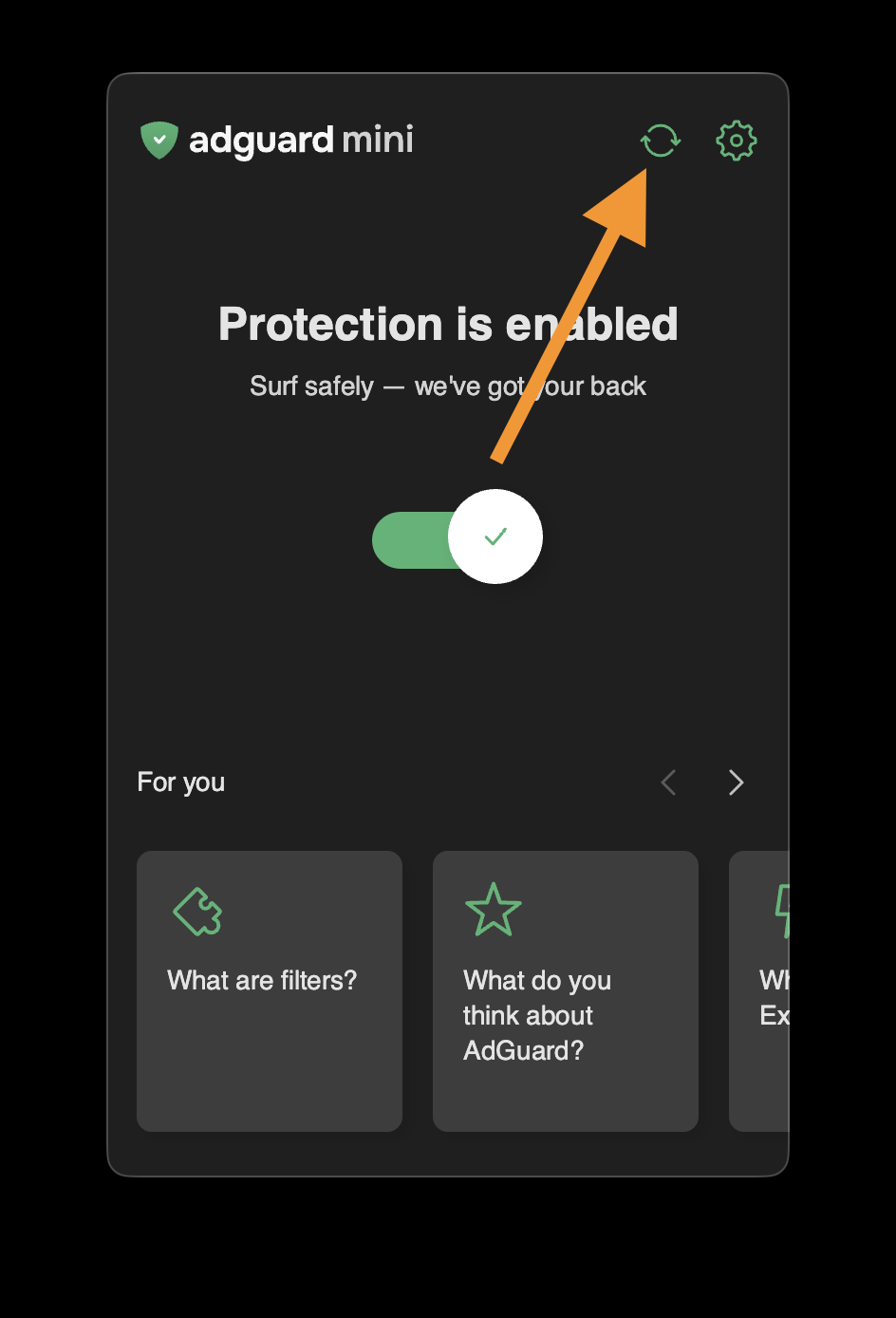
- Schließen Sie das Fenster des AdGuard Mini erst, wenn die Filter aktualisiert wurden.
Wenn dies nicht hilft und die Werbung immer noch nicht blockiert wird, wenden Sie sich bitte an unseren Support unter support@adguard.com.
Wenn Sie nur Probleme mit einer bestimmten Seite oder Website haben, können Sie dies direkt über den Browser melden: Klicken Sie auf das AdGuard Mini-Symbol neben der Safari-Suchleiste und dann auf Problem melden.