Installation
Cet article concerne AdGuard Mini pour Mac, qui protège uniquement votre navigateur Safari. Pour protéger l'ensemble de votre Mac, téléchargez l'application AdGuard
Configuration requise
Nécessite macOS 12 ou version ultérieure.
Comment installer AdGuard Mini pour Mac
AdGuard Mini pour Mac est une application gratuite disponible dans le Mac App Store. Pour l'installer sur votre Mac, procédez comme suit :
Ouvrez l'App Store et trouvez l'application AdGuard Mini.

Appuyez sur Obtenir → Installer → Ouvrir.
Dans la fenêtre AdGuard Mini ouverte, acceptez le CLUF et la politique de confidentialité. Ici, vous pouvez également choisir de nous aider à améliorer l'extension en envoyant des données d'utilisation anonymisées. Cliquez ensuite sur Continuer.
 note
noteSi vous choisissez de partager les données d'utilisation de l'application avec AdGuard, l'extension collectera des informations anonymisées telles que les interactions avec l'interface utilisateur et les identifiants de session. Ce consentement est facultatif et peut être retiré à tout moment. Toutes les données collectées sont entièrement anonymisées, utilisées uniquement en interne, et jamais partagées avec des tiers.
Cliquez sur Ouvrir les paramètres.
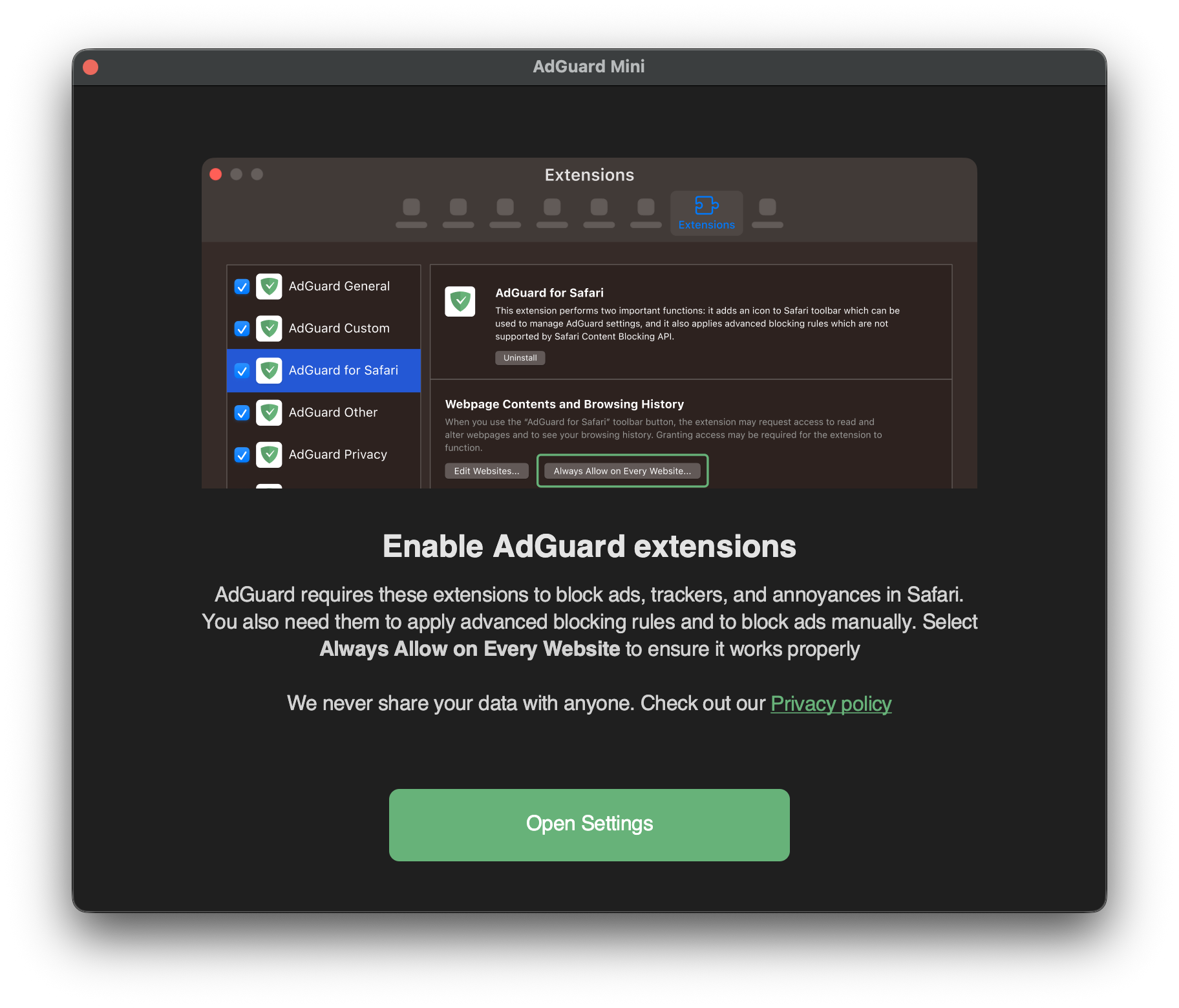
Cochez les cases pour toutes les sept extensions AdGuard.
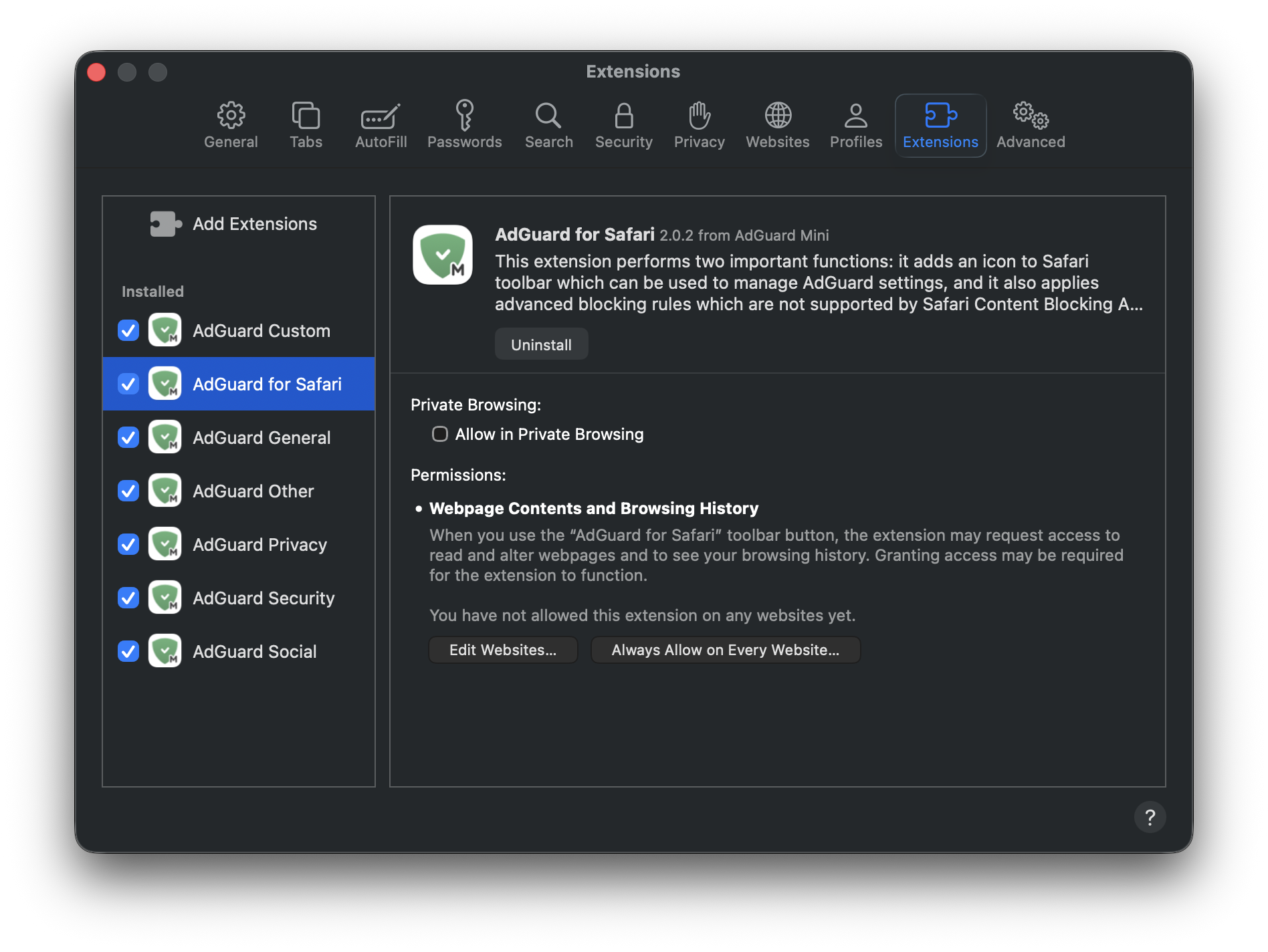
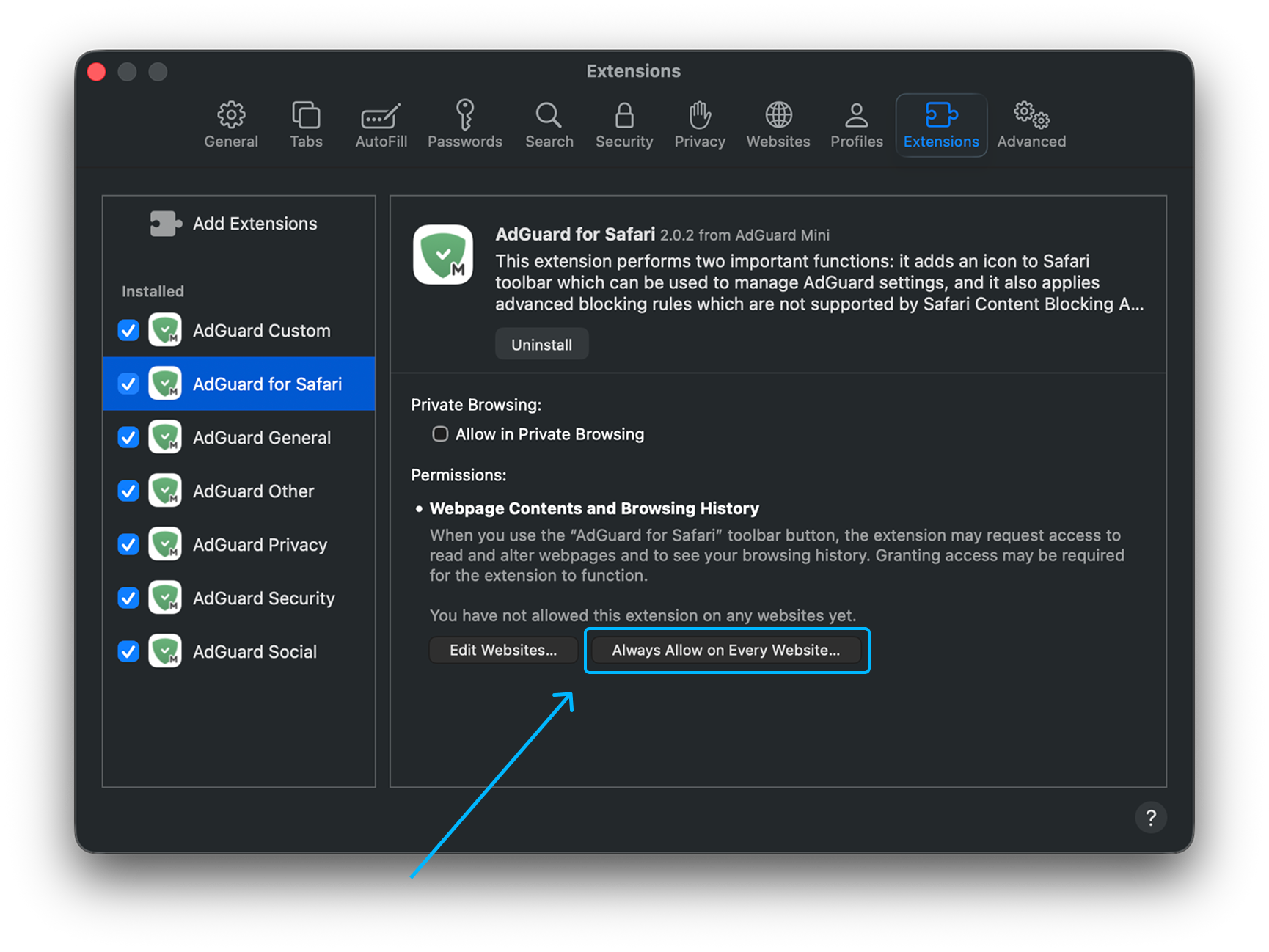
Pour permettre à AdGuard Mini de fonctionner sur tous les sites web, cliquez sur l'extension AdGuard pour Safari puis sur Toujours autoriser sur tous les sites web....
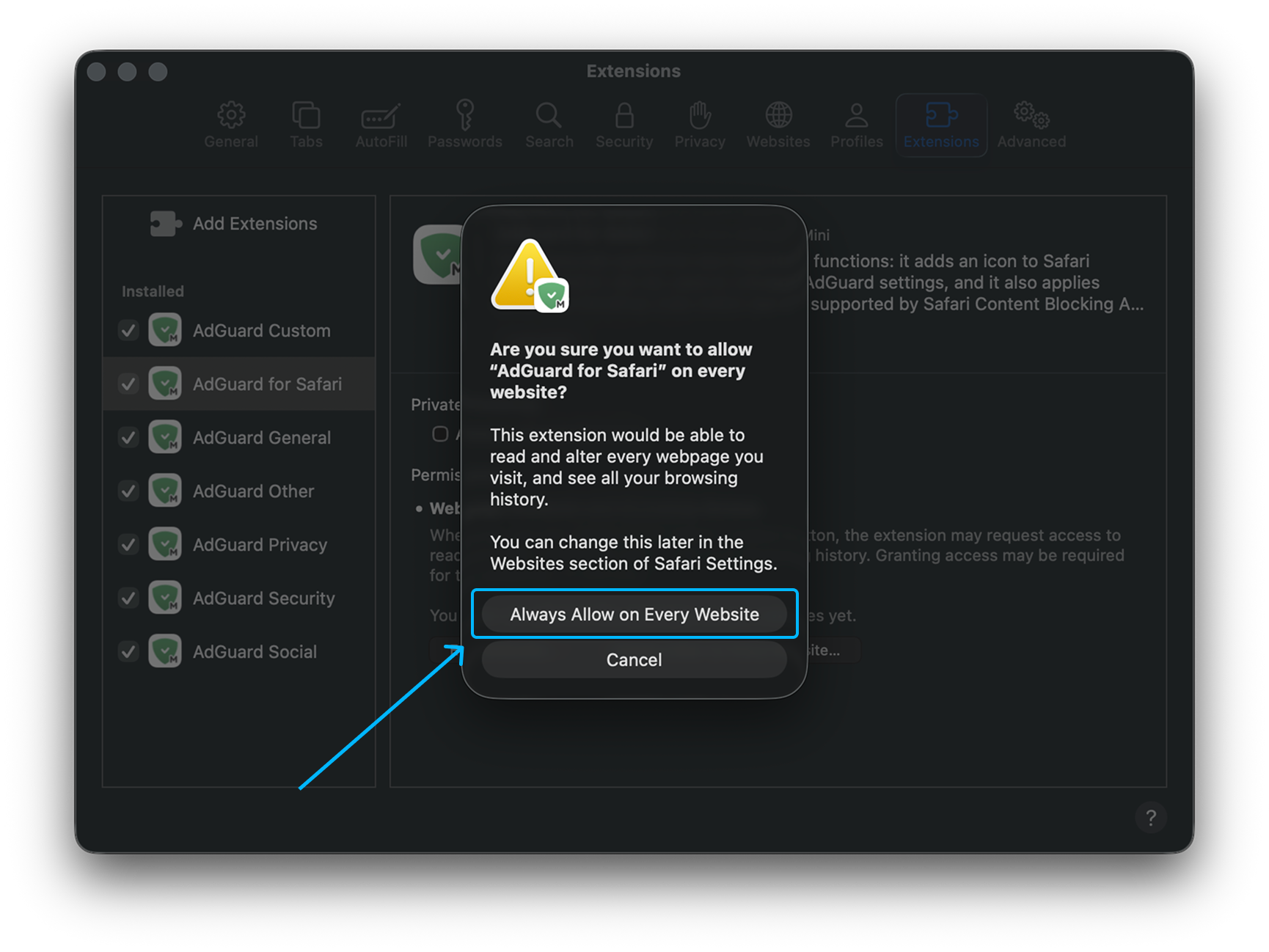
Dans la notification qui apparaît, cliquez à nouveau sur Toujours autoriser sur tous les sites Web....
Une fois ces étapes terminées, AdGuard Mini pour Mac commencera à fonctionner dans Safari.
Comment désinstaller AdGuard Mini pour Mac
Pour désinstaller AdGuard Mini pour Mac, procédez comme suit :
Quittez l'application.
Cliquez sur Safari dans le menu du coin supérieur gauche.
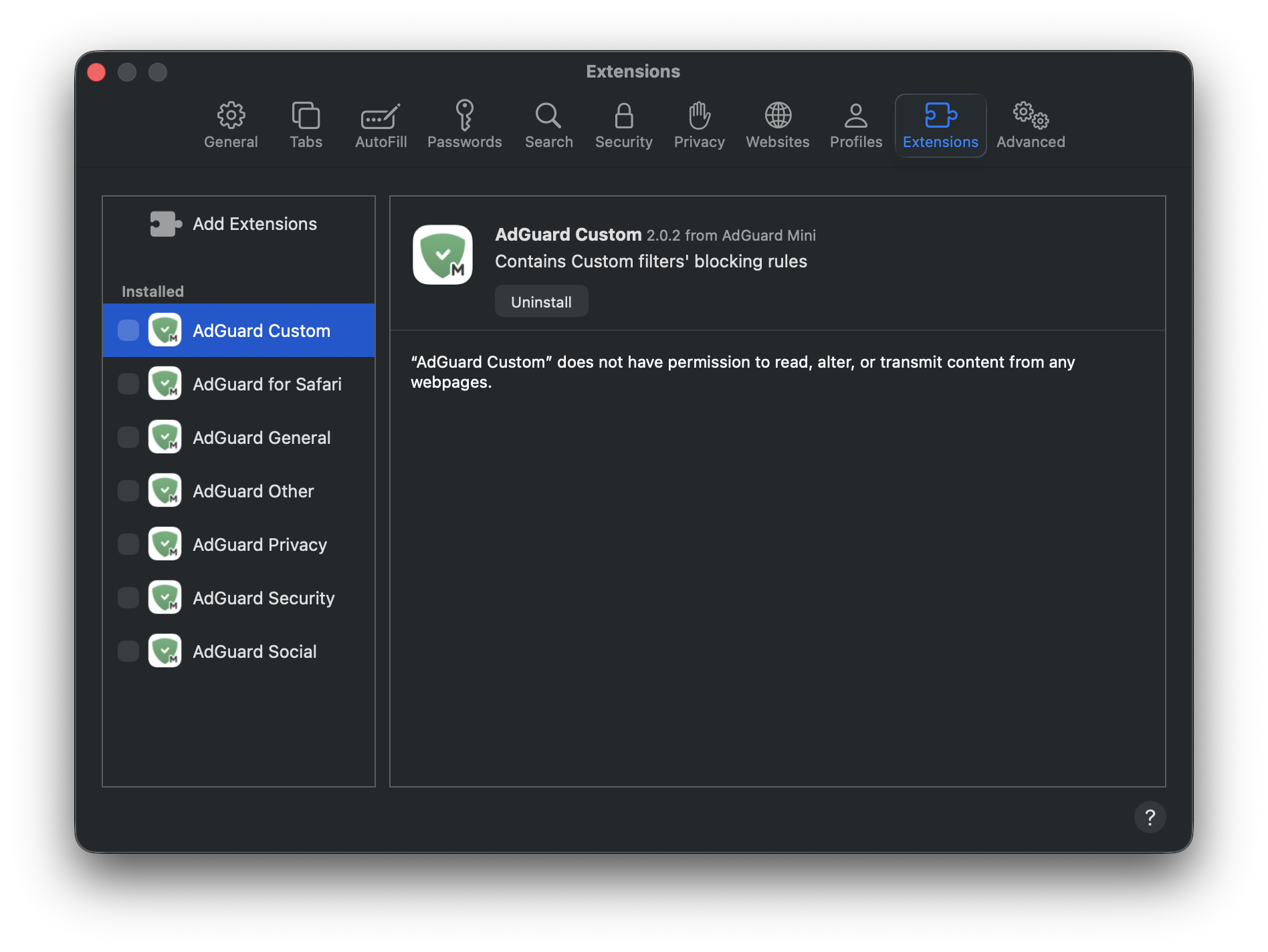
Cliquez sur Paramètres… → Extensions. Vous verrez une liste d’extensions, AdGuard Mini en possède sept.
Décochez toutes les cases et appuyez sur Désinstaller sous l'une d'entre elles.
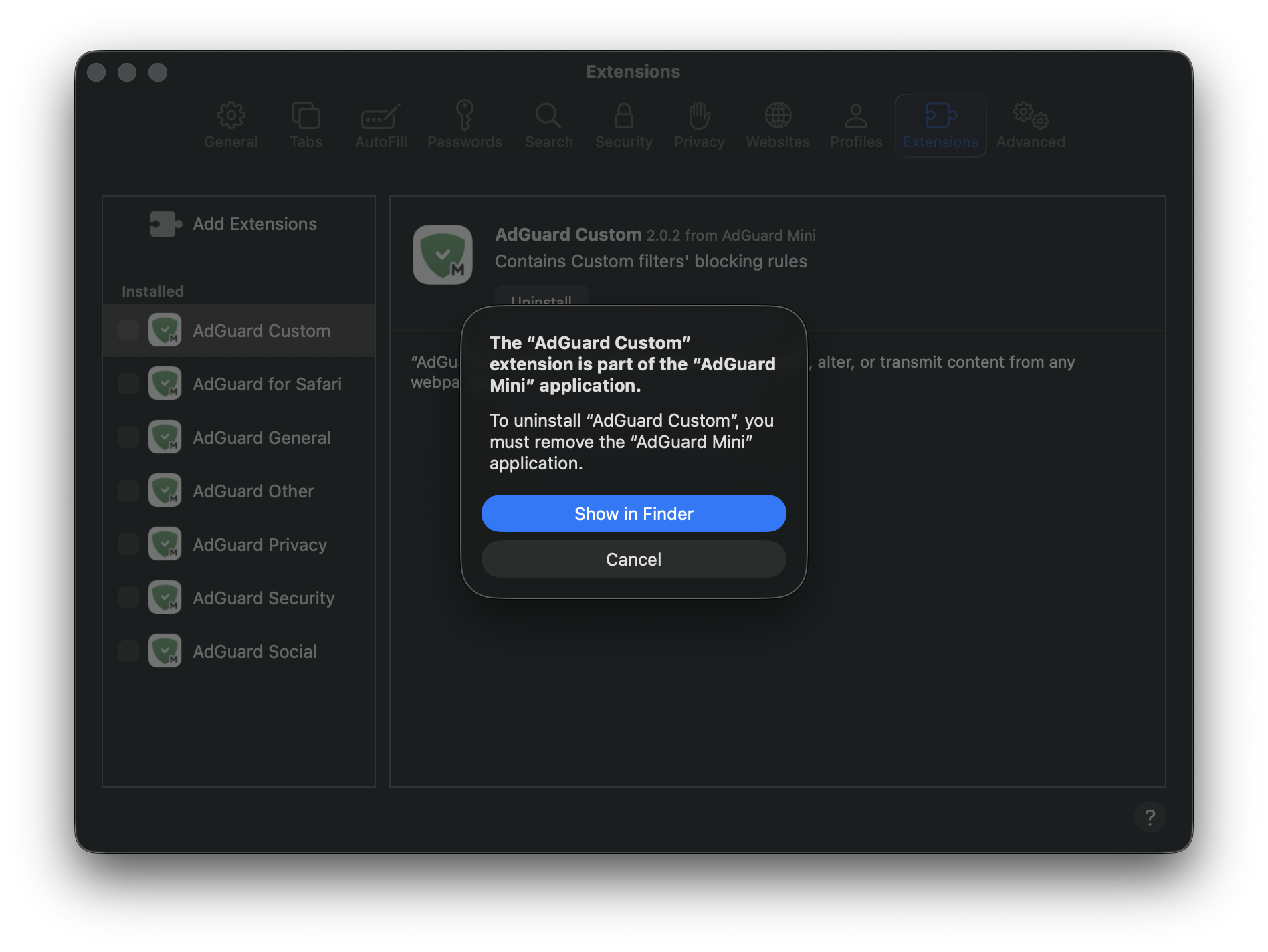
Dans la notification qui apparaît, appuyez sur Afficher dans le Finder.
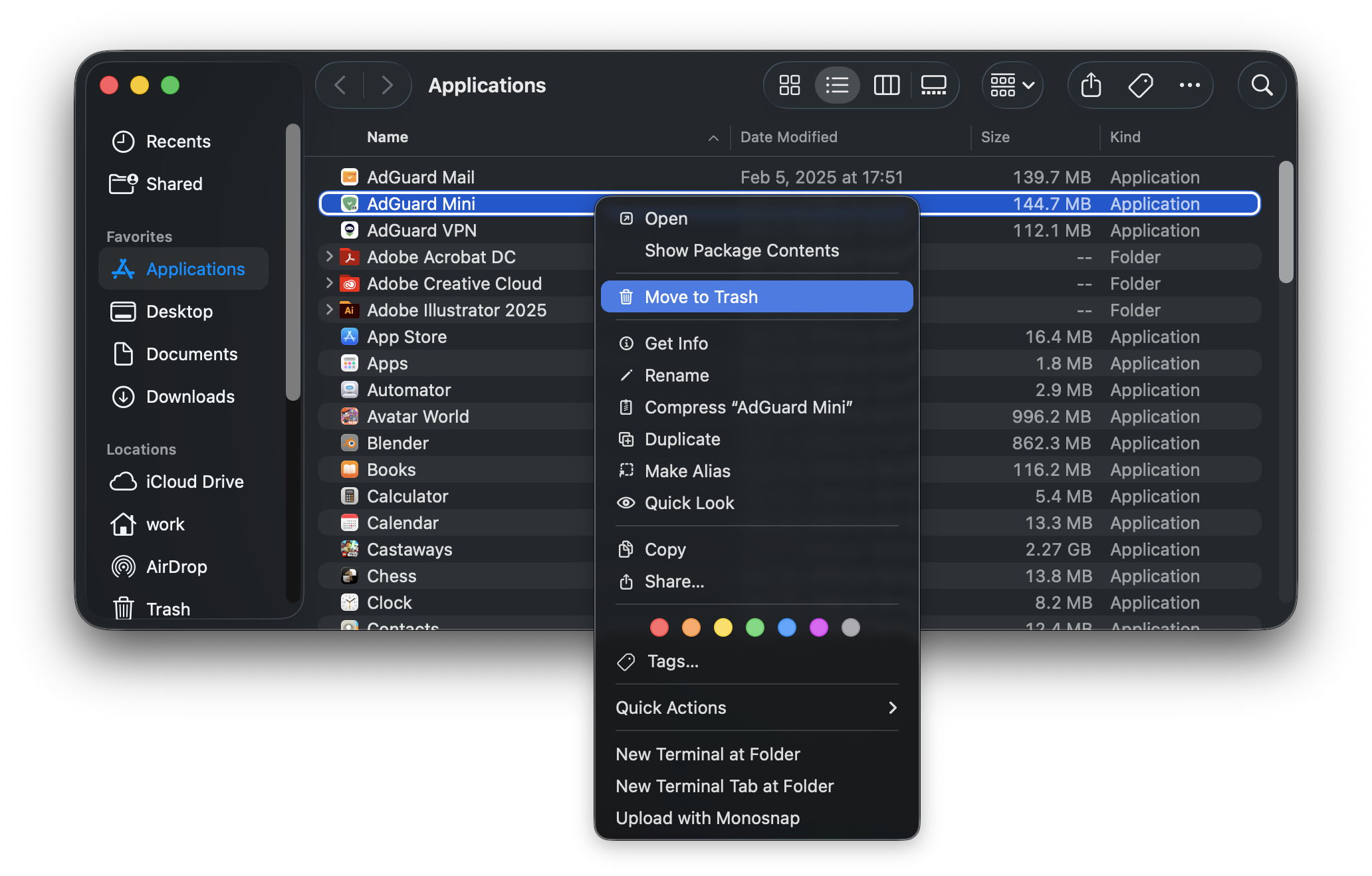
Faites un clic droit sur AdGuard Mini et choisissez Déplacer vers la corbeille.
AdGuard Mini pour Mac sera supprimé de votre appareil.