AdGuard Mini ne fonctionne pas dans les onglets privés sur macOS Sonoma
info
Cet article concerne AdGuard Mini pour Mac, qui protège uniquement votre navigateur Safari. Pour protéger l'ensemble de votre Mac, téléchargez l'application AdGuard
Comment procéder
- Ouvrez Safari.
- Cliquez sur Safari dans le menu du coin supérieur gauche.
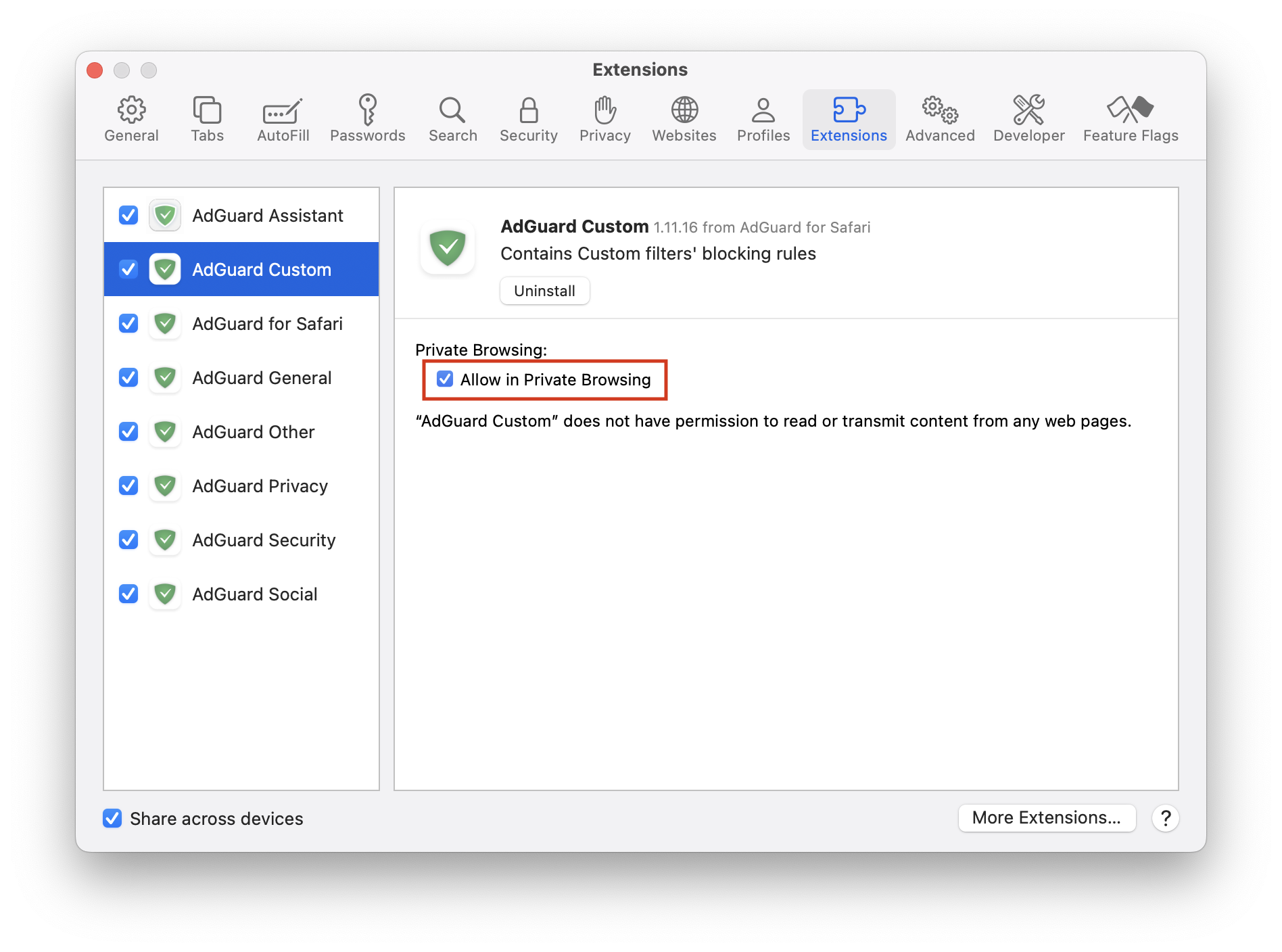
- Cliquez sur Paramètres… → Extensions.
- Cochez Autoriser la navigation privée pour toutes les extensions AdGuard.
Si cela ne résout pas le problème et les publicités ne sont toujours pas bloquées, veuillez contacter notre assistance à support@adguard.com.
Si vous ne rencontrez des problèmes qu'avec une page ou un site web spécifique, vous pouvez le signaler directement à partir du navigateur : cliquez sur l'icône AdGuard Mini à côté de la barre de recherche Safari, puis cliquez sur Signaler un problème.