Installazione
Questo articolo riguarda AdGuard Mini per Mac, che protegge solo il tuo browser Safari. Per proteggere completamente il tuo Mac, scarica l'app AdGuard
Requisiti di sistema
Richiede macOS 12 o versioni successive.
Come installare AdGuard Mini per Mac
AdGuard Mini per Mac è un'app gratuita presente nel Mac App Store. Per installarla nel tuo Mac, fai quanto segue:
Apri l'App Store e trova lì l'app AdGuard Mini.
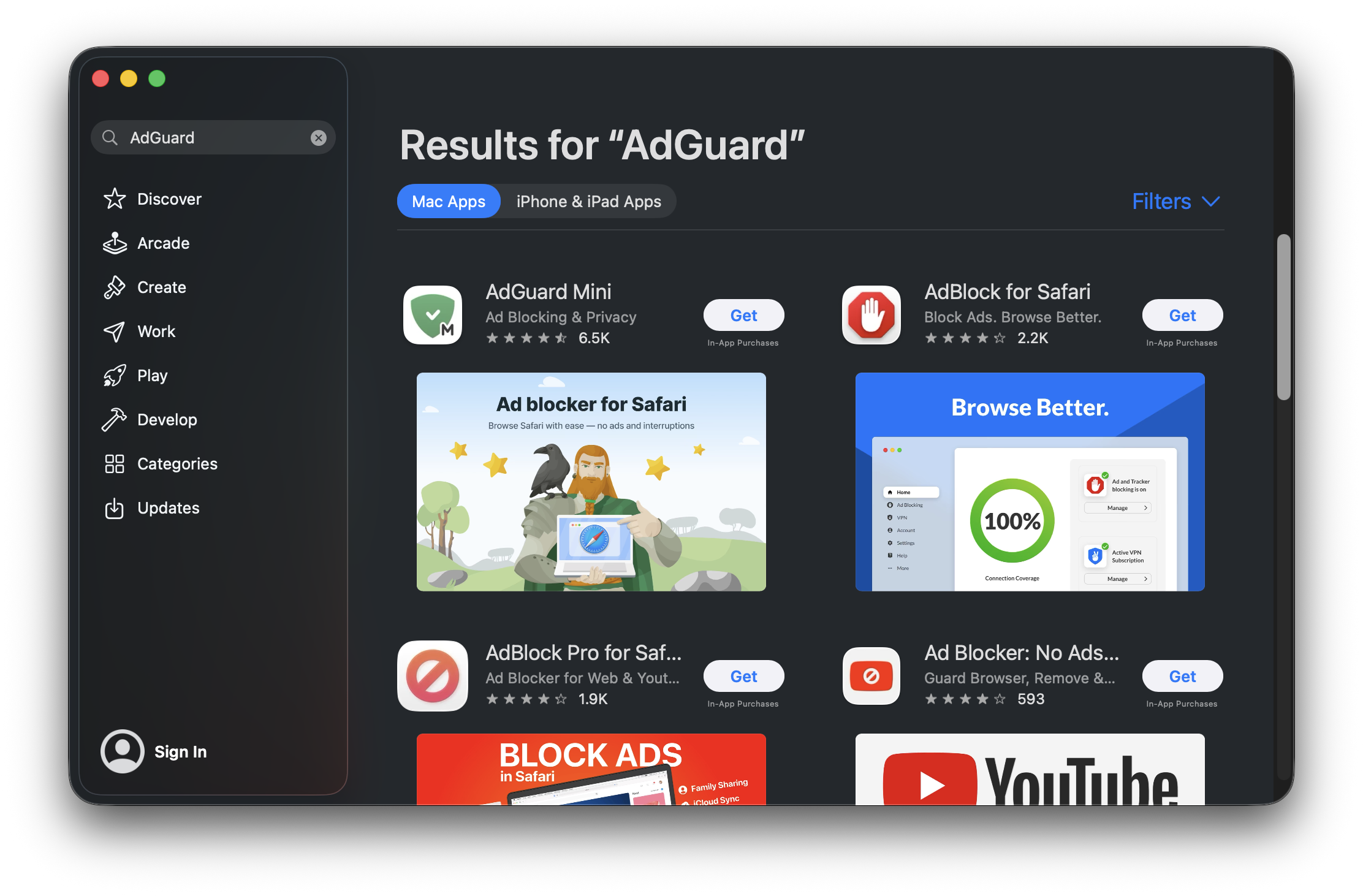
Premi Ottieni → Installa → Apri.
Nella finestra di AdGuard Mini aperta, accetta l'EULA e la Politica di riservatezza. Qui puoi anche scegliere di aiutarci a migliorare l'estensione inviando dati di uso anonimizzati. Poi clicca Continua.
 nota
notaSe scegli di condividere i dati di uso dell'app con AdGuard, l'estensione raccoglierà informazioni anonimizzate come le interazioni con l'interfaccia utente e gli identificatori di sessione. Questo consenso è opzionale e può essere ritirato in qualunque momento. Tutti i dati raccolti sono completamente anonimizzati, usati solo internamente e mai condivisi con terze parti.
Clicca Apri impostazioni.
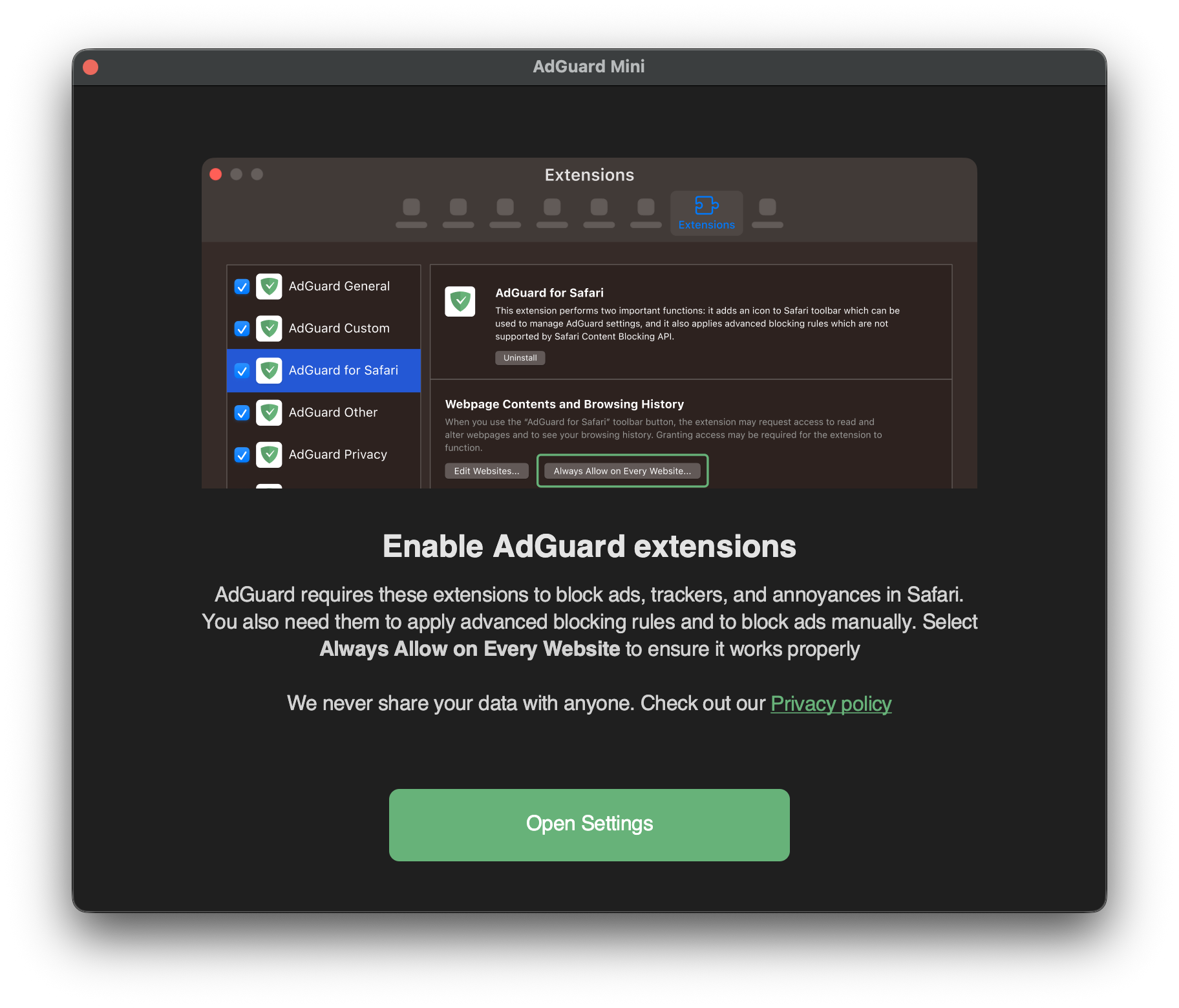
Seleziona le caselle di controllo per tutte e sette le estensioni di AdGuard.
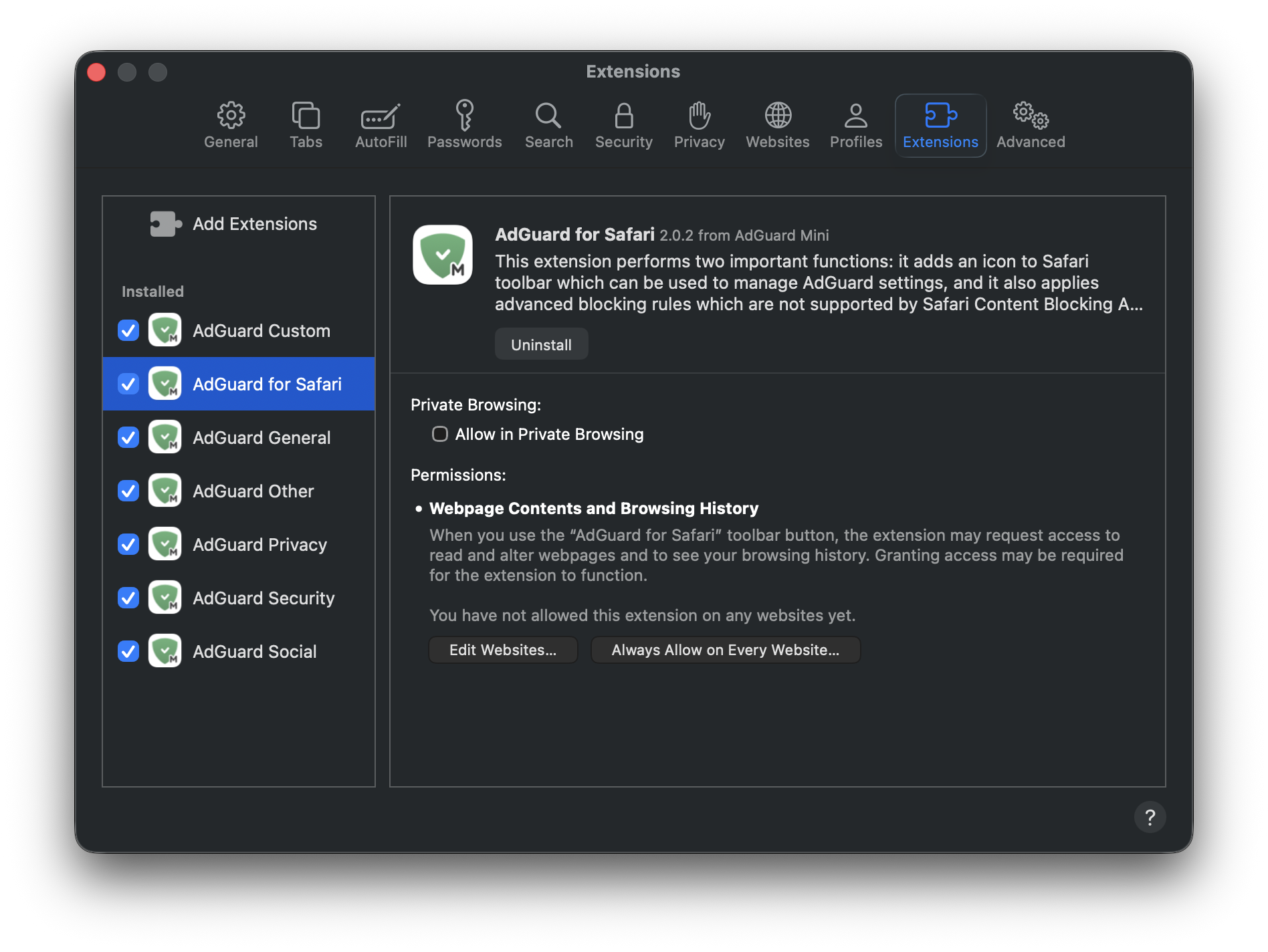
Per consentire ad AdGuard Mini di funzionare su tutti i siti web, clicca l'estensione AdGuard per Safari e poi Consenti sempre in ogni sito web….
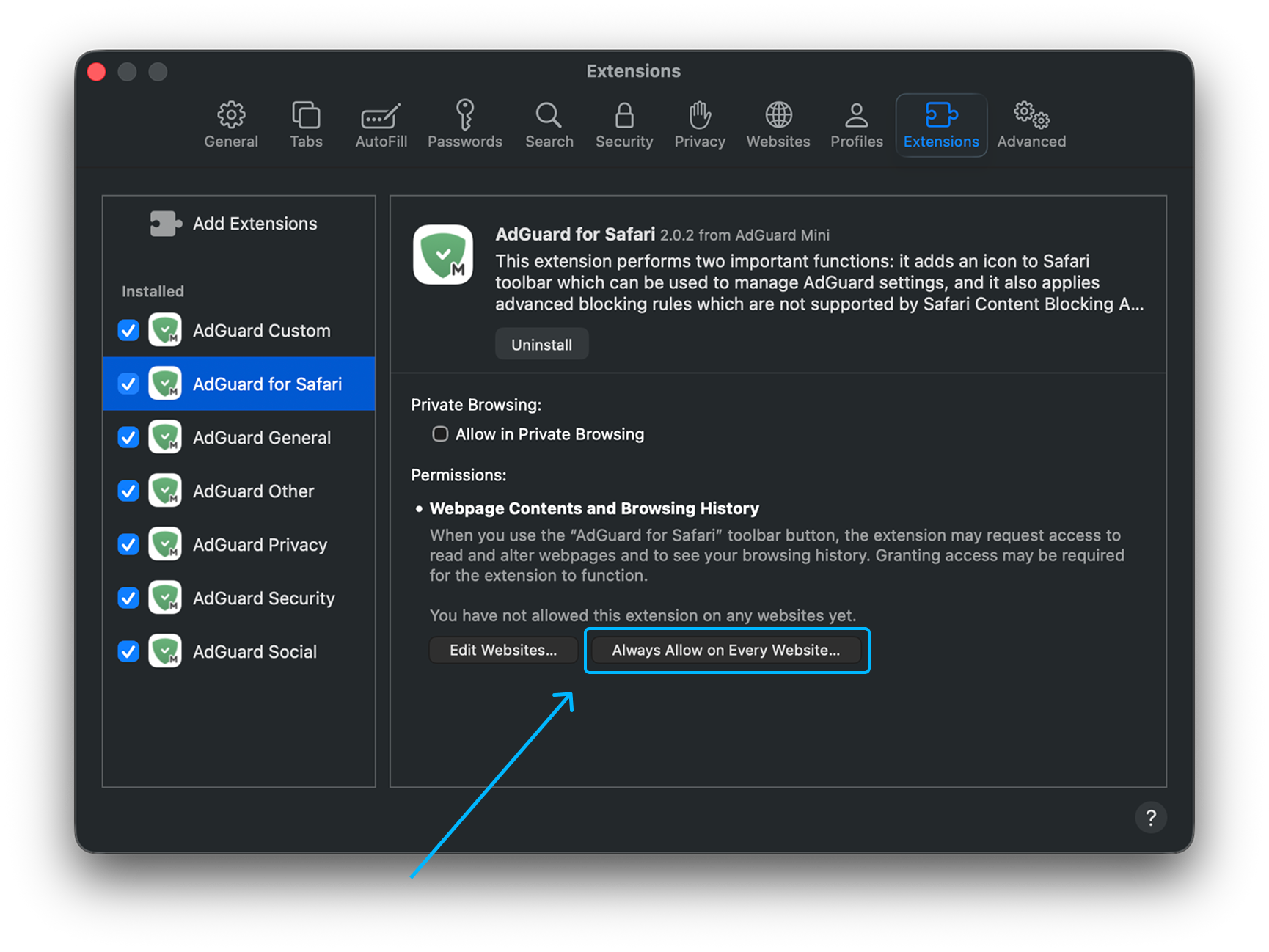
Nella notifica che appare, clicca di nuovo Consenti sempre in ogni sito web….
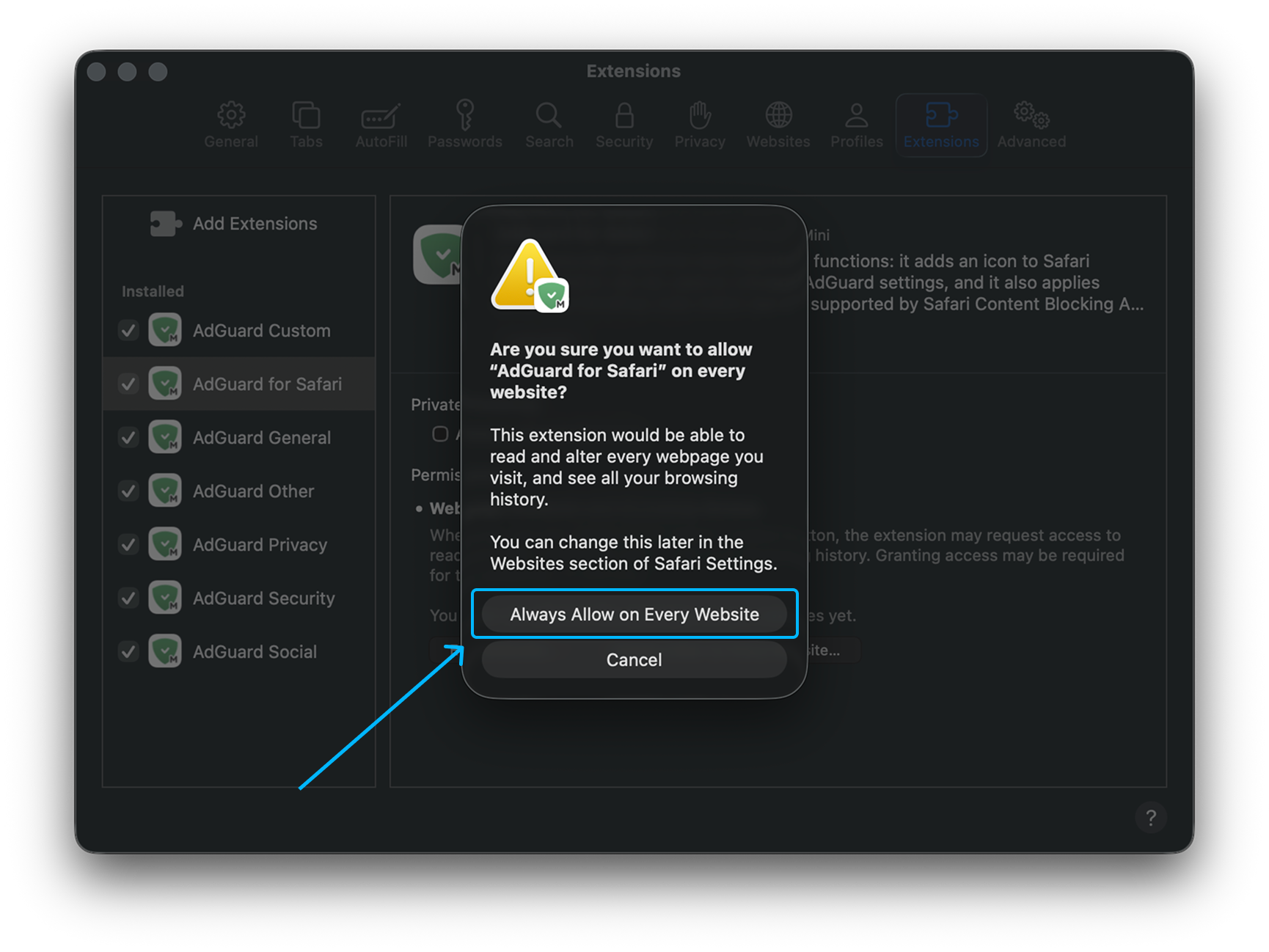
Dopo aver completato queste fasi, AdGuard Mini per Mac inizierà a funzionare in Safari.
Come disinstallare AdGuard Mini per Mac
Per disinstallare AdGuard Mini per Mac, fai quanto segue:
Esci dall'app.
Fai clic su Safari nel menu nell'angolo in alto a sinistra.
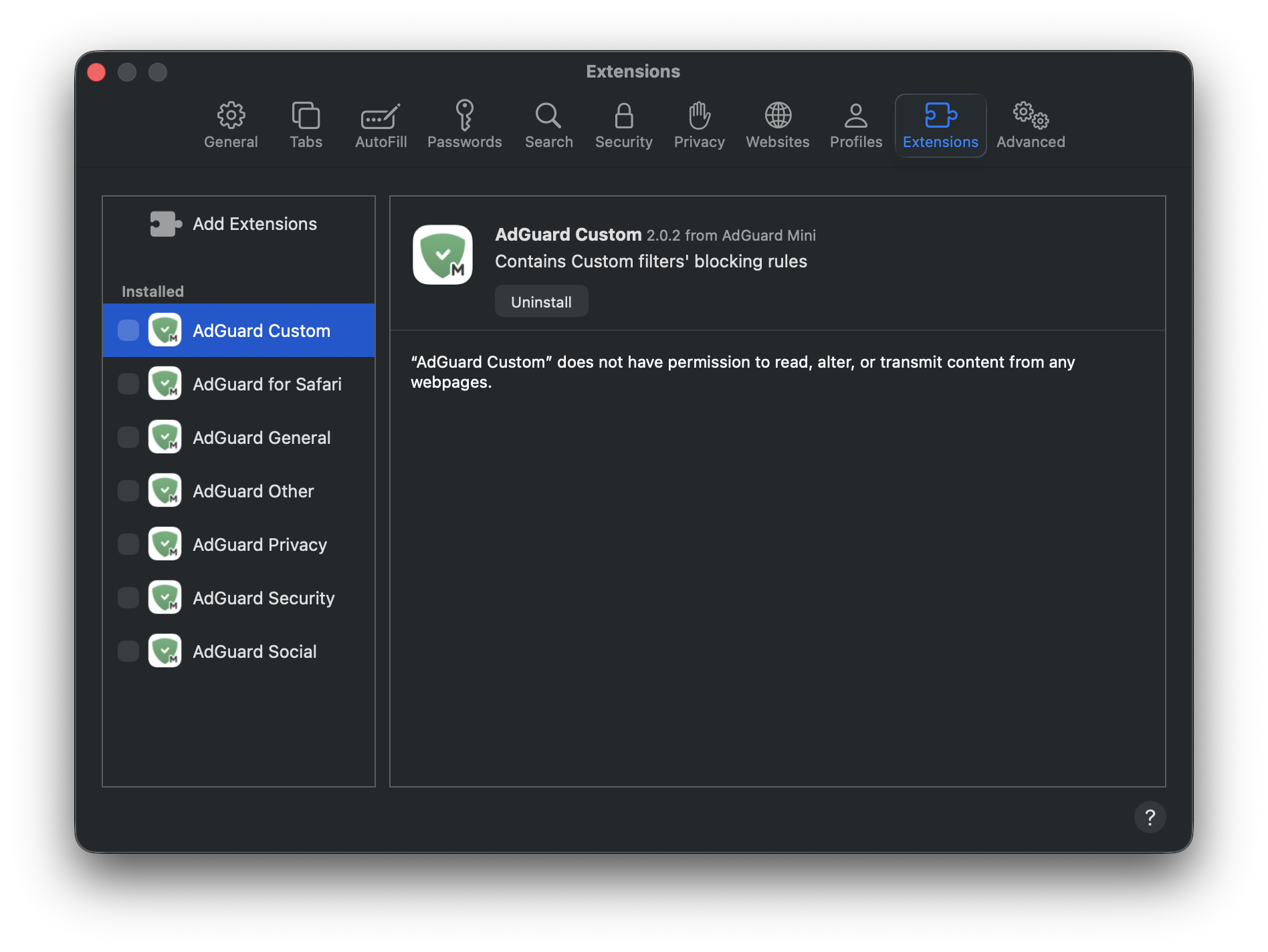
Fai clic su Impostazioni… → Estensioni. Vedrai una lista di estensioni, AdGuard Mini ne ha sette.
Despunta tutte le caselle di controllo e premi Disinstalla sottostante ognuna di esse.
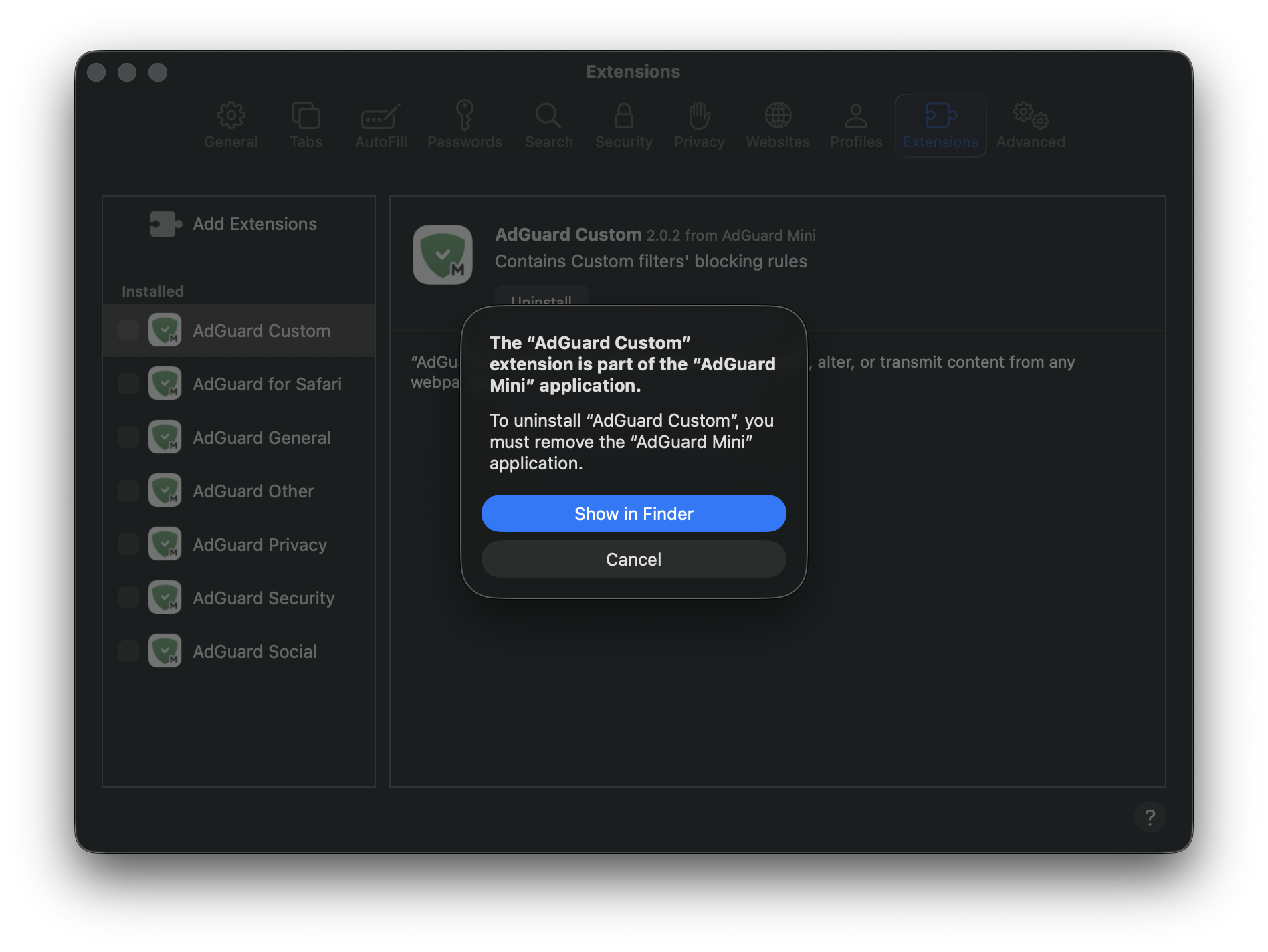
Nella notifica che appare, premi Mostra in Finder.
Clicca col destro AdGuard Mini e scegli Sposta nel cestino.
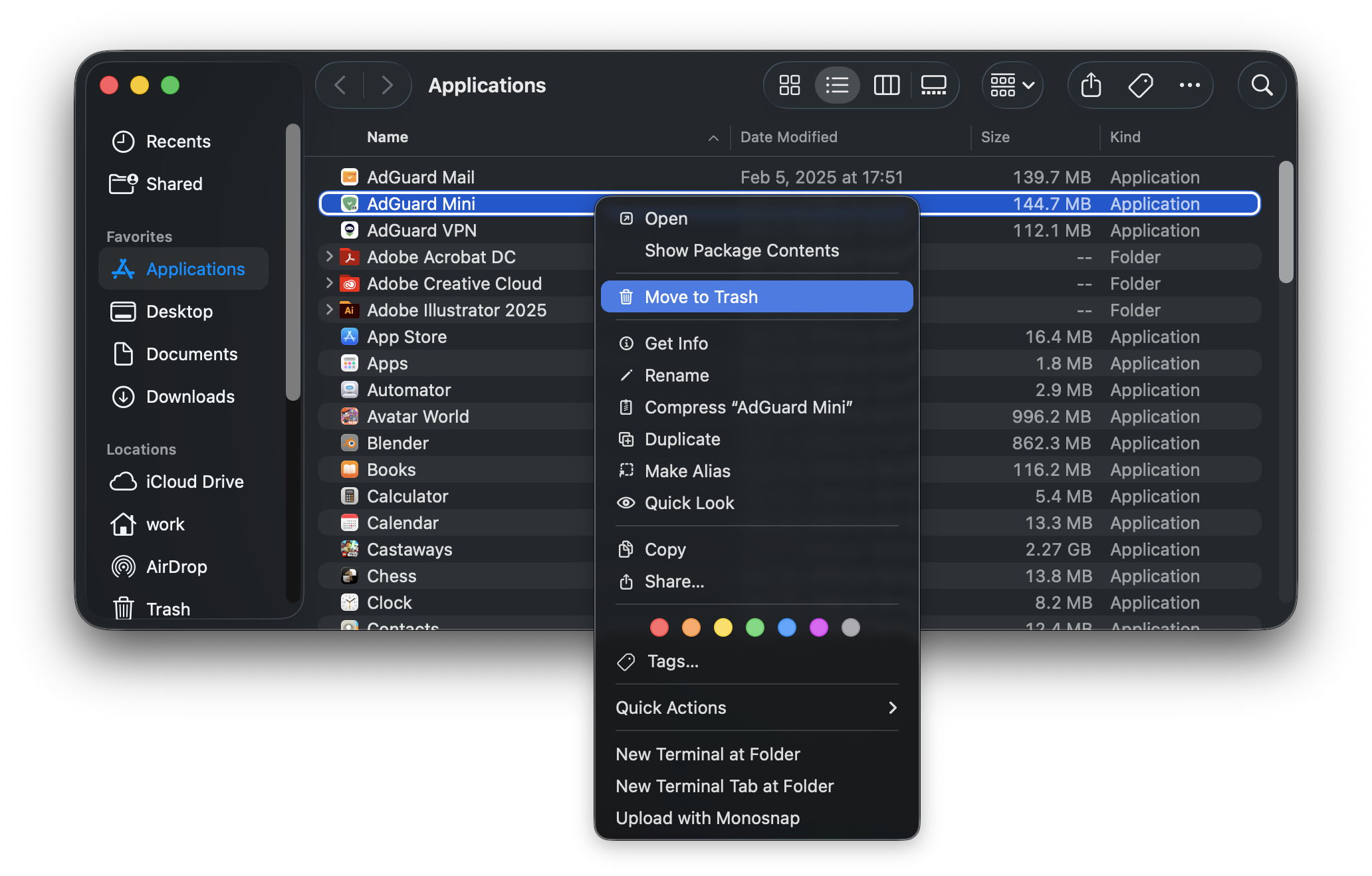
AdGuard Mini per Mac sarà rimosso dal tuo dispositivo.