Il filtraggio non si interrompe quando AdGuard Mini è disabilitato
info
Questo articolo riguarda AdGuard Mini per Mac, che protegge solo il tuo browser Safari. Per proteggere completamente il tuo Mac, scarica l'app AdGuard
Se il filtraggio non si interrompe quando AdGuard Mini per Mac è disabilitato, è possibile che i blocca-contenuti impieghino troppo tempo per l'aggiornamento.
Come risolvere
- Apri Safari.
- Fai clic su Safari nel menu nell'angolo in alto a sinistra.
- Fai clic su Impostazioni… → Estensioni.
- Deseleziona le scelte facoltative per le estensioni di AdGuard Mini: Personale, Generale, Altro, Riservatezza, Sicurezza, Social, e AdGuard per Safari.
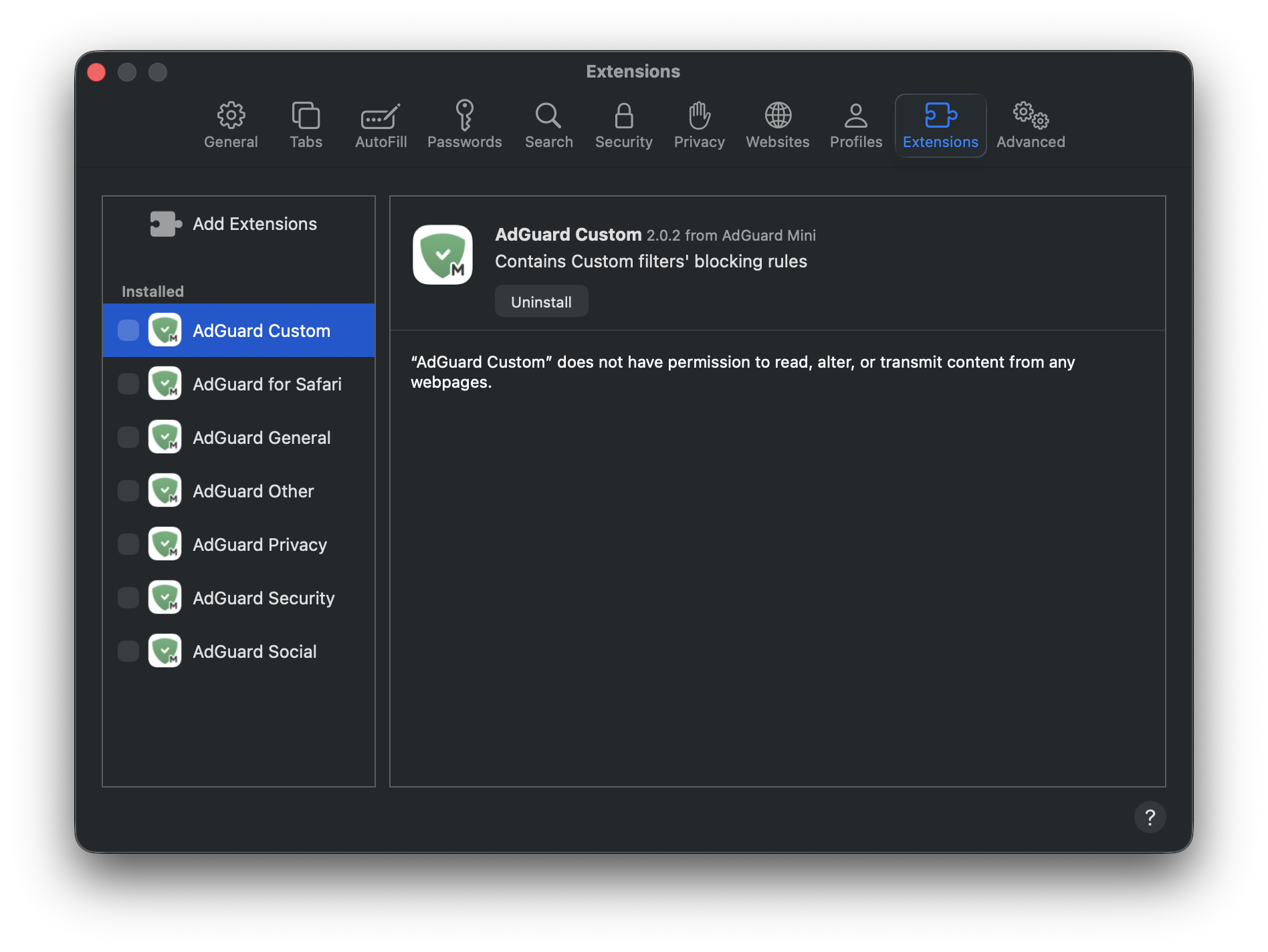
- Riavvia Safari.
- Torna a Safari → Impostazioni… → Estensioni e riattiva le estensioni di AdGuard.
Ora tutto dovrebbe funzionare come previsto: il filtraggio è attivo quando AdGuard Mini è abilitato e il filtraggio è disattivato quando è disabilitato.