Safari拡張機能
This article is about AdGuard Mini for Mac, which safeguards only your Safari browser. To protect your Mac entirely, download the AdGuard app
Safari拡張機能とは
Safari拡張機能は、Safariウェブブラウザで機能を追加する小さなソフトウェアプログラムです。 ブラウザに内蔵されていない機能を追加することで、ユーザーはブラウジング体験をカスタマイズして改善させることができます。 AdGuard Mini for Mac uses extensions primarily to apply filtering rules on websites opened in Safari.
仕組み
ウェブサイト上の広告、トラッキング、迷惑要素をブロックするために、AdGuardはフィルタリングルールを使用します。 The rules from AdGuard’s and your custom filters are converted into ones comprehensible by Safari and are integrated into 6 Safari extensions:
- AdGuard 一般
- AdGuard プライバシー
- AdGuard ソーシャル
- AdGuard セキュリティ
- AdGuard カスタム
- AdGuard その他
各コンテンツブロッカー拡張機能において、最大150,000の有効フィルタリングルールが許可されています。 ほとんどのフィルタグループのルール数は150,000を超えません。 ただし、言語特化フィルタやカスタムフィルタを有効にしすぎると、制限を超える可能性があります。 このような場合、制限を超えたルールの中から、ランダムには一部のルールが自動的に無効化されるため、誤った広告ブロックの可能性が出てきます。 We strongly recommend activating only the filters you need.
There is also one more extension responsible for other features: AdGuard for Safari, which adds the AdGuard icon next to the search bar in Safari and allows using advanced rules to block complex ads.
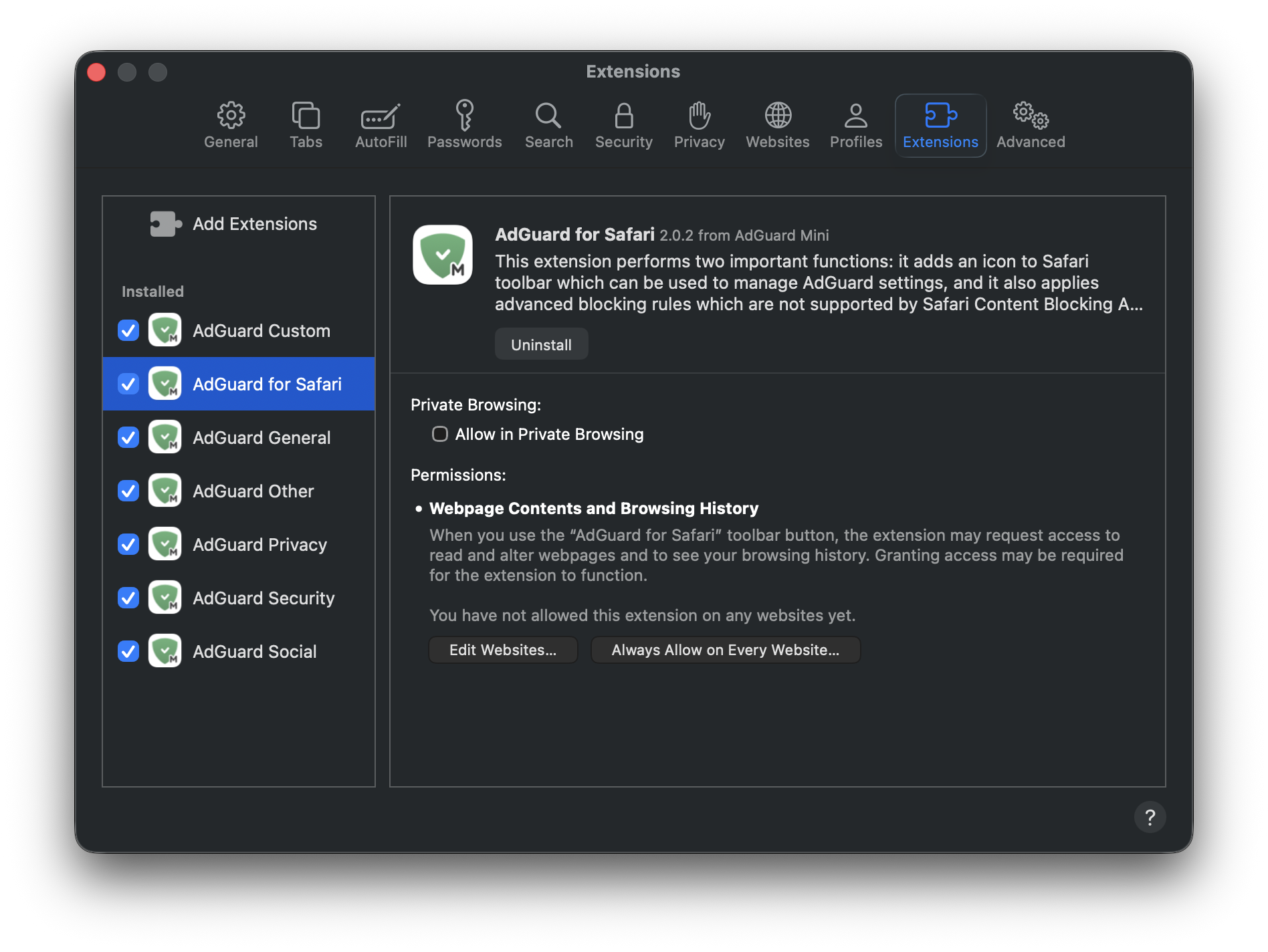
では、それぞれの拡張機能について詳しく説明いたします。
6個のコンテンツブロッカー拡張機能
AdGuard General applies rules from filters that you can find in Settings → Filters → Ad blocking and Language-specific. この拡張機能は、効果的な広告ブロックに焦点を当て、特定の言語の広告のフィルタリング、お含みます。
AdGuard Privacy applies rules from filters located in Filters → Privacy. あらゆるトラッキング(個人情報追跡)メカニズムをブロックし、あなたのブラウジングアクティビティとオンラインプライバシーが保護されるようにします。
AdGuard Social applies rules from filters that can be found in Filters → Social Widgets and Filters → Annoyances. It blocks popups, social media buttons, online assistant windows, and other elements on webpages that you might find annoying.
AdGuard Security applies rules from filters under Filters → Security. この拡張機能は、潜在的に有害な要素を識別してブロックし、悪意のあるコンテンツからユーザーを保護します。
AdGuard Other applies rules from filters that don’t fall under the above-mentioned categories and that are located in Filters → Other: Filter unblocking search ads and self-promotion, AdGuard DNS filter, and AdGuard Experimental filter.
AdGuard Custom applies rules from filters that you add on your own to Custom filters.
User rules and allowlist rules are included in every extension.
AdGuard for Safari
AdGuard for Safari activates the AdGuard icon next to the search bar. It’s useful if you want to quickly set up protection for a specific website or block ads manually.
AdGuard for Safari extension also contains advanced rules that aren’t converted to the format supported by Safari. These include CSS rules, extended CSS selectors, and scriptlets, which allow AdGuard to block complex ads, such as those on YouTube.
Safariの拡張機能を管理する方法
Open Safari and click Safari in the upper left corner of the screen to expand the menu.
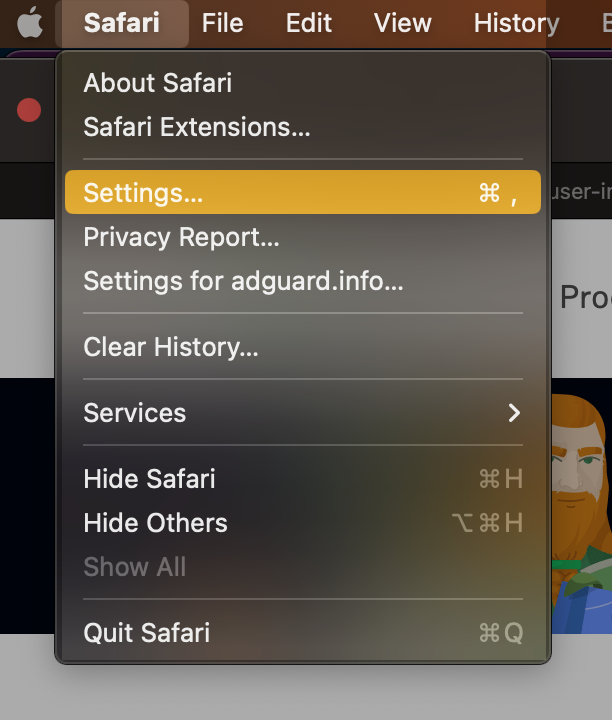
Click Settings...
Select Extensions.

AdGuard for Safari にアクセス権限が必要な理由
When enabling the AdGuard for Safari extension, you might notice that it requires access to webpage content and access to browsing history. Here’s why it needs these permissions:
- Access to webpage content is required for manual ad blocking and advanced blocking rules to work correctly
- 閲覧履歴へのアクセスは、Webサイトの保護ステータスを確認し、どの高度なルールを適用すべきかを判断するために必要です。
※AdGuardは、アクセス権限を通じて得たデータを他の目的で使用したり、誰かと共有したりすることは一切ありません。 For more info, you can consult our Privacy policy.