AdGuard Mini doesn’t work in private tabs on macOS Sonoma
info
This article is about AdGuard Mini for Mac, which safeguards only your Safari browser. To protect your Mac entirely, download the AdGuard app
対処法
- Safariを開きます。
- 左上のメニューで「Safari」をクリックします。
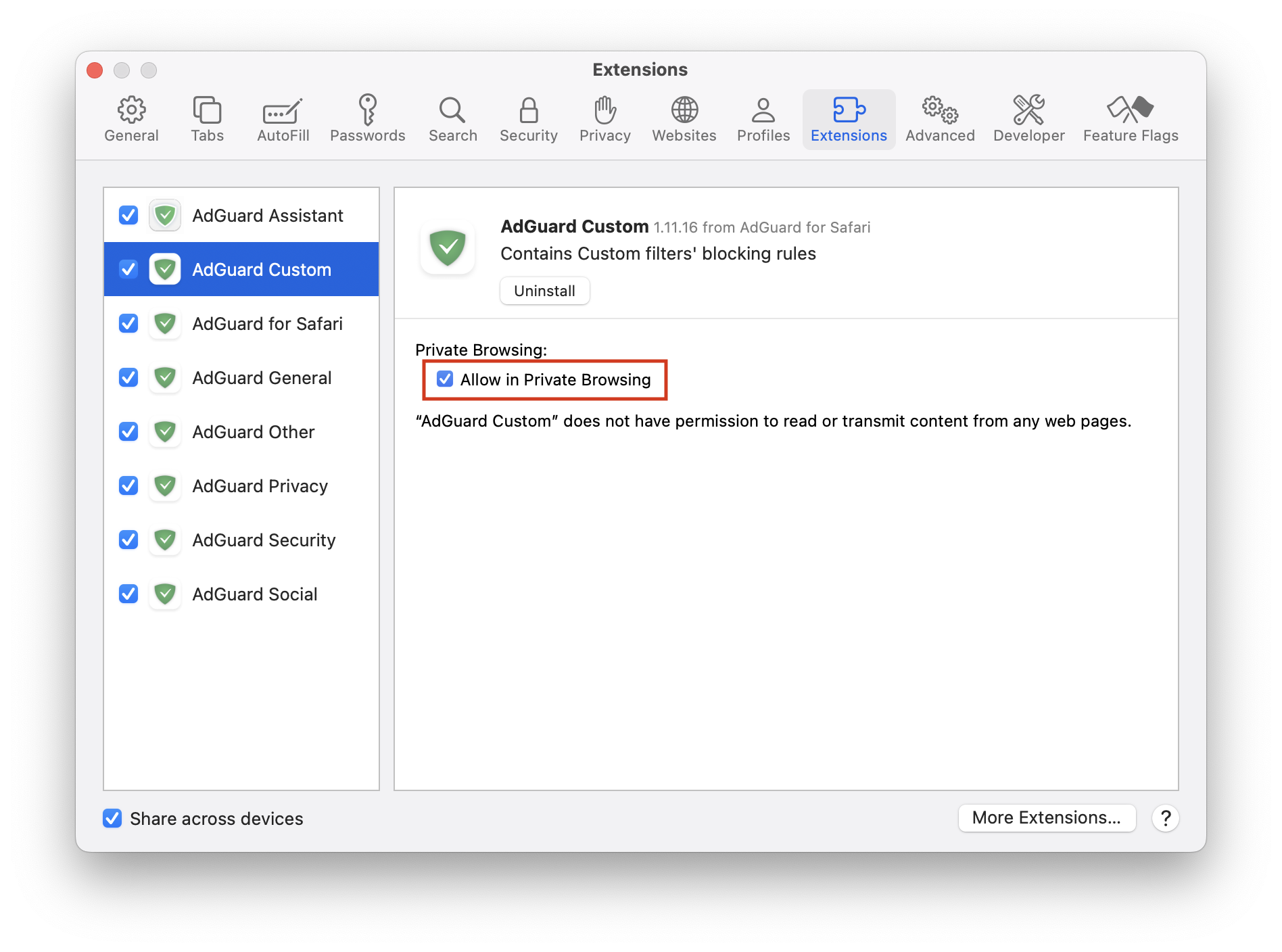
- 「環境設定…」→「拡張機能」をクリックします。
- すべてのAdGuard拡張機能の、「プライベートブラウジングで許可する」チェックボックスにチェックを入れます。
それでも広告がブロックされない場合は、support@adguard.com (日本語対応)までお問い合わせください。
If you only have problems with a specific page or website, you can report it directly from the browser: click the AdGuard Mini icon next to the Safari search bar, and then click Report an issue.