Safari 확장 프로그램
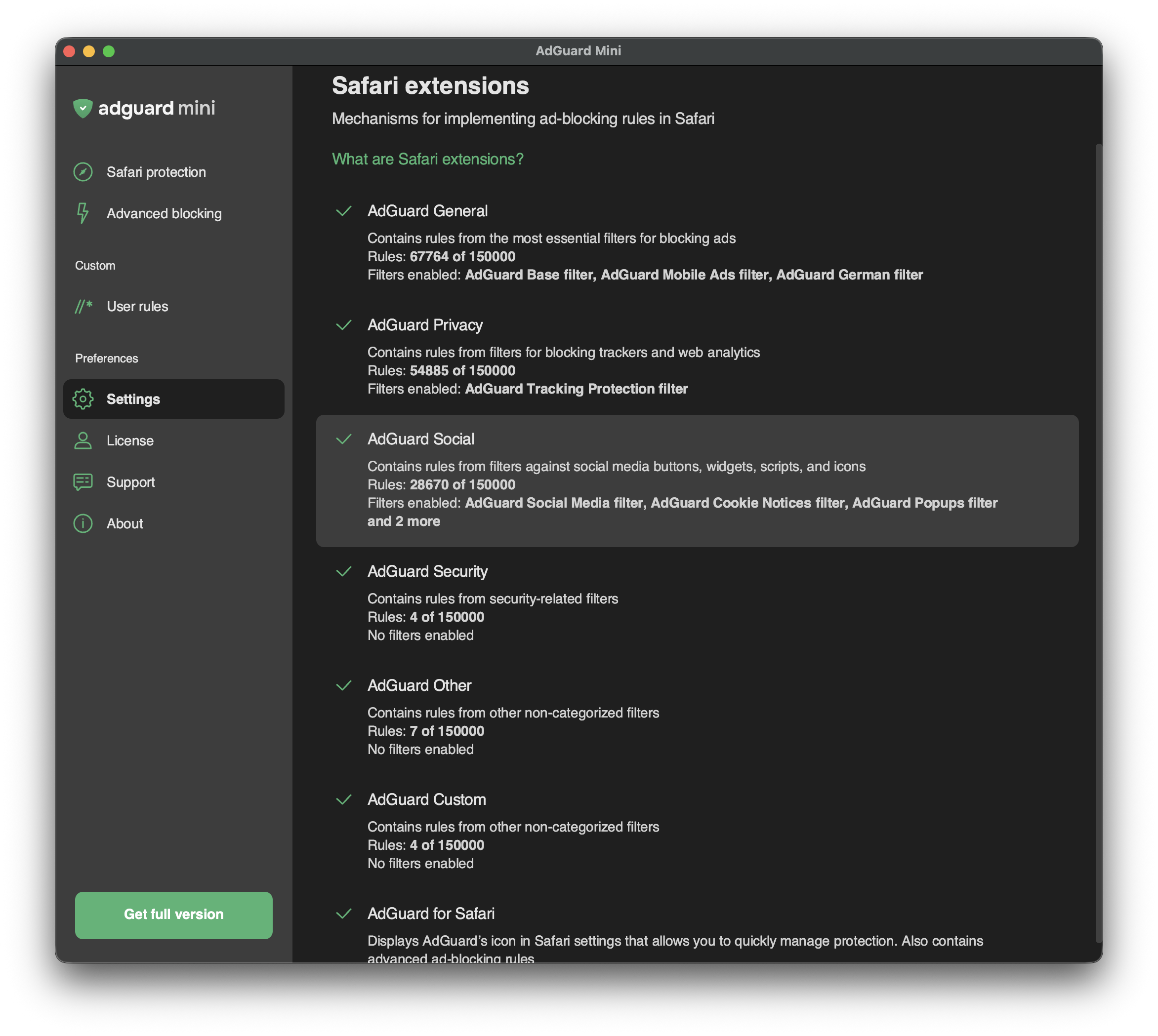
Safari extensions are mechanisms that allow implementing content blockers — thematic clusters of filters. For example, privacy-related filters are included in the content blocker with the corresponding name — AdGuard Privacy.
Content blockers were designed for two reasons: to structure filters and to conform to Apple’s restrictions.
2019년에 Apple은 Safari용 광고 차단기에 제한을 두어 동시에 50,000개의 필터링 규칙만 사용할 수 있도록 했습니다. As this number was not enough for an ad blocker to provide a good filtering quality (AdGuard Base Filter alone has 30,000 filtering rules), we divided AdGuard for Safari into six content blockers each containing up to 50,000 rules.
2022년에 Apple은 각 콘텐츠 차단기의 필터링 규칙 한도를 동시에 적용되는 규칙 수 150,000개로 늘렸습니다. Regarding AdGuard Mini for Mac, up to 900,000 rules can be enabled for all six content blockers.
한도는 증가했지만 콘텐츠 차단 기능의 구조는 그대로 유지되었습니다.
In Safari extensions, you can see which content blockers are enabled, how many rules each of them is using, and which filters are functioning.
You can manage enabled filters in Settings → Filters. In Safari extensions, you can only see the list of enabled filters and the number of enabled rules.
List of AdGuard Mini’s Safari extensions
AdGuard General
AdGuard General은 광고 차단에 가장 필수적인 필터를 갖춘 콘텐츠 차단기입니다. We recommend keeping AdGuard Base Filter always enabled.
AdGuard Privacy
이 콘텐츠 차단기는 카운터 및 웹 분석 도구로부터 보호합니다. AdGuard 추적 보호 필터는 기본적으로 활성화되어 있습니다.
AdGuard Social
AdGuard Social에는 소셜 미디어 버튼, 위젯, 스크립트 및 아이콘을 차단하는 필터가 포함되어 있습니다. Other annoyance filters can also be found in this section: filters against popups, banners, cookie notices, and more. To enable them, find Social Widgets in Settings → Filters.
AdGuard Security
이 콘텐츠 차단기는 여러 보안 관련 필터를 통합합니다. Malware Domains Blocklist는 멀웨어 및 스파이웨어를 유포하는 도메인을 차단합니다. Spam404는 인터넷 사기꾼으로부터 사용자를 보호합니다. NoCoin Filter List는 Coinhive와 같은 브라우저 기반 크립토마이너를 차단합니다.
AdGuard Other
AdGuard 기타에는 다양한 기능을 갖춘 필터가 포함되어 있습니다. 예를 들어, 검색 광고와 자체 홍보 광고의 차단을 해제하는 필터가 있습니다. 이러한 종류의 광고는 다른 광고보다 관련성이 높고 방해가 덜하기 때문에 어떤 경우에는 원하는 것을 찾는 데 도움이 됩니다.
We don’t have any “acceptable ads” paid by advertisers. Instead, we provide users with an option to see search ads and websites’ self-promotion.
AdGuard Custom
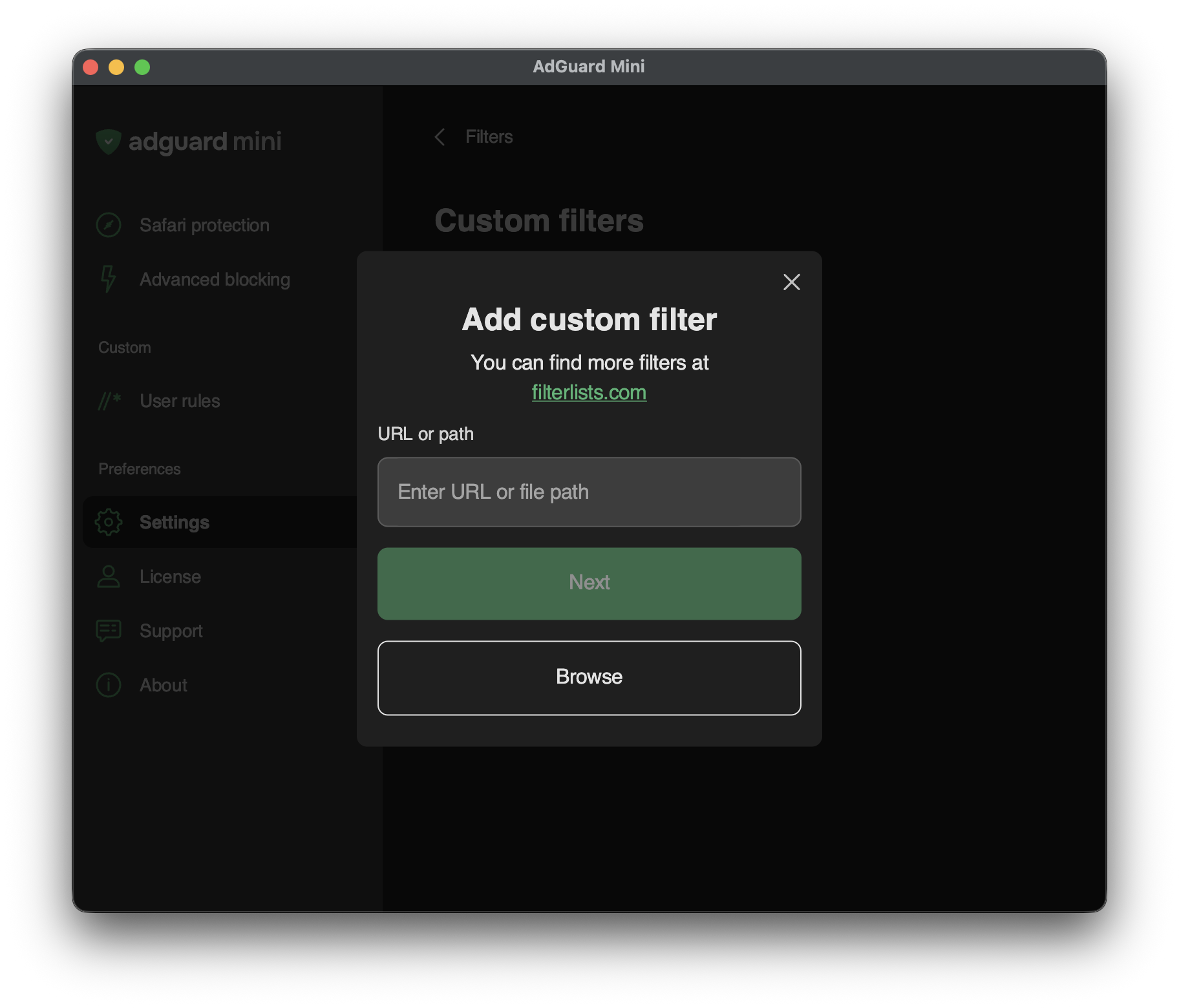
If you need more filters, you can add them to AdGuard Custom extension.
To add a custom filter, go to Settings → Filters → Custom filters and enter a URL or a local file path in the relevant field. filterlists.com에서 새 필터를 찾을 수 있습니다.