규칙 제한 문제
info
This article is about AdGuard Mini for Mac, which safeguards only your Safari browser. To protect your Mac entirely, download the AdGuard app
Safari 콘텐츠 차단 규칙 제한
AdGuard Mini for Mac uses the Content Blocking API to apply filtering rules to pages in the Safari browser. 현재 각 콘텐츠 차단 확장 프로그램에는 최대 150,000개의 규칙이 허용됩니다.
AdGuard Mini for Mac has 6 content blockers:
- AdGuard General
- AdGuard Privacy
- AdGuard Social
- AdGuard Security
- AdGuard Other
- AdGuard Custom
이로써 총 900,000개의 필터링 규칙이 만들어집니다.
However, one extension can contain only up to 150,000 rules. 이 한도를 초과하면 일부 규칙이 적용되지 않습니다. 이로 인해 잘못된 차단이 발생할 수 있습니다.
규칙 한도를 초과하고 있는지 확인하는 방법
- Open AdGuard Mini app.
- Go to Settings → Safari extensions.
- Below each extension, you can see the enabled filters and the number of active rules.
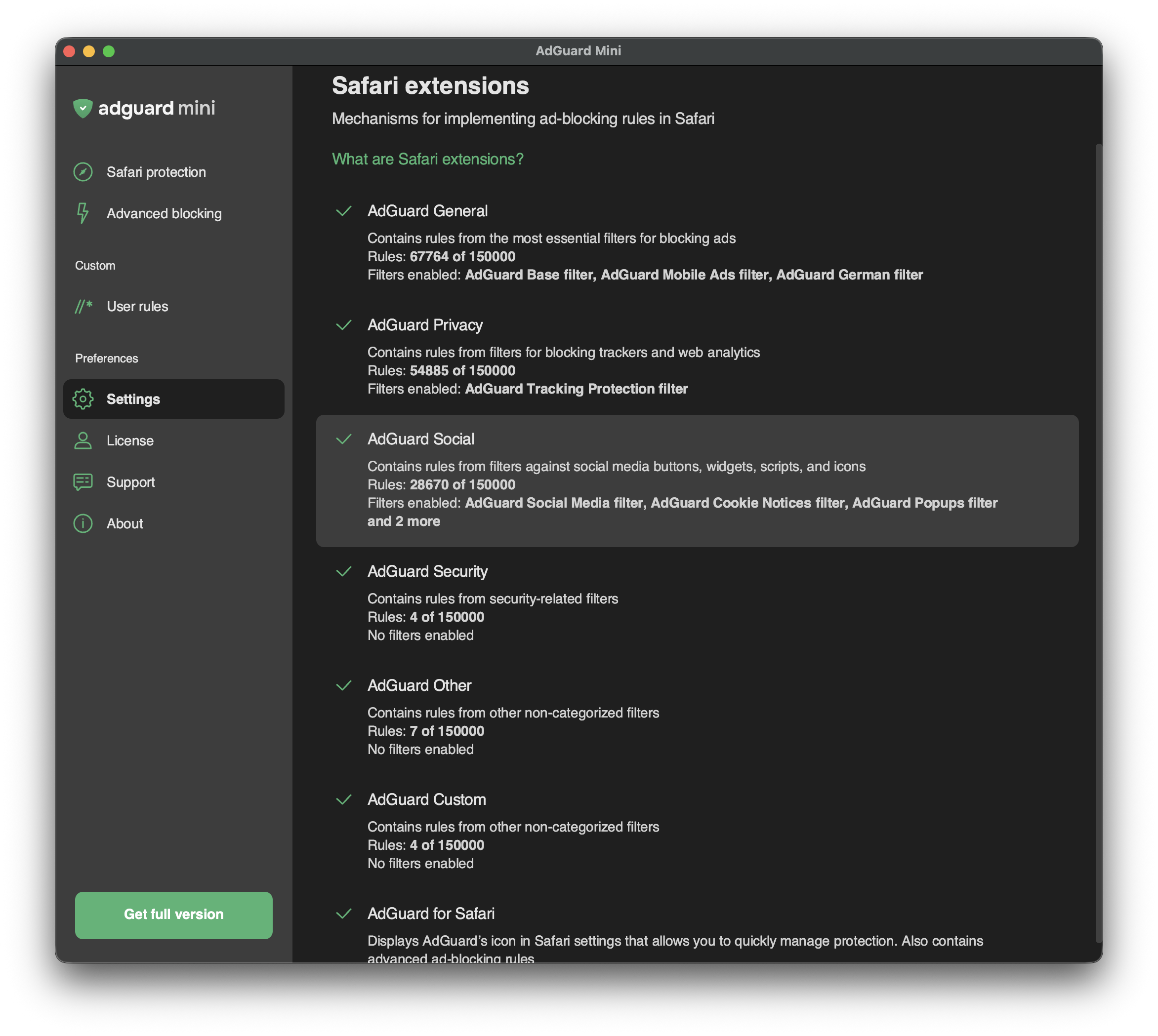
콘텐츠 차단 기에서 150,000개 이상의 규칙이 활성화되어 있는 경우, 일부 필터 또는 사용자 규칙을 비활성화해야 할 수 있습니다. 필터로 이동하여 문제가 있는 카테고리를 선택한 다음 필요하지 않은 필터나 사용자 규칙을 비활성화하세요.