Filtering doesn’t stop when AdGuard Mini is disabled
信息
This article is about AdGuard Mini for Mac, which safeguards only your Safari browser. To protect your Mac entirely, download the AdGuard app
If filtering doesn’t stop when AdGuard Mini for Mac is disabled, it may be because content blockers take too long to update.
解决方案
- 打开 Safari 浏览器。
- 点击左上角菜单中的「Safari」。
- 单击「设置…」→「扩展」。
- Clear the checkboxes for AdGuard Mini’s extensions: Custom, General, Other, Privacy, Security, Social, and AdGuard for Safari.
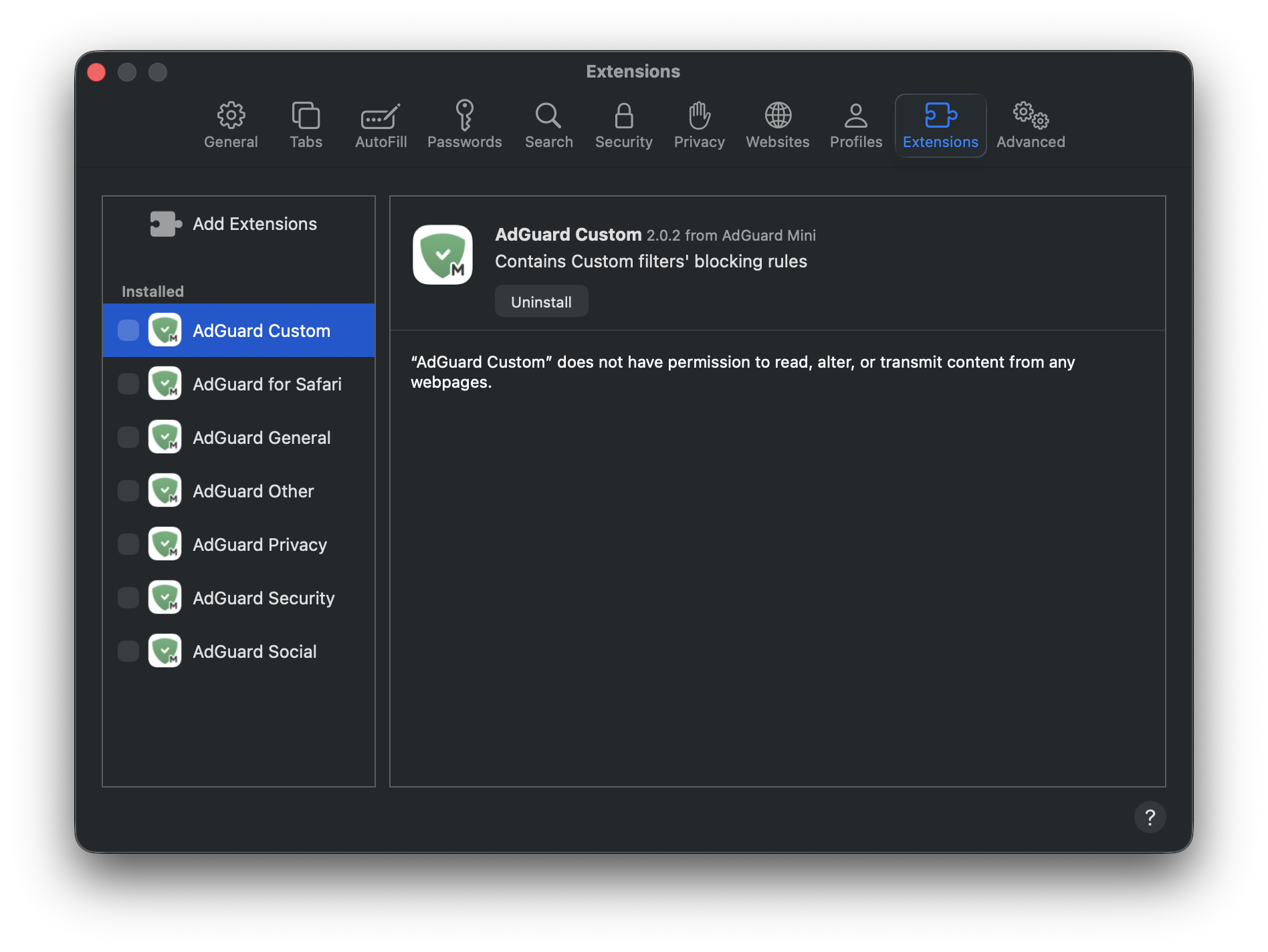
- 重新启动 Safari 浏览器。
- Return to Safari → Settings... → Extensions and re-enable the AdGuard extensions.
Now everything should work as intended: filtering is on when AdGuard Mini is enabled, and filtering is off when it is disabled.