AdGuard Mini doesn’t work in private tabs on macOS Sonoma
info
This article is about AdGuard Mini for Mac, which safeguards only your Safari browser. To protect your Mac entirely, download the AdGuard app
How to fix
- Open Safari.
- Click Safari in the left upper corner menu.
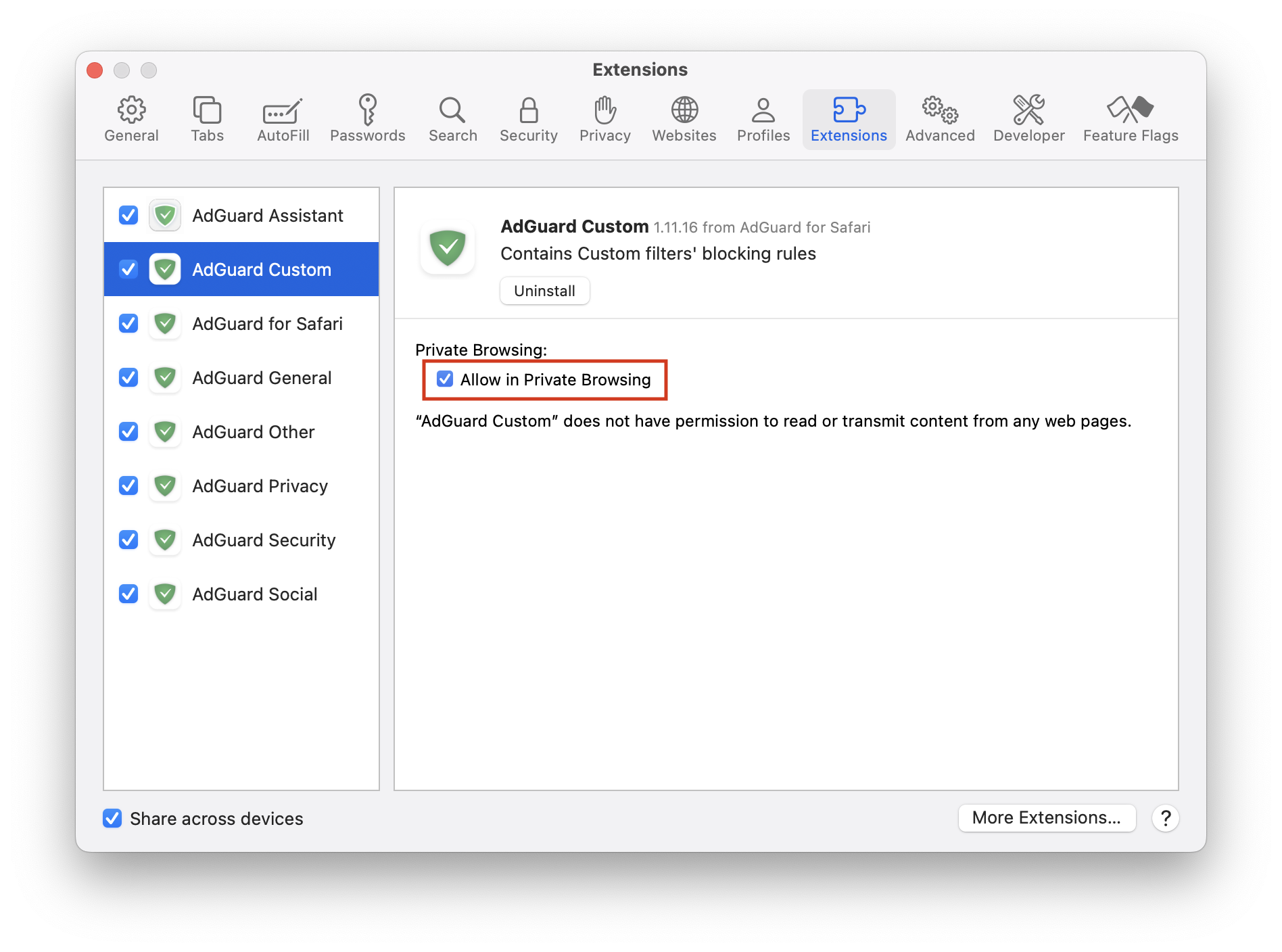
- Click Settings… → Extensions.
- Check Allow in Private Browsing for all AdGuard extensions.
If this doesn’t help and ads are still not being blocked, please contact our support at support@adguard.com.
If you only have problems with a specific page or website, you can report it directly from the browser: click the AdGuard Mini icon next to the Safari search bar, and then click Report an issue.