Filtrování se nezastaví, když je AdGuard Mini deaktivován
informace
Tento článek je o AdGuardu Mini pro Mac, který chrání pouze váš prohlížeč Safari. Chcete-li zcela ochránit svůj Mac, stáhněte si aplikaci AdGuard
Pokud se filtrování po vypnutí AdGuardu Mini pro Mac nezastaví, může to být způsobeno tím, že blokátorům obsahu trvá příliš dlouho, než se aktualizují.
Jak to opravit
- Otevřete Safari.
- Klikněte na Safari v nabídce v levém horním rohu.
- Klikněte na Nastavení… → Rozšíření.
- Zrušte zaškrtnutí políček u rozšíření AdGuard Mini: Vlastní, Obecné, Jiné, Soukromí, Zabezpečení, Sociální sítě, AdGuard pro Safari.
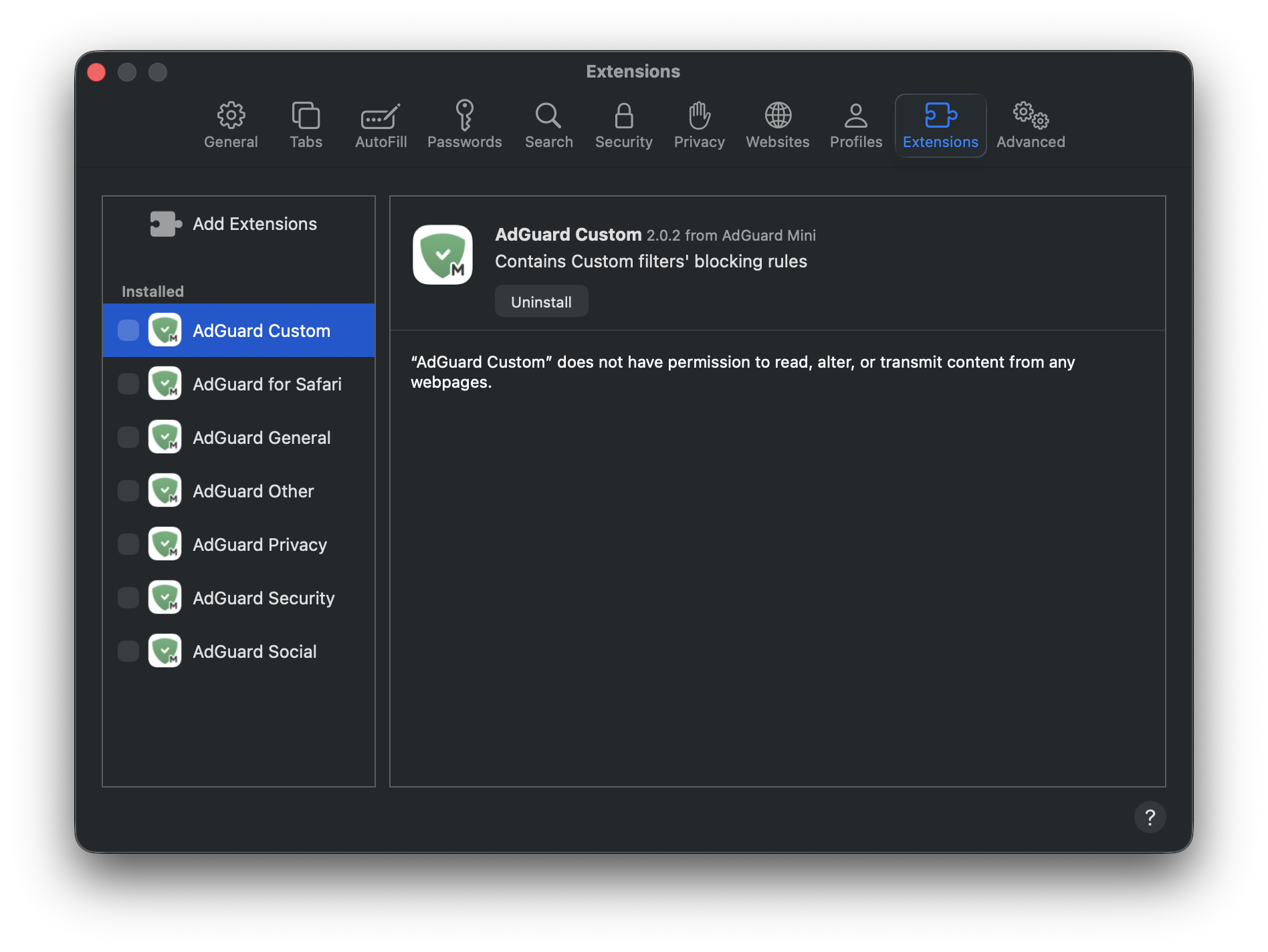
- Restartujte Safari.
- Vraťte se do Safari → Nastavení... → Rozšíření a znovu povolte rozšíření AdGuardu.
Nyní by mělo vše fungovat, jak má: filtrování je zapnuto, když je AdGuard Mini povolen, a filtrování je vypnuto, když je zakázán.