El filtrado no funciona y los anuncios no se bloquean
información
Este artículo trata sobre AdGuard Mini para Mac, que protege solo tu navegador Safari. Para proteger completamente tu Mac, descarga la aplicación AdGuard
In some cases, filtering may not work and ads may still be displayed even though AdGuard Mini for Mac and the proper filters are enabled. Esto suele suceder cuando algo sale mal con las actualizaciones de filtros debido a bugs de Safari.
Cómo solucionarlo
- Abre Safari.
- Haz clic en Safari en el menú de la esquina superior izquierda.
- Haz clic en Configuración… → Extensiones.
- Clear the checkboxes for AdGuard Mini’s extensions: Custom, General, Other, Privacy, Security, Social, and AdGuard for Safari.
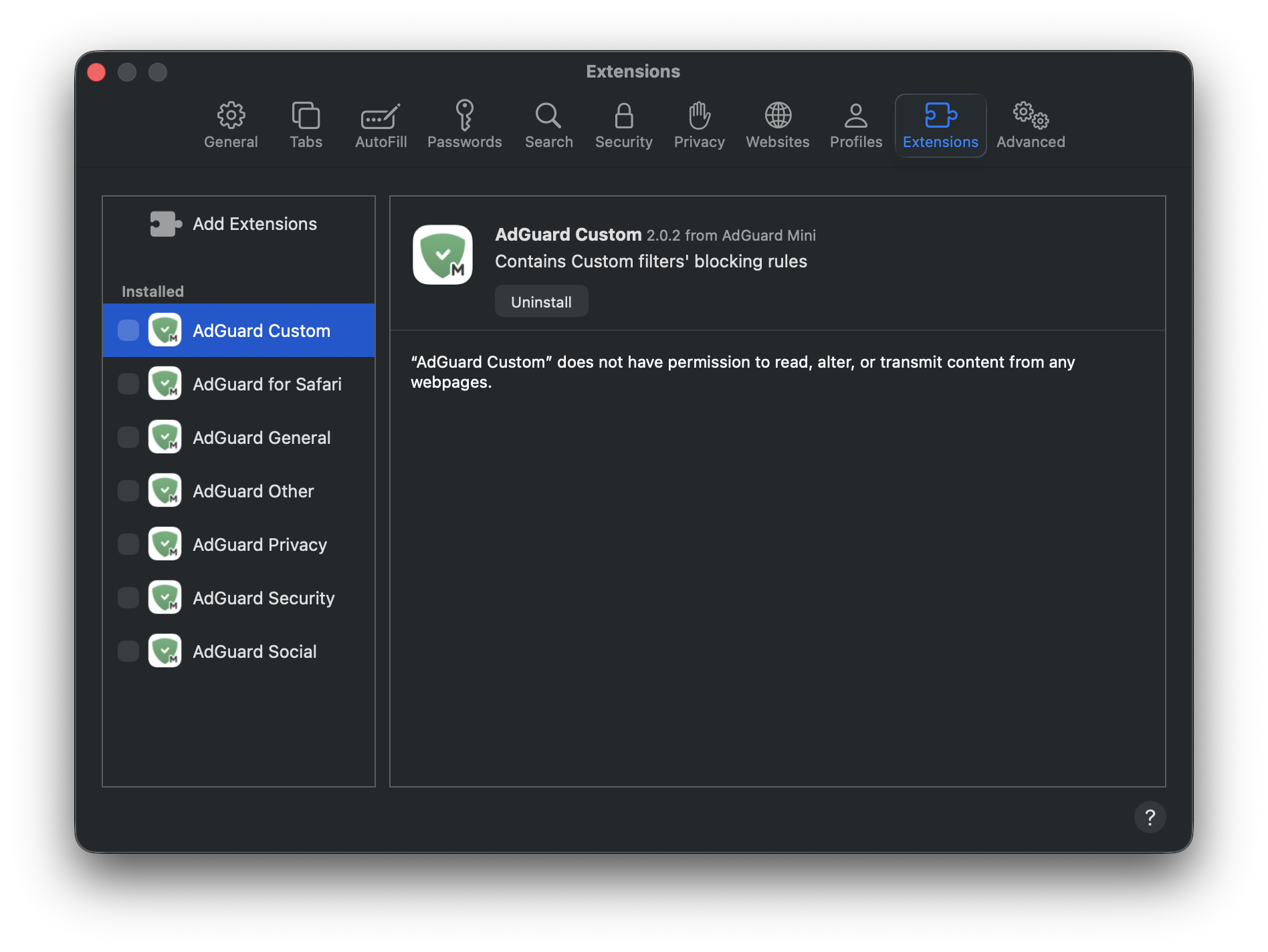
- Reinicia Safari.
- Return to Safari → Settings... → Extensions and re-enable the AdGuard extensions.
- Open AdGuard Mini’s menu.
- Click Check for updates icon.
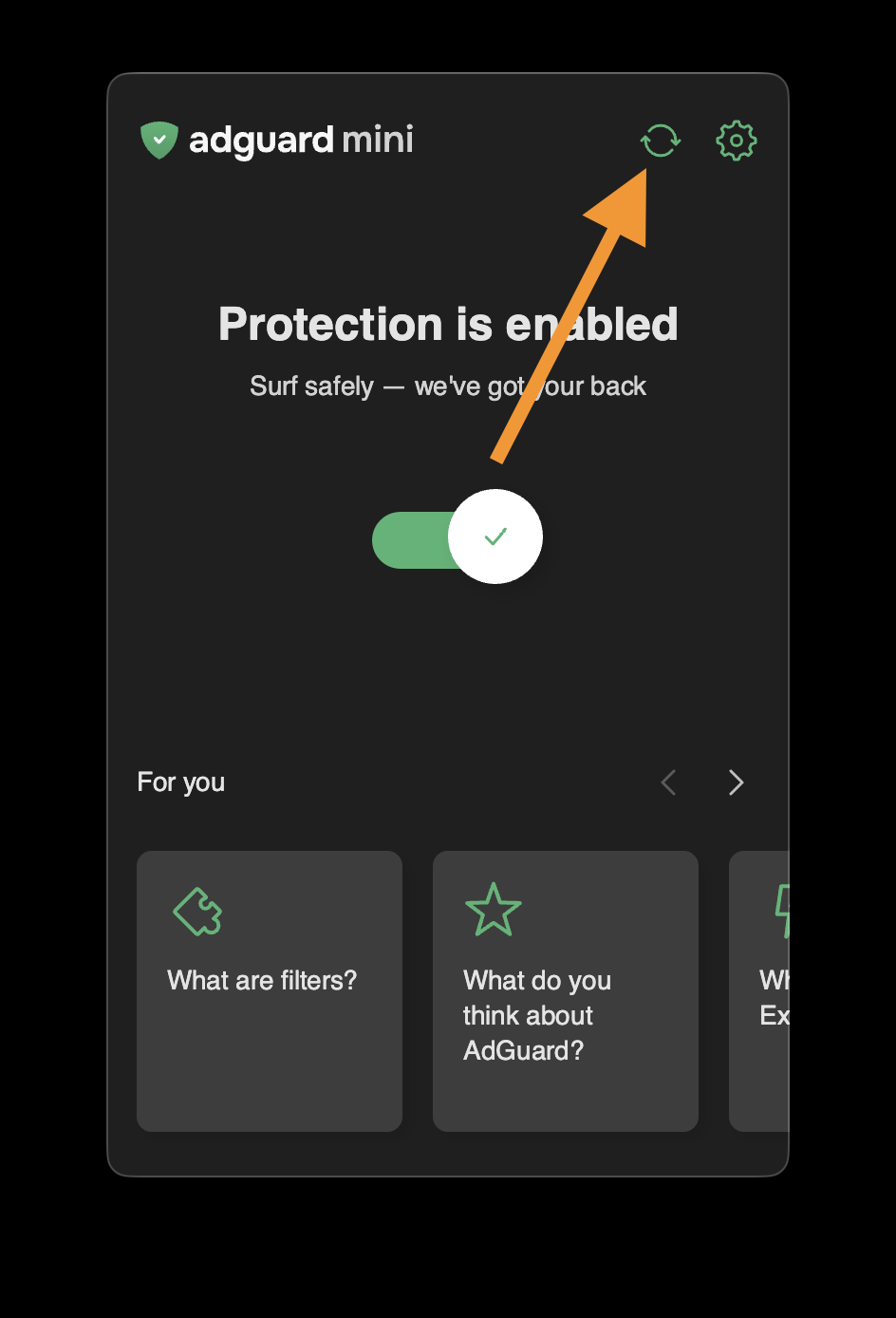
- Do not close the AdGuard Mini window until the filters are updated.
If this doesn’t help and ads are still not being blocked, please contact our support at support@adguard.com.
If you only have problems with a specific page or website, you can report it directly from the browser: click the AdGuard Mini icon next to the Safari search bar and then click Report an issue.