Le filtrage ne fonctionne pas et les publicités ne sont pas bloquées
Cet article concerne AdGuard Mini pour Mac, qui protège uniquement votre navigateur Safari. Pour protéger l'ensemble de votre Mac, téléchargez l'application AdGuard
Dans certains cas, le filtrage peut ne pas fonctionner et les publicités peuvent toujours être affichées même si AdGuard Mini pour Mac et les filtres corrects sont activés. Cela se produit généralement si quelque chose ne va pas avec les mises à jour des filtres à cause de bogues dans Safari.
Comment procéder
- Ouvrez Safari.
- Cliquez sur Safari dans le menu du coin supérieur gauche.
- Cliquez sur Paramètres… → Extensions.
- Décochez les cases des extensions d'AdGuard Mini : Personnalisé, Mode général, Autre, Confidentialité, Sécurité, Social et AdGuard pour Safari.
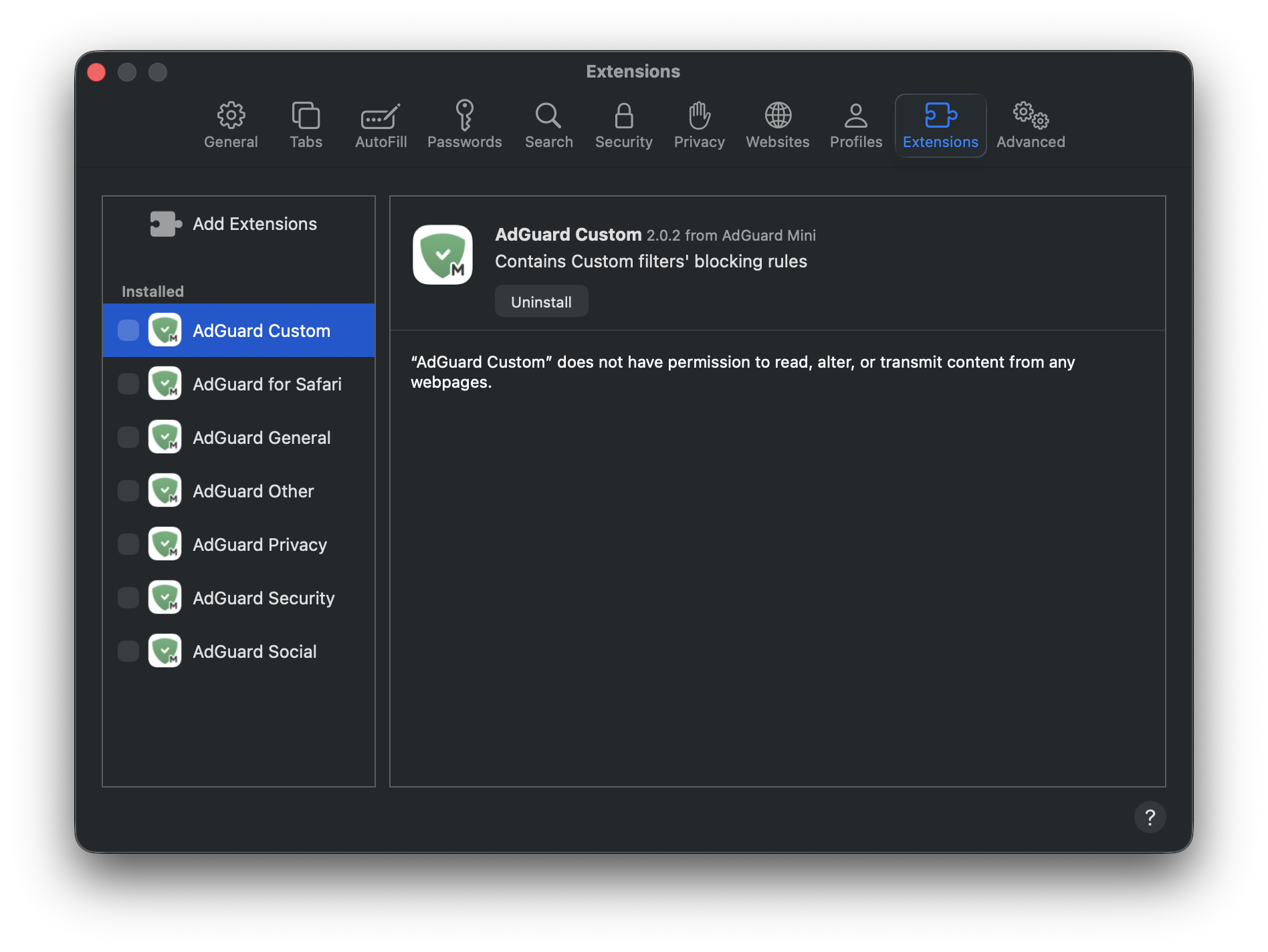
- Redémarrez Safari.
- Retournez dans Safari → Paramètres... → Extensions et réactivez les extensions AdGuard.
- Ouvrez le menu d�AdGuard Mini.
- Cliquez sur l'icône Vérifier les mises à jour.
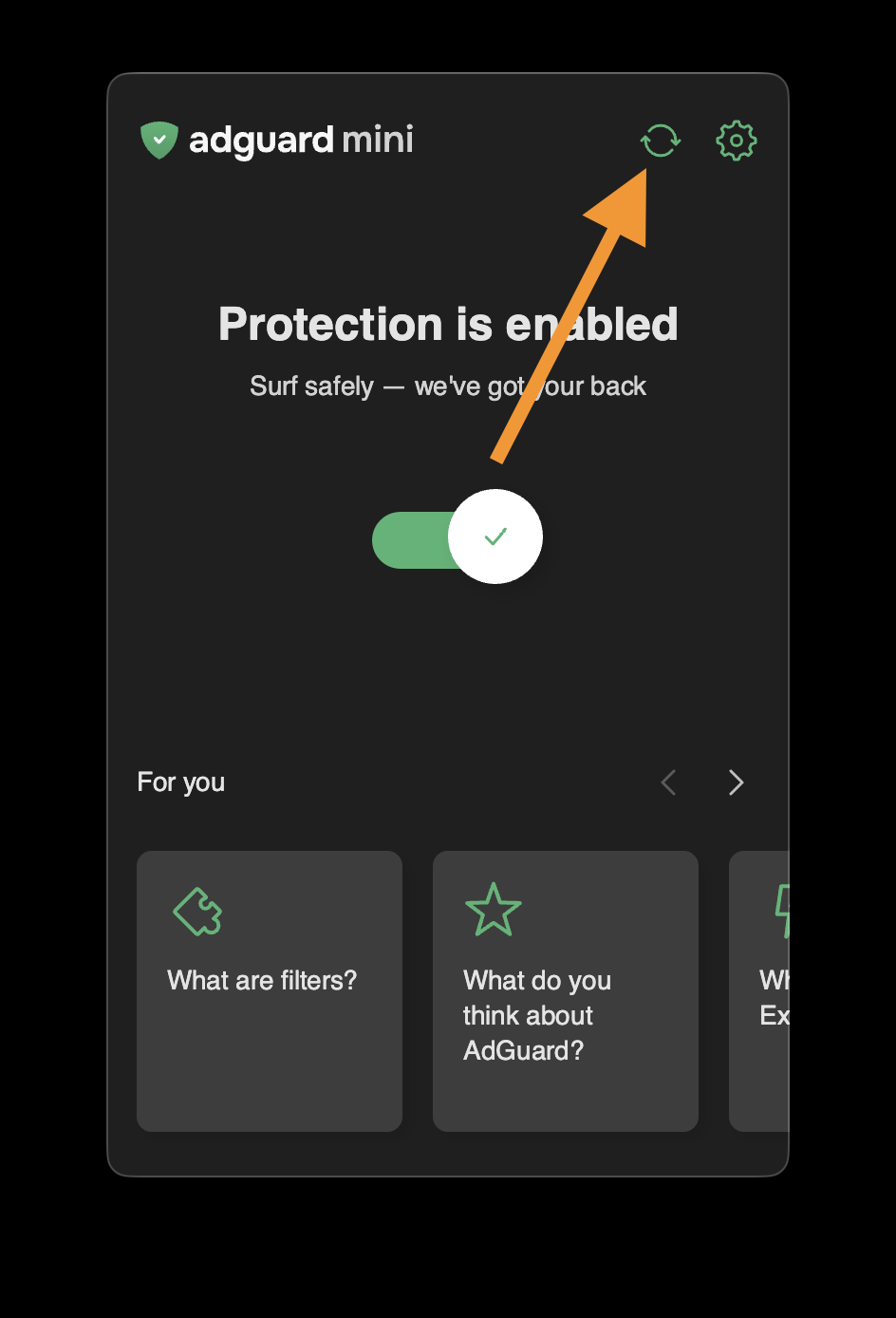
- Ne fermez pas la fenêtre AdGuard Mini tant que les filtres ne sont pas mis à jour.
Si cela ne vous aide pas et que les publicités ne sont toujours pas bloquées, veuillez contacter notre assistance �support@adguard.com.
Si vous ne rencontrez des problèmes qu'avec une page ou un site web spécifique, vous pouvez le signaler directement à partir du navigateur : cliquez sur l'icône AdGuard Mini à côté de la barre de recherche Safari, puis cliquez sur Signaler un problème.