Il filtro non funziona e gli annunci non vengono bloccati
Questo articolo riguarda AdGuard Mini per Mac, che protegge solo il tuo browser Safari. Per proteggere completamente il tuo Mac, scarica l'app AdGuard
In alcuni casi, il filtraggio potrebbe non funzionare e gli annunci potrebbero comunque essere visualizzati anche se AdGuard Mini per Mac e i filtri corretti sono abilitati. Di solito questo accade quando qualcosa va storto con gli aggiornamenti dei filtri a causa di bug di Safari.
Come risolvere
- Apri Safari.
- Fai clic su Safari nel menu nell'angolo in alto a sinistra.
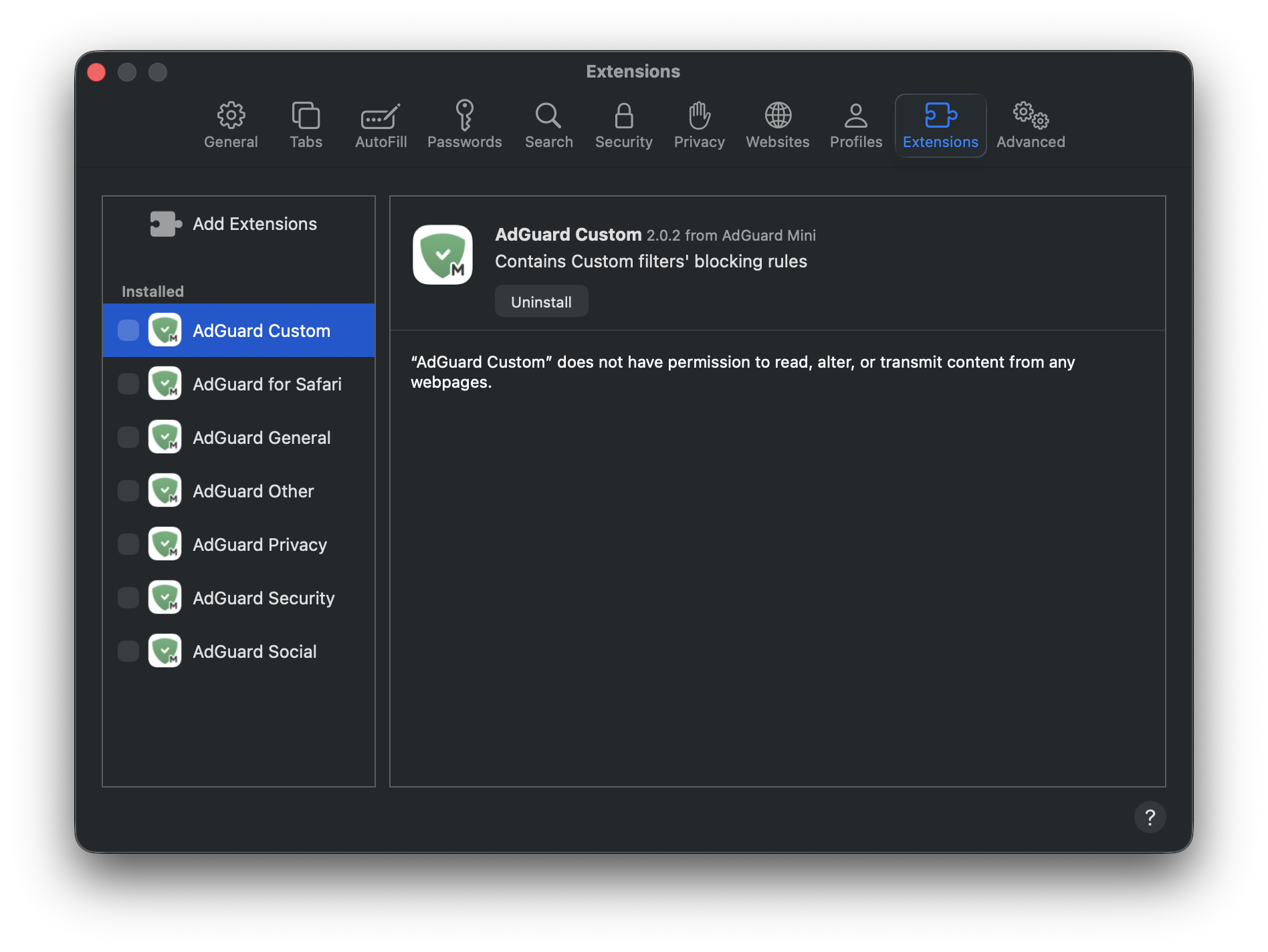
- Fai clic su Impostazioni… → Estensioni.
- Deseleziona le scelte facoltative per le estensioni di AdGuard Mini: Personale, Generale, Altro, Riservatezza, Sicurezza, Social, e AdGuard per Safari.
- Riavvia Safari.
- Torna a Safari → Impostazioni… → Estensioni e riattiva le estensioni di AdGuard.
- Apri il menu di AdGuard Mini.
- Clicca l'icona Controlla aggiornamenti.
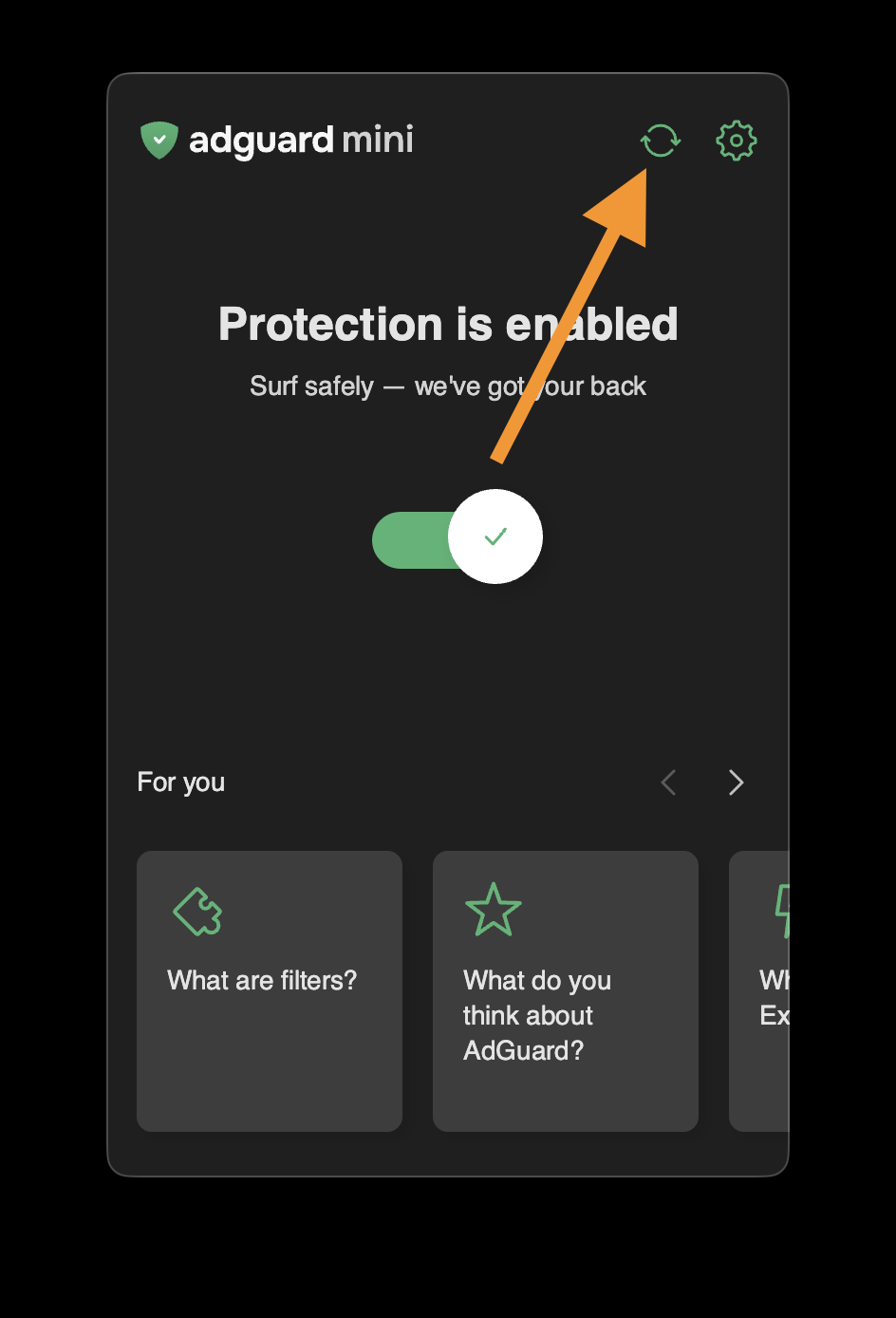
- Non chiudere la finestra di AdGuard Mini finché i filtri non vengono aggiornati.
Se il problema persiste e gli annunci continuano a non essere bloccati, contatta il nostro supporto all'indirizzo support@adguard.com.
Se riscontri problemi solo con una pagina o un sito web specifico, puoi segnalarlo direttamente dal browser: clicca l'icona AdGuard mini accanto alla barra di ricerca di Safari e poi clicca Segnala un problema.