필터링이 작동하지 않고, 광고가 차단되지 않습니다.
info
This article is about AdGuard Mini for Mac, which safeguards only your Safari browser. To protect your Mac entirely, download the AdGuard app
In some cases, filtering may not work and ads may still be displayed even though AdGuard Mini for Mac and the proper filters are enabled. 이는 일반적으로 Safari 버그로 인해 필터 업데이트에 문제가 발생할 때 나타납니다.
수정 방법
- Safari를 엽니다.
- 왼쪽 상단 메뉴에서 Safari를 클릭합니다.
- 설정… → 확장 프로그램을 클릭합니다.
- Clear the checkboxes for AdGuard Mini’s extensions: Custom, General, Other, Privacy, Security, Social, and AdGuard for Safari.
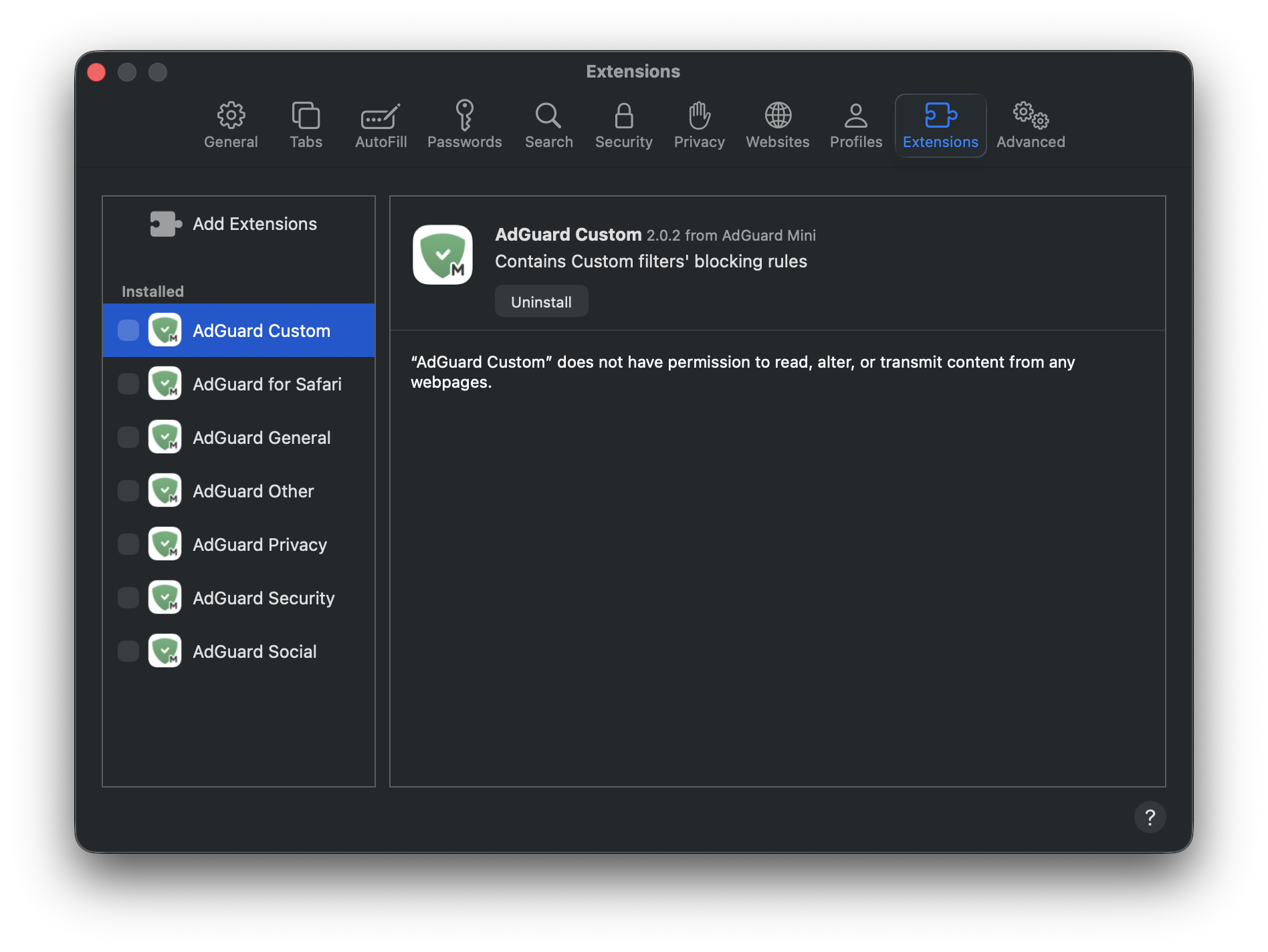
- Safari를 재시작합니다.
- Return to Safari → Settings... → Extensions and re-enable the AdGuard extensions.
- Open AdGuard Mini’s menu.
- Click Check for updates icon.
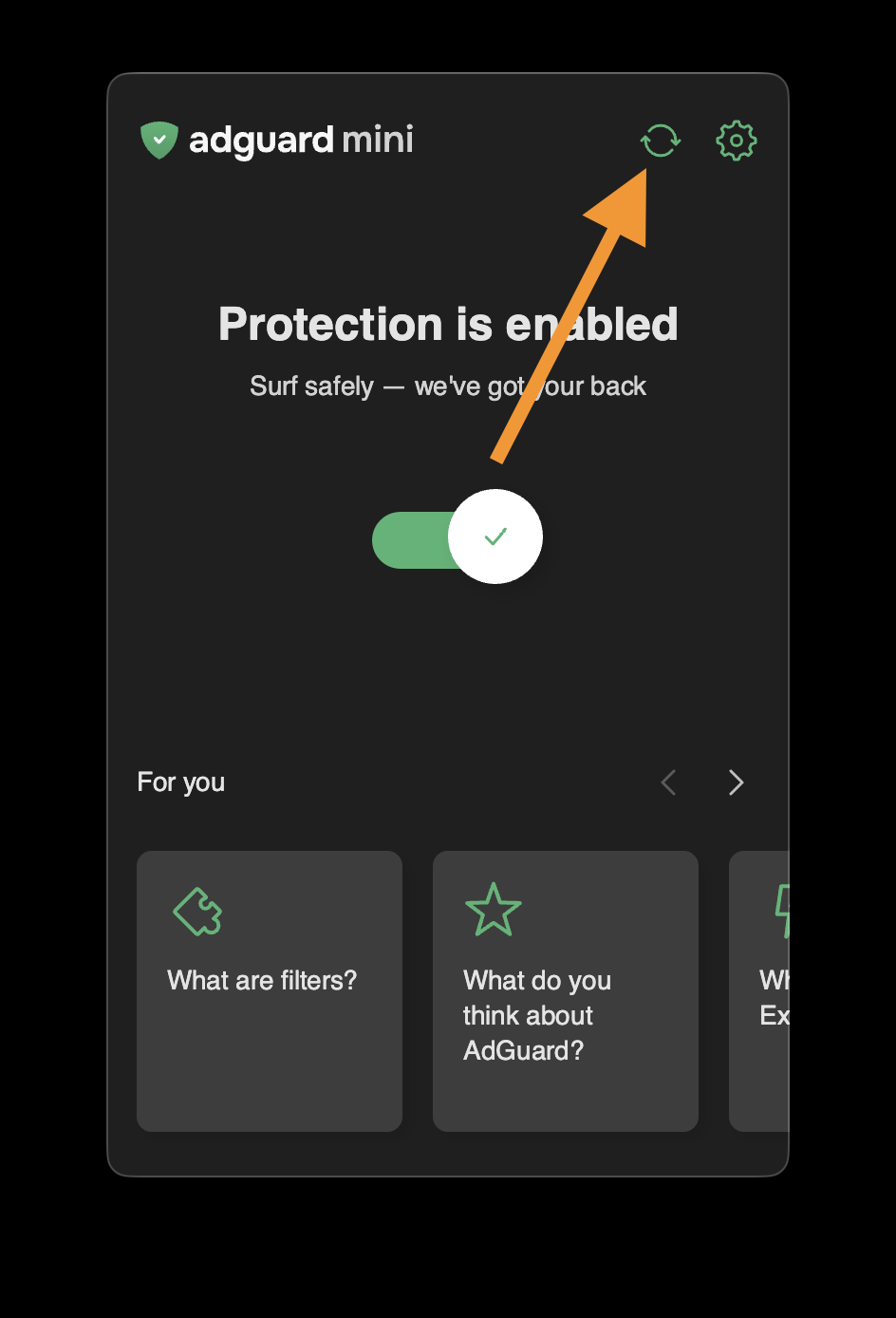
- Do not close the AdGuard Mini window until the filters are updated.
If this doesn’t help and ads are still not being blocked, please contact our support at support@adguard.com.
If you only have problems with a specific page or website, you can report it directly from the browser: click the AdGuard Mini icon next to the Safari search bar and then click Report an issue.