Safari 扩展
This article is about AdGuard Mini for Mac, which safeguards only your Safari browser. To protect your Mac entirely, download the AdGuard app
什么是 Safari 扩展
Safari 扩展是为 Safari 浏览器添加功能的小型软件程序。 它们允许用户添加浏览器未内置的功能以定制和增强浏览体验。 AdGuard Mini for Mac uses extensions primarily to apply filtering rules on websites opened in Safari.
工作原理
AdGuard 使用过滤规则阻止网站上的广告、跟踪器和其他骚扰。 The rules from AdGuard’s and your custom filters are converted into ones comprehensible by Safari and are integrated into 6 Safari extensions:
- AdGuard 常用
- AdGuard 隐私
- AdGuard 社交
- AdGuard 安全
- AdGuard 自定义
- AdGuard 其它
每个内容拦截扩展最多可包含 150,000 个启动的过滤规则。 大多数过滤组内的规则数量不超过 15 万个。 不过,如果启动太多特定语言或自定义过滤器,可能会超出限制。 在这种情况下,超过限制的随机规则将被自动禁用,这可能会导致拦截错误。 We strongly recommend activating only the filters you need.
There is also one more extension responsible for other features: AdGuard for Safari, which adds the AdGuard icon next to the search bar in Safari and allows using advanced rules to block complex ads.
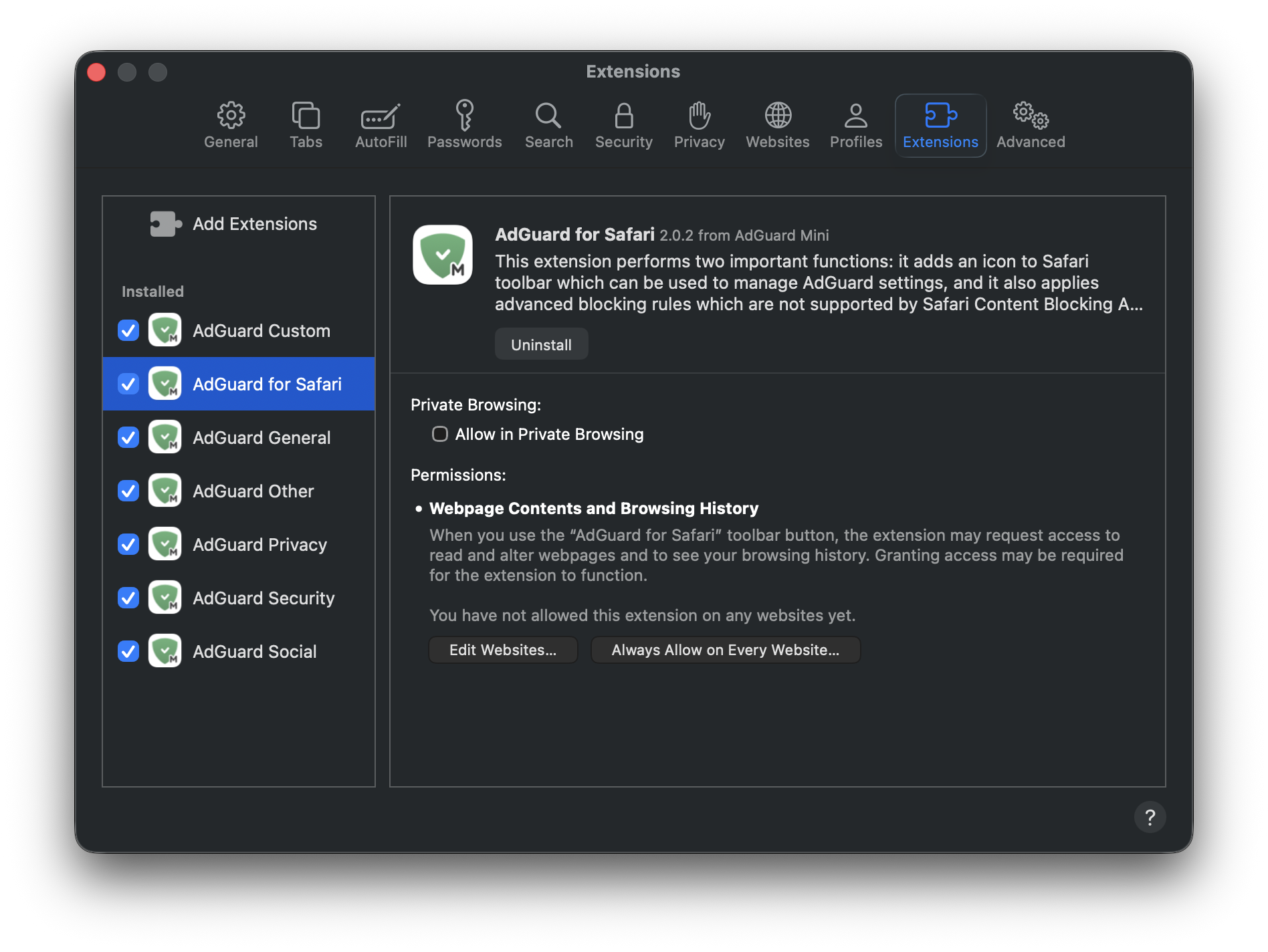
下面我们详细介绍每个扩展。
内容拦截扩展
AdGuard General applies rules from filters that you can find in Settings → Filters → Ad blocking and Language-specific. 该扩展专注于全面广告拦截,包括特定语言的广告过滤器。
AdGuard Privacy applies rules from filters located in Filters → Privacy. 它可以阻止跟踪机制,确保用户的浏览活动保持私密。
AdGuard Social applies rules from filters that can be found in Filters → Social Widgets and Filters → Annoyances. It blocks popups, social media buttons, online assistant windows, and other elements on webpages that you might find annoying.
AdGuard Security applies rules from filters under Filters → Security. 该扩展可识别并阻止潜在的有害元素,保护用户免受恶意内容的侵害。
AdGuard Other applies rules from filters that don’t fall under the above-mentioned categories and that are located in Filters → Other: Filter unblocking search ads and self-promotion, AdGuard DNS filter, and AdGuard Experimental filter.
AdGuard Custom applies rules from filters that you add on your own to Custom filters.
User rules and allowlist rules are included in every extension.
AdGuard Safari版
AdGuard for Safari activates the AdGuard icon next to the search bar. It’s useful if you want to quickly set up protection for a specific website or block ads manually.
AdGuard for Safari extension also contains advanced rules that aren’t converted to the format supported by Safari. These include CSS rules, extended CSS selectors, and scriptlets, which allow AdGuard to block complex ads, such as those on YouTube.
如何管理 Safari 扩展程序
Open Safari and click Safari in the upper left corner of the screen to expand the menu.
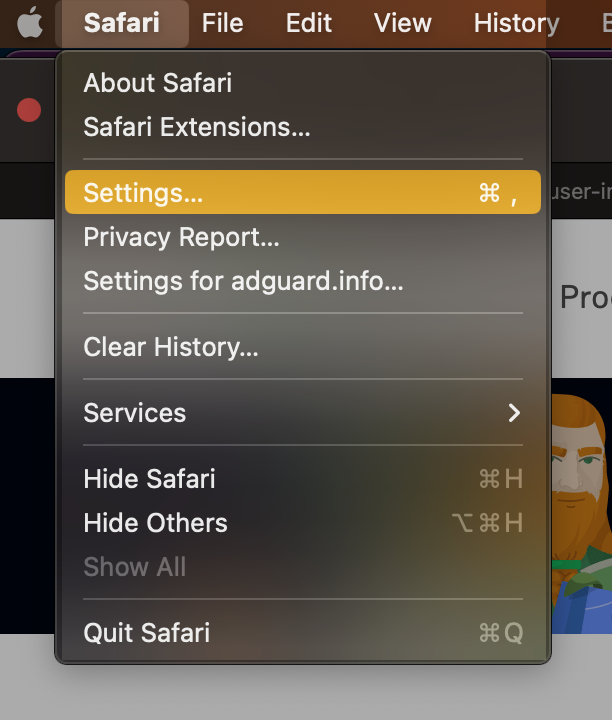
Click Settings...
Select Extensions.

为什么 Safari 版 AdGuard 需要权限
When enabling the AdGuard for Safari extension, you might notice that it requires access to webpage content and access to browsing history. Here’s why it needs these permissions:
- Access to webpage content is required for manual ad blocking and advanced blocking rules to work correctly
- 访问浏览历史记录,允许扩展检查网站的保护状态,并确定应应用哪些高级规则。
我们不会将这些数据用于任何其他目的或与任何人共享。 For more info, you can consult our Privacy policy.