Safari 扩展
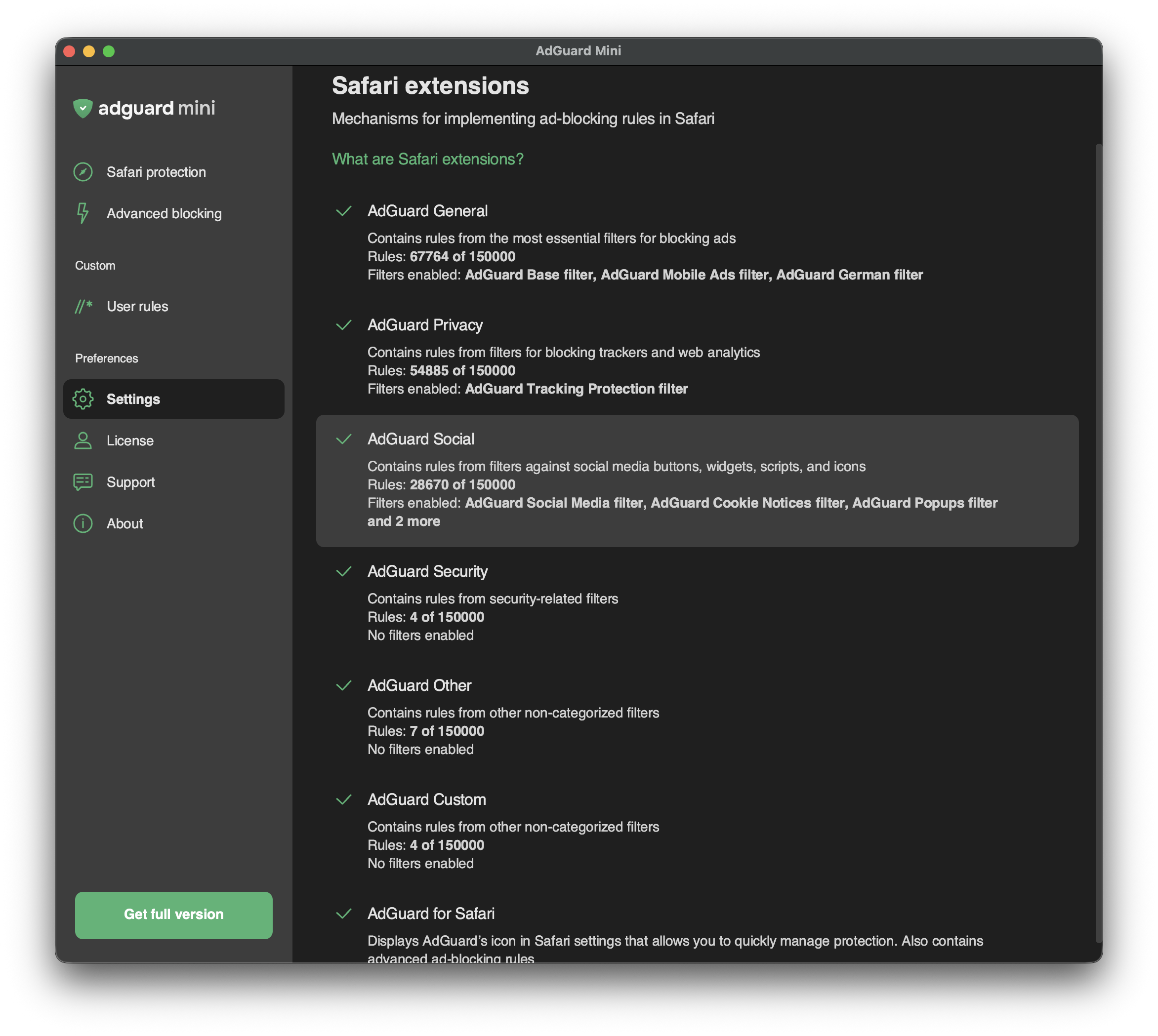
Safari extensions are mechanisms that allow implementing content blockers — thematic clusters of filters. For example, privacy-related filters are included in the content blocker with the corresponding name — AdGuard Privacy.
Content blockers were designed for two reasons: to structure filters and to conform to Apple’s restrictions.
2019年,Apple 对 Safari 浏览器的广告拦截器设置了限制,只允许它们同时使用5万个过滤规则。 As this number was not enough for an ad blocker to provide a good filtering quality (AdGuard Base Filter alone has 30,000 filtering rules), we divided AdGuard for Safari into six content blockers each containing up to 50,000 rules.
2022年,Apple 将每个内容拦截器的过滤规则数量限制提高到同时应用15万个规则。 Regarding AdGuard Mini for Mac, up to 900,000 rules can be enabled for all six content blockers.
虽然数量限制提高了,但内容拦截器的结构却保持不变。
In Safari extensions, you can see which content blockers are enabled, how many rules each of them is using, and which filters are functioning.
You can manage enabled filters in Settings → Filters. In Safari extensions, you can only see the list of enabled filters and the number of enabled rules.
List of AdGuard Mini’s Safari extensions
AdGuard 常用
「AdGuard 常规」是一款内容拦截器,结合最基本的拦截广告过滤器。 We recommend keeping AdGuard Base Filter always enabled.
AdGuard 隐私
「AdGuard 基础过滤器」内容拦截器是对抗计数器和其他网络分析工具的主要工具。 「AdGuard 防跟踪保护过滤器」 默认已启用。
AdGuard 社交
「AdGuard 社交」包含针对社交媒体按钮、小工具、脚本和图标的过滤器。 Other annoyance filters can also be found in this section: filters against popups, banners, cookie notices, and more. To enable them, find Social Widgets in Settings → Filters.
AdGuard 安全
该内容拦截器整合了多个与安全相关的过滤器。 「Malware Domains Blocklist」阻止因传播恶意软件和间谍软件而臭名昭著的域名。 「Spam404」保护用户免受网络欺诈。 「NoCoin Filter List」干扰基于浏览器的加密货币,如 Coinhive。
AdGuard 其它
「AdGuard 其他」包含具有各种功能的过滤器。 例如,它有一个过滤器,可以解除对搜索广告和自我推销广告的屏蔽。 在某些情况下,该过滤器有助于准确找到用户正在寻找的内容,因为这些广告比其他类型的广告更相关,干扰性更小。
We don’t have any “acceptable ads” paid by advertisers. Instead, we provide users with an option to see search ads and websites’ self-promotion.
AdGuard 自定义
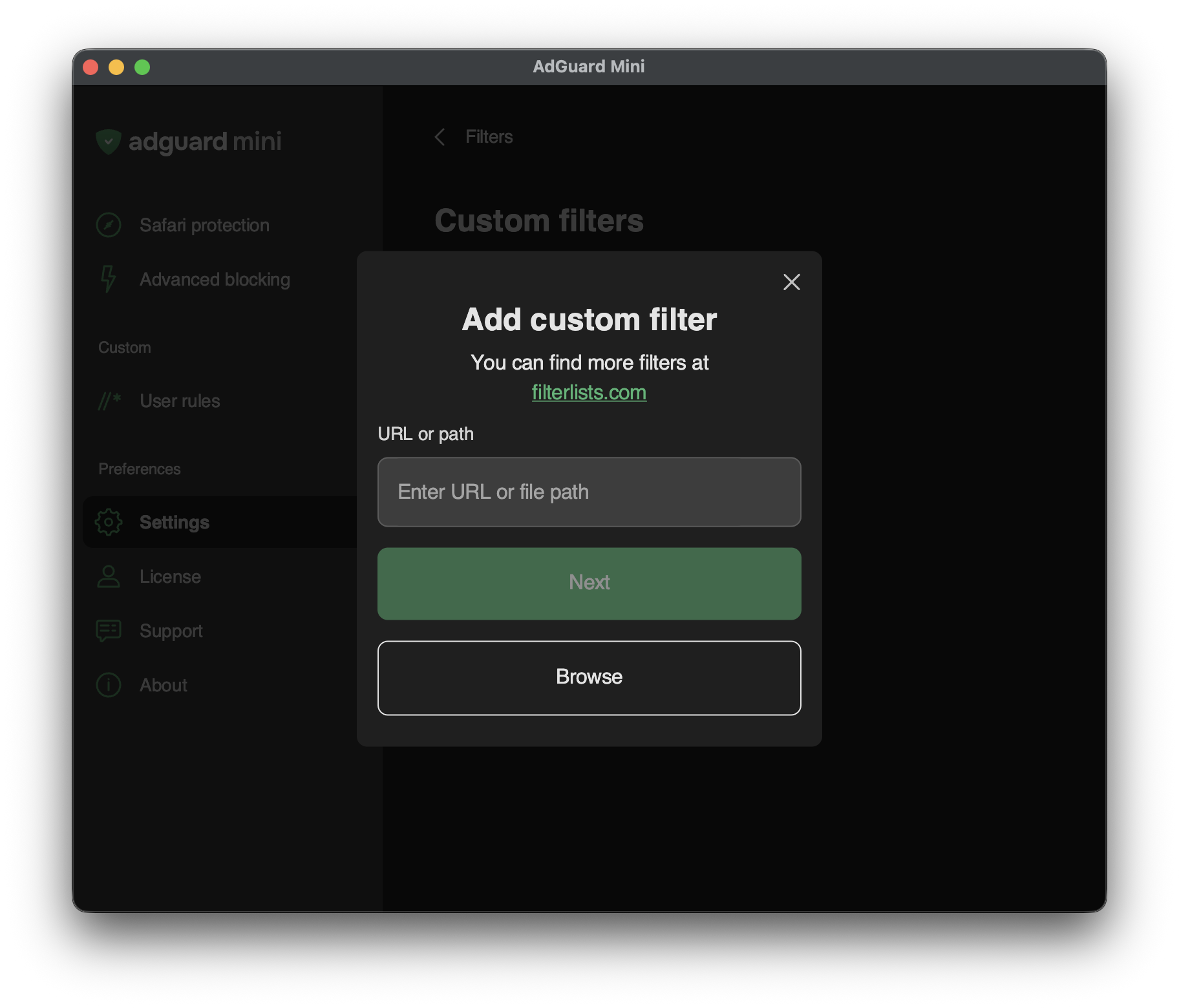
If you need more filters, you can add them to AdGuard Custom extension.
To add a custom filter, go to Settings → Filters → Custom filters and enter a URL or a local file path in the relevant field. 用户可以在「filterlists.com](https://filterlists.com」上查看新的过滤器。