过滤不起作用,无法拦截广告
信息
这篇文章是关于 Mac 版的 AdGuard Mini,用于 Safari 浏览器的保护。 To protect your Mac entirely, download the AdGuard app
In some cases, filtering may not work and ads may still be displayed even though AdGuard Mini for Mac and the proper filters are enabled. 这种情况通常发生在 Safari 浏览器的 Bug 错误导致过滤器更新出错时。
解决方案
- 打开 Safari 浏览器。
- 点击左上角菜单中的「Safari」。
- 单击「设置…」→「扩展」。
- Clear the checkboxes for AdGuard Mini’s extensions: Custom, General, Other, Privacy, Security, Social, and AdGuard for Safari.
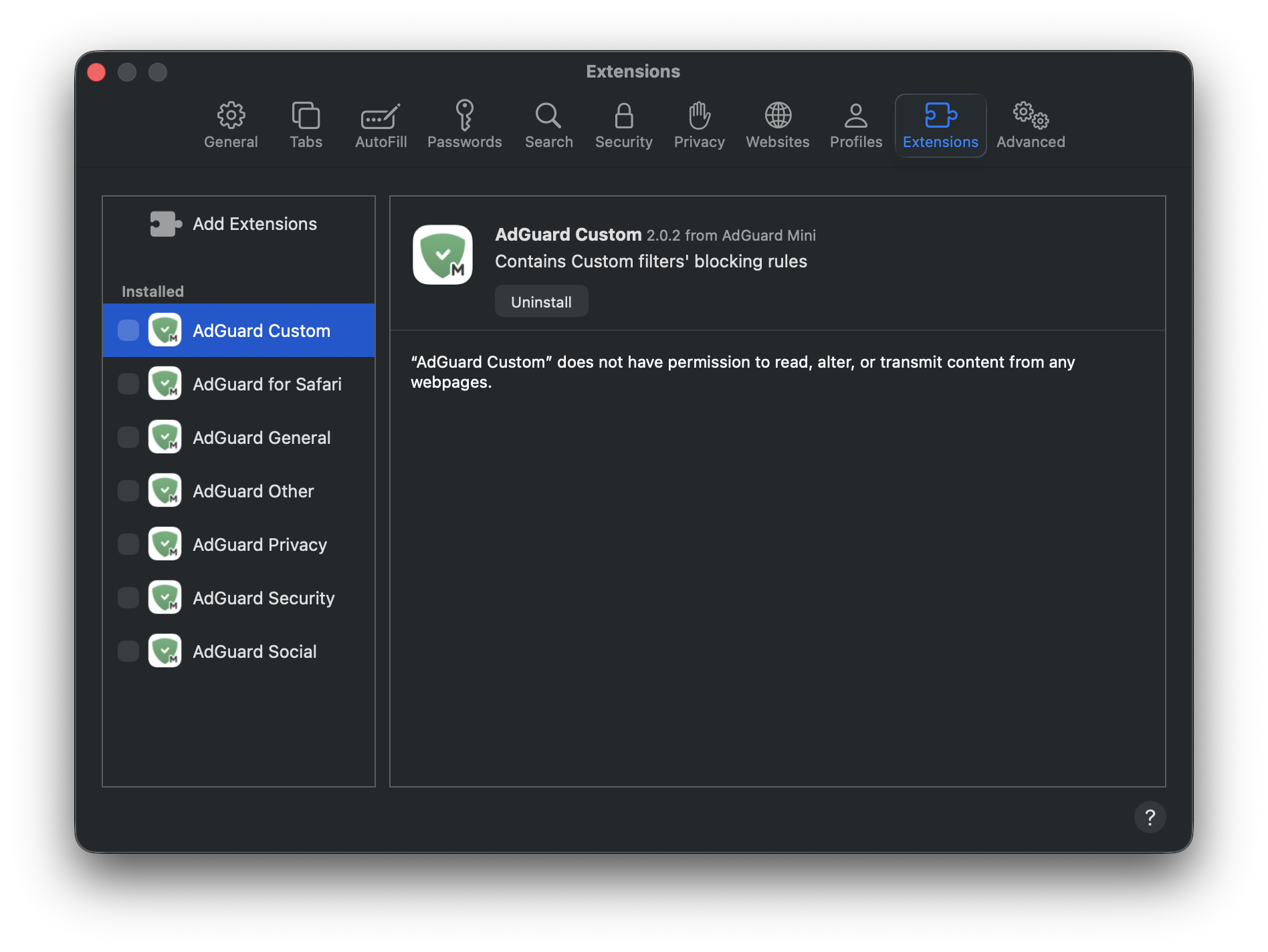
- 重新启动 Safari 浏览器。
- 返回 Safari → 「设置...」→「扩展」并重新启用 AdGuard 扩展。
- 打开 AdGuard Mini 菜单。
- 点击「检查更新」图标。
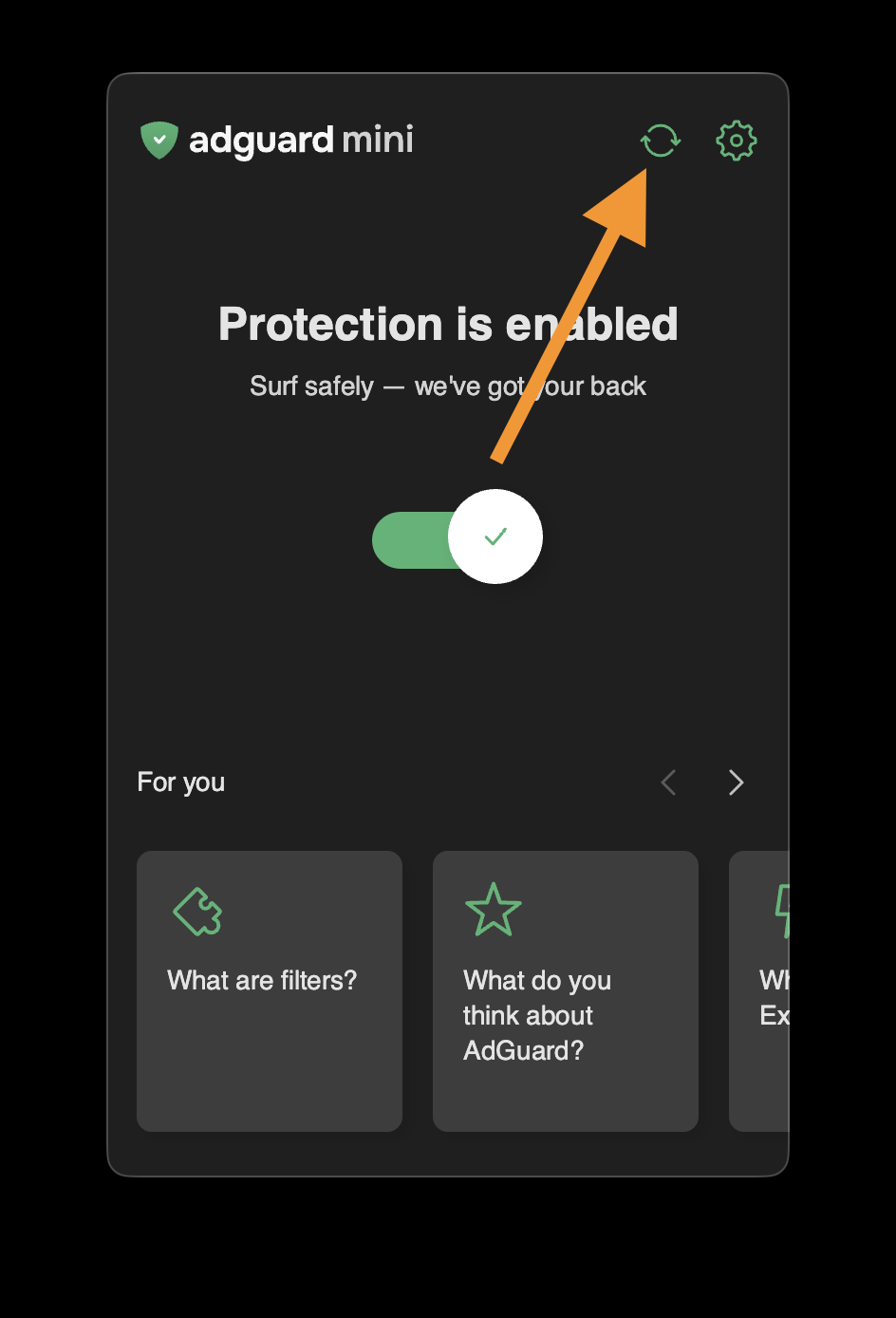
- 在过滤器更新完成之前,请勿关闭 AdGuard Mini 窗口。
如果上述方法无效,广告仍未被拦截,请通过 support@adguard.com 联系我们的支持团队。
如果只有特定网页或网站出现问题,可以直接从浏览器举报:点击 Safari 搜索栏旁的 AdGuard Mini 图标,然后点击「举报问题」。