Safari extensions
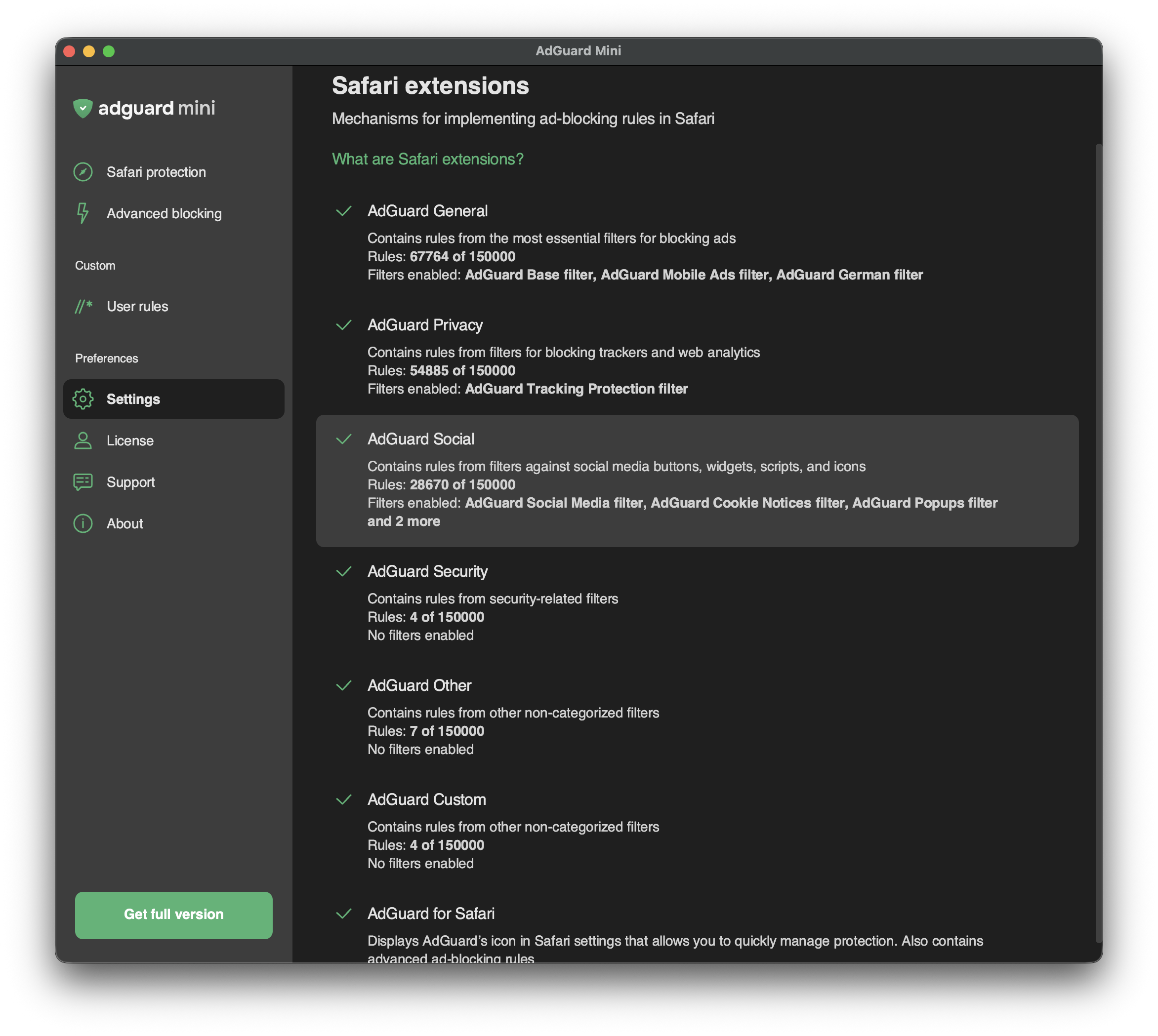
Safari extensions are mechanisms that allow implementing content blockers — thematic clusters of filters. For example, privacy-related filters are included in the content blocker with the corresponding name — AdGuard Privacy.
Content blockers were designed for two reasons: to structure filters and to conform to Apple’s restrictions.
In 2019, Apple put limitations on ad blockers for Safari, allowing them to use only 50,000 filtering rules simultaneously. As this number was not enough for an ad blocker to provide a good filtering quality (AdGuard Base Filter alone has 30,000 filtering rules), we divided AdGuard for Safari into six content blockers each containing up to 50,000 rules.
In 2022, Apple increased the filtering rule limit for each content blocker to 150,000 rules applied simultaneously. Regarding AdGuard Mini for Mac, up to 900,000 rules can be enabled for all six content blockers.
Whereas the limit has been increased, the structure of content blockers has remained the same.
In Safari extensions, you can see which content blockers are enabled, how many rules each of them is using, and which filters are functioning.
You can manage enabled filters in Settings → Filters. In Safari extensions, you can only see the list of enabled filters and the number of enabled rules.
List of AdGuard Mini’s Safari extensions
AdGuard General
AdGuard General is a content blocker that combines the most essential filters for blocking ads. We recommend keeping AdGuard Base Filter always enabled.
AdGuard Privacy
This content blocker is the main tool against counters and other web analytics tools. The AdGuard Tracking Protection filter is enabled by default.
AdGuard Social
AdGuard Social contains filters against social media buttons, widgets, scripts, and icons. Other annoyance filters can also be found in this section: filters against popups, banners, cookie notices, and more. To enable them, find Social Widgets in Settings → Filters.
AdGuard Security
This content blocker unites several security-related filters. Malware Domains Blocklist blocks domains that are notorious for spreading malware and spyware. Spam404 protects you from Internet fraudsters. NoCoin Filter List disrupts browser-based cryptominers, such as Coinhive.
AdGuard Other
AdGuard Other contains filters with various functions. For example, it has a filter that unblocks search ads and self-promo ads. In some cases, it helps find exactly what you are looking for, because these kinds of ads are more relevant and less intrusive than others.
We don’t have any “acceptable ads” paid by advertisers. Instead, we provide users with an option to see search ads and websites’ self-promotion.
AdGuard Custom
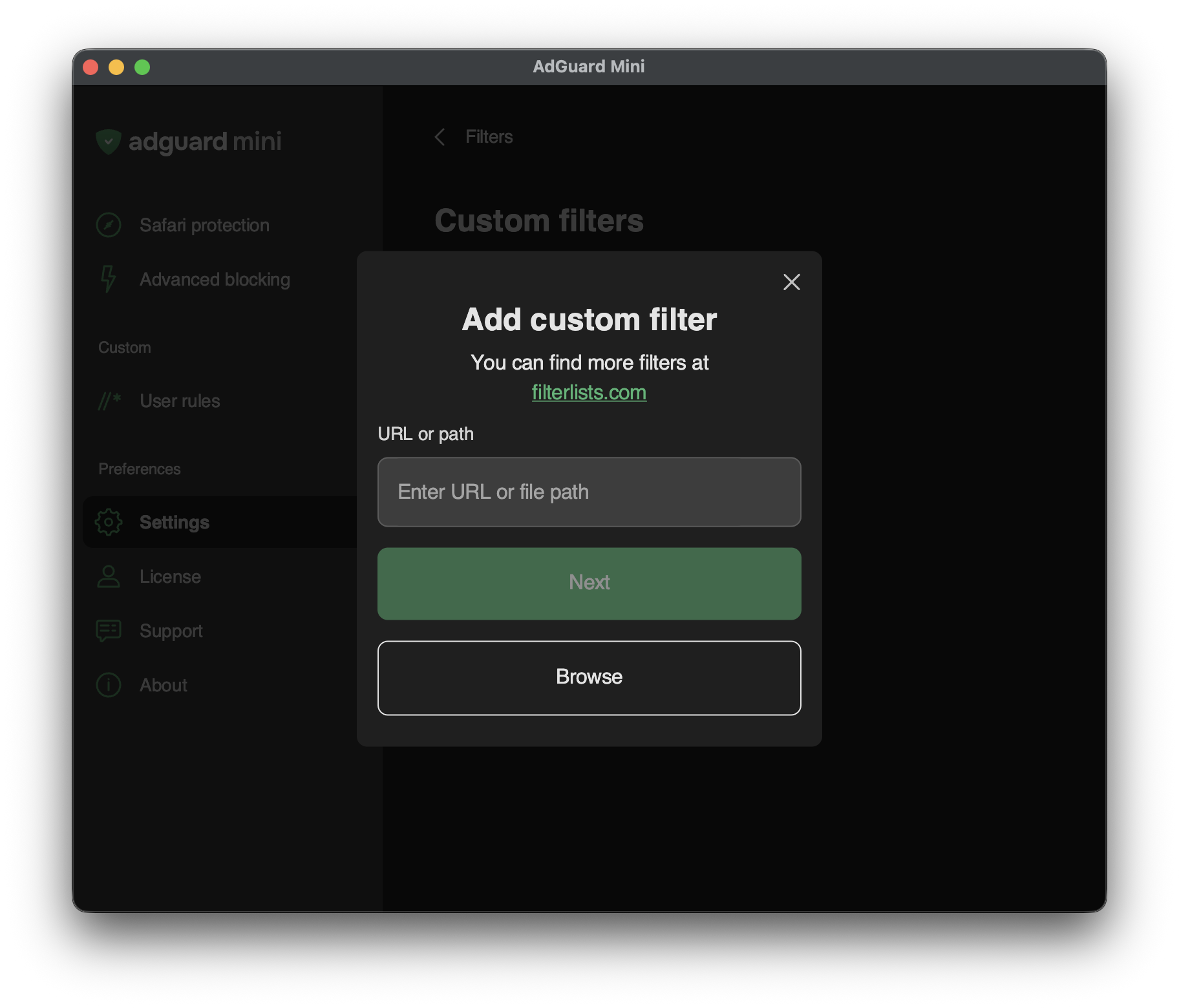
If you need more filters, you can add them to AdGuard Custom extension.
To add a custom filter, go to Settings → Filters → Custom filters and enter a URL or a local file path in the relevant field. You can find new filters at filterlists.com.