DNS ochrana
Tento článek popisuje AdGuard pro Windows v8.0, multifunkční blokátor reklam, který chrání vaše zařízení na úrovni systému. Jedná se o beta verzi, která je stále ve vývoji. Chcete-li vyzkoušet, stáhněte si beta verzi AdGuard pro Windows.
DNS ochrana vám poskytuje větší kontrolu nad tím, jak se vaše zařízení připojuje k internetu. Existují tři hlavní důvody, proč to může být užitečné:
1. Ochrana soukromí před ISP
Pokaždé, když otevřete webovou stránku, například google.com, váš prohlížeč odešle požadavek na DNS server, aby na oplátku získal IP adresu webové stránky. Obvykle patří DNS server vašemu poskytovateli internetových služeb, což znamená, že může sledovat webové stránky, které navštěvujete. Pokud přejdete na jiný DNS server, například AdGuard DNS, váš poskytovatel internetových služeb již neuvidí vaši online aktivitu.
2. Šifrování datových přenosů DNS
Moderní protokoly jako DNS-over-TLS a DNS-over-HTTPS zajišťují šifrování vašich DNS požadavků. To je chrání před zachycením, úpravami nebo špehováním útočníky.
3. Blokování nežádoucího obsahu na úrovni DNS
DNS ochrana dokáže odfiltrovat reklamy, slídiče, phishingové weby a další škodlivý nebo obtěžující obsah ještě předtím, než se načte do vašeho prohlížeče nebo aplikací. Další informace o DNS filtrování
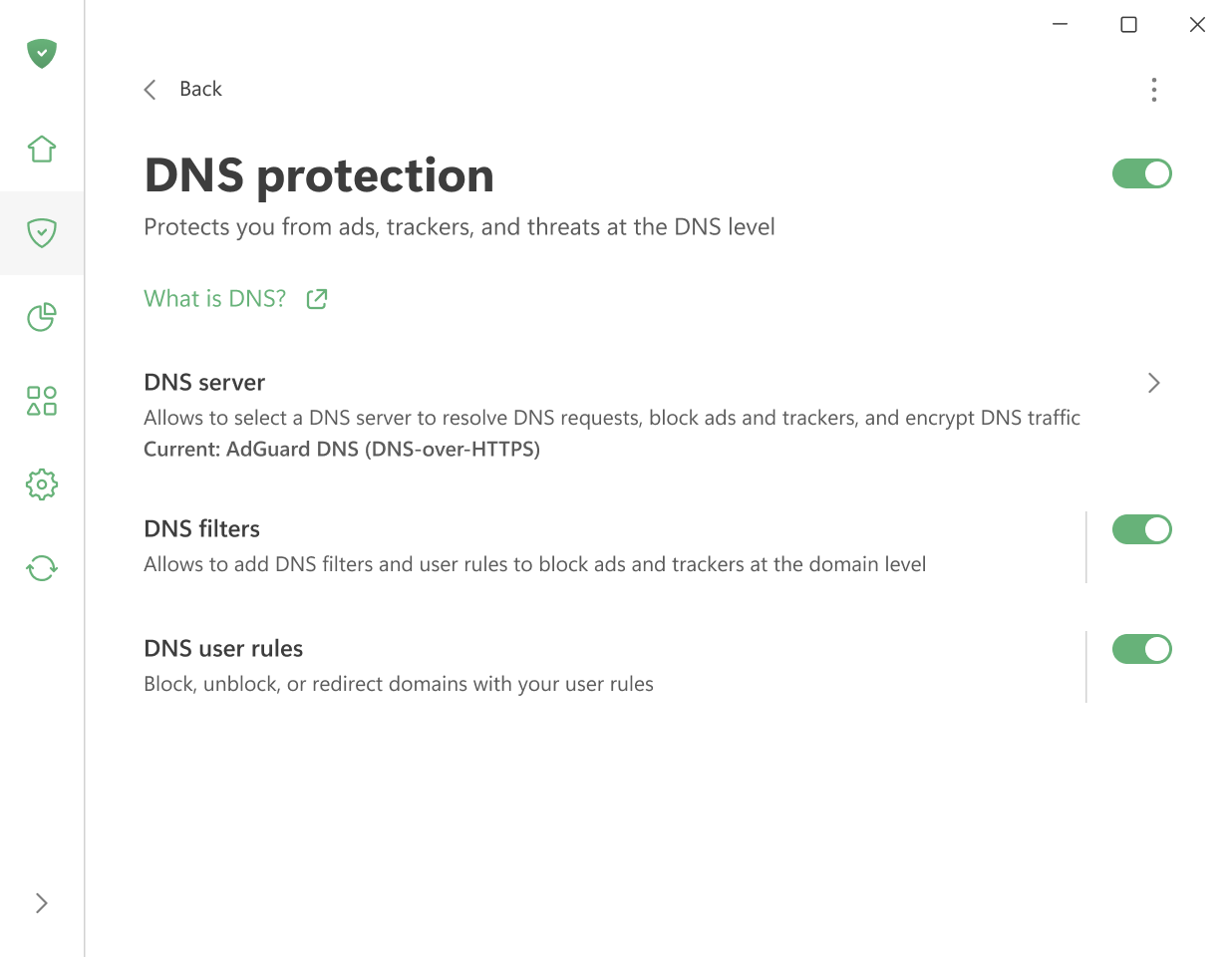
V rámci DNS ochrany můžete nakonfigurovat následující:
Vybrat DNS server
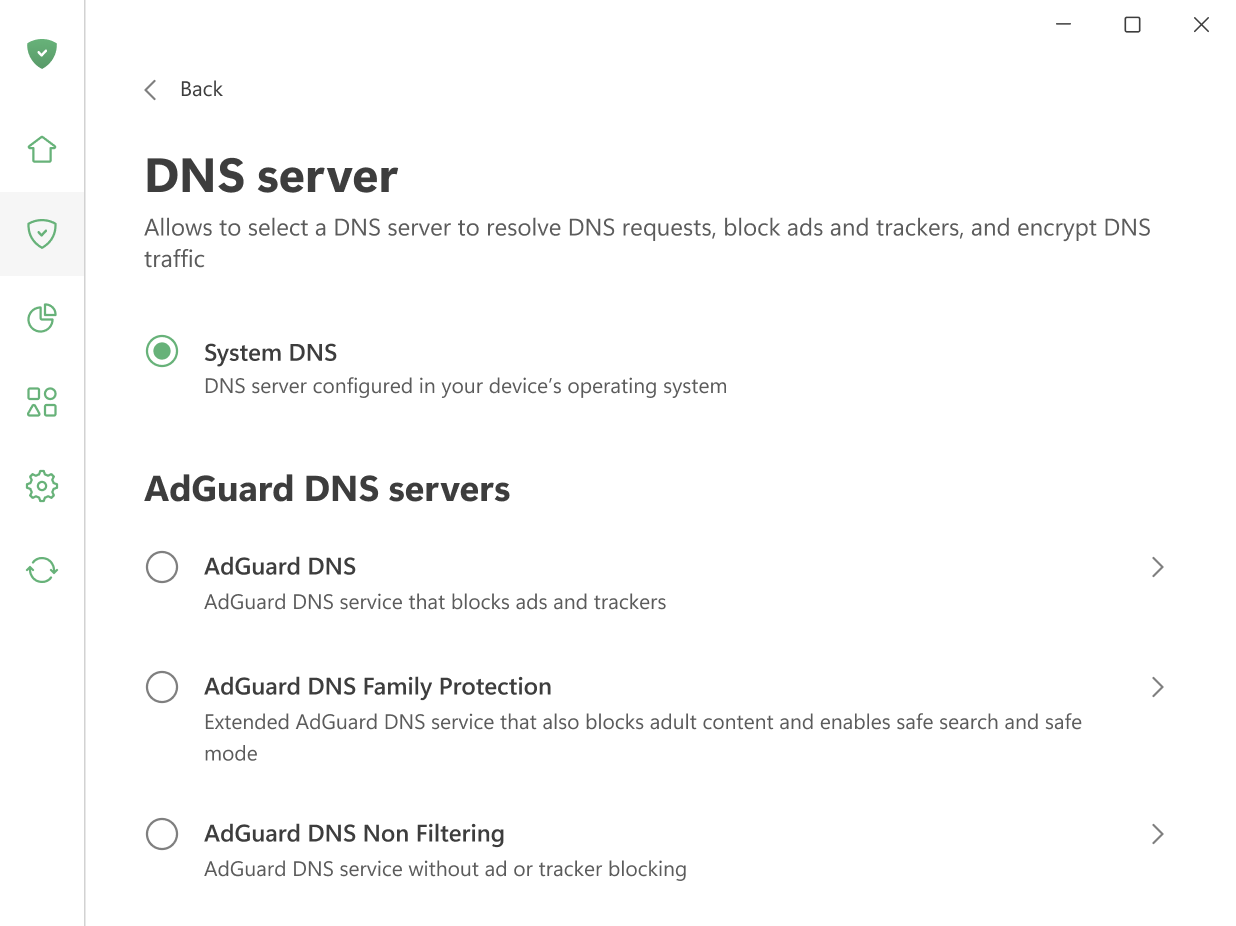
Můžete si vybrat z několika důvěryhodných poskytovatelů DNS. AdGuard sám o sobě nabízí několik možností pro různé potřeby:
AdGuard DNS — blokuje reklamy a slídiče.
AdGuard DNS Family Protection — blokuje reklamy, slídiče a obsah pro dospělé.
AdGuard DNS Non-filtering — poskytuje zabezpečené a spolehlivé připojení bez jakéhokoli filtrování.
Můžete použít jeden z našich veřejných serverů, přidat svůj vlastní DNS server nebo vybrat jinou důvěryhodnou možnost z našeho seznamu důvěryhodných poskytovatelů DNS.
Přidat DNS filtry a pravidla
Pro doladění ochrany můžete vytvořit vlastní DNS filtry pomocí syntaxe pravidel DNS nebo importovat hotové DNS filtry.
Kromě toho můžete vytvořit vlastní pravidla DNS pro blokování, odblokování nebo přesměrování domén podle potřeby. Použijte náš vestavěný nástroj pro tvorbu pravidel.