Filtrování nefunguje a reklamy se neblokují
informace
Tento článek je o AdGuardu Mini pro Mac, který chrání pouze váš prohlížeč Safari. Chcete-li zcela ochránit svůj Mac, stáhněte si aplikaci AdGuard
V některých případech nemusí filtrování fungovat a reklamy se mohou zobrazovat, i když je AdGuard Mini pro Mac a příslušné filtry povoleny. K tomu obvykle dochází, když se něco pokazí při aktualizací filtrů kvůli chybám v prohlížeči Safari.
Jak to opravit
- Otevřete Safari.
- Klikněte na Safari v nabídce v levém horním rohu.
- Klikněte na Nastavení… → Rozšíření.
- Zrušte zaškrtnutí políček u rozšíření AdGuard Mini: Vlastní, Obecné, Jiné, Soukromí, Zabezpečení, Sociální sítě, AdGuard pro Safari.
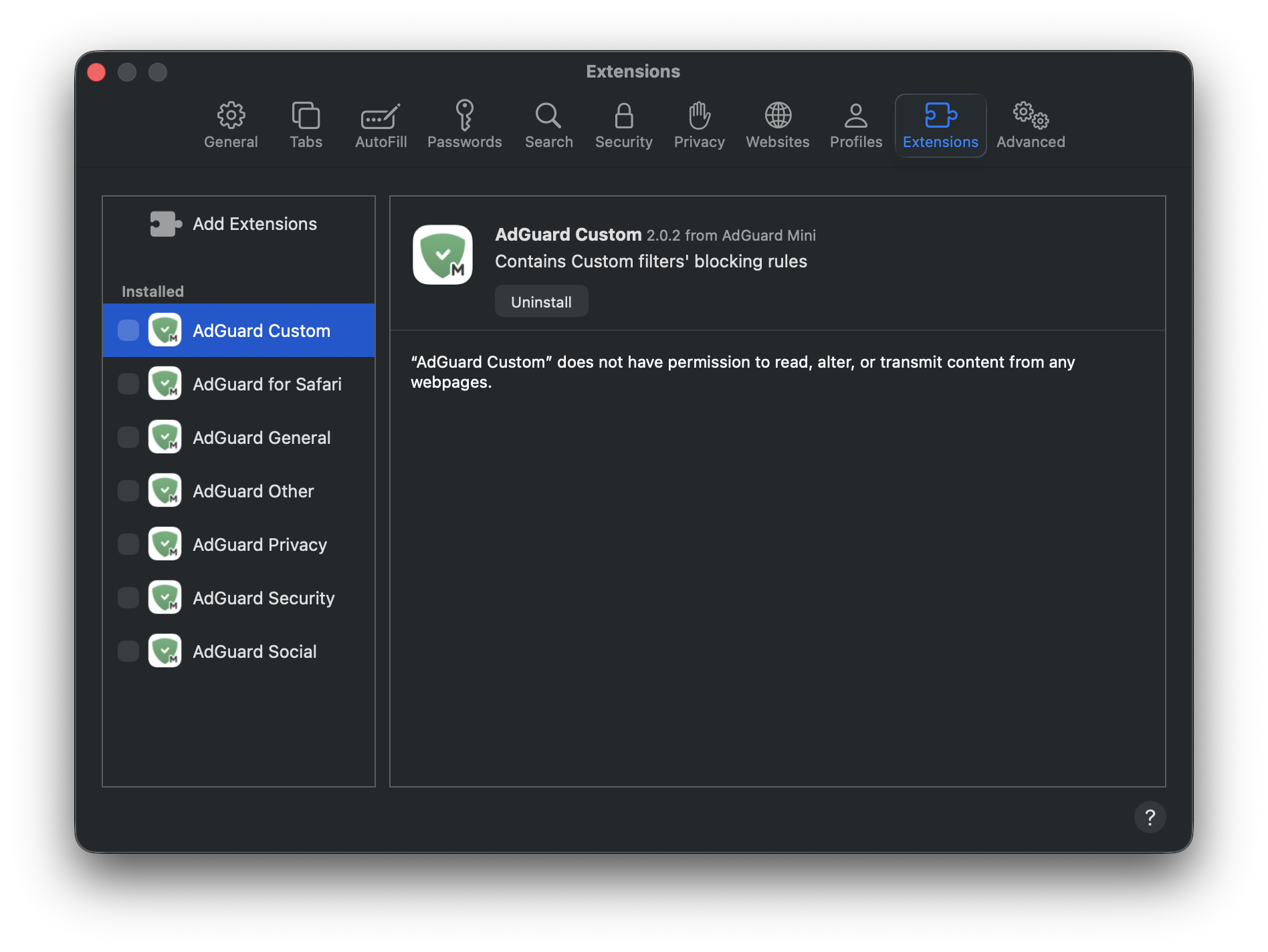
- Restartujte Safari.
- Vraťte se do Safari → Nastavení... → Rozšíření a znovu povolte rozšíření AdGuardu.
- Otevřete menu AdGuard Mini.
- Klikněte na ikonu Zkontrolovat aktualizace.
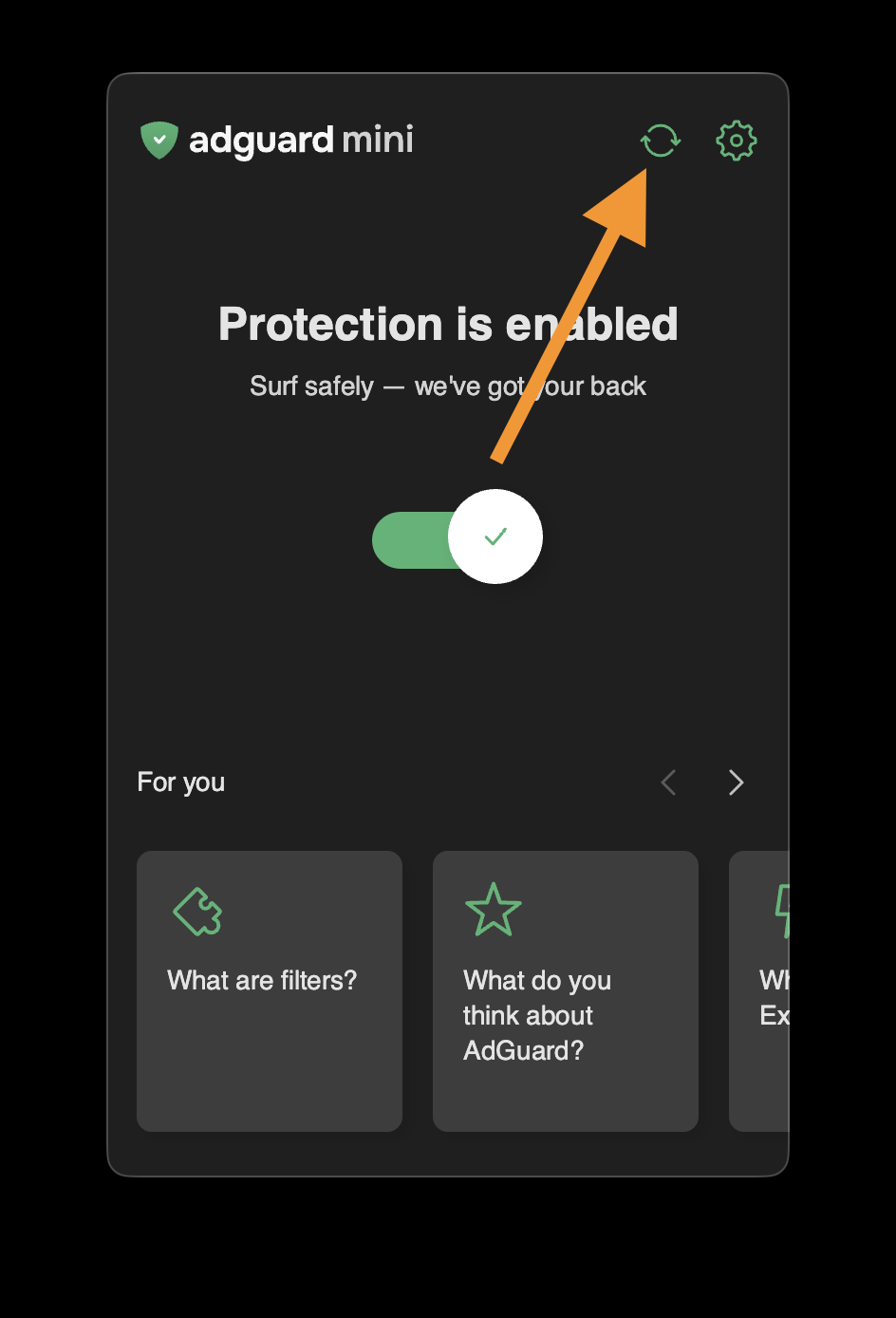
- Nezavírejte okno AdGuard Mini, dokud nebudou filtry aktualizovány.
Pokud to nepomůže a reklamy stále nejsou blokovány, kontaktujte naši podporu support@adguard.com.
Pokud máte problémy pouze s konkrétní stránkou nebo webem, můžete je nahlásit přímo z prohlížeče: klikněte na ikonu AdGuard Mini vedle vyhledávacího řádku Safari a poté klikněte na Nahlásit problém.