A filtragem não funciona e os anúncios não são bloqueados
info
This article is about AdGuard Mini for Mac, which safeguards only your Safari browser. To protect your Mac entirely, download the AdGuard app
In some cases, filtering may not work and ads may still be displayed even though AdGuard Mini for Mac and the proper filters are enabled. Isso geralmente acontece quando algo dá errado com as atualizações de filtros devido a bugs do Safari.
Como consertar
- Abra o Safari.
- Clique em Safari no menu do canto superior esquerdo.
- Clique em Configurações… → Extensões.
- Clear the checkboxes for AdGuard Mini’s extensions: Custom, General, Other, Privacy, Security, Social, and AdGuard for Safari.
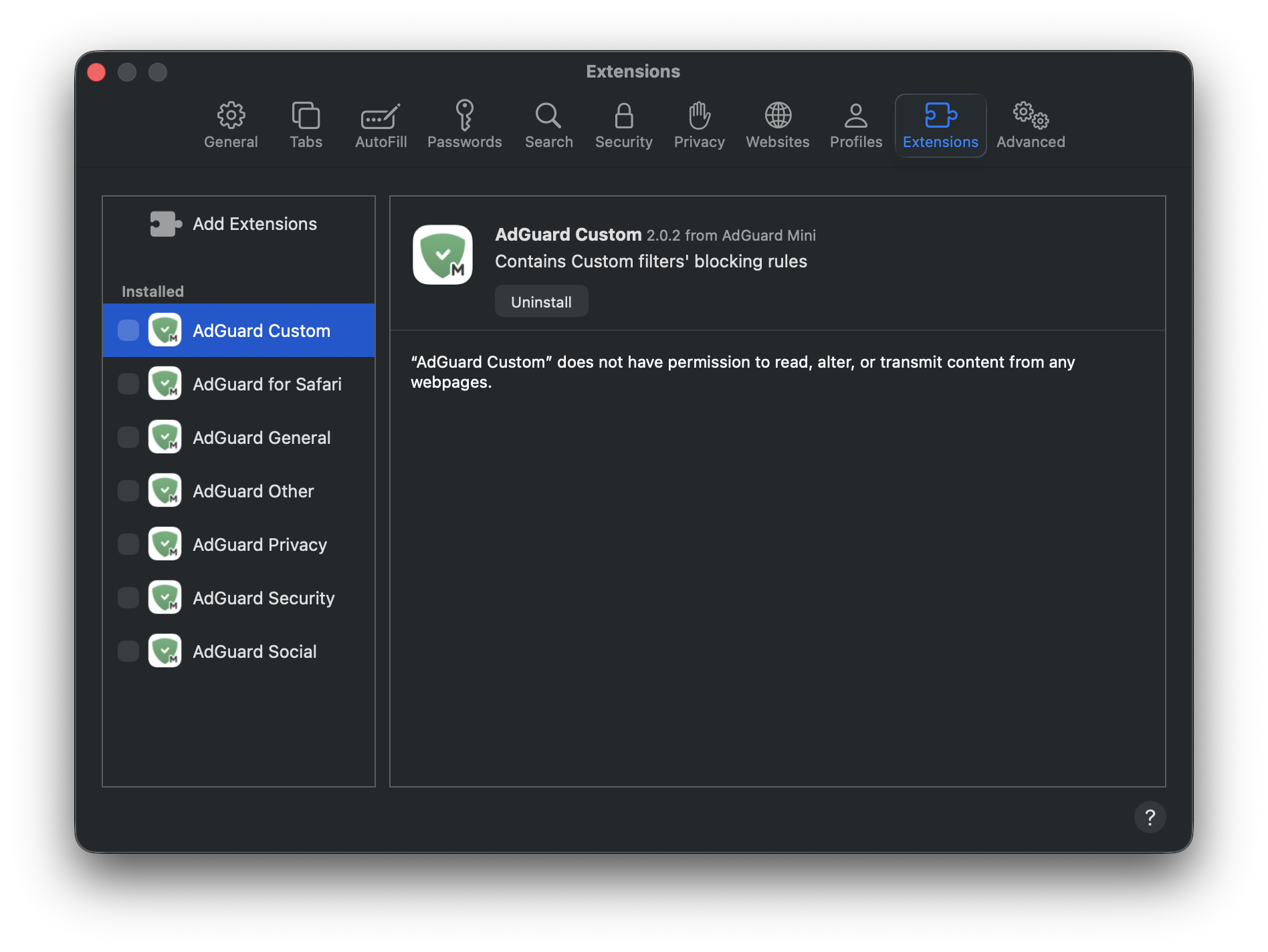
- Reinicie o Safari.
- Return to Safari → Settings... → Extensions and re-enable the AdGuard extensions.
- Open AdGuard Mini’s menu.
- Click Check for updates icon.
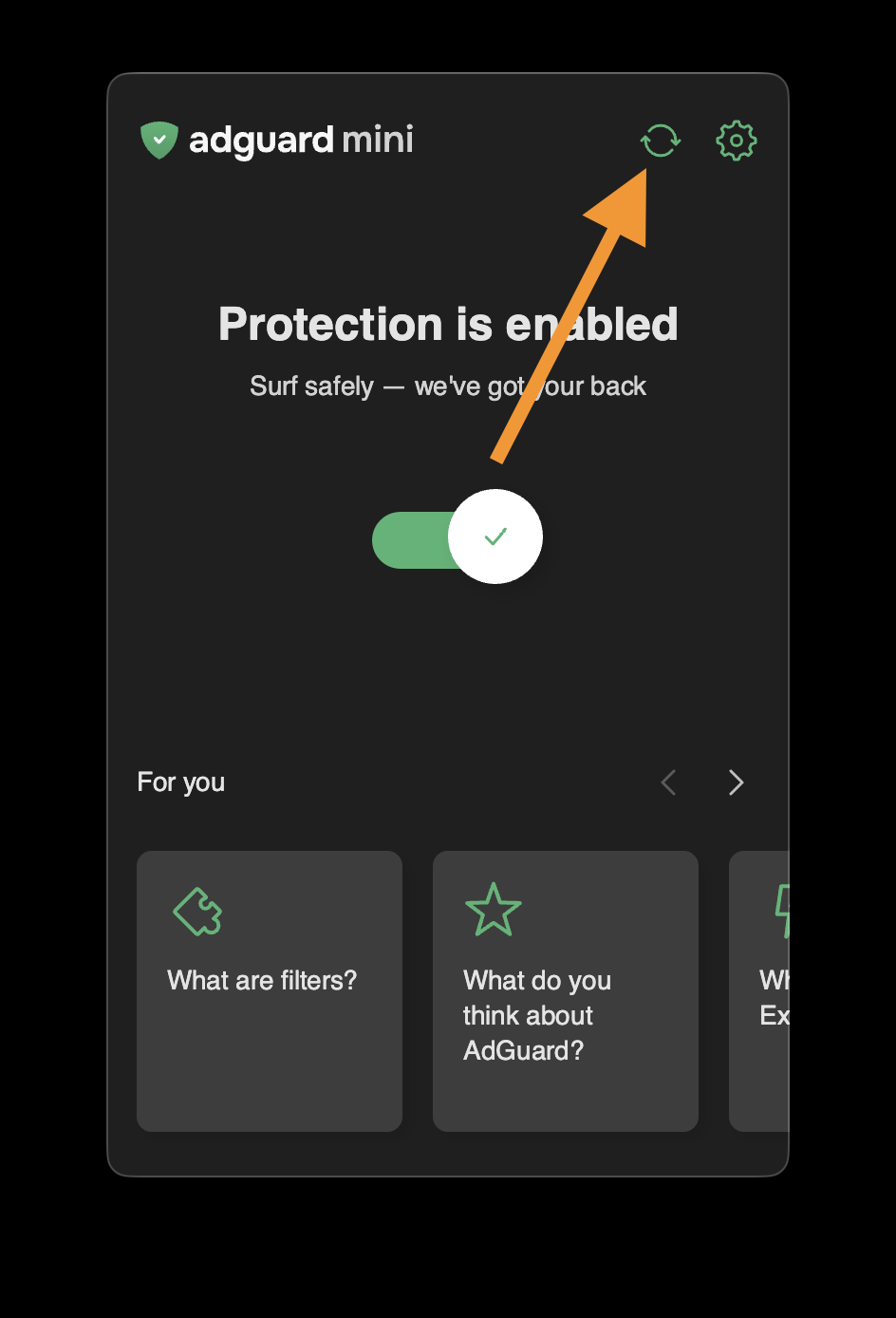
- Do not close the AdGuard Mini window until the filters are updated.
If this doesn’t help and ads are still not being blocked, please contact our support at support@adguard.com.
If you only have problems with a specific page or website, you can report it directly from the browser: click the AdGuard Mini icon next to the Safari search bar and then click Report an issue.