The Chronicle of AdGuard
It was the best of times, it was the worst of times…
A brief prehistory (2009)
The year 2009 was a tough one. The economic crisis shook the world in 2008, and a year later its consequences were in full bloom, especially in Russia. High time to start producing paid software in a country traditionally thought of as the cradle of piracy!
It turned out later, that there is no such thing as a pirate mentality. In fact, people in any country would buy a product made well, and worth the money.

Logo evolution
But the first product of our team was NetChart, a free web analytics (!) tool. It did pretty much the same things that SimilarWeb does nowadays. This focus on web analytics became the actual reason for the birth of AdGuard. As we worked with NetChart, we were collecting users data, toyed with it, and gradually realized its value and potential. Average users at that time had no clue how valuable their data was, nor did they know what could be learned about them by observing their browsing and search histories.
The birth of AdGuard (2010)
When we turned our focus from NetChart to AdGuard, we performed one of the most radical pivots in the history of startups. At the end of 2011, we launched AdGuard as a paid software application for Windows.
However, at the same time, we ran out of investment capital, and so we decided to earn money as a web design agency. There were only three men left from the original team and we moved from an office to a tiny apartment in a small city near Moscow.
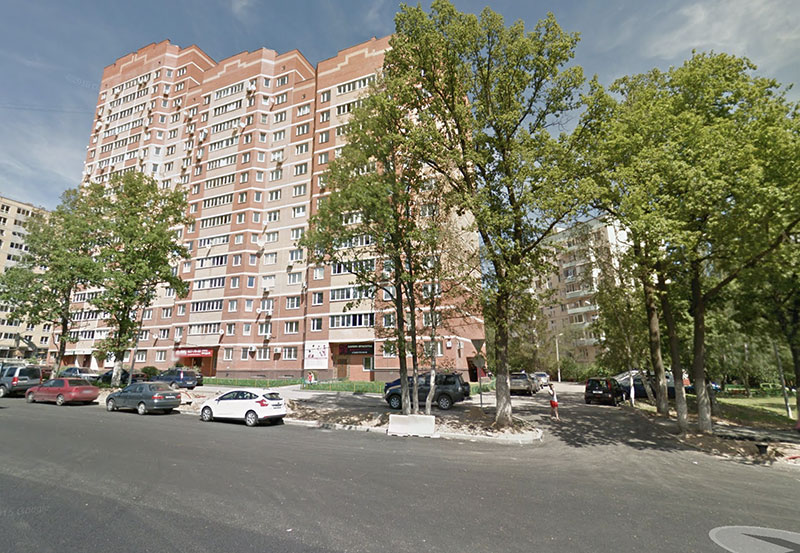 Kommunarka, Moscow Region
From that time until 2014, AdGuard was a pet project developed by us in our spare time, while we were making our living by providing web development services.
The Year 2010
Several months after the first official AdGuard release we released a totally ill-prepared update. We received a fair share of embarrassment from this, so we started a beta testing program with the participation of our users.
This program still runs, and it helps us a lot. The gratitude we feel for our beta testers keeps growing along with their input in the evolution of the app. If you want to help us, we encourage you to join them, and to have a chance to see your name in the Hall Of Fame.
The Year 2011
In 2011 we made that small step with our app that is usually a giant leap for any foreign startup: we translated AdGuard into English. Unfortunately, the quality of the translation was appalling.
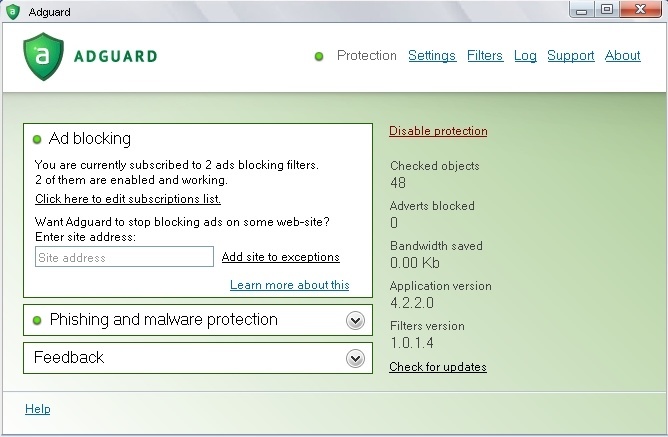 AdGuard 4.2.2
In October 2011, we released a huge update that was actually an altogether new app. It had a fully redesigned interface, a browser plugin called AdGuard Assistant, an economy mode of functioning, several experimental protection methods, the ability to work as a proxy, and many more features.
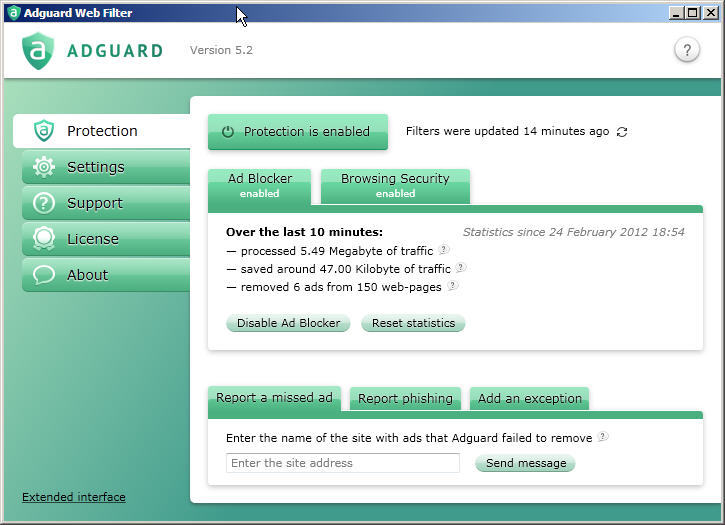 AdGuard 5.2
Years 2011-2013
The period of progressive development, lots of updates both large and small, but still in the pet project mode. Our web design business was running well, and this allowed us to allocate more resources to AdGuard and to hire some people to work solely on it.
In August 2013, we realized, that we needed a place where we can communicate with people to tell them about our news and our ides. This is how AdGuard's blog appeared.
In September 2013, AdGuard v5.7 featured the ability to block ads in encrypted traffic, and that change has made a great difference.
In November 2013, the AdGuard Chrome plugin was offered as the first answer to the users’ requests for a free app. Additionally, this was our first open-source product and the first step towards our policy on open-source software that was published later. The policy is based on the idea that a free app that has access to any sensitive personal data must be transparent to its users. This helps the app to avoid the temptation of dubious monetization methods (usually related to selling data).
The Chrome extension was later to be accompanied by add-ons for other browsers such as Firefox, Edge, Safari, and Opera.
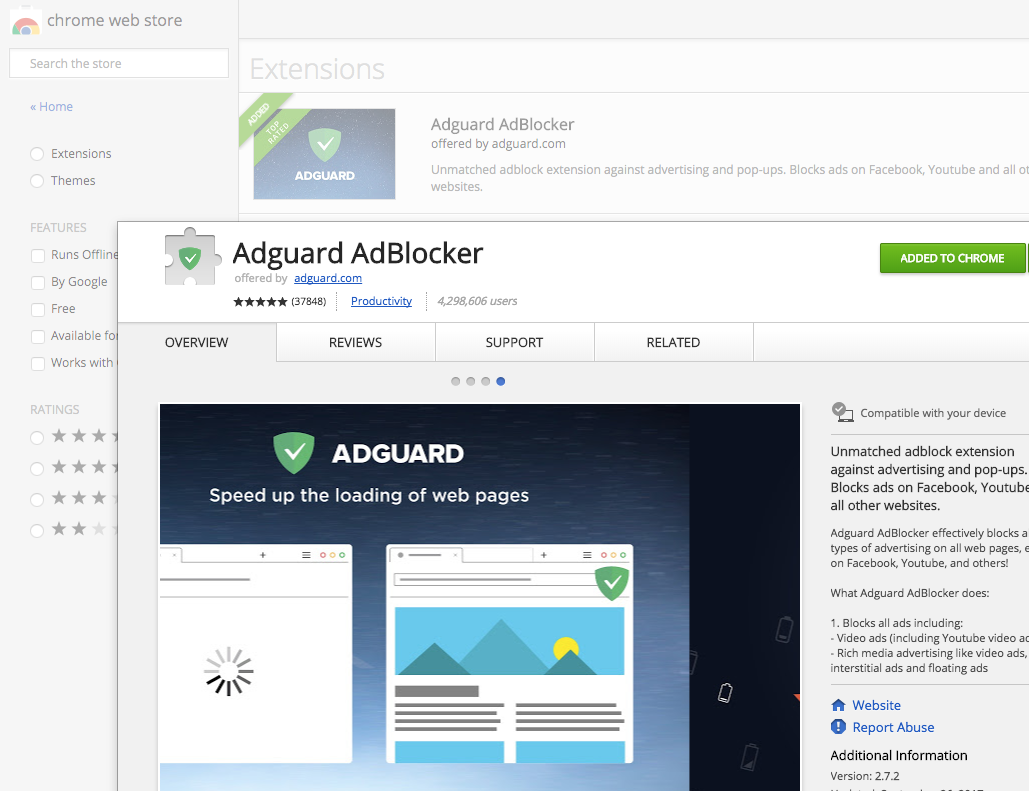 AdGuard Browser Extension
The Year 2014
As 2014 began, we finally ceased our custom website development service and focused exclusively on AdGuard. Another important decision made around this time was to go global and stop limiting ourselves to the markets of Russia, Ukraine, and Belarus.
The base interface language from now on was to be English. This was a truly significant shift, crucial for our success. There are multiple important benefits from this move. First of all, for a native speaker, it was easy to notice that the text was translated from another language, even if the translator was also a skilled, or even a native, English speaker. Also, using English as the base language allowed us to more easily translate AdGuard into multiple other languages (numbering in the dozens at this time). Using English as the primary language helps us to speed up development as it eliminates an extra step (translating into English, then into other languages) that was required earlier.
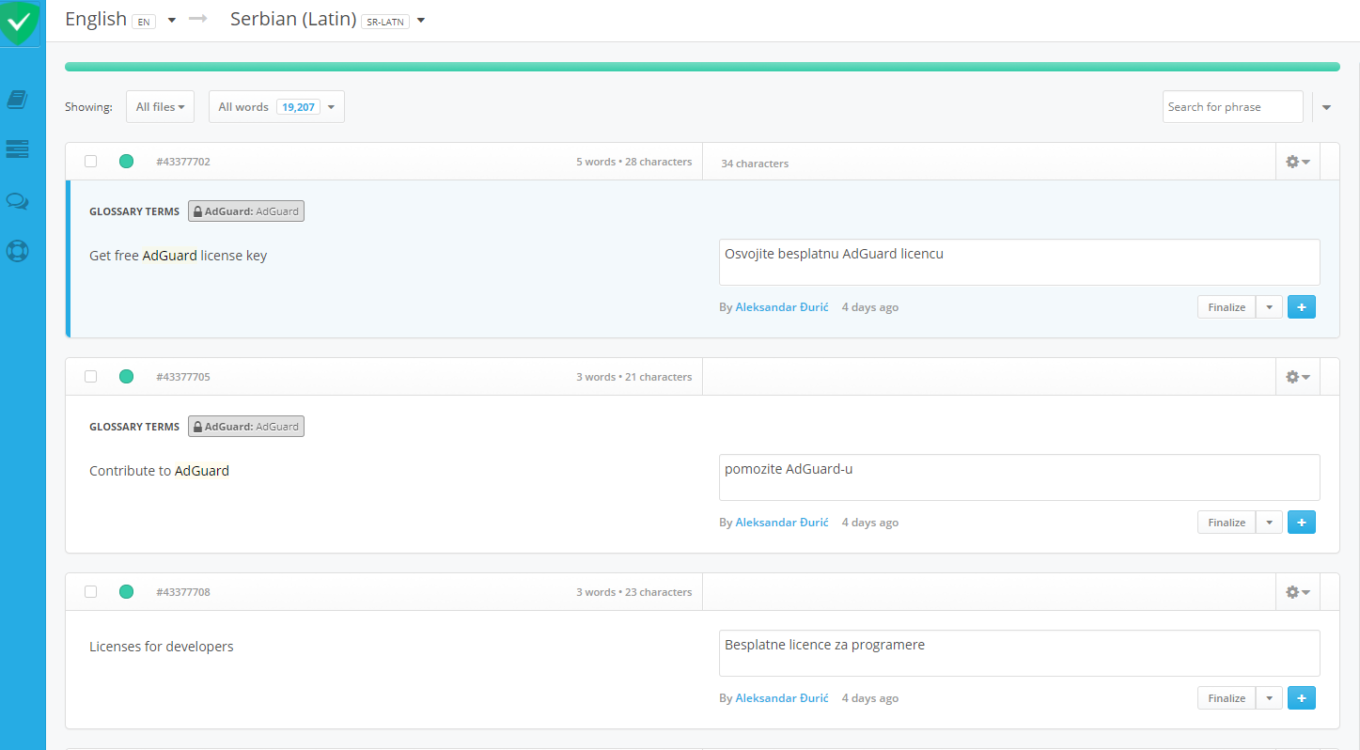 Translation in progress
Now all the localizations to other languages are open-source, and the successful implementation of new languages for the app is due to the quality of our open-source developer community. We love, support and encourage the translators, and you are very welcome to join them.
In January 2014, it started raining browser plugins: after the Chrome plugin came AdGuard for Opera. Open beta testing of our Firefox plugin started in May, and in July of that year, we launched AdGuard for the Safari desktop browser.
Released in March 2014, AdGuard v5.9 now allowed one to install third-party userscripts and extensions These are JavaScript scenarios that influence the behavior of websites, but which are not necessarily related to ad blocking. The parental control module also appeared in this version.
In November of 2014, the long-anticipated Android app was released. We offered a free version and a paid one with more functions. They were accompanied by a specifically developed filter list for the mobile web: as small as possible but specialized to consider the peculiarities of mobile ad networks.
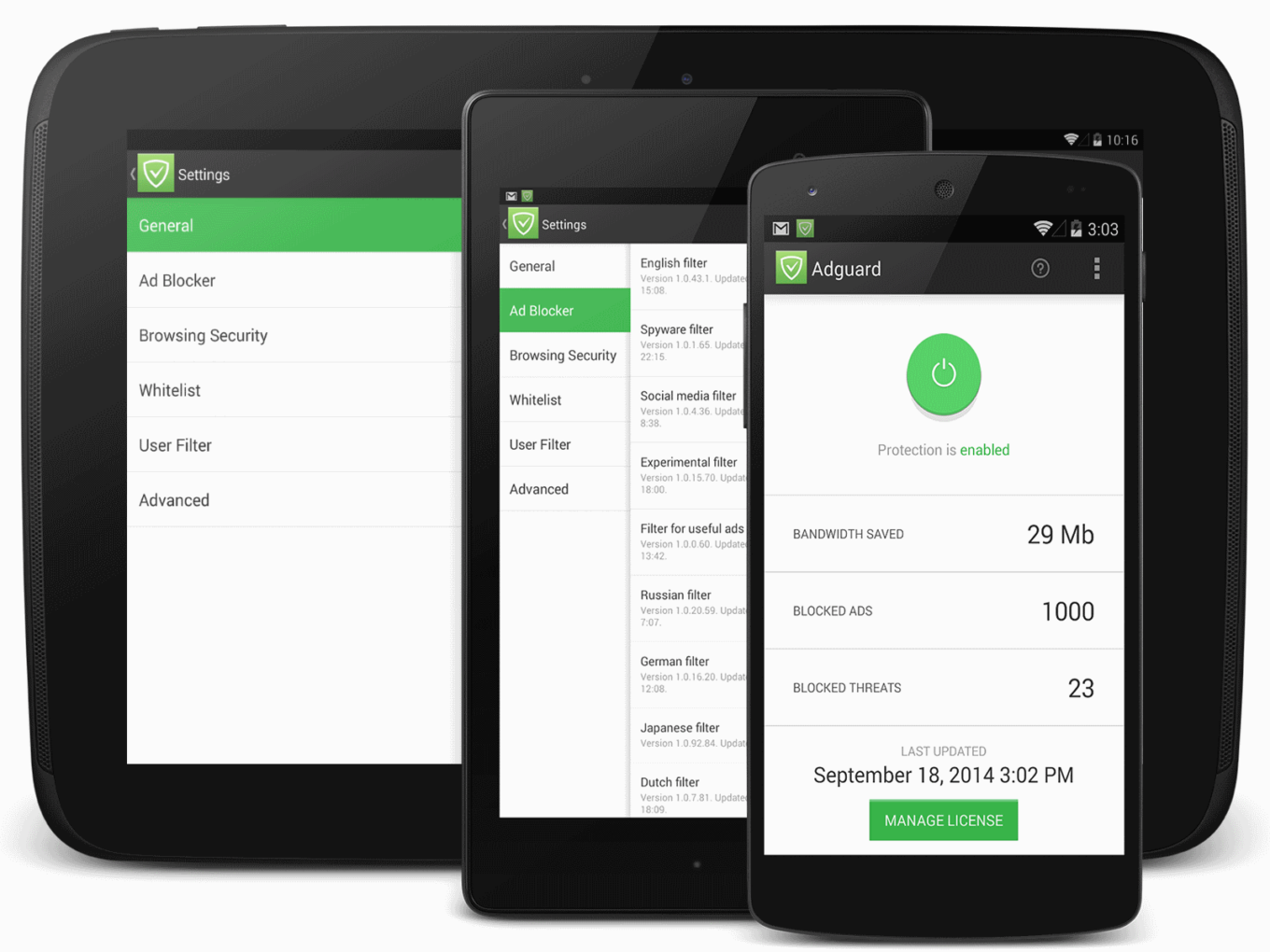
AdGuard for Android 1.0
In November 2014, a few days after the public announcement, Google kicked us out of their Play Store. Google consistently continued it's "banning policy" in regard to all apps that in any way interfered with the company’s ability to make money off of Android users, regardless of what users actually want (or don’t want).
The Year 2015
In January 2015, we shaped and declared our filters policy — actually, defined what ads are, what should and should not be blocked by the filters we maintain. It's important, that AdGuard users are free to define ads differently and customize blocking by managing filters, user scripts, and app settings.
AdGuard filters are an open source project coordinated by us, with a great community involved in development. These filters are not exclusive to AdGuard. People with other blockers can use them as well (although some AG-specific filtering rules don’t work for other apps).
That January we also started supplying schools with free licenses. We think that AdGuard should be free for kids because ads harm them more than adults, and the learning process demands attention that is not disrupted by ads.
In March 2015, we released AdGuard for Mac OS, the first system-wide ad blocker for the Mac ecosystem. Before this, there had only been browser extensions, and system limitations didn’t allow the extensions to block all ads, even in the browsers. AdGuard works with other apps as well.
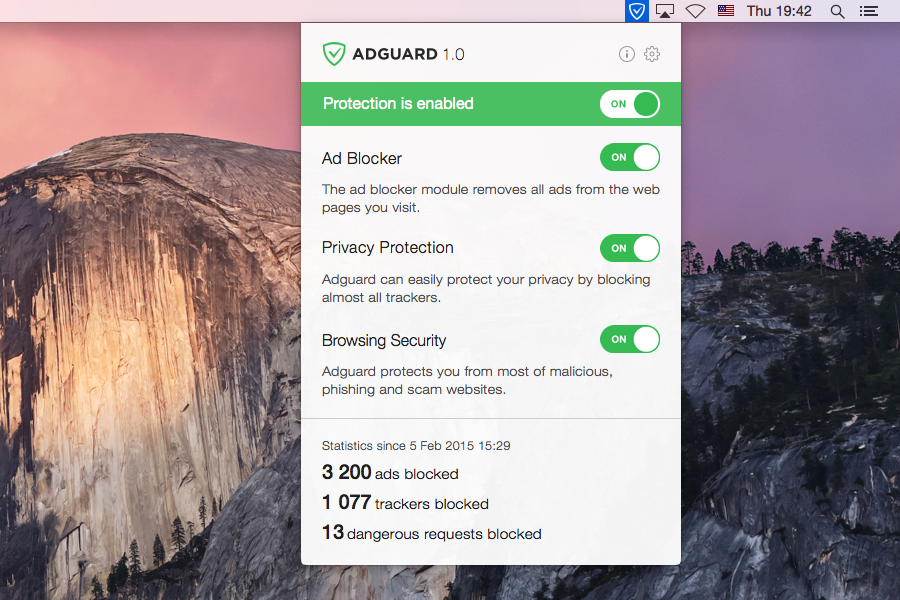
AdGuard for Mac OS
In April 2015, AdGuard started using Github, at first to host the code of our open source products, and then as a public bug tracker. It helps us to be even more transparent, and of course to improve our products.
August 2015, — AdGuard for Android v2.0 is now in Material design. Besides, it gains the real-time apps traffic monitoring, a simplified filtering mode for low-end devices, the ability to import user rules lists from a file, and many more.
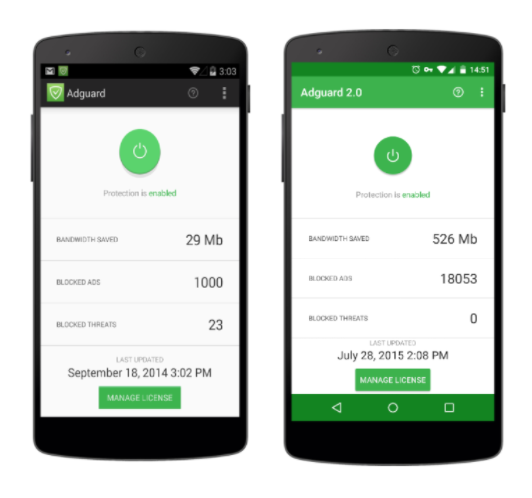
AdGuard for Android before and after redesign
October 2015 marked the release of AdGuard for iOS. Here, ads could be blocked in the Safari browser on the iPhone and iPad, but not in other apps.
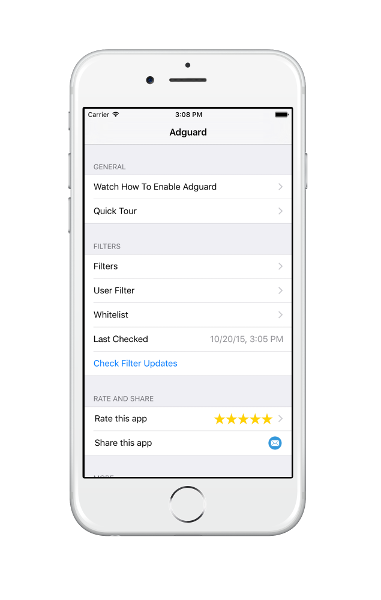
AdGuard for iOS
The Year 2016
April 2016: AdGuard wins the Webit Awards startup competition at the Webit Festival Europe.

AdBloAdGuard on Webit
In June 2016, we released the Annoyances filter. We acknowledged that not only do ads disrupt comfortable and efficient web usage, but that there are other elements whose usefulness does not justify their obtrusiveness. A user should have the ability to suppress them.
In July 2016, AdGuard DNS beta was launched, making us ready for the Internet of Things.
September 2016: AdGuard Pro for iOS was released, which blocks ads in all the apps on an iPhone or iPad.
Regretfully, Apple later declared that they would block apps that interfere with other apps’ functioning (except for content blocking plugins for Safari). So after that announcement, iOS users were only able to set up AdGuard DNS.
AdGuard Pro interface
The Year 2017
AdGuard's development gained momentum this year: several major updates of all apps, a total of 25 releases, compared with 17 in 2016. I'll mention the most important news from this last year.
Our New Website. We have fully redesigned our website and translated it into a dozen languages. Finally, it is completely mobile-ready, neat and beautiful.
New Updates. We have released two truly major updates to the Android app: 2.9 and 2.10. A lot has changed. We have added support for DNSCrypt and TOR, improved filtering performance, and that's just the beginning. We have also released a huge update to the Windows program that includes the new popup blocker extension. By the way, the changelog of all AdGuard apps and versions is available on our website.
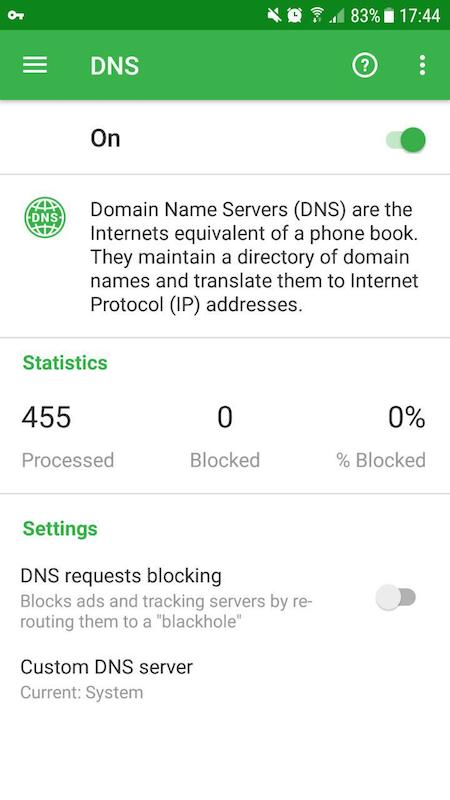
DNS module in AdGuard for Android
A New HQ. We opened a new office in Nicosia on Cyprus and moved the head company there (Adguard Software Ltd). Cyprus is in the European Union, and EU privacy laws make us (as an ad blocker) feel much more comfortable than any other place. We are slowly becoming more "global." There are now people from Slovakia, Russia, Poland, Ukraine, Germany, South Korea and the UK on our team.
Focus on research and analysis. We want to be on the cutting edge, but to do so we had to take a look around and gain a better understanding of the industry’s current trends and their roots.
You might have already seen the result of that shift on our blog. First of all, if you're interested in this topic, we recommend you to read The History of Ad Blocking in three parts. Later during this year, Android apps became the subject of our research and analysis. For example, we discovered a huge abuse of personal data by an Android keyboard app. This was just the beginning, so please stay tuned for more comprehensive investigations in 2018.
Cryptojacking fever started this September, and it does not show any signs that it will end soon. Websites use their audiences' computers to earn money by mining cryptocurrencies. At first, we had welcomed it as an alternative to ads, but the massive misuse of browser mining made us experts in crypto-jacking control and research. We can state now that AdGuard has become one of the best tools to protect you from this new threat.
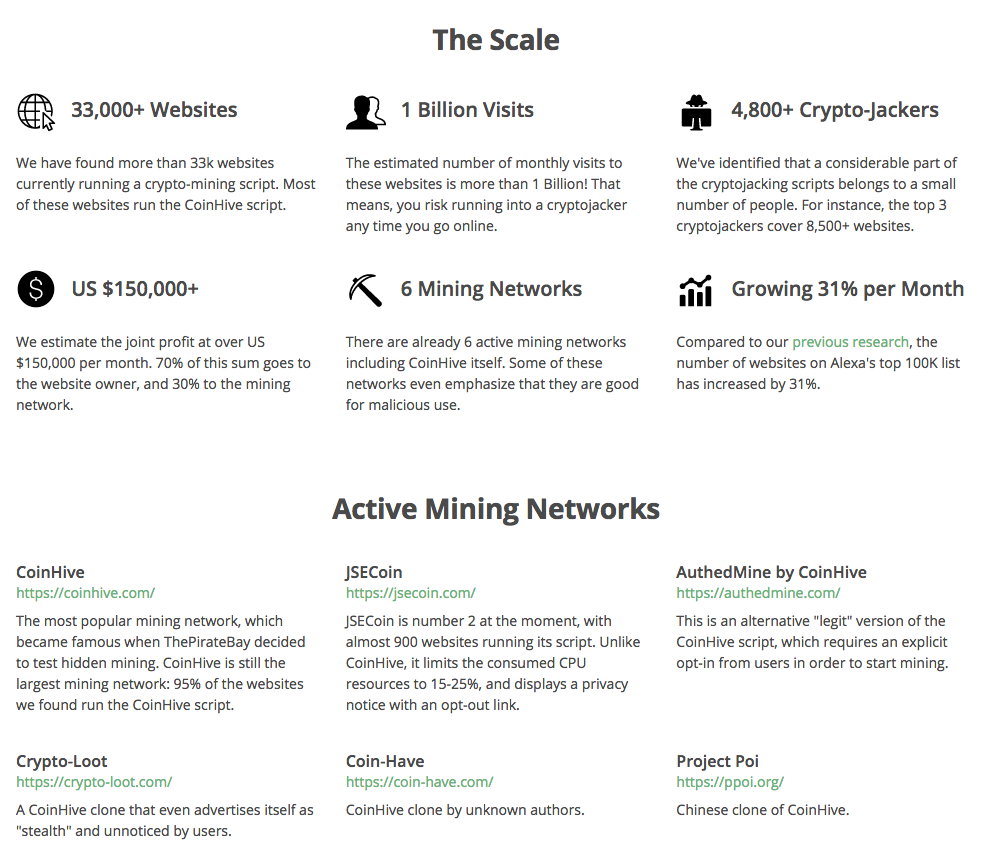
The state of crypto-jacking by the end of November
Year 2018
Hopefully, this is not the end of our story. We intend to make our apps more powerful and more helpful, as well as more beautiful and simple to use. We want to do more research, to discover and disarm new threats to privacy and efficient web surfing. And we want to say thank you to every AdGuard user, because you are the ones who motivate us!




















































