Фильтрация не работает и реклама не блокируется
информация
Эта статья об AdGuard Mini для Mac, которое защищает только браузер Safari. Скачайте приложение AdGuard, чтобы полностью защитить ваш Mac
В некоторых случаях фильтрация может не сработать, и реклама будет отображаться, даже если AdGuard Mini для Mac и соответствующие фильтры включены. Обычно это происходит, когда что-то не так с обновлениями фильтров из-за ошибок Safari.
Как исправить
- Откройте Safari.
- Нажмите Safari в левом верхнем углу меню.
- Нажмите Настройки… → Расширения.
- Уберите галочки с расширений AdGuard Mini: Пользовательские, Основные, Другие, Конфиденциальность, Безопасность, Виджеты соцсетей и AdGuard для Safari.
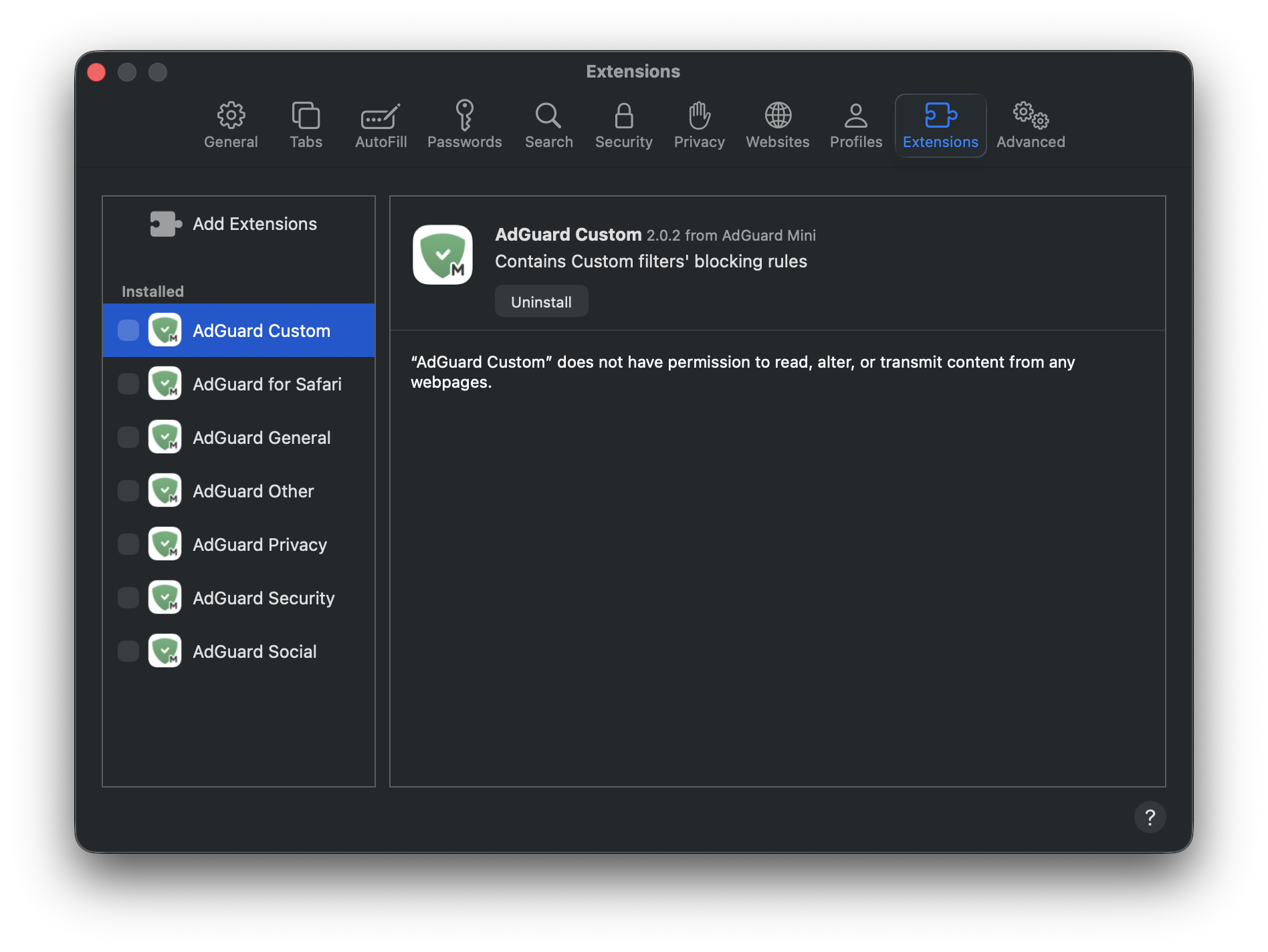
- Перезапустите Safari.
- Вернитесь в Safari → Настройки... → Расширения и снова включите расширения AdGuard.
- Откройте меню AdGuard Mini.
- Нажмите на иконку Проверить обновления.
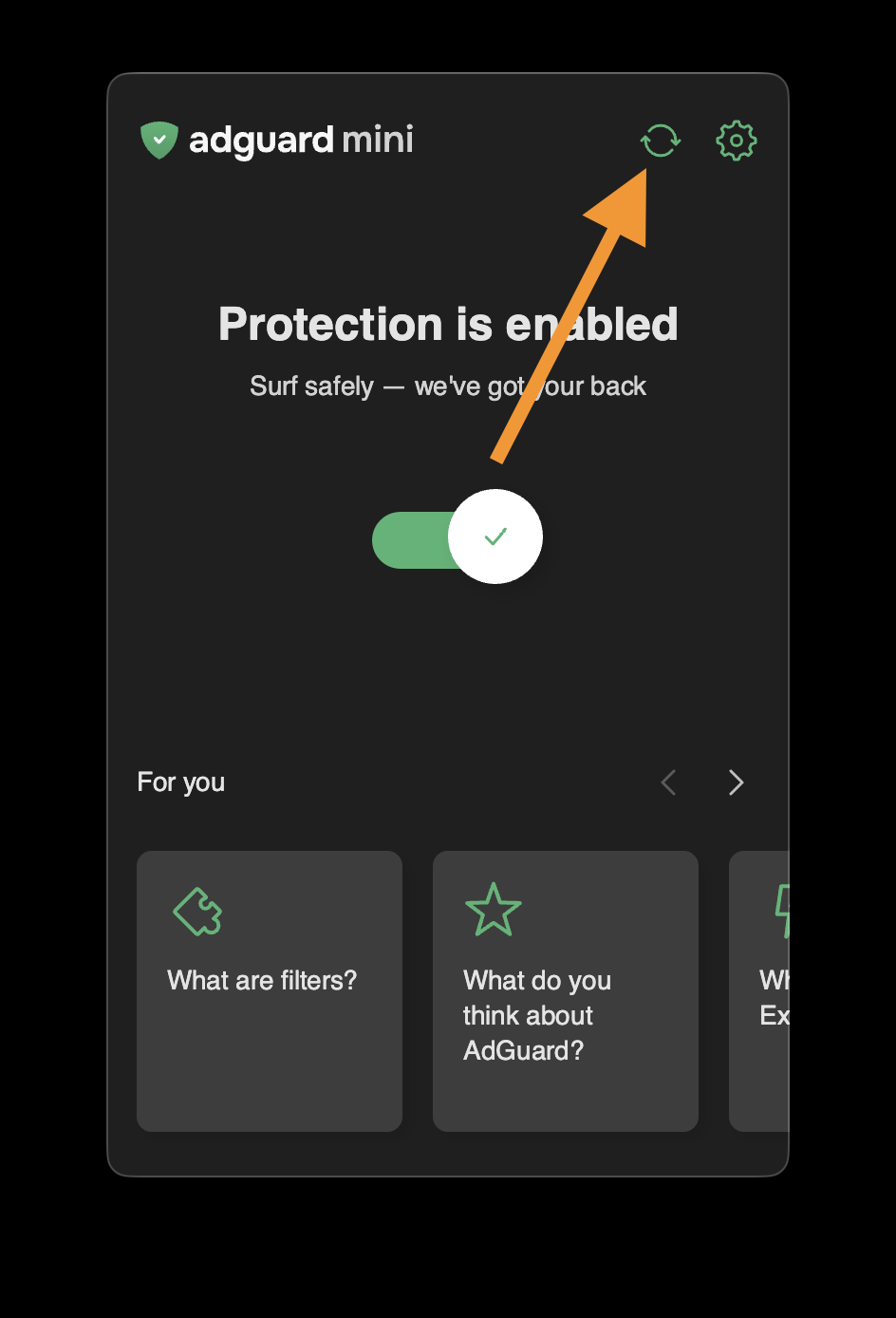
- Не закрывайте окно AdGuard Mini для Mac, пока фильтры не обновятся.
Если это не помогло и реклама по-прежнему не блокируется, напишите на почту поддержки support@adguard.com.
Если у вас возникли проблемы только с определённой страницей или сайтом, вы можете сообщить о них прямо из браузера: нажмите на значок AdGuard Mini рядом со строкой поиска Safari, а затем нажмите Сообщить о проблеме.