Looking back at the passing year: AdGuard 2020 recap
Late December... It's time to once again look back and recall everything that has happened to AdGuard this year. I think I wouldn't be lying if I said that 2020 was anything but normal for all of us. The more surprising was it to realize that we, in fact, managed to achieve quite a lot despite the pandemic, self-isolation, and all the problems that are associated with them. Not least thanks to you, as in "you, the community". All of you were nothing less than amazing this year. We felt so much support, more than ever before! So I'm saying on behalf of all of the AdGuard employees: thank you! I'll have to say more about it further down the article, but let's start our journey to the past with a different (but still related!) topic. Of, course, it's AdGuard VPN.
AdGuard VPN
It's doesn't feel right to refer to AdGuard VPN as to something "from the past", because it's the newest, the most actively growing thing that's happening to AdGuard right now. If I had to describe what a VPN is in one sentence, I'd go with "a tool to protect your anonymity and unblock georestricted content on the web".
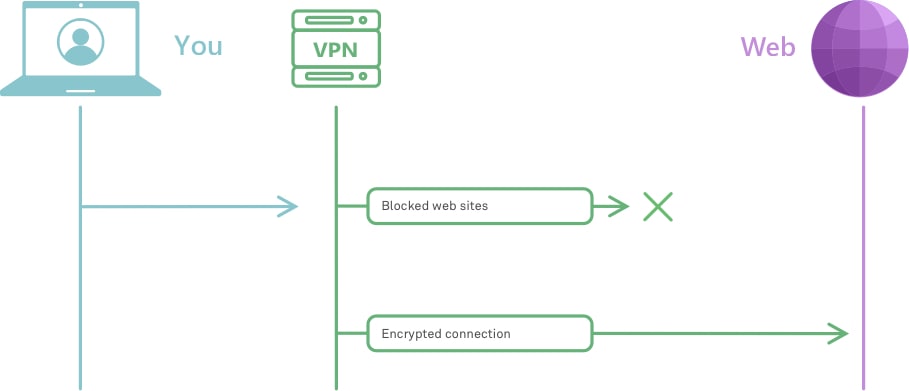
Very roughly, this is how VPN works
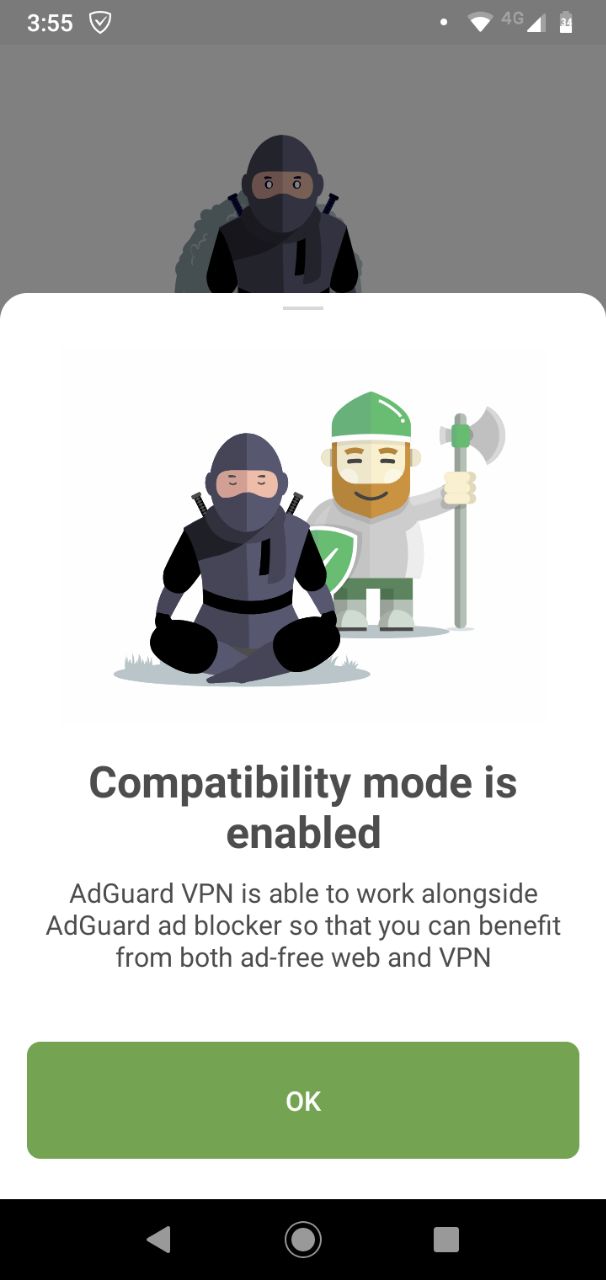
How come we, a company that's been focusing almost solely on ad blockers for 10+ years, suddenly decided to create a new VPN from scratch and to take on the fierce competition that is the global VPN market? First of all, modern ad blocking is so much about privacy anyway, it was only natural to take the next step. Second, when we were testing the waters and only playing with the idea of creating our own VPN, we found a lot of interest and support from our existing ad blocker userbase. Without a doubt, it helped us a lot to make this leap of faith. As a result, the very first public implementation of AdGuard VPN came on the 27th of January in the form of a browser extension for Chrome.
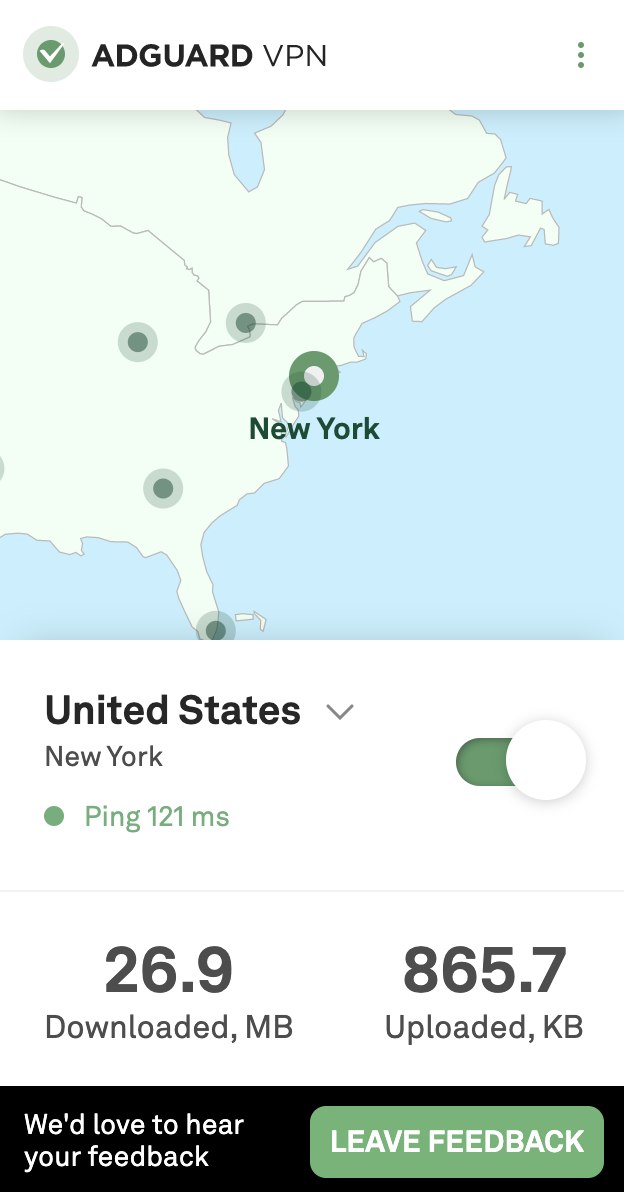
But we never intended to limit ourselves with just a browser extension. From the start we knew we wanted to create mobile apps for both Android and iOS, desktop apps for Windows and Mac. And on the 5th of June the first public beta of AdGuard VPN for Android became reality. It featured such options as Kill Switch, fastest locations, app exclusions, and more. In the early fall arrived the long-awaited compatibility with AdGuard ad blocker, something that's not possible with any other VPN on Android.
And by November we were confident enough in the Android version of our VPN that we announced the official release.
AdGuard VPN for iOS follows in the footsteps of its Android counterpart, and on the 17th of November you had a chance to read about the first beta version.
As of now, we're continuing to work on both mobile apps, but the main focus gradually shifts to the desktop apps (AdGuard VPN for Windows alpha is already available, by the way!). Prepare to read a lot about them next year. And to test a lot, if you're into beta testing! I should mention again that all of this would be next to impossible without the overwhelming amount of feedback we receive from the community. Want to join us? Follow this link!
AdGuard DNS
It was quite a year for AdGuard DNS, too! For a moment, let's ignore the chronological order and start with the biggest news that came towards the end of the year: AdGuard DNS became the world's first public DNS-over-QUIC resolver! I expect that some of you don't know, or don't know much about DNS-over-QUIC (or simply DoQ). Follow the link above to learn more, but here's the gist: QUIC is a new protocol that can be used to transmit packets of data between servers or between a server and a client. Compared to older solutions, QUIC shows better speed, reliability, and provides better encryption. And DoQ is a DNS protocol that takes advantage of the QUIC transport layer protocol and uses it to transmit DNS requests. One of the main perks of DoQ is better performance when the network signal is weak. Hope it's a little more clear now :)
DoQ is very young and exists more like a draft than as a fleshed out solution. In fact, we took it upon ourselves to develop the very first public implementation. Now, there is bad news and good news. The bad news is, this standard is not widely supported yet, and it will take at least a couple of years before manufacturers will incorporate its support into routers, phones etc. And the good news — well, we DO support it! It means you can select DNS-over-QUIC as preferred DNS protocol in AdGuard for Android, AdGuard for iOS or in AdGuard Home.
AdGuard DNS moved to new addresses
Wait, how is that not at the top of the list? No panic, please: the old addresses are still working, and will continue to work for at least a year or two. You have plenty of time to switch your routers and other devices to the new ones, but we, of course, encourage you to do it right away and get it dealt with.
Why did we move in the first place? There were a couple of reasons. First, unlike with the old addresses, which we are renting, the new ones are straight up ours. We own them. And that just feels right, feels much safer this way when you act as a DNS provider. Second, they just look better! Easier to remember. For example, our new addresses for Default IPv4 servers are
94.140.14.14 and
94.140.15.15.
For the rest of them (and we have a lot of different servers), check out this page.
Apple adds native support for encrypted DNS
And to wrap up everything that concerns AdGuard DNS, here's a cool thing for iOS 14 users. At the presentation of the latest iOS update, Apple representatives announced native support for the encrypted DNS. I mean DNS-over-HTTPS and DNS-over-TLS. And while both these protocols are, in theory, have less potential than DoQ, at the moment they are much more polished, widespread, and both provide a very acceptable level of protection. If you don't have AdGuard for iOS (no pressure), you can still configure encrypted AdGuard DNS (or any other DNS, for that matter) on your tablet or phone. Good job, Apple, I guess?.. No, really, good job. Credit where credit's due.
macOS Big Sur and related issues
For all Mac users this year's recap wouldn't be complete without the mentioning of the new macOS 11 Big Sur and all kinds of complications that accompany it. It all began back in March when Apple started bombarding users with scary-looking notifications about the imminent deprecation of Kernel Extensions. Kernel Extensions provide developers the ability to load code dynamically into the macOS Kernel and was used by many apps, including content blockers, on older macOS versions. Apple's plan was to replace it by System Extensions with the arrival of Big Sur. Fortunately, the notice came in advance and there was enough time for us to restructure AdGuard for Mac to work properly under the new conditions.
And so we did: AdGuard v2.5 for Mac was designed with System Extensions (and specifically Network Extensions, its sub-module that is used heavily by content blockers) in mind. You can select the respective filtering mode under AdGuard's menu -> Select Preferences... -> Network -> Select Mode....
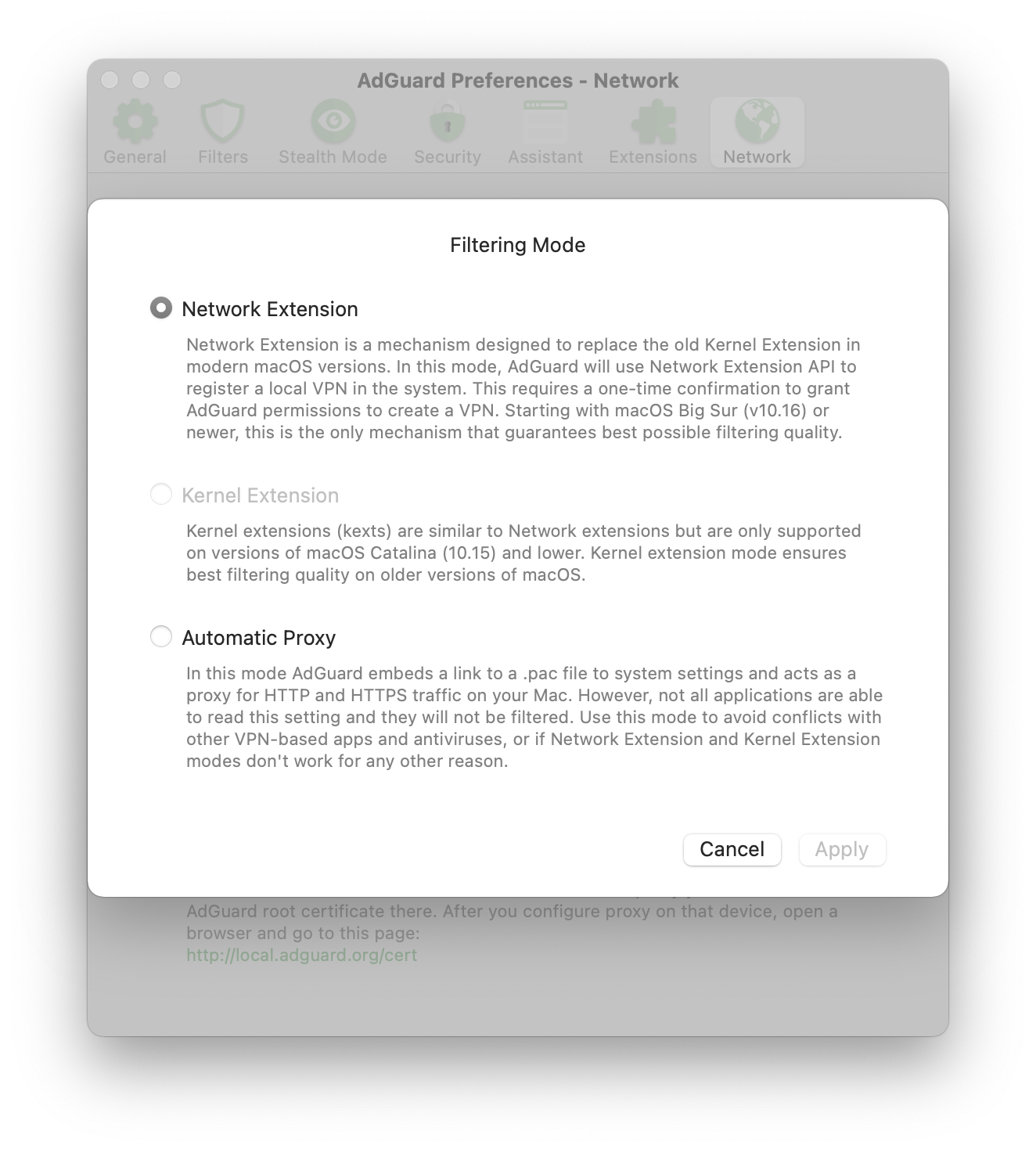
Job's done, problem solved, right? Not quite, as for one reason or another Apple released a very raw version of Big Sur. Users faced (and still face) various issues, especially when it comes to compatibility between network-oriented applications. AdGuard didn't miraculously avoid this fate, and got its share of problems out of macOS 11, and then some. The worst part is, we can't even do much before Apple fixes the bugs on their side and releases an update to the OS. Here's to hoping!
What we could do is collect the most frequently encountered known bugs and compatibility problems into one Knowledge base article (that we regularly update when new bugs are found or the old ones get fixed). Check it out if there's any issue with AdGuard that you suspect might be Big Sur-related.
Major updates for AdGuard iOS apps
I must say that among all AdGuard products, our iOS apps have perhaps the most Hollywood-esque story. There had been only one app, that then split into two, one of which got frozen and subsequently reanimated, while the other used to be somewhat of a sidekick and then transformed into the superhero, and finally they became equal but separate... Seriously, this could easily be a movie. I won't repeat myself again, if you need more details, you'll find them in this older article.
With all the difficult fate, this year was almost cathartic for AdGuard Pro and AdGuard for iOS. In spring AdGuard for iOS received one of the biggest updates in its existence. A new design, of course:
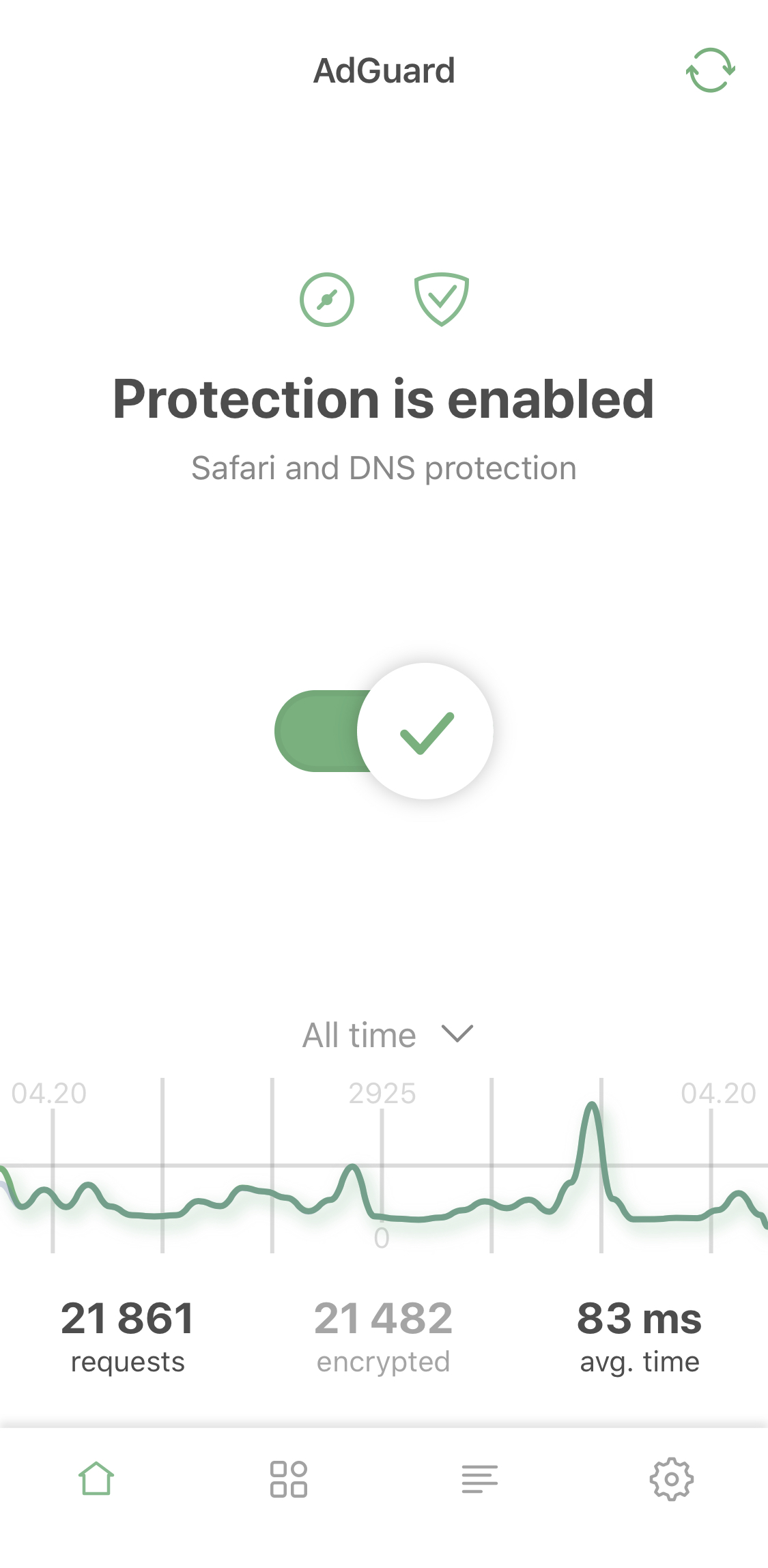
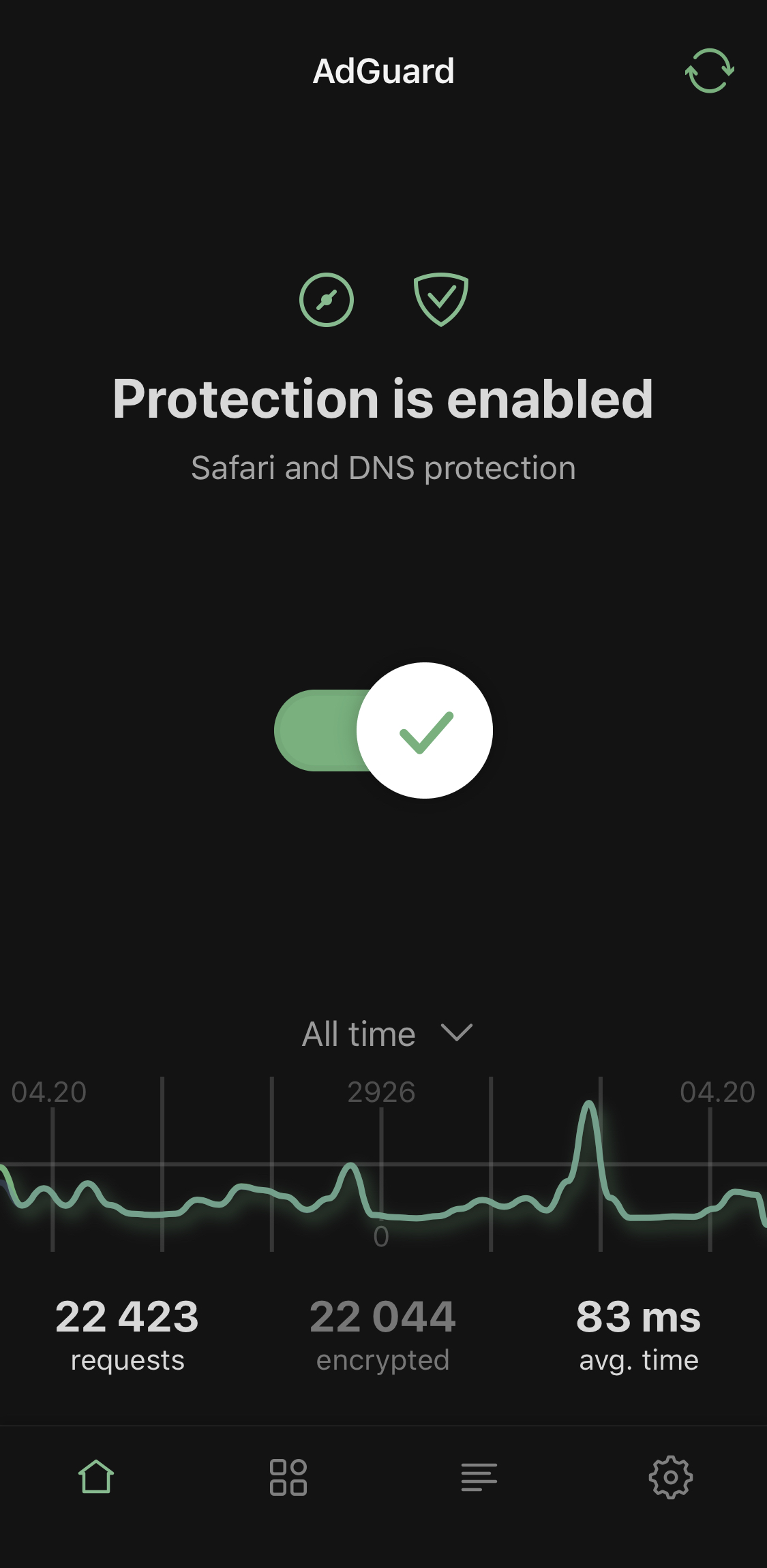
But that pales in comparison to the changes made to the DNS module. Not only was DNS protection itself seriously enhanced, now it's become much easier to monitor the DNS activiy of your device, interact with specific requests, and otherwise manage DNS protection.
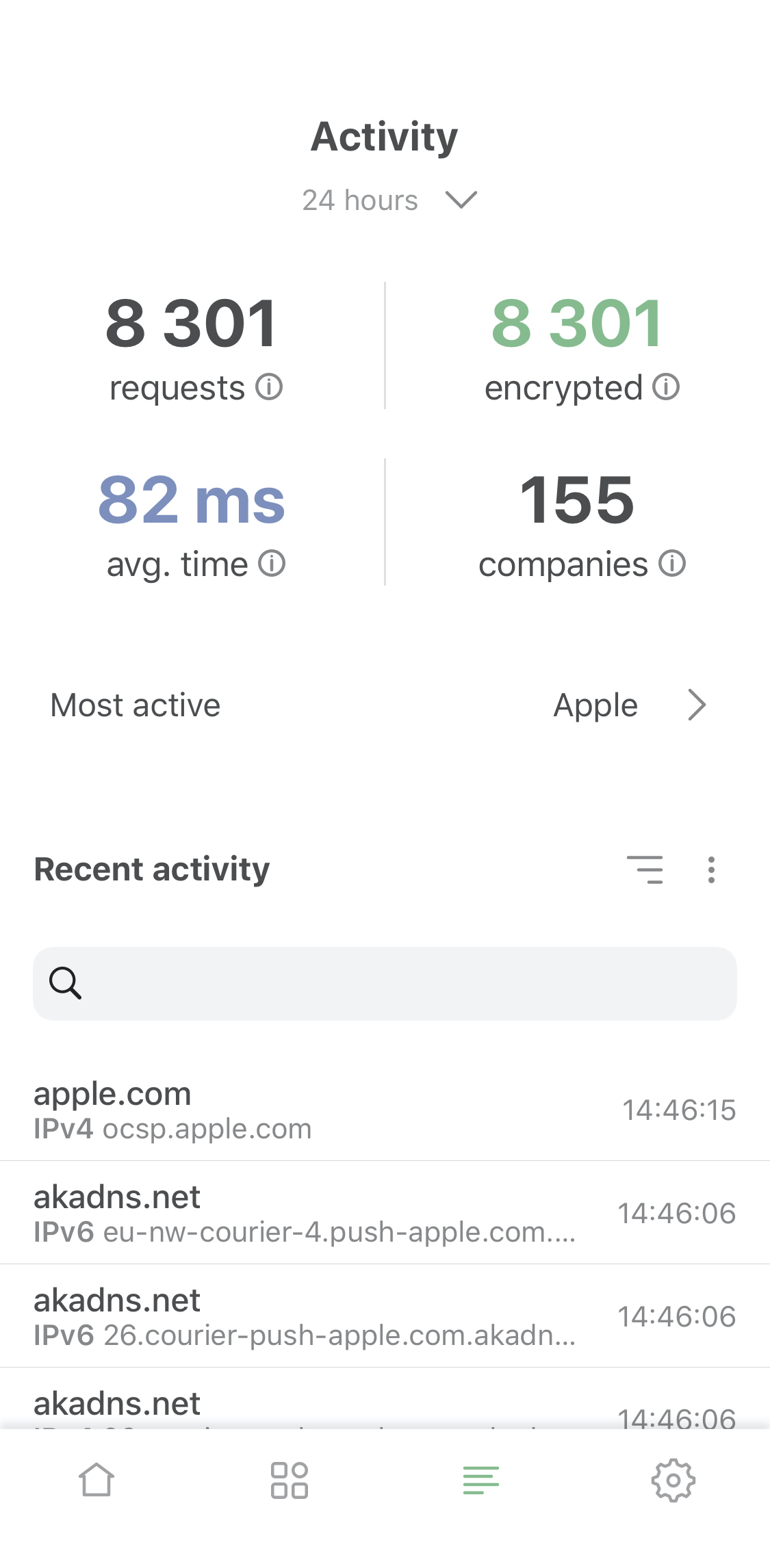
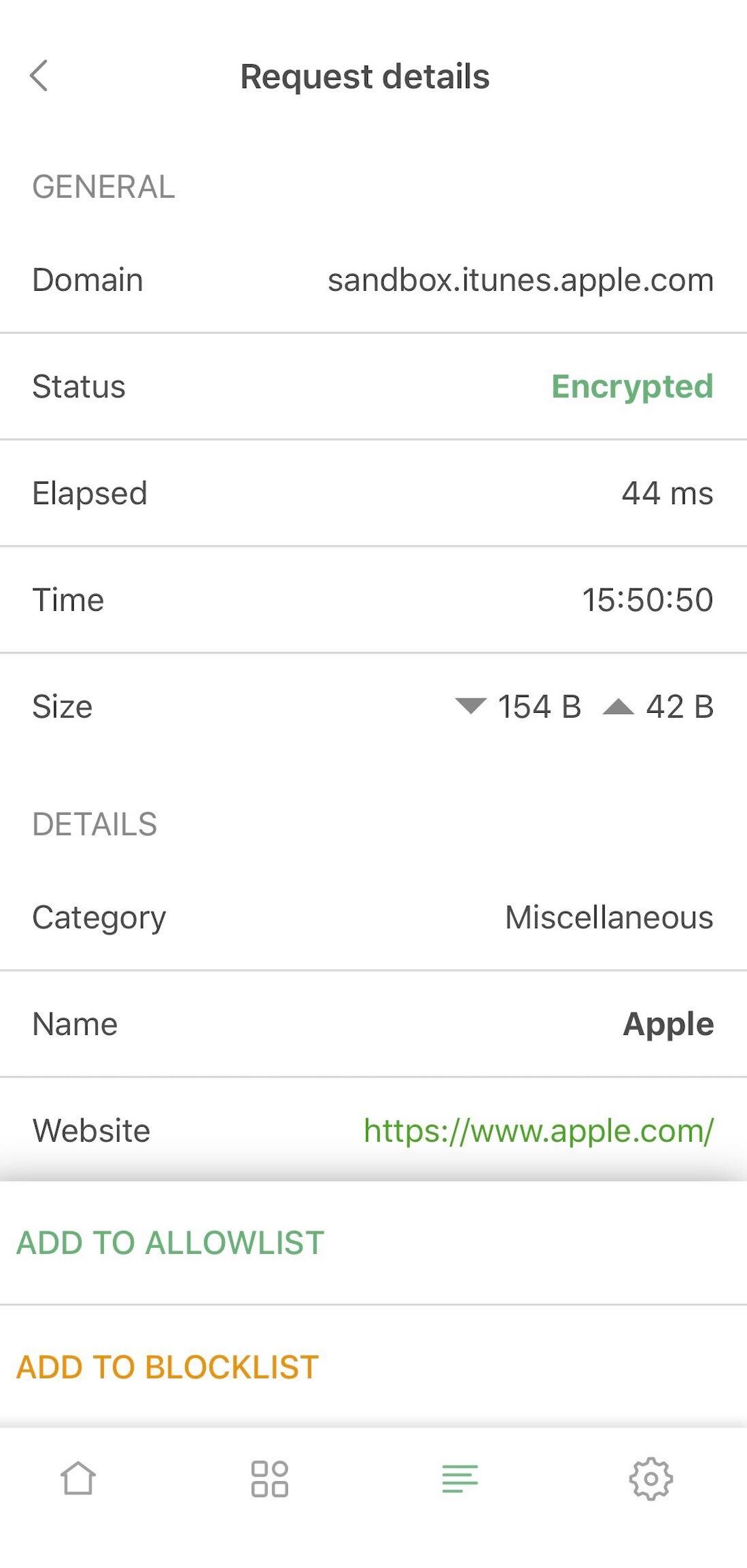
And in the first weeks of summer something happened. Something that brought a lot of joy to our most veteran, hardcore iOS users, who sticked with us through all the storms and bad luck: the distressful AdGuard Pro app received its long-due update that has finally put it on par with AdGuard for iOS. From now on, we plan (and so far were able to stick to that plan) to make the same changes to both apps at the same time. This way it doesn't matter which app you purchased back in the times of disparity, you'll be getting the same level of protection and ad blocking for the same price.
And while you're at it, why not read the in-depth overview of AdGuard for iOS/AdGuard Pro? Everything you need to know about the available features and best ways to get advantage of them — all essential knowledge compressed into one article.
Other major releases
We strive to distribute the love equally between our products for different platforms, and AdGuard for iOS wasn't the only one that got an update. And even if the other ones maybe weren't as impactful, they still deserve at least a mention here:
AdGuard for Android
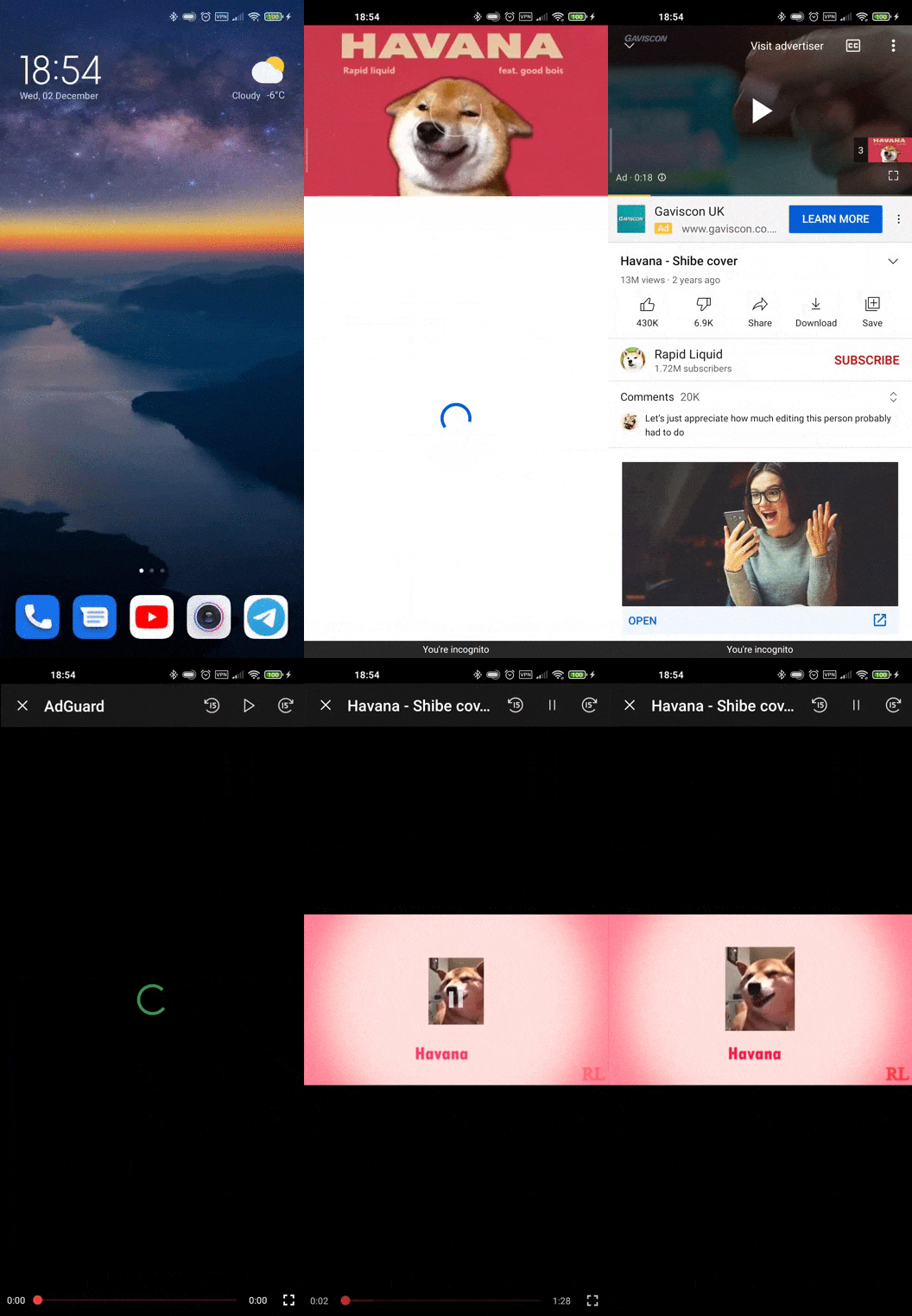
Not one, not two, but three noteworthy Android releases fit into this year. First, we reworked DNS filtering, improved smart TV compatibility, and increased Internet connection stability in v3.4 update. You already read about added AdGuard VPN compatibility: it came in September with v3.5. Finally, just a couple weeks ago, AdGuard v3.6 for Android was headlined by DNS-over-QUIC support and a new way to watch YouTube without ads.
AdGuard for Windows
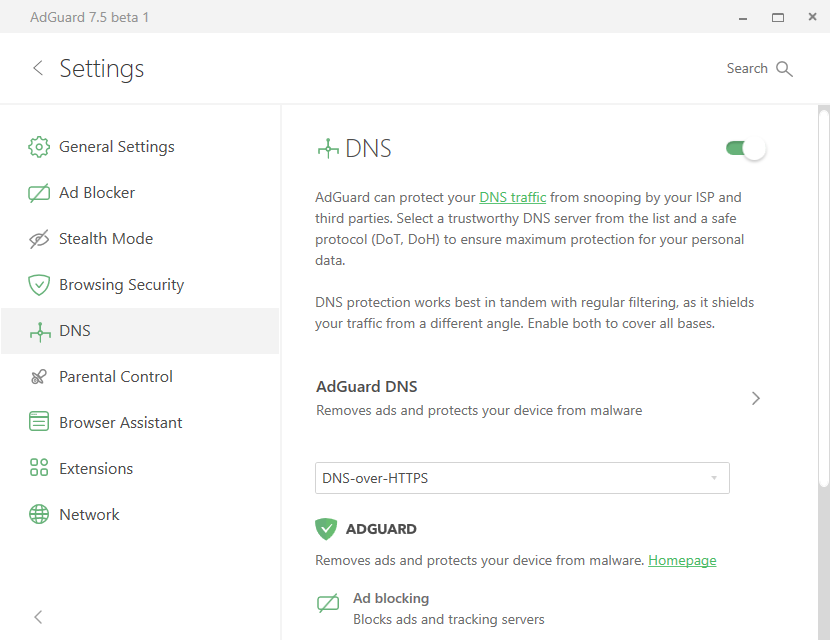
AdGuard v7.4 for Windows will be remembered as an update that introduced Browser Assistant — a new tool to manage filtering from the browser that's based on the old Assistant userscript. Later in Summer we released AdGuard v7.5, the first version that featured the DNS module.
Apart from that, we taught Stealth Mode to block Windows tracking, which is a little too overabundant in Windows 10 for our taste.
AdGuard for Mac
Just like AG v7.4 for Windows, AdGuard v2.4 for Mac was the first version of the app to showcase the new Browser Assistant. And if you didn't skip over the Big Sur problems, you already know what AdGuard v2.5 was all about.
AdGuard Home
Speaking of AdGuard products that people regularly ask questions about, AdGuard Home is probably the most mysterious one from an average user's point of view. It's a network-wide software to block ads and trackers on all devices connected to your home Wi-Fi. Indeed, it can look intimidating at times, especially if there's no one to lend a helping hand when you come across some kind of a problem. Hopefully, our in-depth overview will serve as a guide and make AG Home less scary for you — believe me when I say it's worth it.
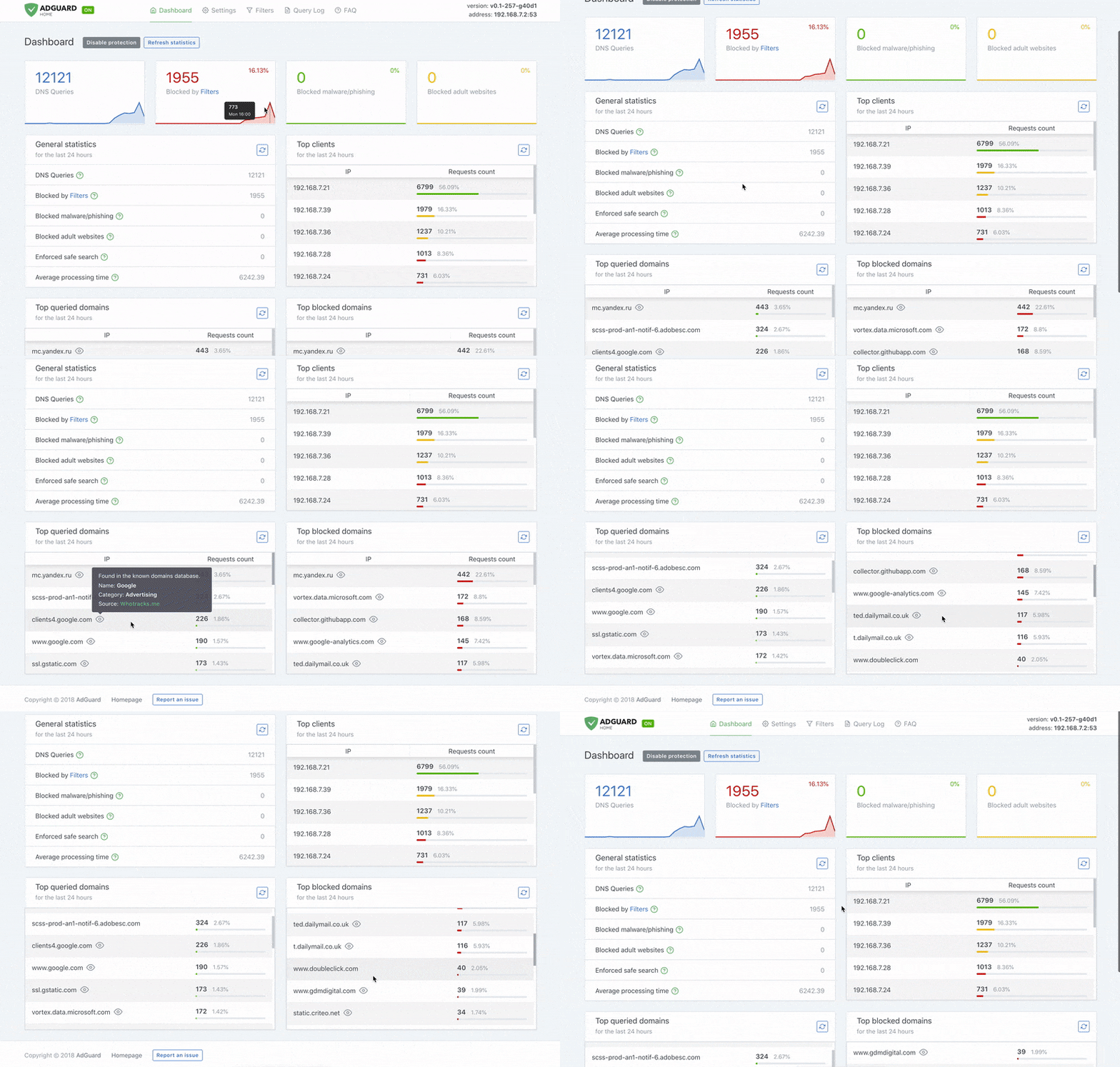
By the way, in August the very first router with built-in AdGuard Home saw the light of day! A perfect solution when you don't want, or don't have time to mess around with setting it up.
If you're just getting started with AdGuard Home or want to dive deeper into its nuances, jump straight to the GitHub page. There are many resources to learn from, as well as people who will be eager to answer your questions should you have any.
A series of in-depth overviews
In-depth overviews are a cycle of articles that take a closer look at a particular AdGuard app. You can say that this cycle is neverending: apps tend to get updated, and when the current version becomes different enough from the old one described in the existing overview, a new article appears. I already mentioned overviews of AdGuard for iOS and AdGuard Home today, but this year happened to be especially rich of them:
Must-read articles
AdGuard doesn't exist in a vacuum. We both influence and get influenced by everything that happens in the worlds of ad blocking and privacy protection. Certain events just can't be ignored and call for our commentary at the very least. And sometimes we even act as newsmakers ourselves! There were several articles in our blog throught the past year that will be interesting for anyone, regardless of which AdGuard app they use, if any. We recommend you have a look at them, these texts worth the time you'll spend on them!
The history of ad blocking
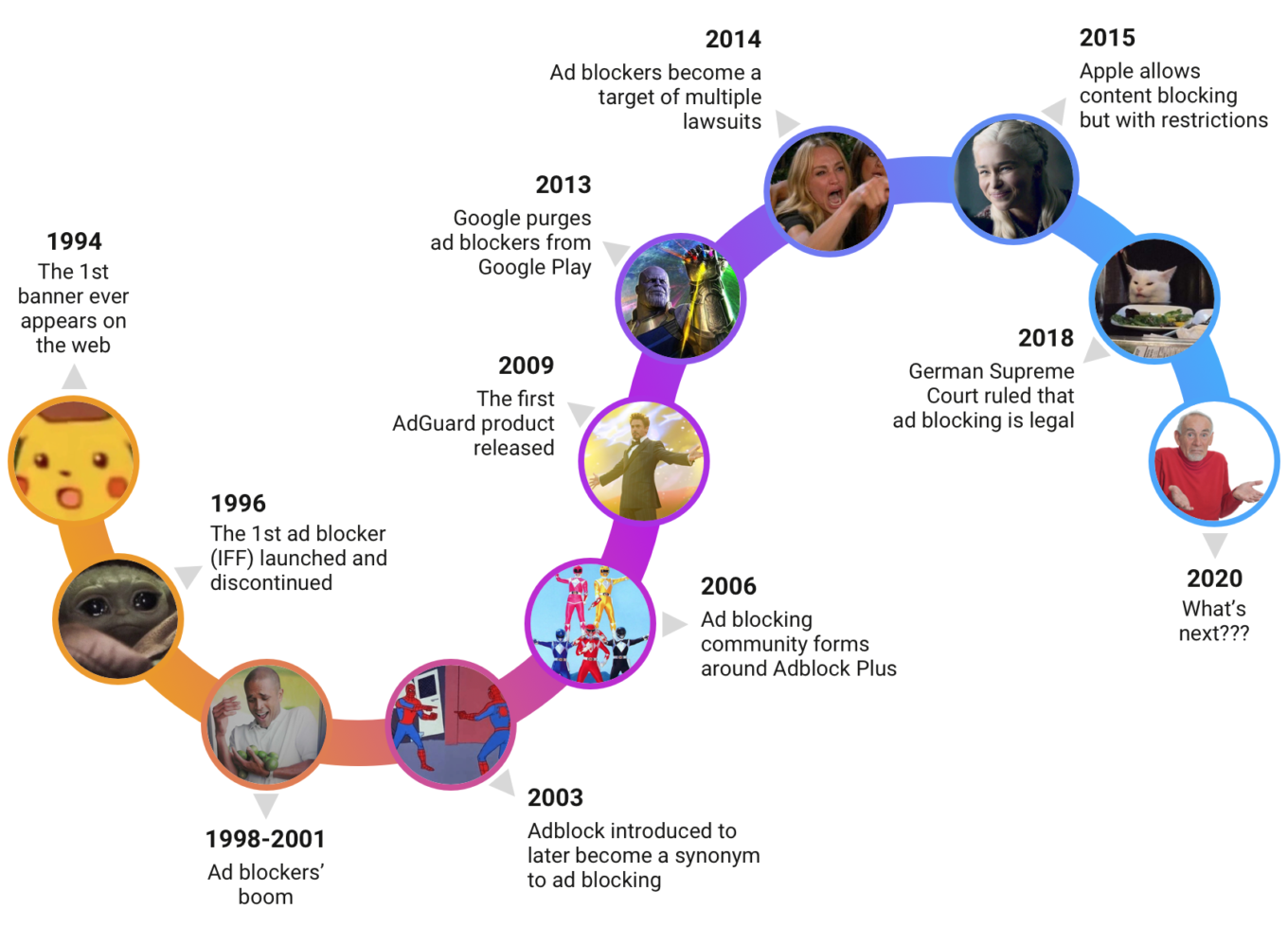
This text is based on Andrey Meshkov's (AdGuard CTO and co-founder) speech at Ad Blocker Dev Summit 2019. Feels like it was a thousand years ago now... However, it's about history anyway, so if you missed it back then, it's not too late to read it now! It opens a portal to the past, and the past of ad blocking was a real wild west. The article reads more like a short story than anything else, so definitely give it a read!
Evolution of privacy protection over the coming years
Another big one from Andrey, but this time about the future — the future of privacy protection. The price of personal data has been constantly increasing over the years, and there's no reason for this trend to stop. What new ways of gathering it will there be in the future, and how users of the Web will be able to oppose them? Either wait five years to see for yourself or read the article, your choice!
80M users scammed by malicious Chrome extensions
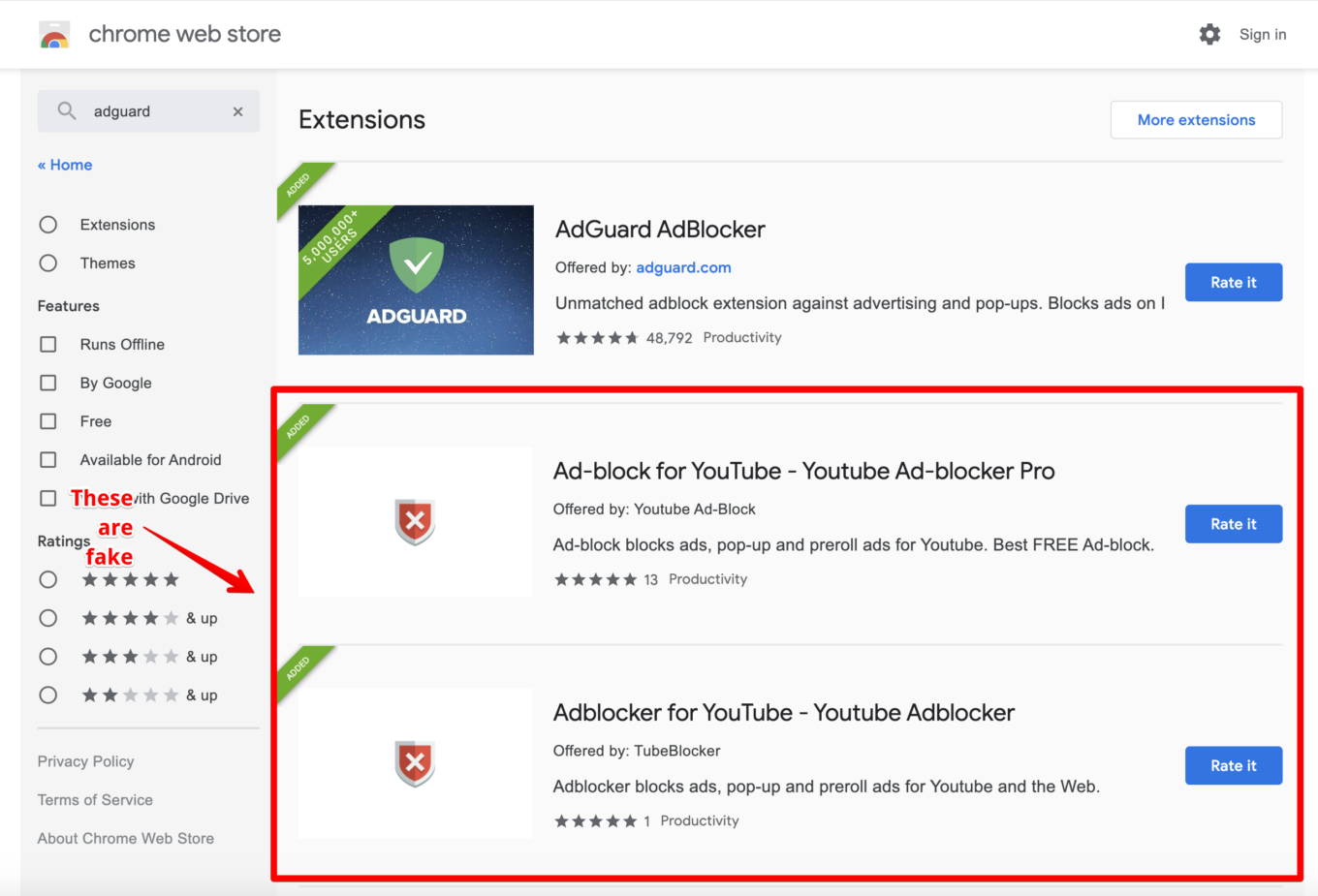
AdGuard has a long history with fighting malicious browser extensions. Every single year, and that's not a hyperbole, we uncover some new fraud scheme or a network of malicious extensions. 2020 failed at becoming an exception. The saddest part is, even when we presented Google with proof and a complete list of these scam extensions, it still took the media giant a public outcry to take action against them. Read the article to learn about the real scale of the tragedy that is Chrome Web Store.
Differences between approaches to privacy protection
This is a short-ish article that covers the problems of privacy protection in App Store and Google Play. Everybody has a phone now, and chances are you're either an Apple or an Android user, so this article will be at least somewhat relevant for you. A small spoiler: both stores are far from perfect, but Google Play is further, with little to no regulations in the data privacy area.
Apple's efforts at increasing privacy
Despite what was said in the previous article, Apple does more when it comes to its users' privacy compared to competitors. At least we can see that attempts are being done, and their effectiveness is a subject for discussion.
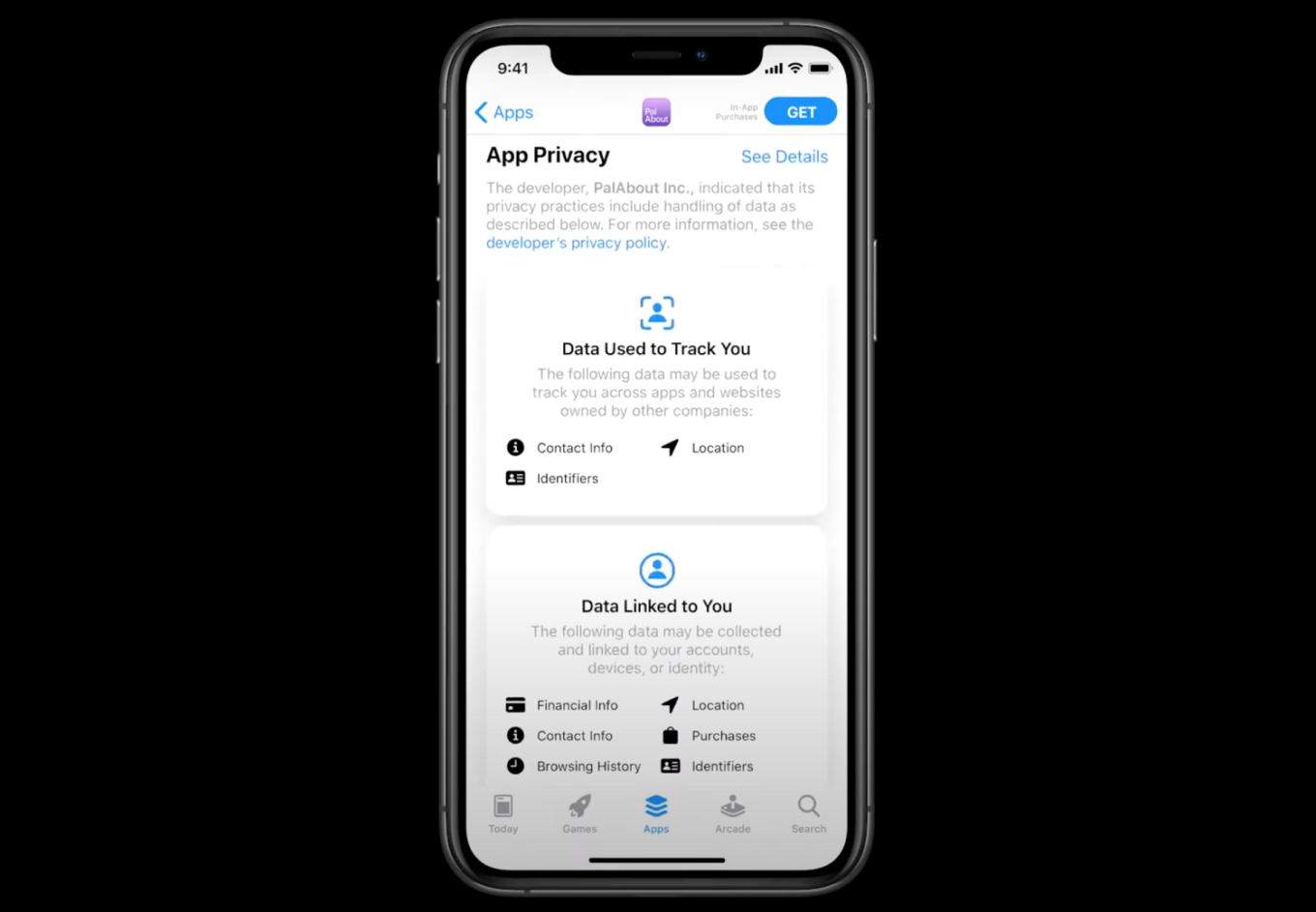
In August Apple did a couple of announcements that concerned privacy of its users. First of all, a new instrument was introduced — privacy labels. The goal of these labels is to help users make an educated decision on whether to trust this or that app without having to read the entire ToS. The problem here is that the labels are created by developers themselves, and Apple cannot and does not plan to test their integrity.
Another seemingly good decision is adding support for WebExtensions — an API that's used by developers to create browser extensions for Chrome, Firefox and Edge. Safari used to rely on its own API, and many developers didn't have time and resources to change their extensions' code to suit this API properly, or at all. Now they can more or less upload their extensions to Mac App Store as is.
However, not all is fine and dandy. What will be a gamechanger for many other extension developers, is a complete flop for ad blockers. All thanks to the Apple's decision to cut from the WebExtensions API everything related to content blocking. Apple being Apple — good intensions ruined by a dubious execution.
Manifest V3
If you're a regular reader of our blog, you've heard this word before. Manifest V3 is a large set of measures and changes to Chrome that will get implemented soon and radically shift the browser's approach to users' security and privacy. It is one of the hottest topics in the ad blocking community right now, which is proved, for example, by the key role Manifest V3 and its discussion had at the Ad Blocker Dev Summit 2020 (held online this year).
The popular opinion among the ad blocker community members is that Google takes away the important functionality without giving much in return. The changes hardly help on the matter of privacy. Manifest V3 went through a lot of iterations, and there's a clear trend towards the restriction of what browser extensions can get access to. Content blockers are among the first to suffer from this, as they naturally need more access than most of other extensions. The situation is not made more clear by the lack of communication from Google, who's being functionally mute on the matter.
The next year will be decisive in many ways, as it will show more clearly the direction Google developers want to take with Manifest. Hopefully, they will listen to what ad blocking community has to say at least a little bit. One way or another, big changes are coming, and they are coming very soon.
AdGuard and you
I started the article by saying this, and I'd like to end it with the same message: 2020 demonstrated the immense role that community plays in AdGuard's life like no other year had. Between testers willing to provide invaluable feedback on AdGuard VPN and other products, volunteer translators pushing their limits to complete translations into several new languages, and filter developers offering their help with AdGuard filters, we felt your love and support. In an attempt to give back and say "Thank you", we awarded the Best Contributors of 2020 and sent them these cozy gifts:

We're looking forward to working shoulder to shoulder with them again in 2021, and with every other person who lends their hand to make AdGuard better together. Who knows, maybe it will be you?
We're also making steps to get closer to you year by year! In 2020 we started to translate our blog into Korean and Chinese Simplified languages, added our presence to more social media, and even partially translated the Knowledge base. We promise you to keep on that track!
Wow, this turned out to be a long article about a long year. Let's hope that 2021 will leave just as many memories, but only for the good reasons! Happy New Year, and I'll see you in 2021!