How to block ads in the YouTube app
:::정보
This article is about AdGuard for Android, a multifunctional ad blocker that protects your device at the system level. To see how it works, download the AdGuard app
:::
사용자는 종종 Android의 YouTube에서 광고를 차단할 수 있는지 묻습니다. Due to the technical restrictions of the Android OS, there is no way to completely remove ads from the YouTube app. 그러나 Android에서 부과한 제한을 피하면서 YouTube 광고를 차단하는 방법을 찾았습니다.
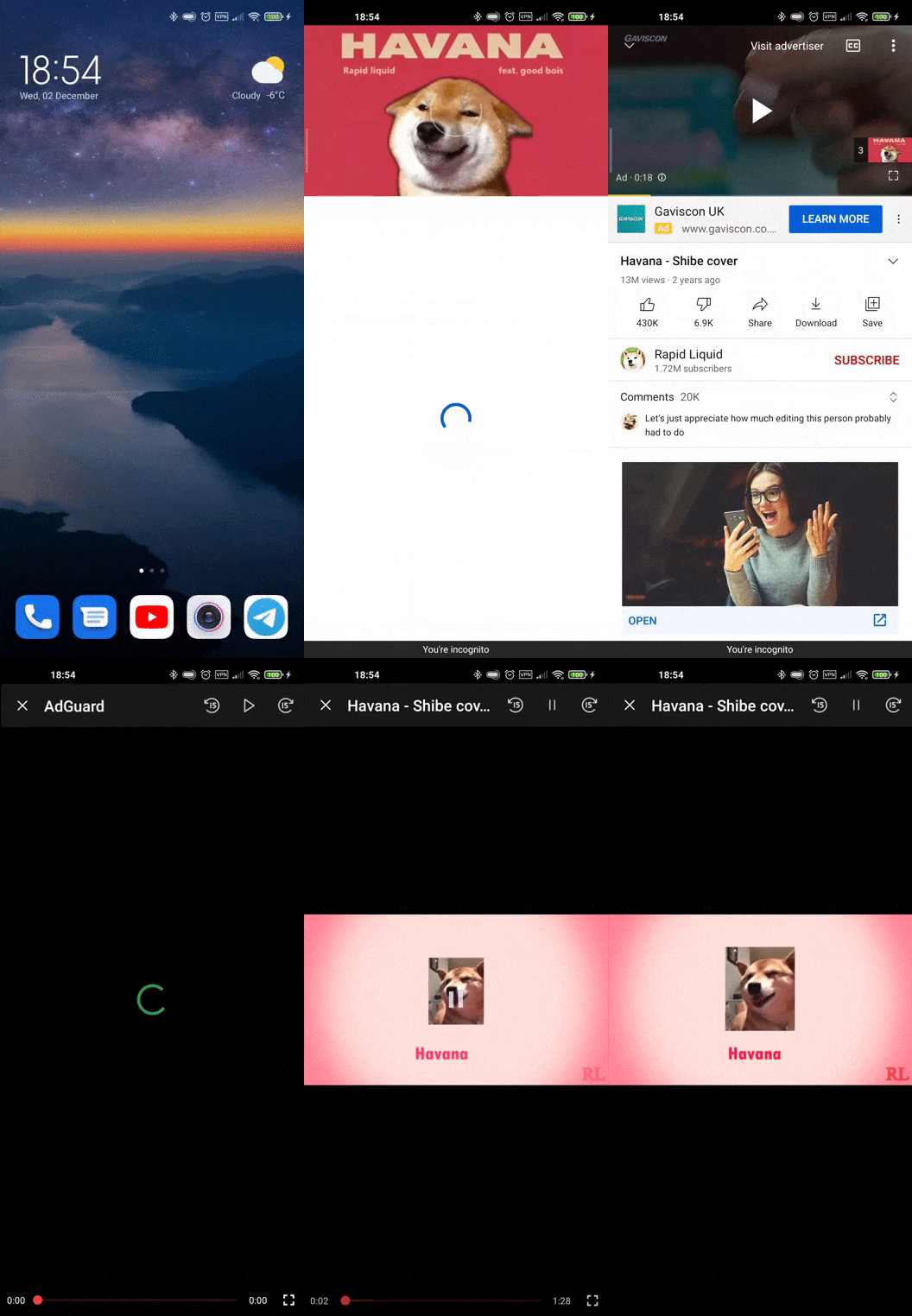
Watch YouTube in the AdGuard app
-
Open the YouTube app and start the video you want to watch.
-
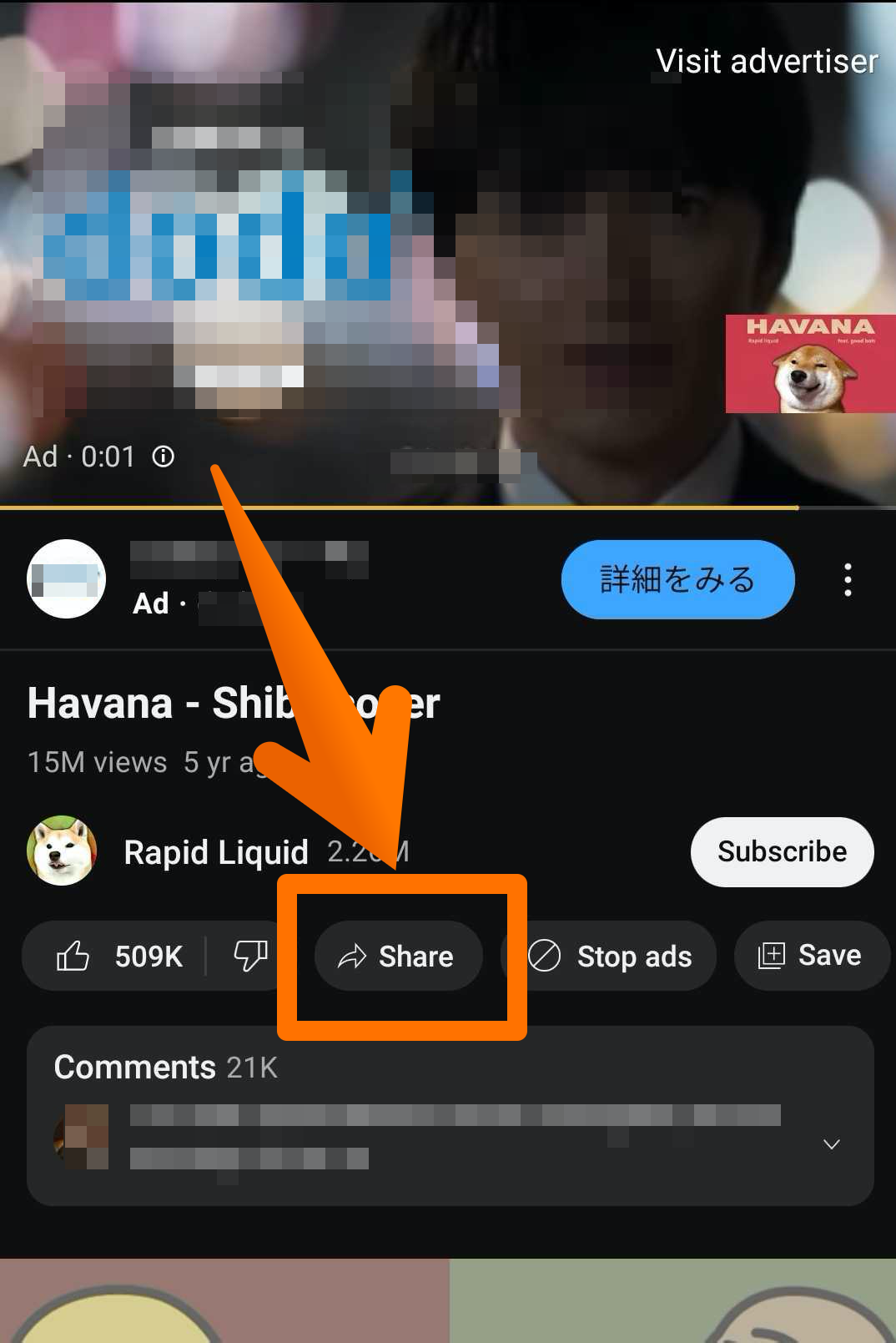
Tap the Share button.
-
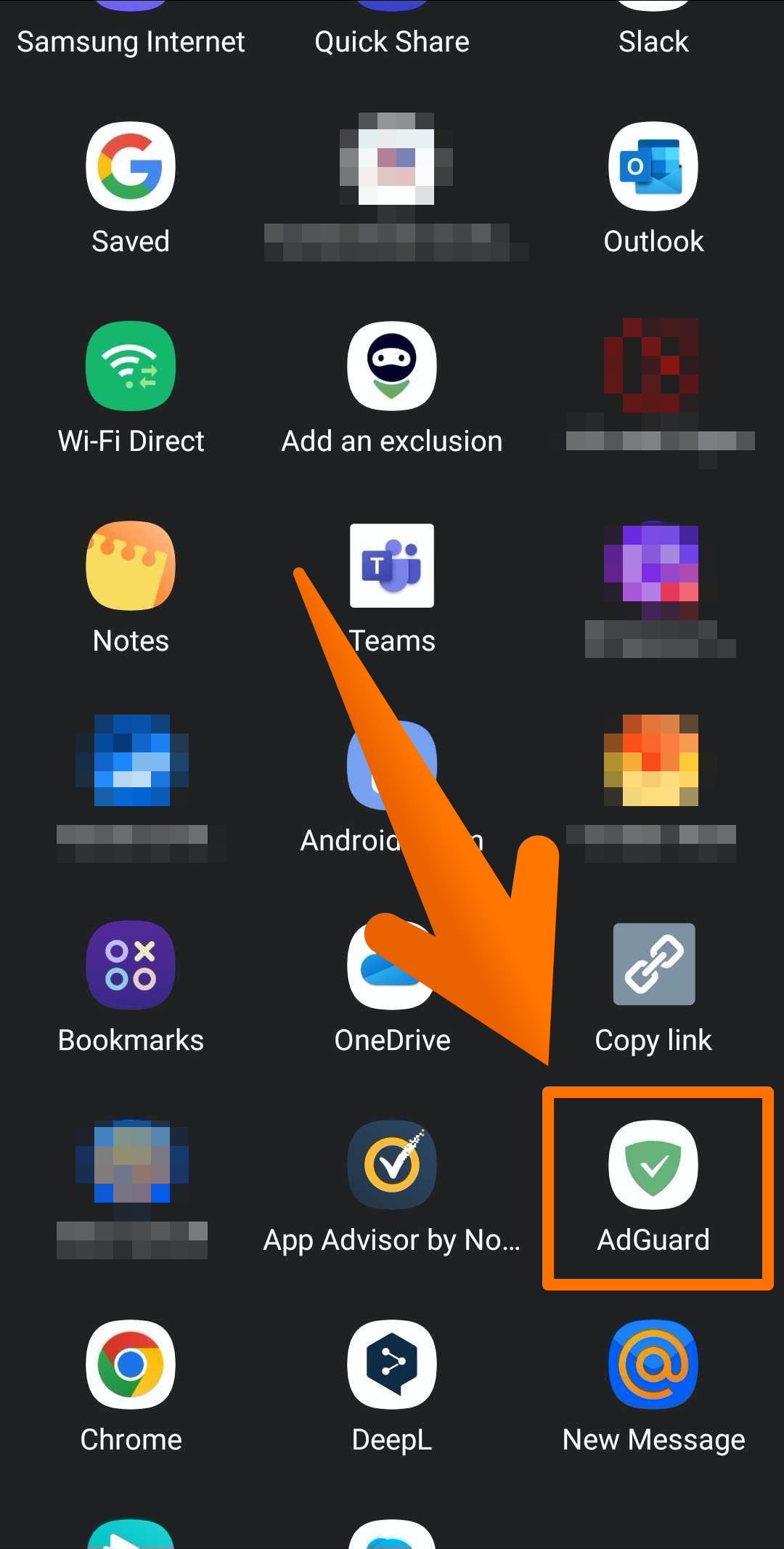
Select AdGuard from the list of apps.
That's it! A new window with the video will open where you'll be able to watch it without being interrupted by ads.
Watch YouTube in a browser
Alternatively, you can also watch YouTube in a browser and there will be no ads if you have AdGuard installed and enabled.