Year recap with AdGuard: best topics of 2019
One of my personal favorite types of articles to write is year recap articles. You get to sit down, pour yourself a cup of tea or something more peculiar, and reminisce a little about all that we went through over the past year. And when I say 'we', I mean not just AdGuard team, but also you — because whatever happens to AdGuard, we experience it together with our users.
The year 2019 was filled to the brim with various events, both good and bad, but mostly good. Big releases, AdGuard anniversary, the Manifest v3 saga... There's a lot to talk about, so I'll kick things off right away.
January 24th
2019 had a rough start. The very first article of the year was a comment by AdGuard CTO Andrey Meshkov on Google Chrome's proposed extensions platform change. These changes were basically what would become known as Manifest v3: a set of changes to Chrome API that threatened to cripple all extension-based ad blockers, along with numerous other extensions.
It went on to be a hot topic throughout the year. We published two more articles about it as the story took more and more turns. On May 31st, we released another comment, and on November 15th we dived even deeper into explaining the technical side of things.
This saga has not ended yet, and 2020 promises to bring more surprises.
March 6th
We made the first big release of the 2019 with AdGuard Browser Extension v3.0. The UI has been changed completely, we added Stealth Mode (that previously could only be found in AdGuard for Windows app).
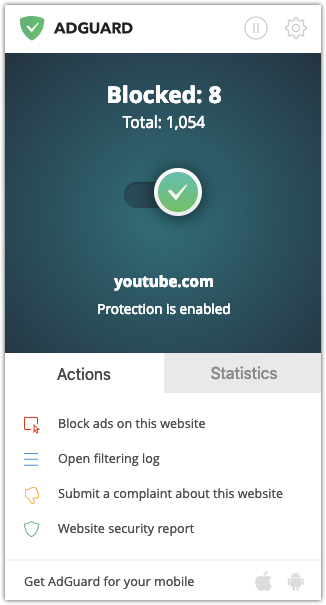
AdGuard Extension v3.0
For the first time we introduced filter groups that are now familiar to all AdGuard users. All in all, this is, without a doubt, the biggest and the most significant update in the history of AdGuard Browser Extension.
March 21st
Only a couple weeks later a similar fate befell the Android app. It even had the same version number: AdGuard 3.0 for Android.
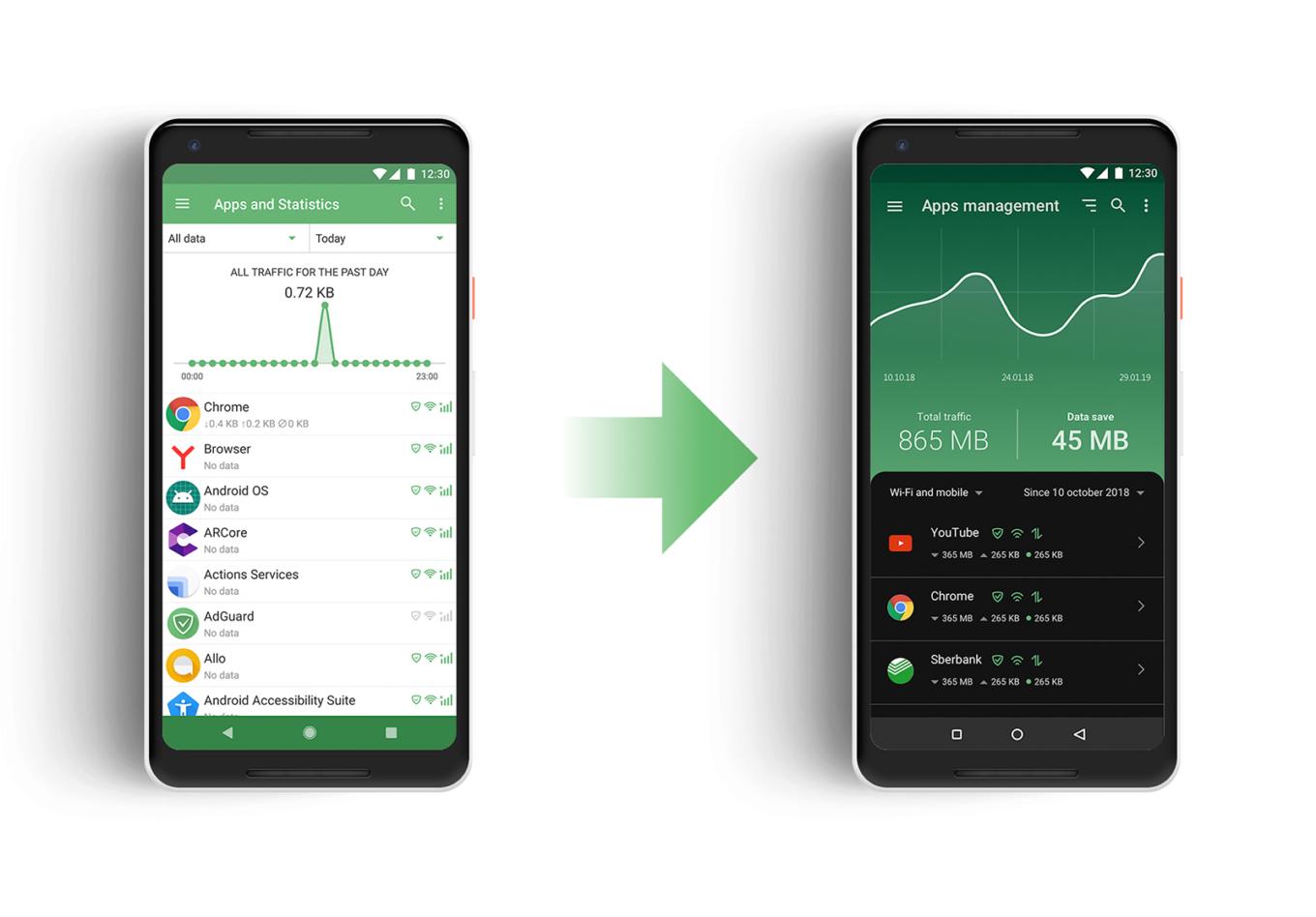
AdGuard 3.0 for Android!
It too featured Stealth Mode module to protect privacy; the design was dramatically changed, we even added the long-awaited dark theme! Then there were other changes, of course: if you need a refresher, just re-read the article.
April 22nd
All AdGuard products make a strong emphasis on privacy. Why should our website be different? In April, we added two-factor authentication (or 2FA) for AdGuard personal account. 2FA is an authentication method that requires an additional piece of evidence from a user to log in, in addition to the usual login/password pair.
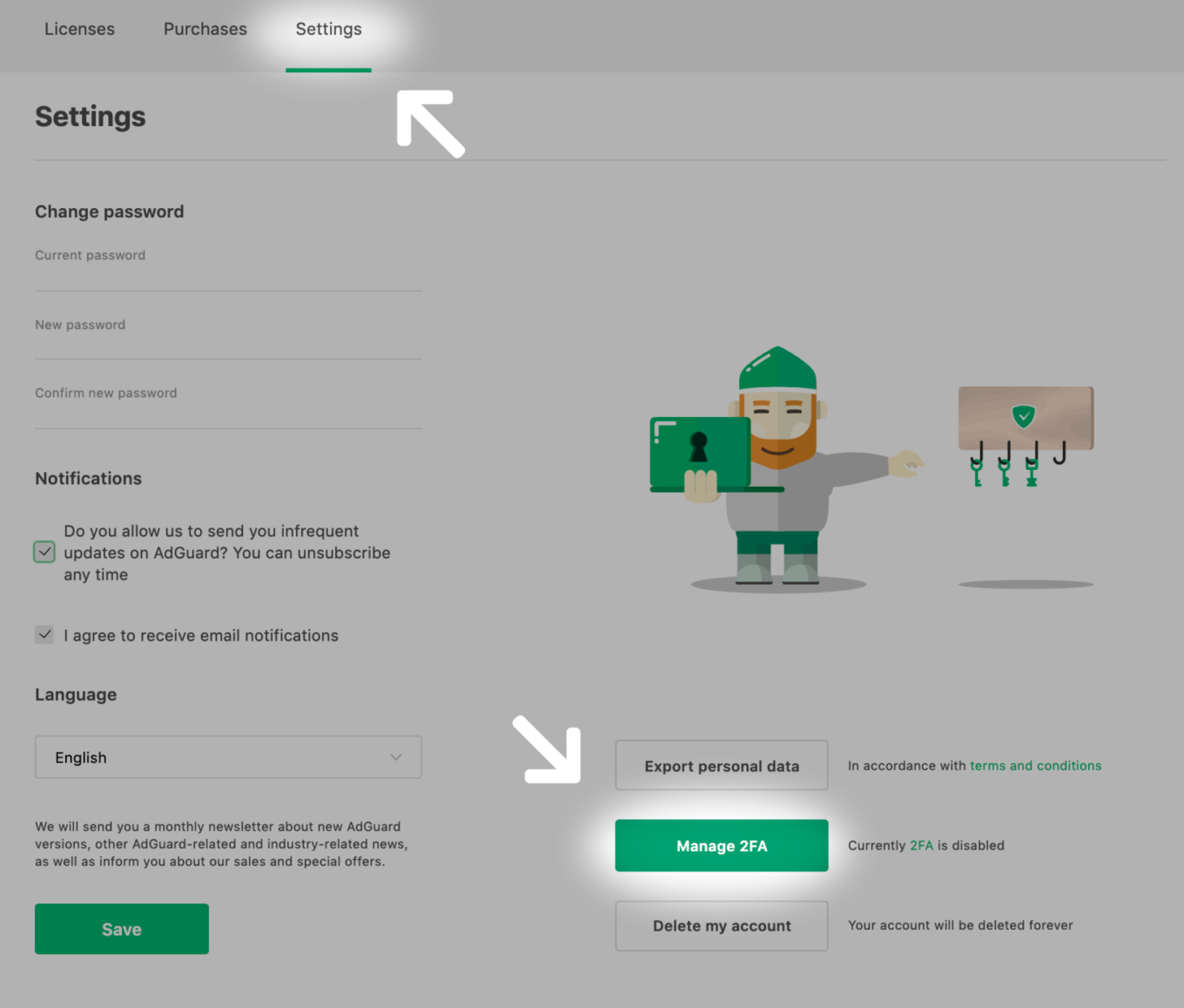
You can turn 2FA on in your personal account settings
It's optional, but we strongly recommend you to enable it if you care about your online privacy.
April 24th
Just two days after Apple presented a Safari beta version that didn't have any support for traditional browser extensions. You'd say it sounds like bad news. And it was. But we managed to make the most of it by developing AdGuard for Safari. Today, it's almost as potent as AdGuard browser extensions for other browsers.
May 30th
I can still very vividly remember this day. It's probably the most release-saturated day in the history of AdGuard. See for yourself:
- AdGuard v2.0 for Mac introduced new UI, integration with CoreLibs filtering engine, AdGuard Extra extension and — yes, you guessed it right — Stealth Mode.
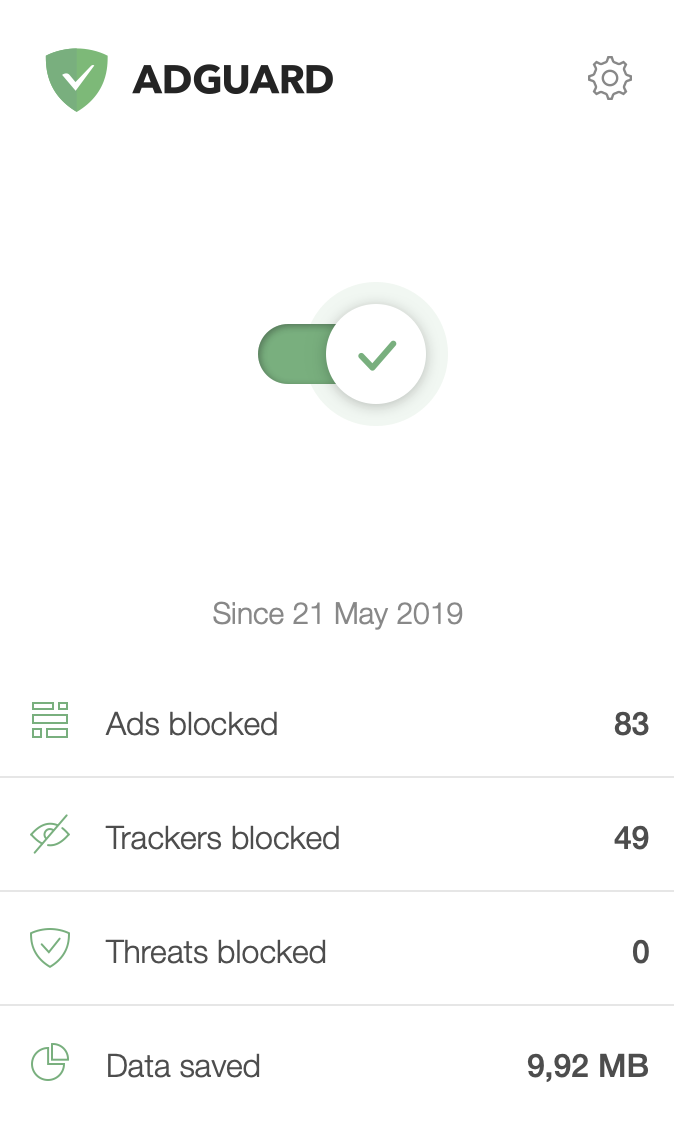
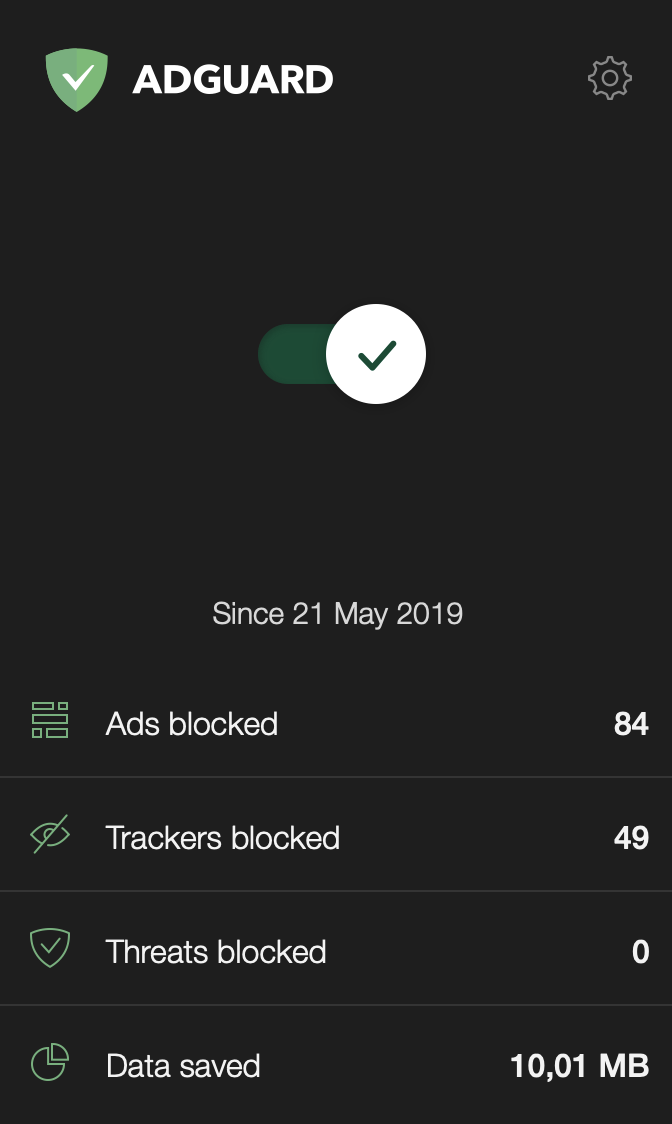
AdGuard 2.0 for Mac
AdGuard v3.1 for Android couldn't offer any killer features but still was a result of hard work by our devs: they did their homework well and eliminated all kinds of bugs and other unpleasant things overlooked in v3.0.
AdGuard v7.0 for Windows was, perhaps, an even bigger update than AdGuard v2.0 for Mac. What new stuff did we fill it with? New design, of course:
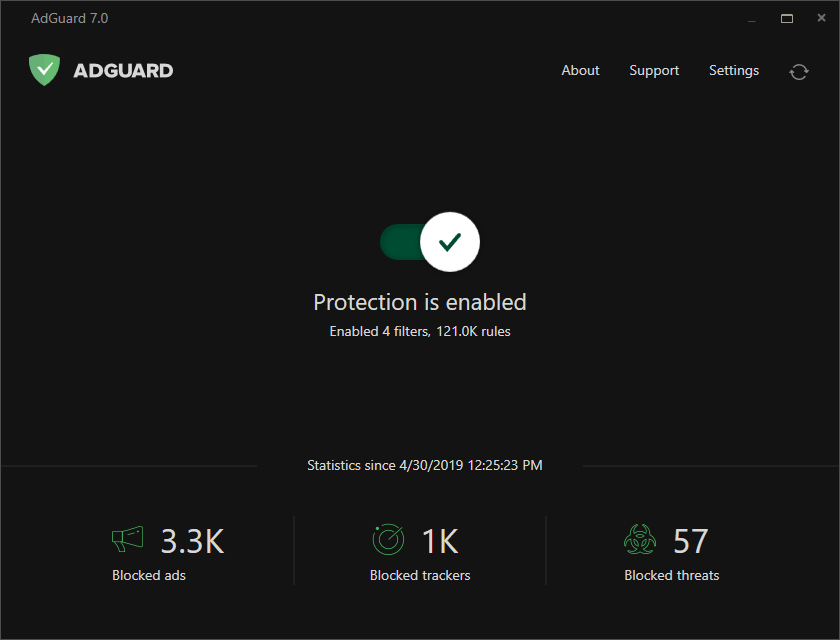
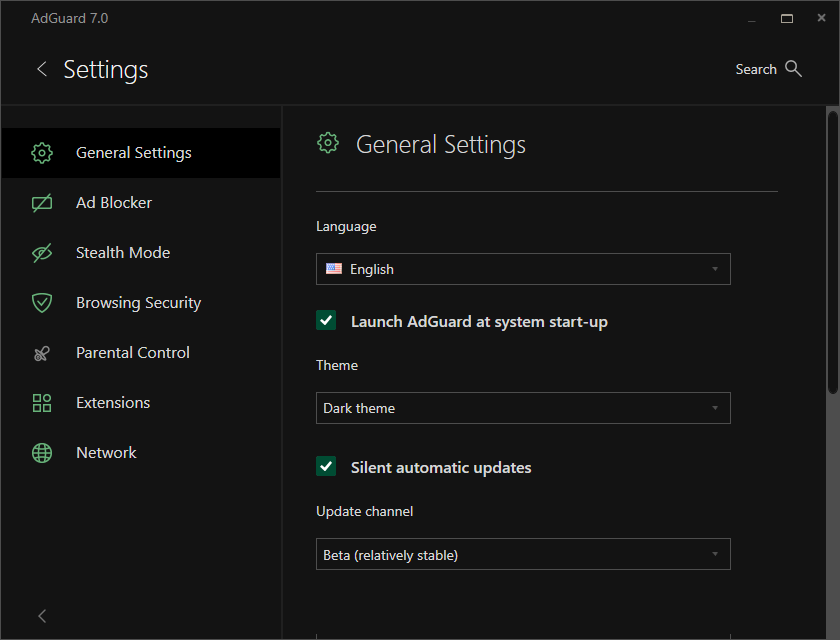
AdGuard v7.0 for Windows added dark theme
Automatic crash reports, huge CoreLibs update, AdGuard Extra extension... Lots and lots of goodies, just read the article :)
But why did we torture ourselves and our users with three fat updates in one day? The very next day brought answers to this question...
May 31st
It was all because we wouldn't have been able to release 'Hello, world!' after June 1st — we were preparing for AdGuard's 10th birthday! Such a date required special approach, and we tried our best to share this day with you. There was a big sale, a letter by Andrey Meshkov (who's also a co-founder of AdGuard and is going down this road from the beginning), and even our own, very real game!
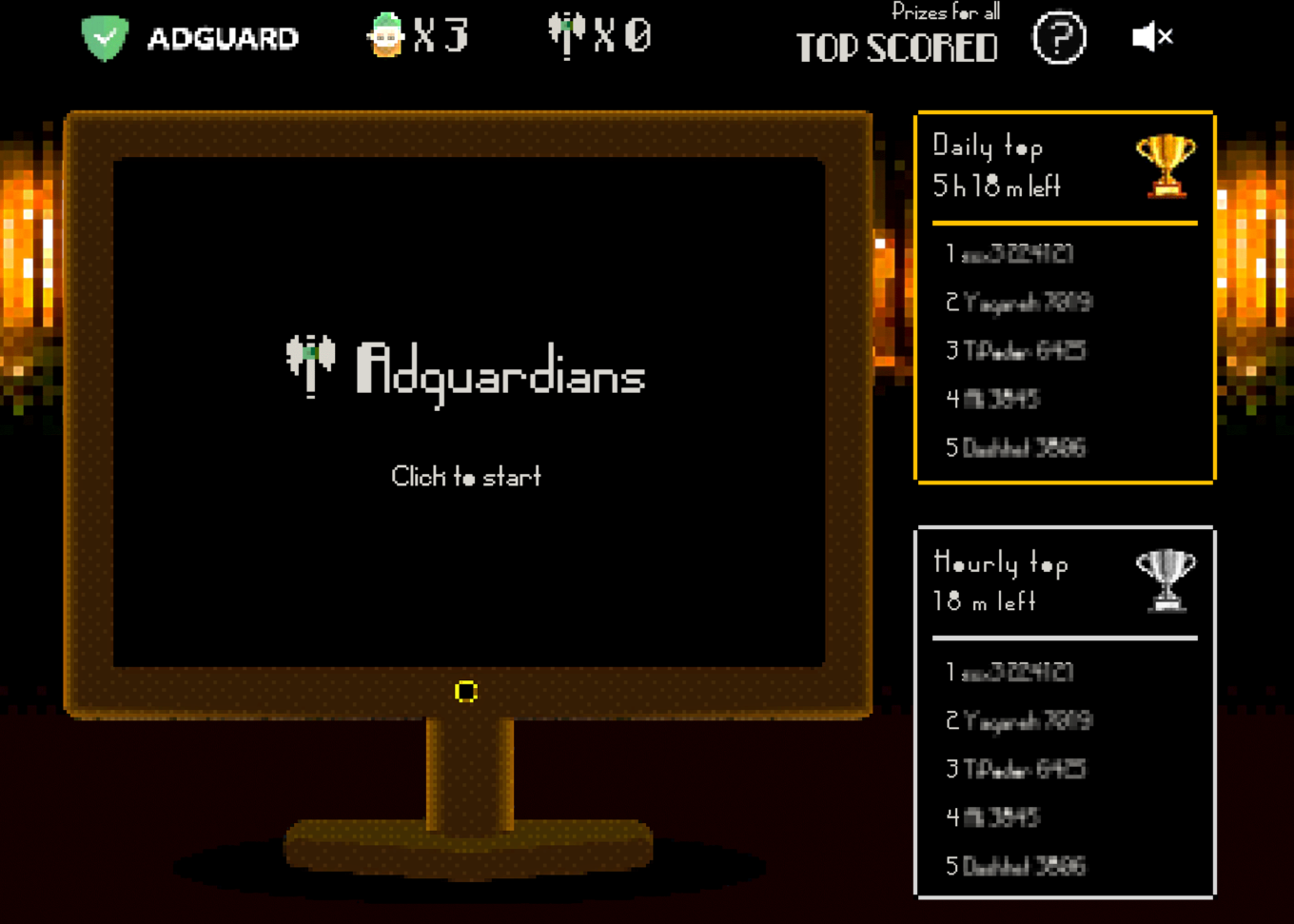
Yeah, we've made a game!
The celebration was not without few issues here and there, but it's expected when you try to carry out a project of such scale. We're quite happy with how it went though, and I hope you're too. If you were around then, share your memories of this day in the comments!
June 10th
10 days turned out to be enough to get ourselves together after the anniversary celebrations and prepare another big release: AdGuard v3.0 for iOS. The amount of changes made there was truly impressive, no need to be shy here.
First of all, the rule count limitation has been increased from 50,000 to 250,000 — 5 times more! Then we finally added DNS Privacy — it allowed AG for iOS users to set custom DNS settings and use DNS filtering to block ads in apps and browsers other than Safari. It's hard to overstate how crucial this feature was for the longevity of the app. And then there's dark mode, of course!
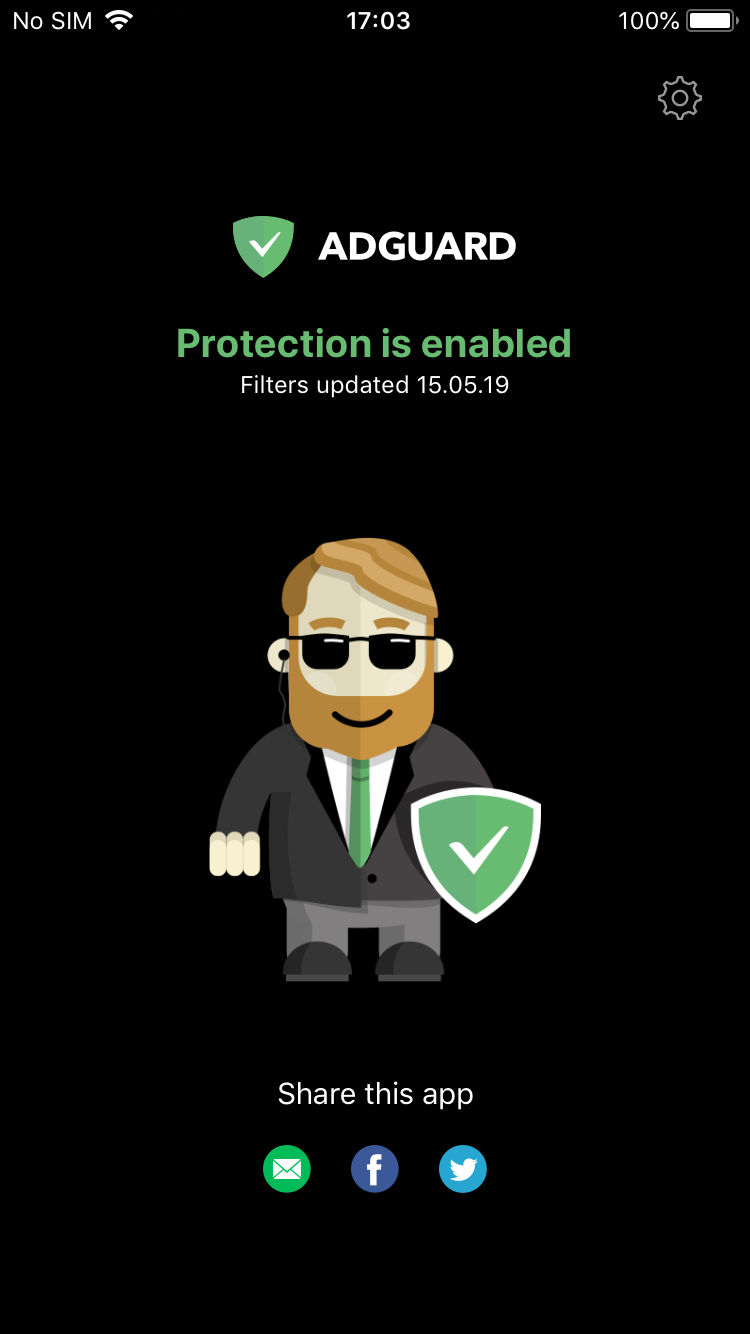
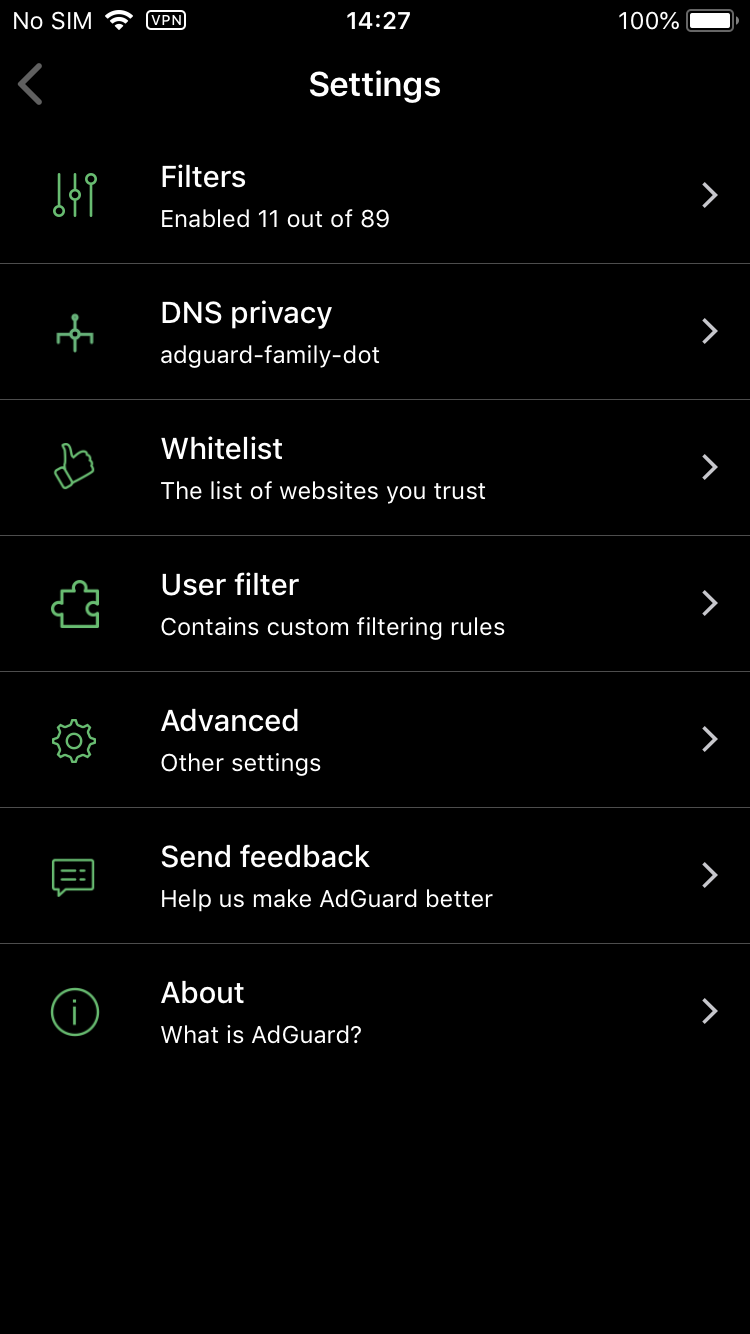
If you're going to block ads anyway, you might as well do it with style
I'd rather not copypaste the entire article here, so check it out if you want to refresh the details in your memory.
June 11th
After almost 6 months of development we were ready to present AdGuard v1.3 for Safari. This update solidified AdGuard for Safari as a legit successor to AdGuard's Safari browser extension, which was not available anymore in the new versions of the Apple's browser.
In v1.3 we added the support for advanced blocking rules like CSS, JavaScript rules and so on. And we even were the first ones to do this under the new limitations!
July 23rd
There wasn't much happening for over a month, but it proved to be the calm before the storm. Out of the blue, Apple changed its guidelines for VPN-based iOS apps yet again, but this time swinging the pendulum in the other direction. If most previous changes further beat the already close-to-dead AdGuard Pro, this time they performed CPR on its lifeless body.
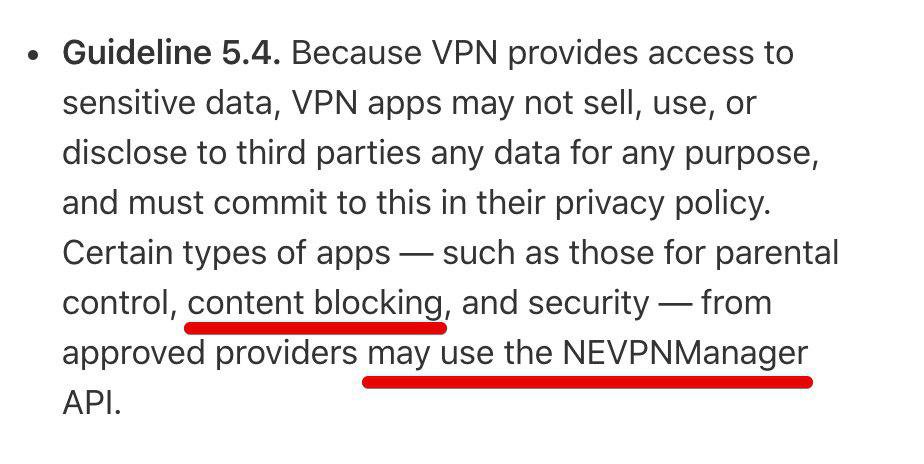
AdGuard Pro is a content blocking app, so it looks like this should apply to us
For the full story of AdGuard Pro for iOS, read the linked article. In short, these guidelines changes signaled us that we were once again permitted to update the long-suffering app, which previously used to be a no-go.
Our iOS team spent the rest of the 2019 on strengthening the regular AdGuard for iOS app, but 2020 should become the breakthrough year for AdGuard Pro.
August 16th
The late summer update of AdGuard v2.1 for Mac wouldn't have blown your mind away, but it wasn't supposed to. It was just a 'quality update', with some CoreLibs improvements and very few if any major changes. Anyway, it had its place in the AdGuard 2019 calendar, and we're not going to ignore it.
August 20th
AdGuard v3.2 for Android was developed in a record time, considering how feature-packed it was. I'll just, you know, list the bangers, and for the rest you can read the article:
- Feature discovery — in case you don't know what this or that function is for.
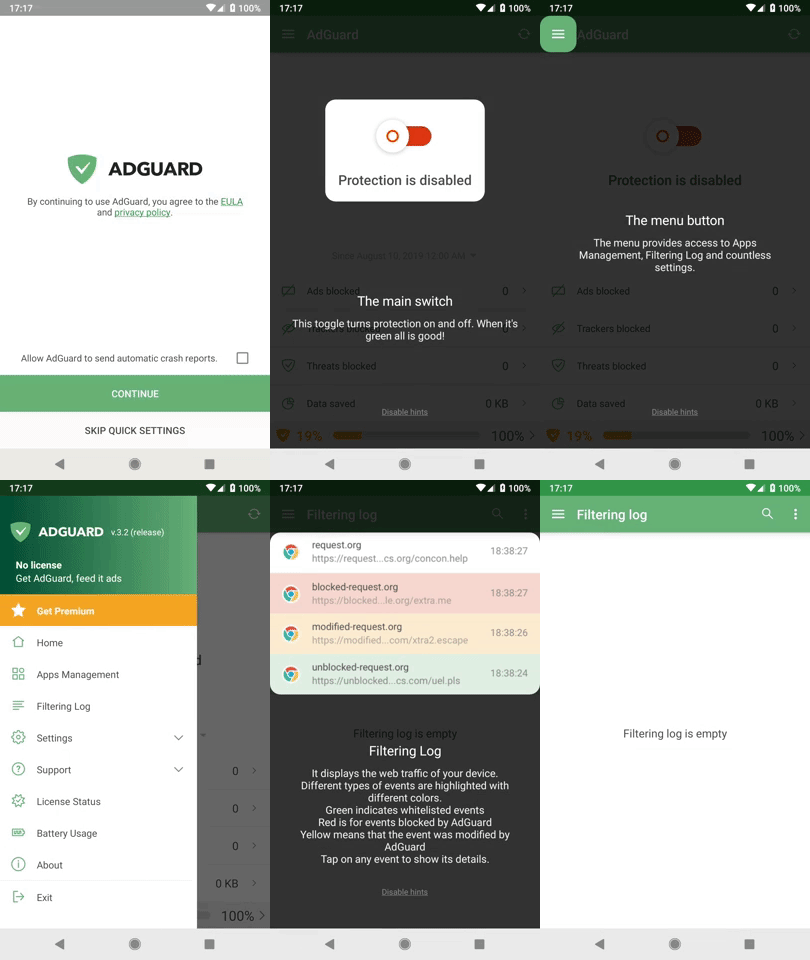
Our ancestors discovered new continents... And we discover features in apps
Userscripts support — just like big boys do in AdGuard for Windows!
DNS user filter — like a normal user filter, but for DNS. Makes sense, right?
Custom hosts files support — considering the popularity of hosts files, this was only a matter of time.
August 23rd
AdGuard is translated into dozens of languages, and all of it — all of it! — has only become possible thanks to volunteers who are continuously helping us with translations. Considering how vital their help is, the least we can do for them is provide a convenient medium that takes care of everything earthly.
The translation platform we used to employ — OneSky — was seriously lacking in this department. So the time has finally come to move to a better one, and we chose Crowdin. So far it completely lives up to expectations and we're hoping to stay with it for a long time.
By the way, if you want to try your hand at translating AdGuard products into your language (and get a little something in return), check out this page.
September 12th
This day was marked by the release of AdGuard v7.2 for Windows. This is a "bread and butter" update, we powered through some nasty bugs, worked on CoreLibs and redesigned the installer.
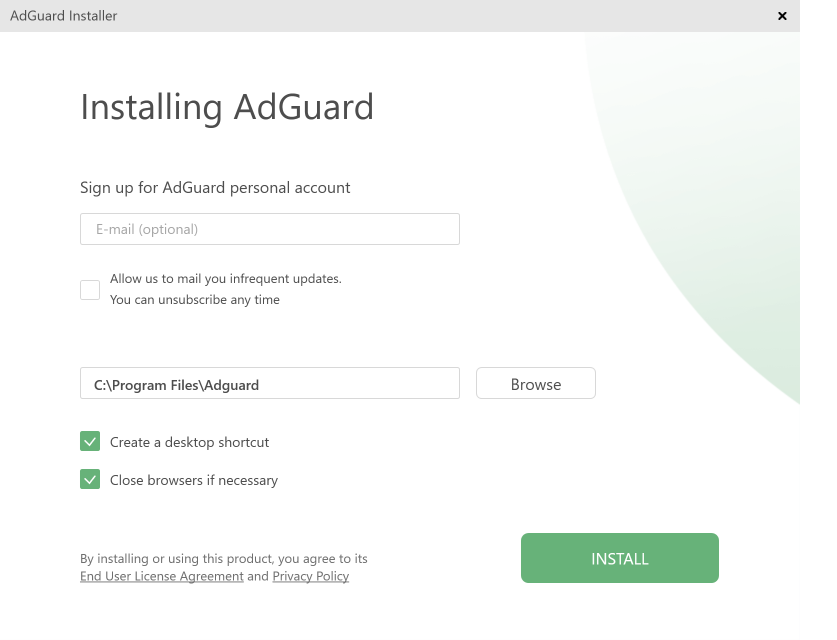
New AdGuard for Windows installer
The installer even got its own crash reporting tool. And — spoiler — it went on to help us catch some of the most mysterious crashes by the hand in the future.
September 16th
AdGuard has a history of bringing to light shady browser extensions and mobile apps that tamper with their users' personal data. Here's an example, and another, and another.
This time we exposed a couple of fake ad blocking extensions. These two add-ons used to have more than 1.6 Million "weekly active users". It is difficult to estimate the damage, but according to our estimations we could be talking about millions of USD monthly.
Thanks to our research, both extensions were blocked by Google only few days after the publication of the article.
September 20th
By that time, AdGuard for Safari has marked its place as full-fledged member of AdGuard product family, and v1.5 update has only solidified that. Now, up to 300,000 rules could be used at the same time (compared to 50,000 in the previous version). We also introduced a new 'Content Blockers' screen:
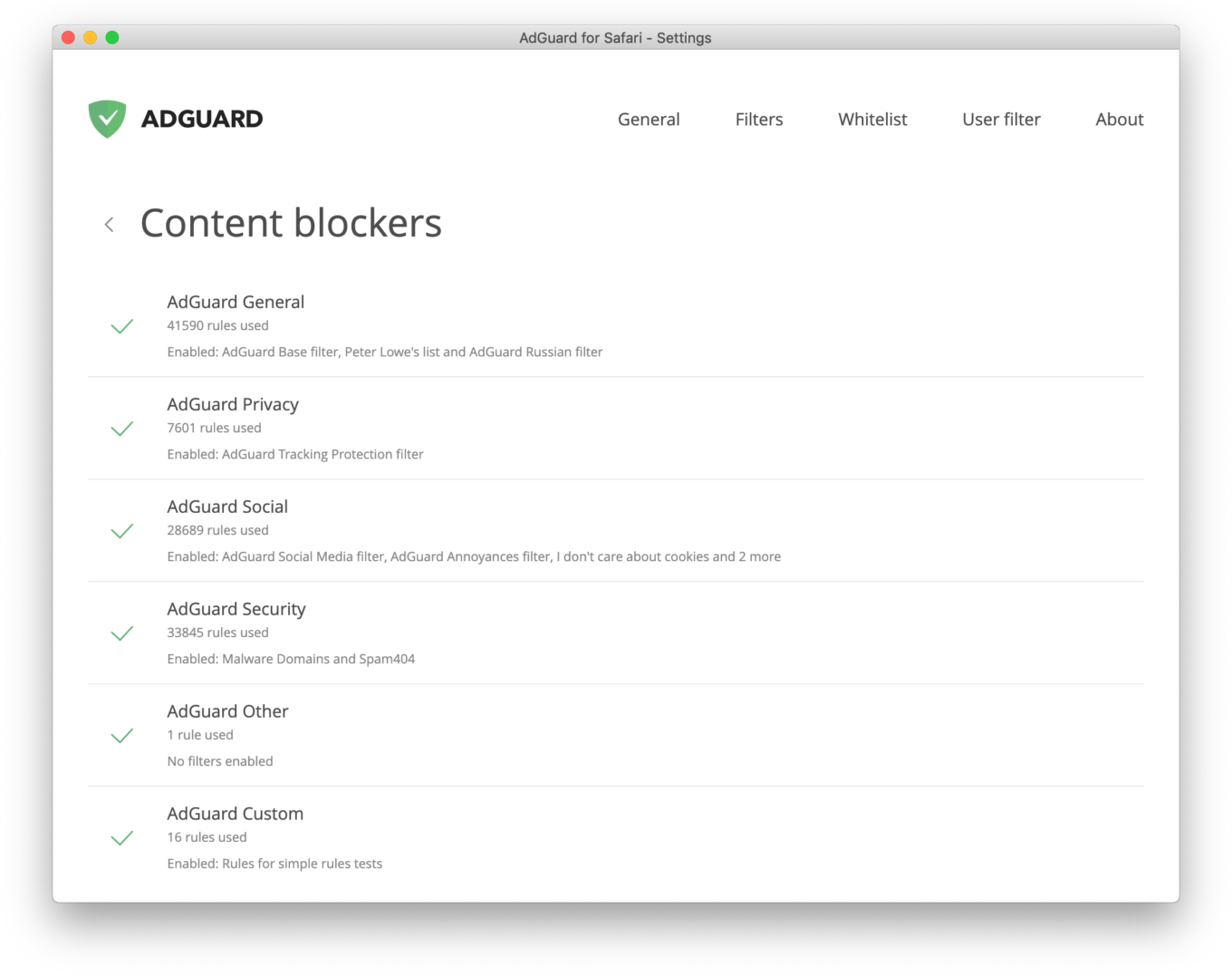
Everything you need to know in one place
Located in AdGuard settings, it now provides you with all details about which content blockers are enabled, what filters are currently in use and how far towards the 50k rules limit each of them has moved.
September 23rd
Then it was time for AdGuard v3.1 for iOS release. Just like with AG for Safari, we added a new 'Content Blockers' screen to manage them. We also added a completely new content blocker — Security.
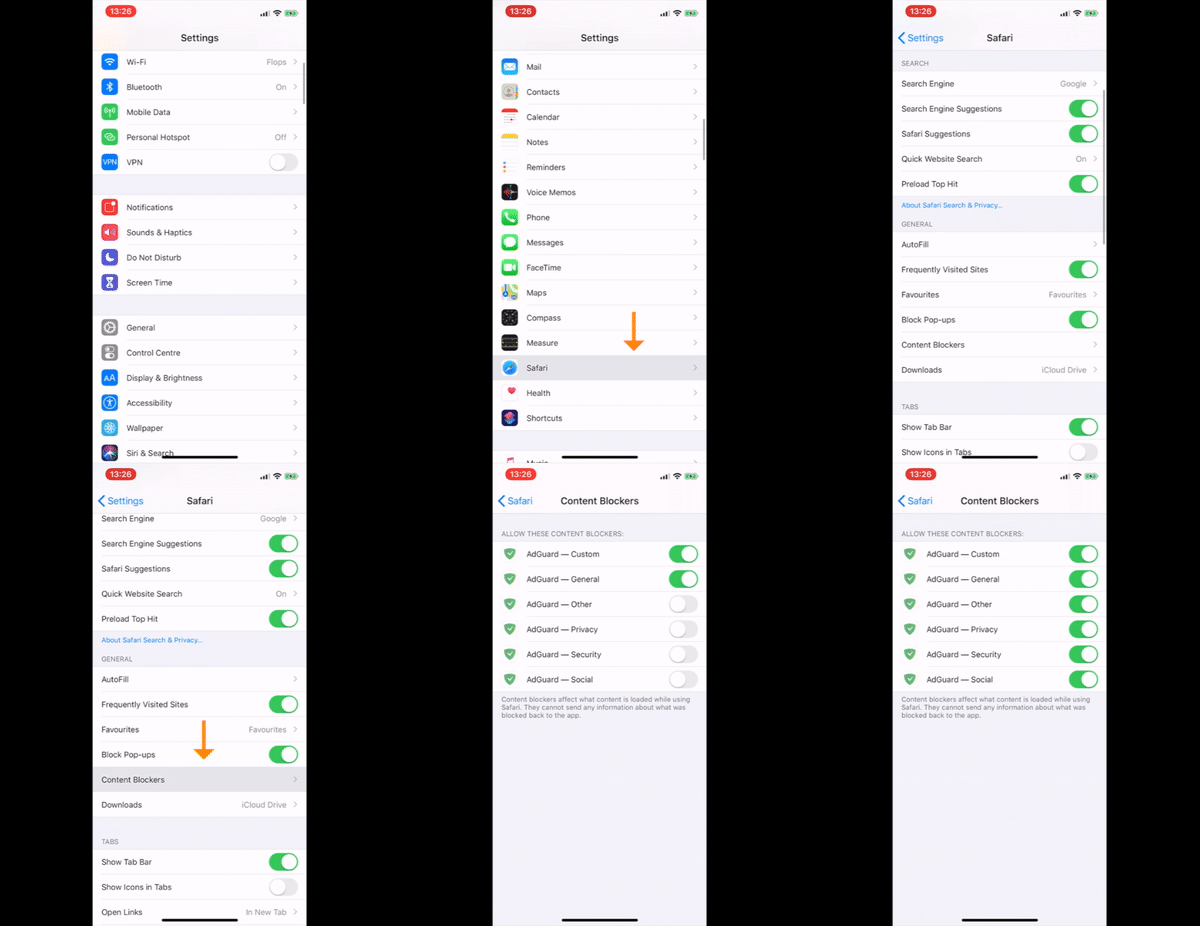
A refresher on how to enable content blockers in Safari
Another change that we ought to mention: filtering quality has been improved thanks to so-caleld content blocker affinity. Basically, it means that rules from different content blockers could now work together.
October 4th
On September 27th, the major players in ad blocking industry met in Amsterdam within Ad Blocker Dev Summit 2019 to share knowledge and develop a strong community geared towards protecting the interests of users of ad blockers. AdGuard participated along with Eyeo, Adblock Plus, Google, Brave, Opera, Cliqz, other companies, universities, and independent ad blocking community respresentatives.

Can you find Andrey and Daria?
We had quite a schedule and discussed Chrome Extensions roadmap and Manifest V3, the history and the future of ad blocking, the machine learning techniques for ad blocking, legal battles we won and some ahead, the arms race between ad blockers and circumvention companies, new ways of web monetization and many more and no less interesting topics.
It was really awesome to see with our own eyes that ad blocking community is, indeed, a community. The Summit proved that together we can do so much more than any of us could have ever dreamed of to do by themselves, and we're looking forward to take part in the Summit of 2020.
October 22nd
Remember when I said what a great role volunteers play when it comes to translating AdGuard products? Well, there are people who dedicate even more of their time and efforts to that goal. They are, of course, translation moderators: people who oversee all translations for their respective languages, resolve any arguments between translators (oh yes, thing can get heated up!), decide on the final variants, etc.
Our gratitude towards these people is beyond words. To try and show how high we value their help, we have a tradition of choosing the most commited, hardworking and simply overall best moderators of the year. It's always insanely hard to choose, because every single one of them does more for AdGuard than we could ever expect from them. So I can only say 'Thank you!' one more time and take my hat off. Great job!
October 25th
On this day, AdGuard moved to a new licensing system. What does it mean? The main change is that there's now fewer types of licenses to choose from. How's that good, you might ask? It turns out, many people, especially those who had not been familiar with AdGuard before, had troubles navigating through the multiple options: Standard, Mobile, Premium, 1 device, 1+1 devices... We decided that the simplier it is, the better, so we left two license types: Personal (any 3 devices) and Family (any 9 devices).
November 20th
There was quite a lot of buzz on the Internet lately about so-called disguised trackers, and how ad blockers can do nothing about them. We have to give credit where credit's due, the way they circumvented the ad blockers was simple and elegant. But, it was far from unbeatable. In the article, we explained our course of action, and since then have already done a lot. It won't take long before we'll be able to say that disguised trackers are successfully and completely beaten.
November 27th
AdGuard v2.2 for Mac was that kind of update that no matter what side you look at it from, all you can do is say 'nice'. A couple of new features, including the long-awaited support for custom userscripts.
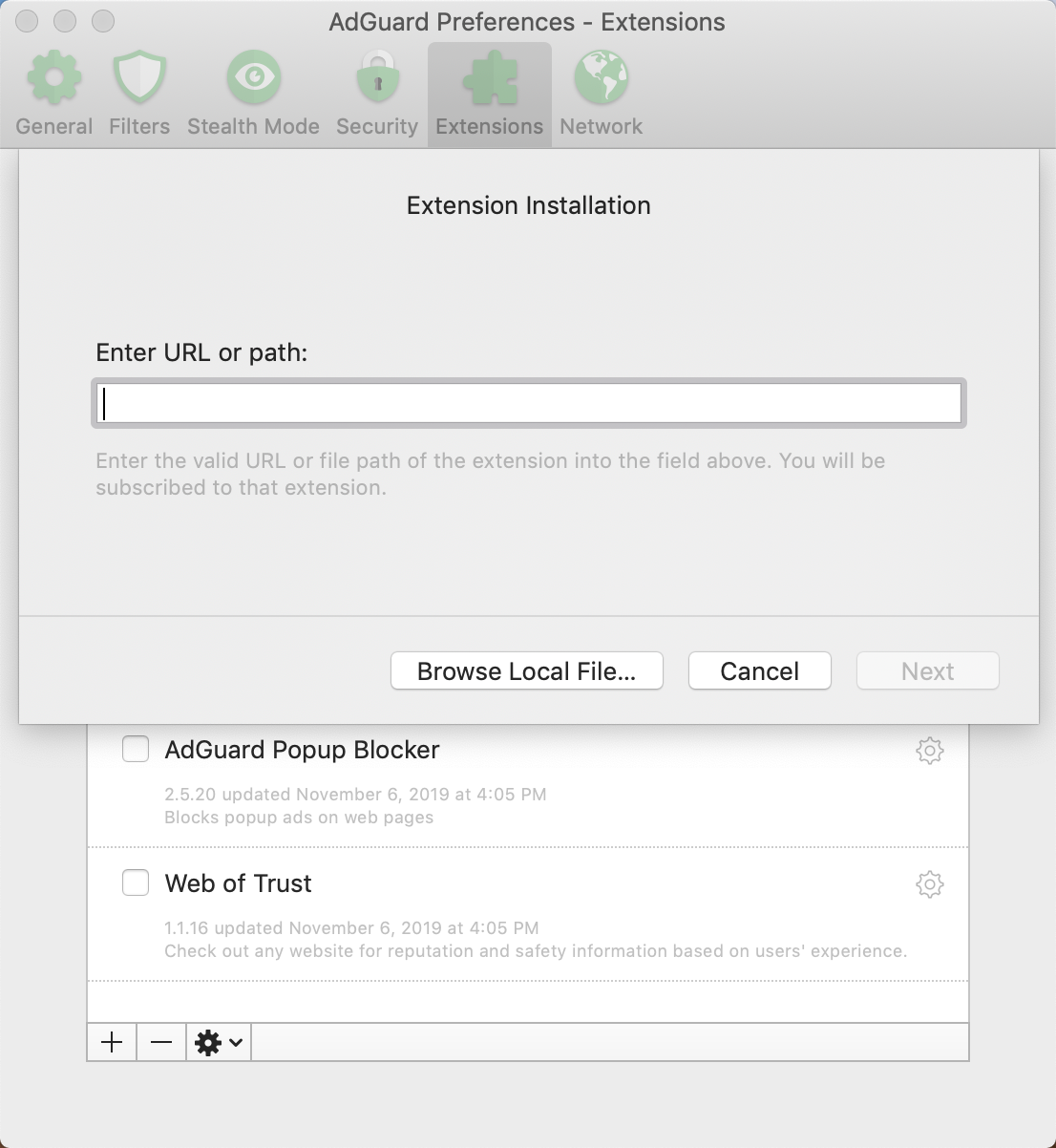
Best extensions are those that you chose yourself
There's also several enhancements under the hood. Both scriptlets and new modifiers have improved the filtering quality. Wait, you too don't have a slightest idea what they are? Then just read the article!
December 18th
Towards the end of the year, we celebrated 1 year since the official release of AdGuard DNS. It's been around for much longer, considering the beta stage, but this day felt special anyway. AdGuard DNS started as somewhat of a gimmick even, and today you can't imagine AdGuard mobile apps without it. Lots of people who might not even know about AdGuard apps still configure their phones and routers to use AdGuard DNS servers.
And what a year that was! Look at these numbers:
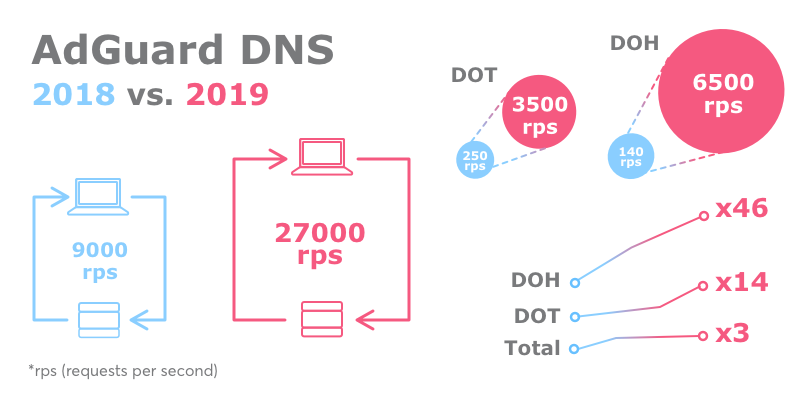
AdGuard DNS: 2018 vs 2019
The format of this article doesn't allow me to tell you everything about it, so please follow the link above if you're interested. There's more history of AdGuard DNS inside, curious statistics and infographics, and even some peeks into the future.
December 24th
Honestly, there's not much to say about AdGuard v2.3 for Mac except that there was some unfinished business that we really, really didn't want to drag into 2020 and rather deal with it now. This update wasn't large by any stretch of the imagination, but it was there. Next!
December 25th
You could think it was a similar story with AdGuard v7.3 for Windows, and oh boy would you be wrong. With more than 70 fixes/improvements overall, and several really important ones, our Windows app finishes the year strong.
For example, the new option to link your personal account:
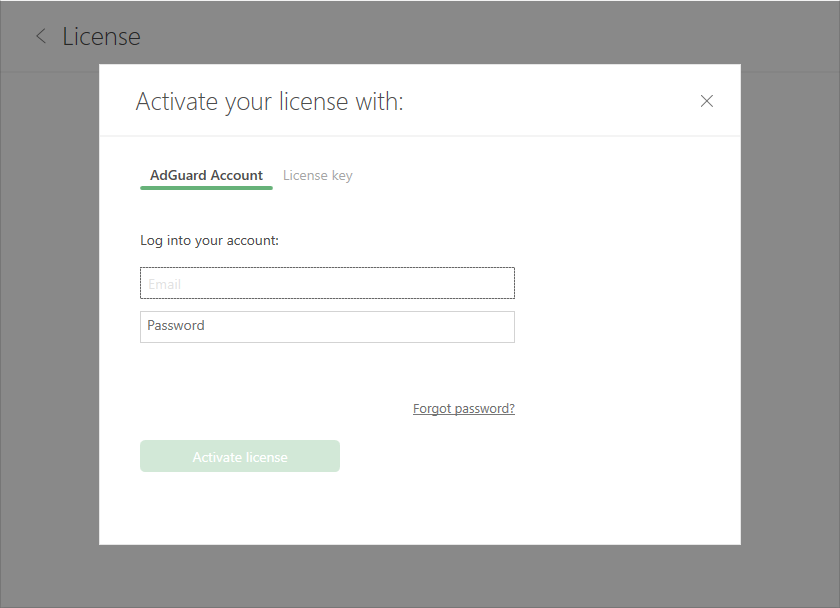
Activating AG for Windows by linking your Account
You already know about scriptlets and other funny words: they are all here, too. All in all, it probably wasn't the best Christmast gift you got this year (or at least I really hope so), but certainly not the worst one either.
December 26th
And to complete the trifecta of product updates, cue AdGuard v3.3 for Android. A.k.a. the last update of the year. Just as with AG for Windows, it wasn't to cross out an item from the to-do list. A set of measures to boost filtering capabilities was accompanied with various UI changes, for example the new onboarding process:
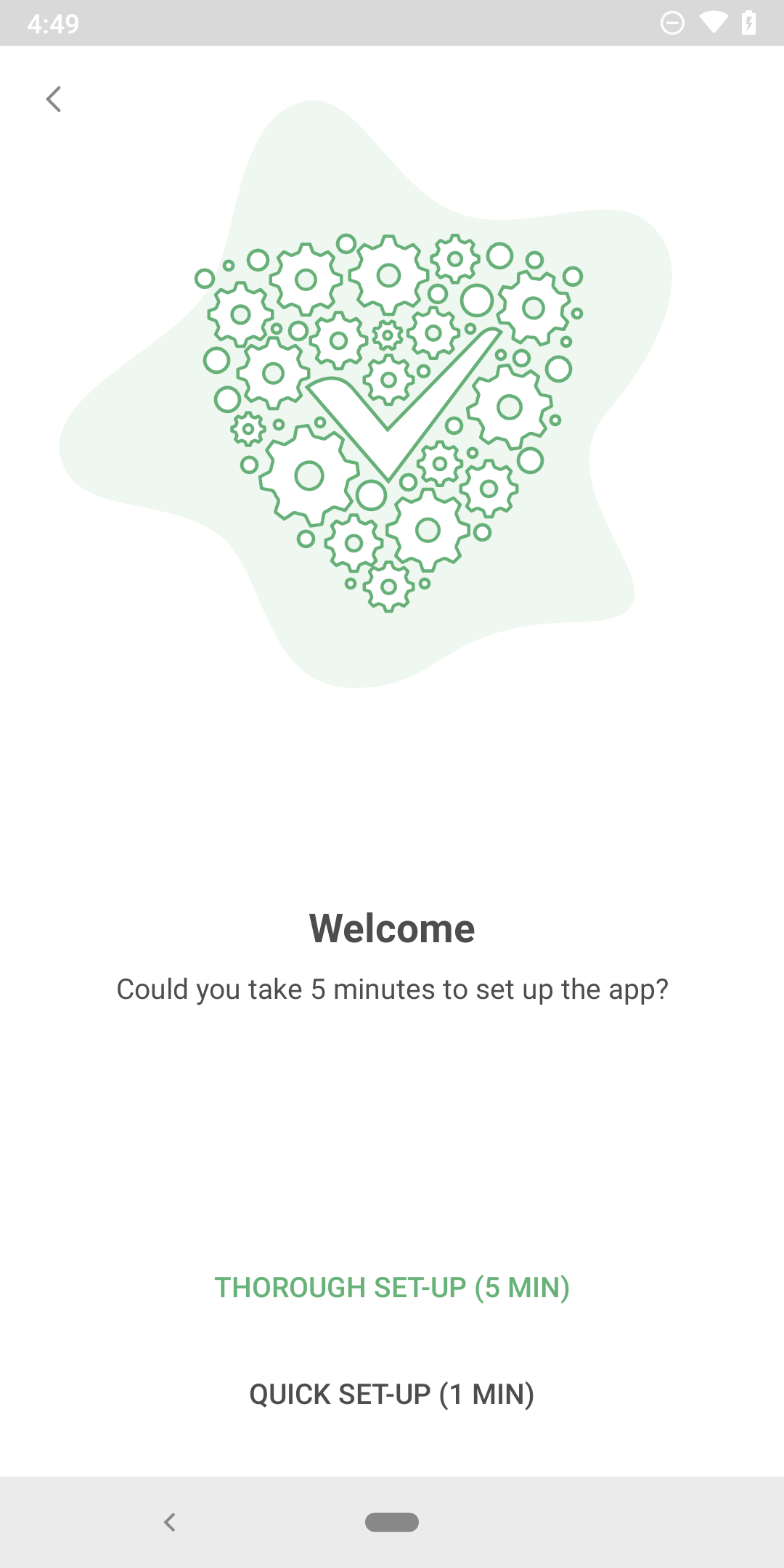
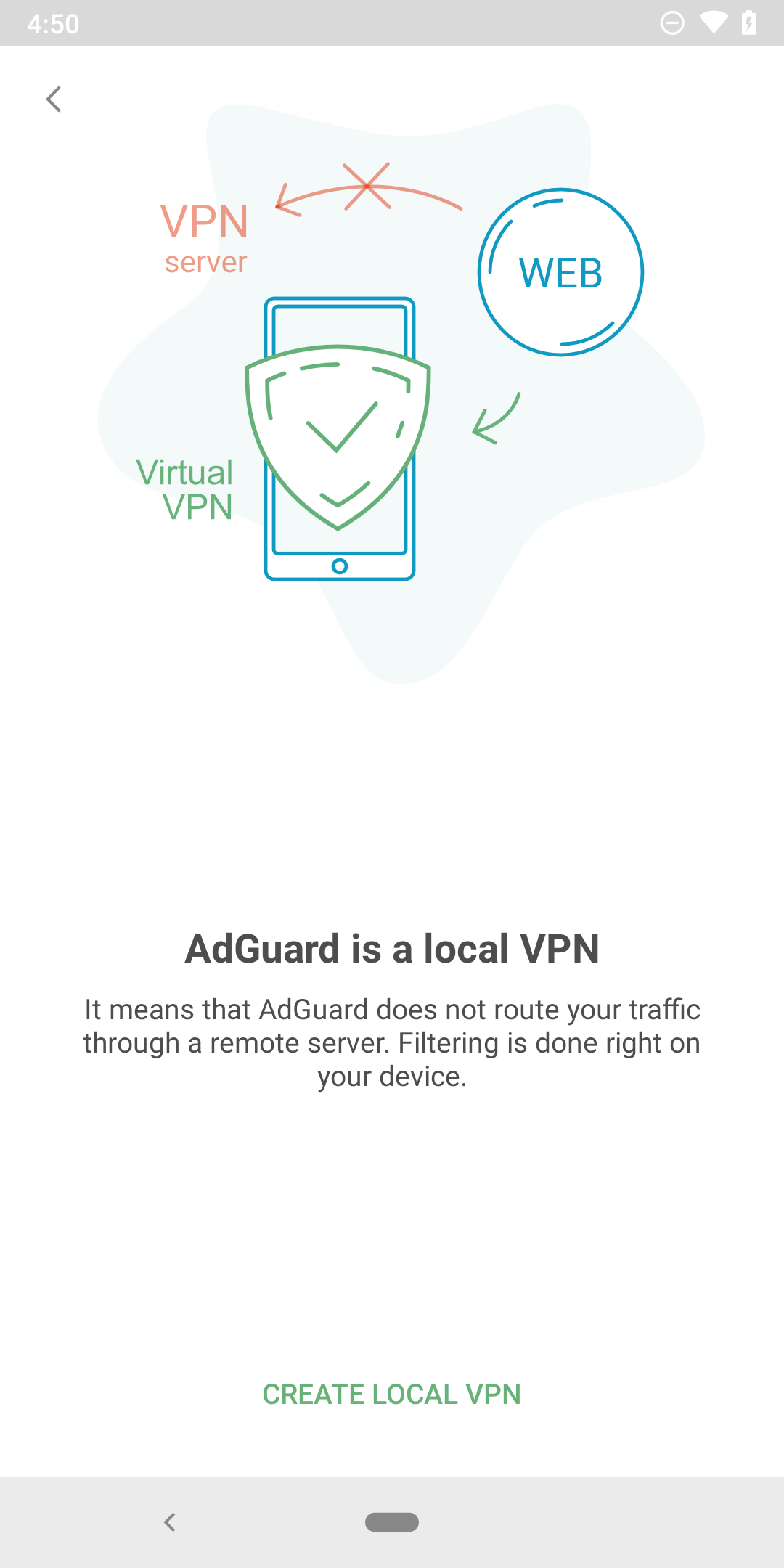
The onboarding screen in the new version
Not to forget two new ways to activate Premium features: via adguard.com personal account and via social networks.
December 31st
This blessed day (or rather the blessed day before it) was highlighted by me sitting down and typing out this entire article. I hope it wasn't for nothing, and you enjoyed this little trip to the past.
What was your favorite AdGuard-related moment of 2019? Let us know in the comments!
We wish you a happy New Year and see you in 2020!




















































