I already have a subscription, how do I activate it?
Please note: only subscriptions purchased in the App Store for iOS cannot be used in AdGuard Mini for Mac.
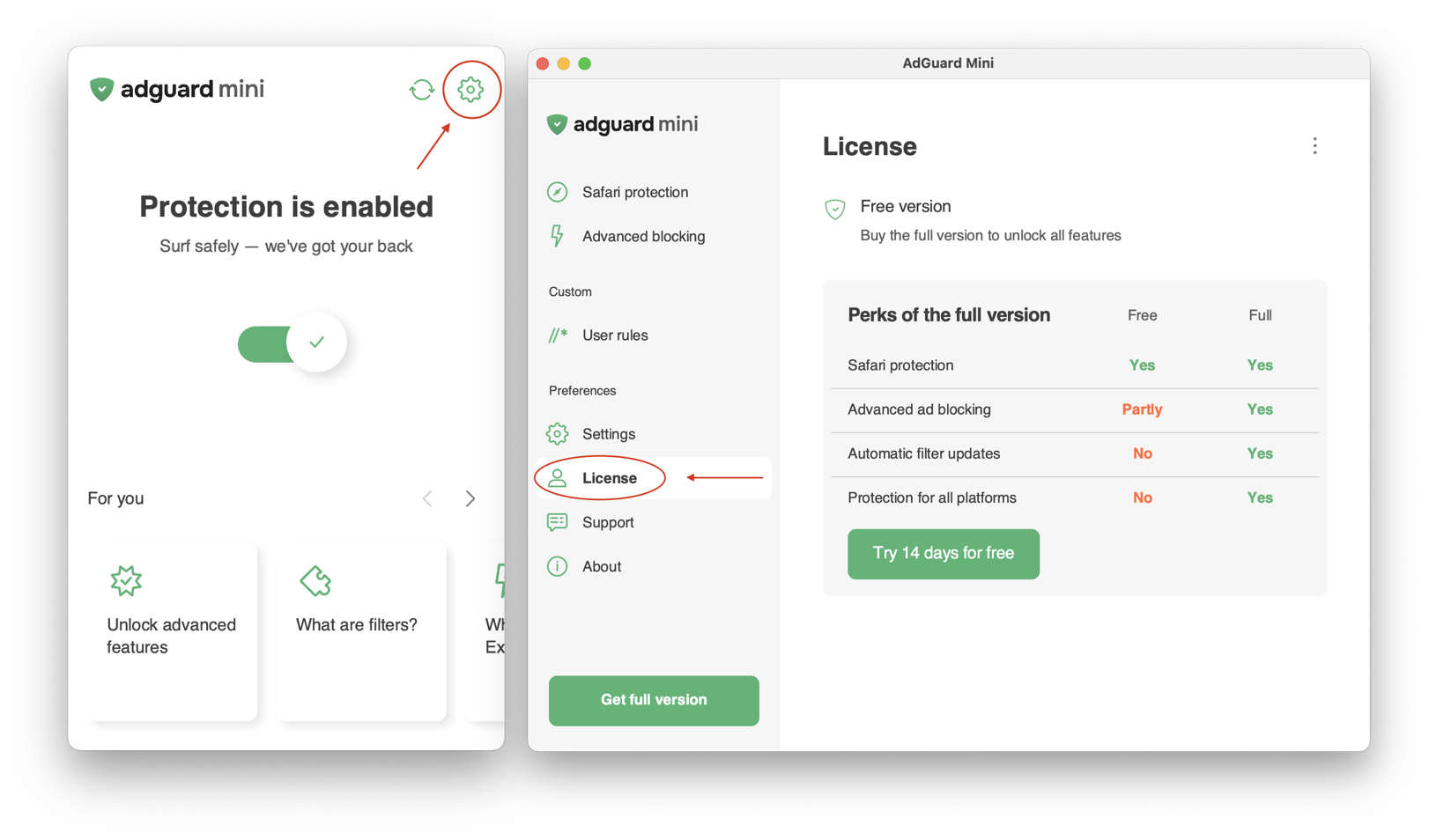
Open AdGuard Mini → Settings → License.
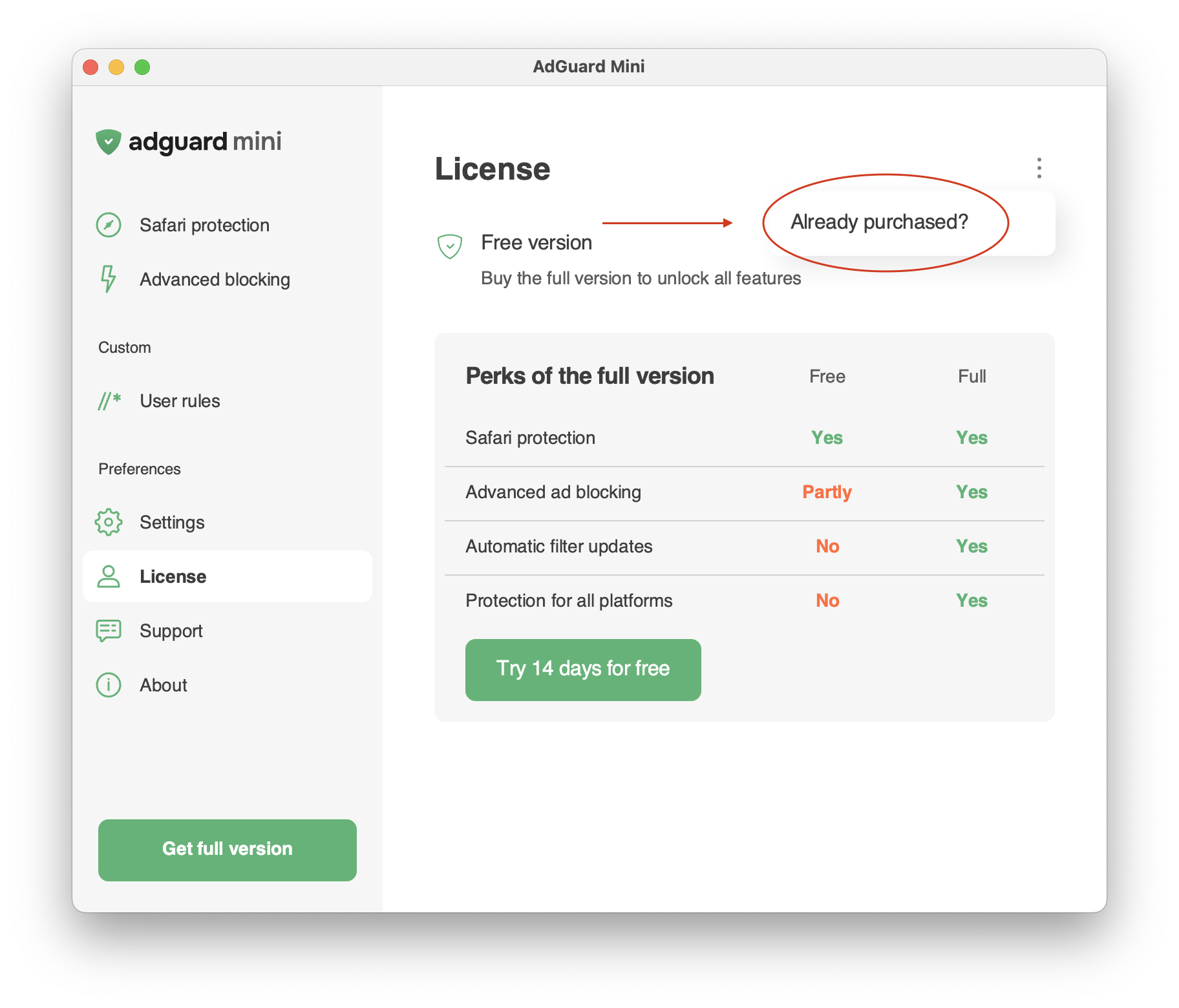
Click the three-dot menu in the upper-right corner.
Select Already purchased?.
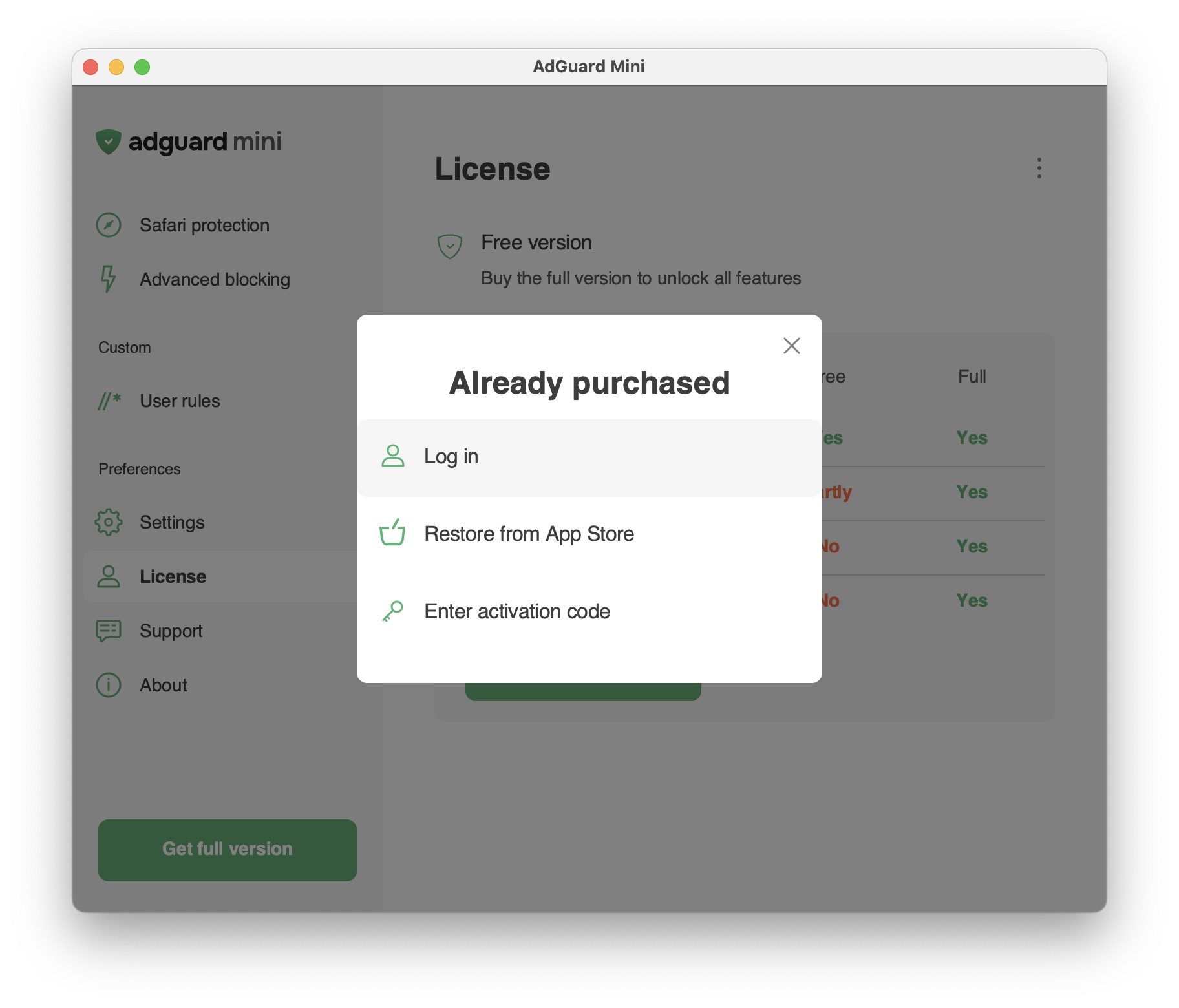
Choose one of the following options:
Log in to your AdGuard account.
Restore from the App Store.
Enter your activation code.

Glad we could help!
If you have any further questions or suggestions, please email us at support@adguard.com

Please contact support
Your problem wasn’t solved, or you found an inaccuracy? Please email us at support@adguard.com — we’ll get back to you as soon as possible



