How to remove a device from my AdGuard account
You can do it via your personal account
If you have a device you no longer use, or if you want to connect a new device, but have reached the device limit supported by your license, you can remove an old device or upgrade the device limit by clicking Increase device limit in your AdGuard account.
To remove a device, follow these steps:
Open your AdGuard account and go to the AdGuard Ad Blocker tab.
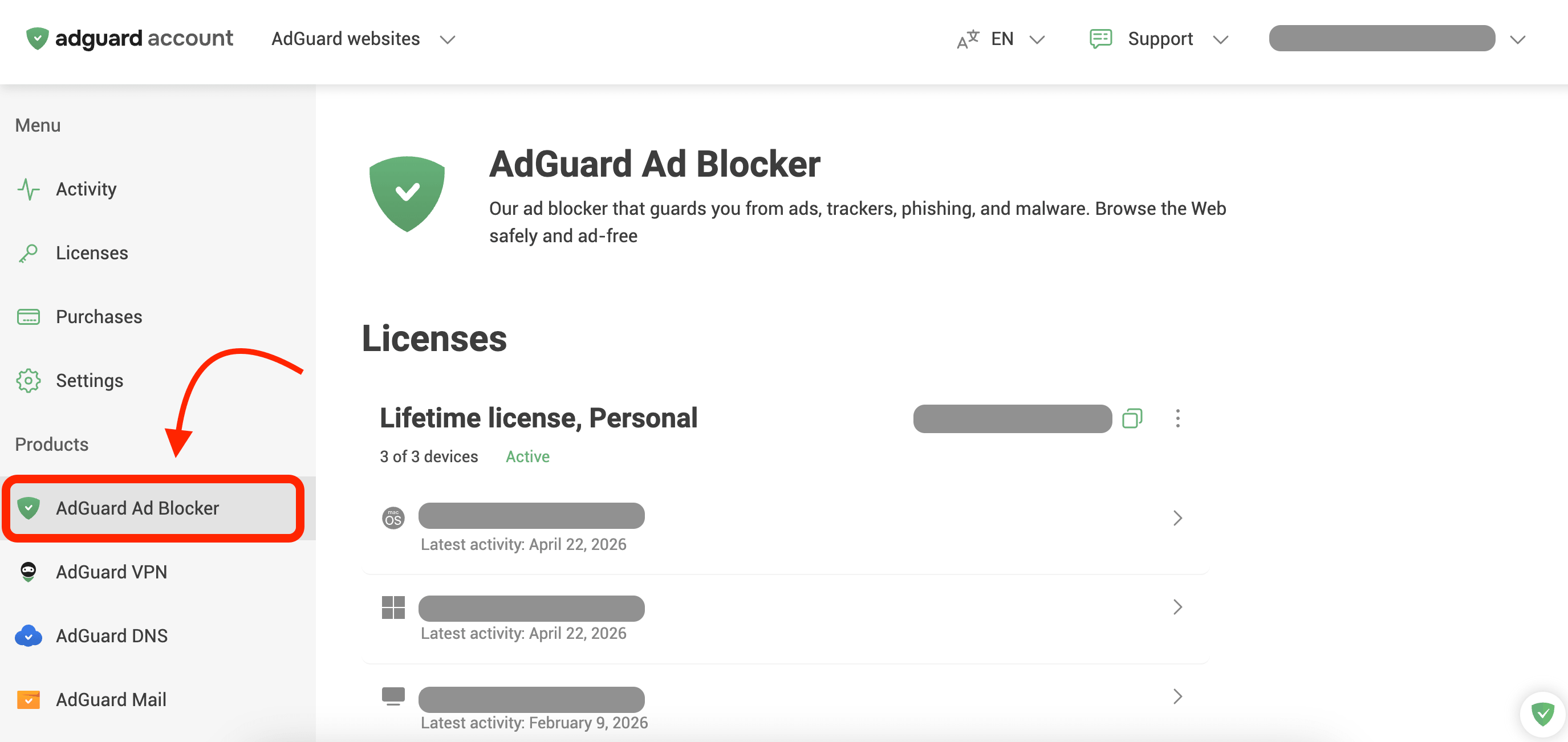
Under Devices, find your old device (or the current device if you’ve reinstalled your OS) and click its name.
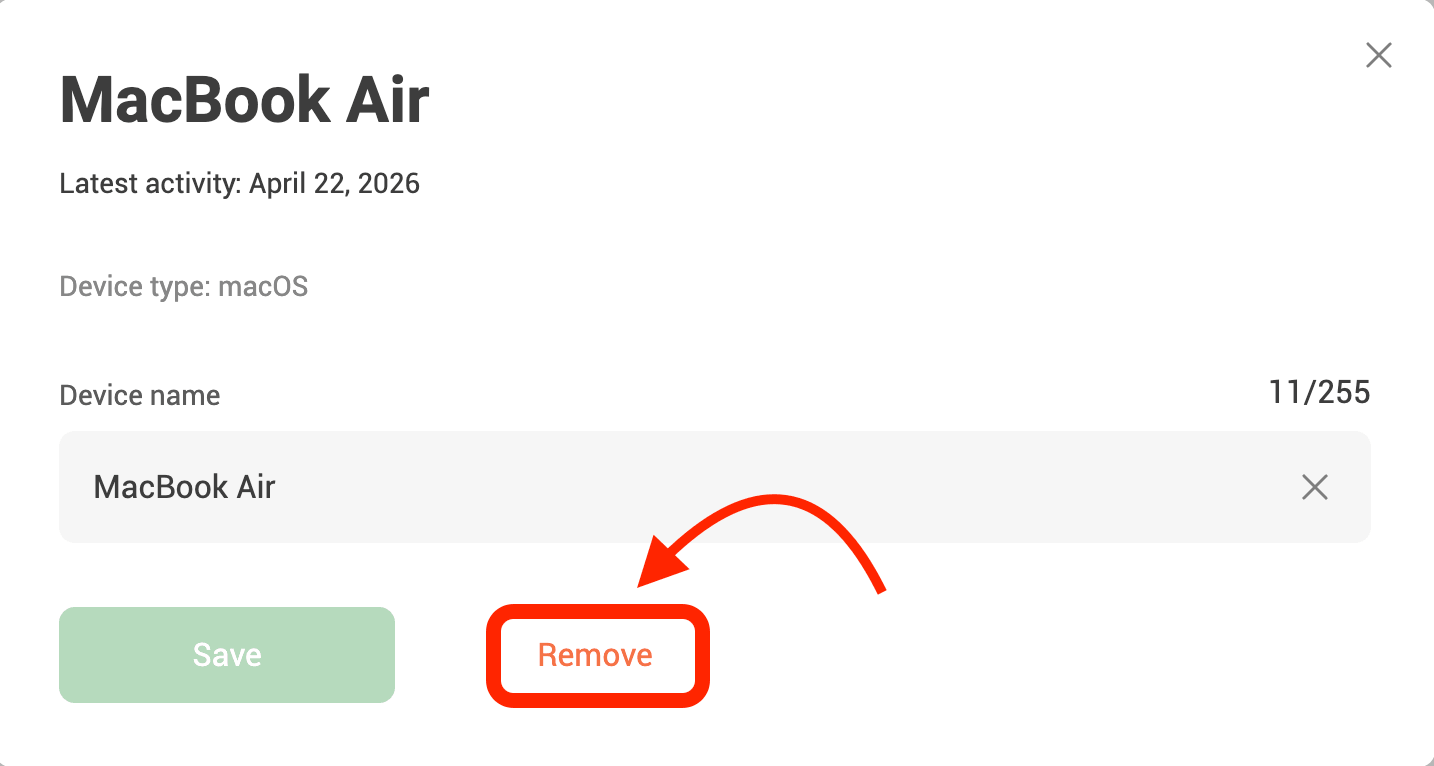
Click Remove.
If necessary, you can activate your AdGuard license on the new device.

Glad we could help!
If you have any further questions or suggestions, please email us at support@adguard.com

Please contact support
Your problem wasn’t solved, or you found an inaccuracy? Please email us at support@adguard.com — we’ll get back to you as soon as possible



