Ad-blocking extensions that sell your data to advertisers — sounds absurd, but it’s reality
People install ad blockers to escape ads and trackers. So discovering that some ad-blocking extensions openly reserve the right to collect and sell users’ browsing data — potentially even to the same advertisers they claim to “protect” users from — feels almost satirical. But according to new research from cybersecurity company LayerX Security, that is exactly what might be happening.
LayerX researchers analyzed privacy policies of 6,666 extensions. Using a combination of AI classification and manual review, they identified at least 82 extensions whose policies explicitly allow user data to be sold, shared, licensed, or commercially transferred to third parties. Of them 75 were still listed in the Chrome Web Store at the time of the research which came out in April 2026.
Many extensions disclose the fact that they may sell or “share” users’ data in somewhat vague language hidden deep inside privacy policies. Some of the wordings include:
“We may sell or share your personal information with third parties.”
“This information may be sold to or shared with business partners.”
That little word “may” does a lot of heavy lifting.
Some extensions openly state that they collect browsing activity, behavioral profiles, streaming history, demographic information, and inferred interests for “analytics,”“marketing,” or “commercial purposes.”
Others go a different route. According to the researchers, the majority of extensions in the Chrome Web Store do not publish any privacy policy at all — which may be an even bigger red flag. According to LayerX’s earlier report, around 71% of Chrome extensions do not publish a privacy policy whatsoever. Under Google's Chrome Web Store policies, extensions that handle user data are required to publish a privacy policy. While some of these extensions may genuinely not process user data, most likely do since many popular extension categories inherently rely on access to browsing activity or webpage content to just work.
If an extension developer did not even bother publishing a privacy policy despite Chrome Web Store rules, there is little reason to expect they will suddenly become careful or transparent when it comes to handling your information. Realistically, such extensions are far more likely to collect, share, or monetize user data than the ones openly admitting they do it.
This all may sound abstract until you remember how valuable behavioral data has become. We have already covered how seemingly harmless commercial datasets increasingly fuel surveillance industries, profiling systems, and even law enforcement investigations through data brokers and location intelligence firms. What starts as “analytics” can eventually end up inside giant behavioral databases far removed from the original purpose users thought they signed up for.
Ad-blocking extensions that ‘sell’ your data
Among the most ironic findings in the report were ad blockers. Researchers identified multiple ad-blocking extensions whose privacy policies explicitly allow user data collection and sharing with third parties. Combined, these extensions reportedly reach more than 5.5 million users.
Some examples highlighted in the report include:
- Stands AdBlocker (3 million users)
- Poper Blocker (2 million users)
- All Block — ad blocker for YouTube (500,000 users)
- TwiBlocker (80,000 users)
- Urban AdBlocker (10,000 users)
According to LayerX, some of these extensions disclose collecting browsing activity, behavioral profiles, ad interaction data, and even inferred sensitive interests derived from visited URLs.
To be clear: these are not mainstream privacy-focused tools like AdGuard, uBlock Origin, or Ghostery. But they still have massive audiences numbering in the millions. And this is likely only the visible tip of the iceberg. In fact, the problem is far from new. More than five years ago, we identified dozens of fake ad blockers that amassed millions of installs while engaging in deceptive behavior, ranging from collecting user data to injecting ads and tracking scripts into web pages.
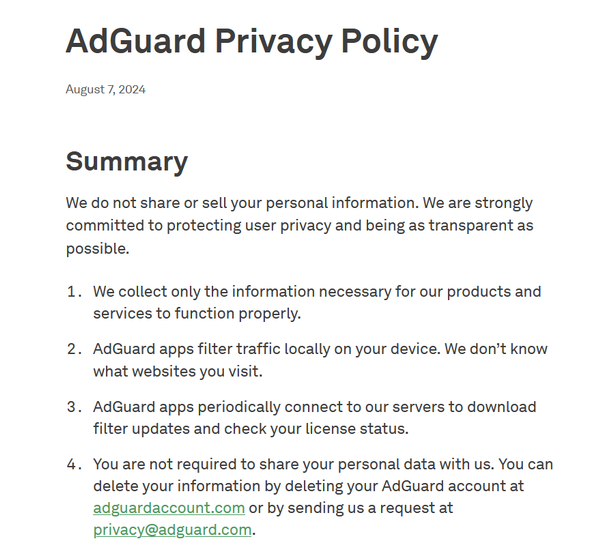
That is why transparency should be one of the first things users evaluate before installing any browser extension. AdGuard Browser Extension can serve as an example of what users should look for. In the AdGuard AdBlocker Chrome Web Store listing, it is clearly stated whether user data is collected, shared, or sold, alongside additional disclosures about how that data is handled. And for users who want to dig deeper, the full AdGuard Privacy Policy is publicly available and linked directly from the listing itself.
Netflix, streaming extensions, and the data economy behind entertainment
The report also uncovered a network of streaming-related browser extensions operating across Netflix, Hulu, Disney+, Prime Video, HBO Max, Apple TV+, and other major platforms. The extensions were all linked to a single publisher network operating under the “dogooodapp” brand and registered through HideApp LLC in Wyoming.
Some of the largest extensions included:
- Custom Profile Picture for Netflix (200K users)
- Hulu Ad Skipper (100K users)
- Netflix Picture in Picture (100K users)
- Ad Skipper for Prime Video (60K users)
- Netflix Extended (60K users)
According to the researchers, the associated privacy policies disclose collecting viewing history, content preferences, streaming behavior, subscription information, demographics, and engagement patterns. This data can later be shared or sold to advertisers, analytics firms, and media research companies.
And that is where the irony becomes hard to ignore. Many of these extensions exist around platforms that are themselves rapidly turning into advertising ecosystems. Netflix has been aggressively expanding ad-supported tiers while making premium ad-free plans more expensive. Amazon Prime Video automatically introduced ads for users who are not willing to pay to remove them. Across the industry, streaming platforms are increasingly betting on advertising growth and behavioral profiling rather than subscriptions alone.
And then there are the screens carrying all that entertainment: smart TVs, where most streaming happens anyway, and which have long since cemented themselves as some of the most aggressive players in the data-harvesting and ad-targeting economy. As we recently wrote on the blog while covering smart TVs inserting ads over HDMI inputs and gameplay, TV vendors are no longer just monetizing apps and home screens — they are steadily moving toward monetizing the viewing experience itself.
These extensions are effectively piggybacking on the exact same ecosystem — harvesting data around what people watch, click, skip, and engage with because that information has become far more valuable to advertisers and analytics companies than the hardware or subscriptions themselves.
Why this matters
It might be tempting to see browser extension tracking as harmless compared to malware or outright theft of your credentials like a password or a PIN. The thing is, modern data collection is just one piece of a much larger surveillance puzzle.
The data collected through seemingly harmless analytics can have real-world consequences. It can lead to higher insurance premiums, make it easier for companies to charge different people different prices for the same products, and expose users to increasingly aggressive ads and scams tailored to their interests. Browser extensions may not know your exact physical location the way mobile apps do, but they can still collect enormous amounts of behavioral data. This includes browsing history, search queries, shopping activity, streaming habits, clicked links, opened tabs, interests inferred from visited websites, and sometimes even the contents of pages you interact with.
On their own, these datasets may seem relatively mundane. But once enriched with information from advertisers, data brokers and public records, they can become surprisingly revealing — exposing financial situation, political affiliation, health concerns, the list goes on.
We recently wrote about how commercial location and advertising ecosystems increasingly enable this kind of large-scale profiling and surveillance, and how the modern ad-tech industry effectively operates as a real-time data broadcasting system where user information is constantly shared, traded, and analyzed behind the scenes.
And unlike a hacked password, behavioral profiles cannot simply be changed once exposed.
What to do before installing browser extensions
No extension is automatically trustworthy simply because it appears in an official browser store. Browser extensions also often require extremely broad permissions, including the ability to read and modify data on every page you visit. That does not automatically mean this kind of extension is about to steal your data, though. Some categories of extensions legitimately require broad access to function. Ad blockers, for example, need permission to read and modify webpage content in order to remove ads, block trackers, and filter malicious scripts before they load.
Before installing an extension, it’s worth running through a quick checklist:
Read the privacy policy for red flags, especially phrases like:
- “may share”
- “business partners”
- “analytics purposes”
- “commercial purposes”
- “affiliates and third parties”
Be wary of extensions with no privacy policy at all
Check who developed the extension
Look at install counts, but remember they can be artificially inflated
Read reviews critically: fake reviews are common and a large number of similar-sounding positive reviews should be considered a red flag
Avoid installing unnecessary extensions entirely
Go for well-established open-source privacy tools when possible
Interestingly, the report also highlighted a few extensions that openly compensate users for voluntary data sharing. At least there the arrangement is transparent: users knowingly trade data for money. The bigger problem is the far larger ecosystem quietly collecting and monetizing user behavior behind deliberately vague legal language most people never read. And ultimately, an ad blocker that profits from selling browsing data back into the advertising ecosystem is not really fighting ads. It is simply feeding a different part of the advertising system.