AdGuard Home v1.0 beta: A major leap forward

Your smart TV is trying to track your viewing habits, your mobile games are chatting with data brokers, and even your smart fridge might be up to something fishy. For years, AdGuard Home has been the ultimate, silent shield against all of this — a free, open-source gift to the community designed to put network control in your hands.

But let’s be honest: lately, that shield has been a bit too silent. It looked like the project was just getting routine updates. We are finally breaking that pattern. We are launching the beta version of AdGuard Home v1.0, shifting the project from quiet maintenance into active development.

The key takeaways

  • We’ve redesigned AdGuard Home to look cleaner and more modern, aligning it with other AdGuard products while keeping the core layout familiar so you won’t get lost.

  • Future updates will regularly introduce new tools and features, rather than just routine fixes and library updates.

  • Since this is a significant change, we invite you to test this version in your environment and provide feedback to help us stabilize the final release.


To understand why it took eight years to reach this milestone, we need to go back to the beginning.

A quick look back: The 8-year journey to v1.0

AdGuard Home first saw the light of day in 2018 as a v0.1 preview. To be completely transparent, the original user interface was built by someone who was literally learning React while coding it. It wasn’t perfect, but it worked, and it helped the product grow into something people could rely on.

Our versioning was just as experimental. Instead of a logical v0.2, we skipped straight to v0.9, which was immediately followed by... v0.91. Despite the erratic numbers, the project was thriving. We kept adding major features like the built-in updater, client tags, and pioneering DNS-over-QUIC support. By 2020, we adopted semantic versioning for community stability, counting all the way to v0.100 and eventually v0.107.

But a true “v1.0” always felt like more than just the next number. As the project grew, the legacy interface became harder to evolve, making it increasingly difficult to introduce major changes without disrupting existing setups. Over time, the v0.107 branch settled into a long series of careful patches and incremental improvements.

Version 1.0 breaks that cycle. We are adopting a flexible versioning scheme similar to other AdGuard products, meaning minor releases (like v1.0.0 to v1.1.0) may include backwards-incompatible changes. Lifting these restrictions allows us to ship new features much faster — starting with a refreshed interface.
A refreshed interface that feels familiar

We know how frustrating it is when a service you use every day suddenly updates its design and forces you to relearn where every single button is. We didn’t want to do that to you. We tried to update it so you wouldn’t get lost, preserving the familiar logic while making everything look clean, modern, and aligned with the rest of the AdGuard ecosystem. Plus, you can expect a few useful novelties.

But this overhaul goes deeper than looks. The new frontend shares the backend’s strict optimization philosophy. Rebuilt with fine-grained reactivity, it is now significantly lighter and faster. This update resolves previous memory consumption issues, making AdGuard Home run smoothly on low-power devices, and introduces a fully responsive mobile UI.
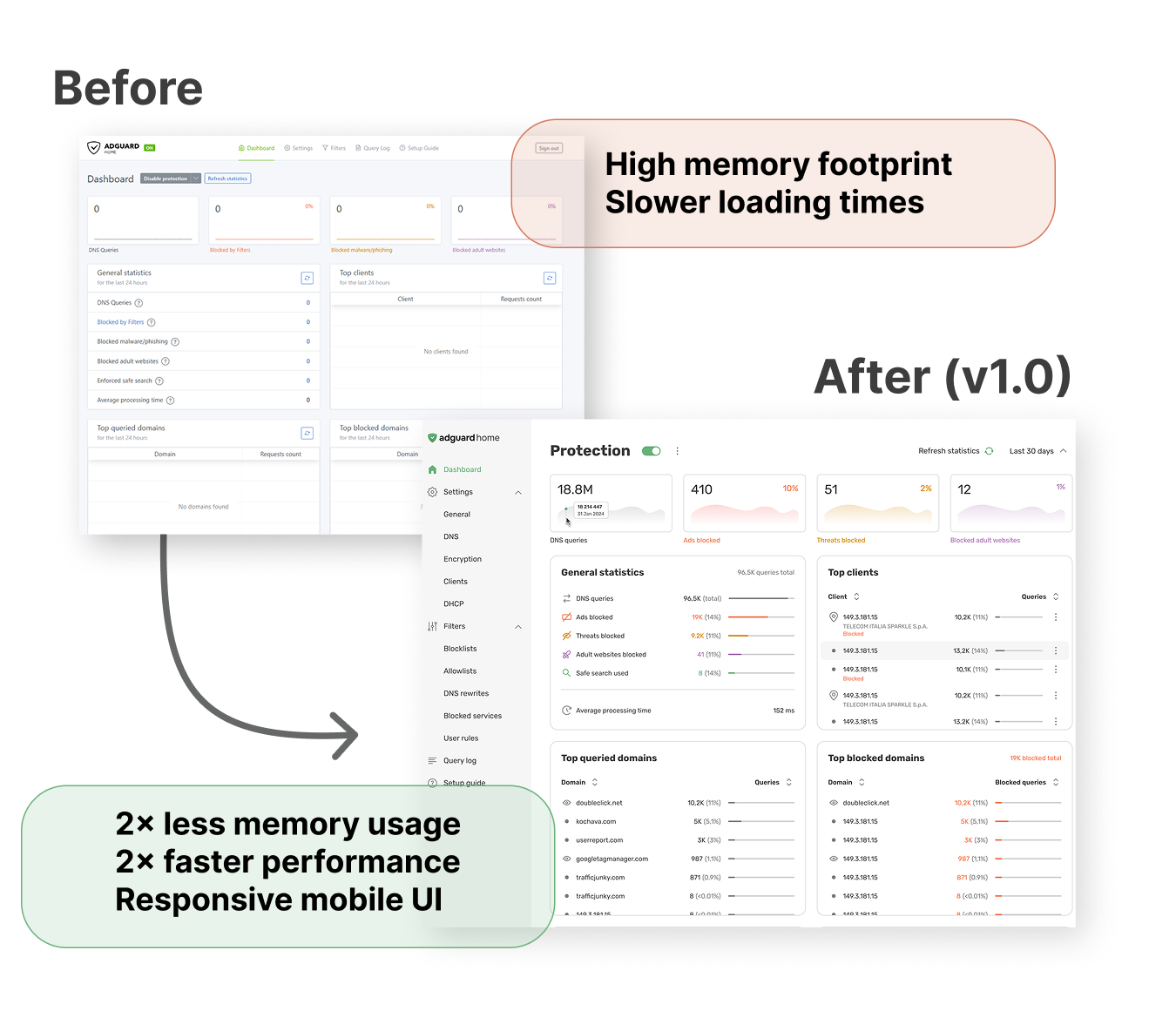
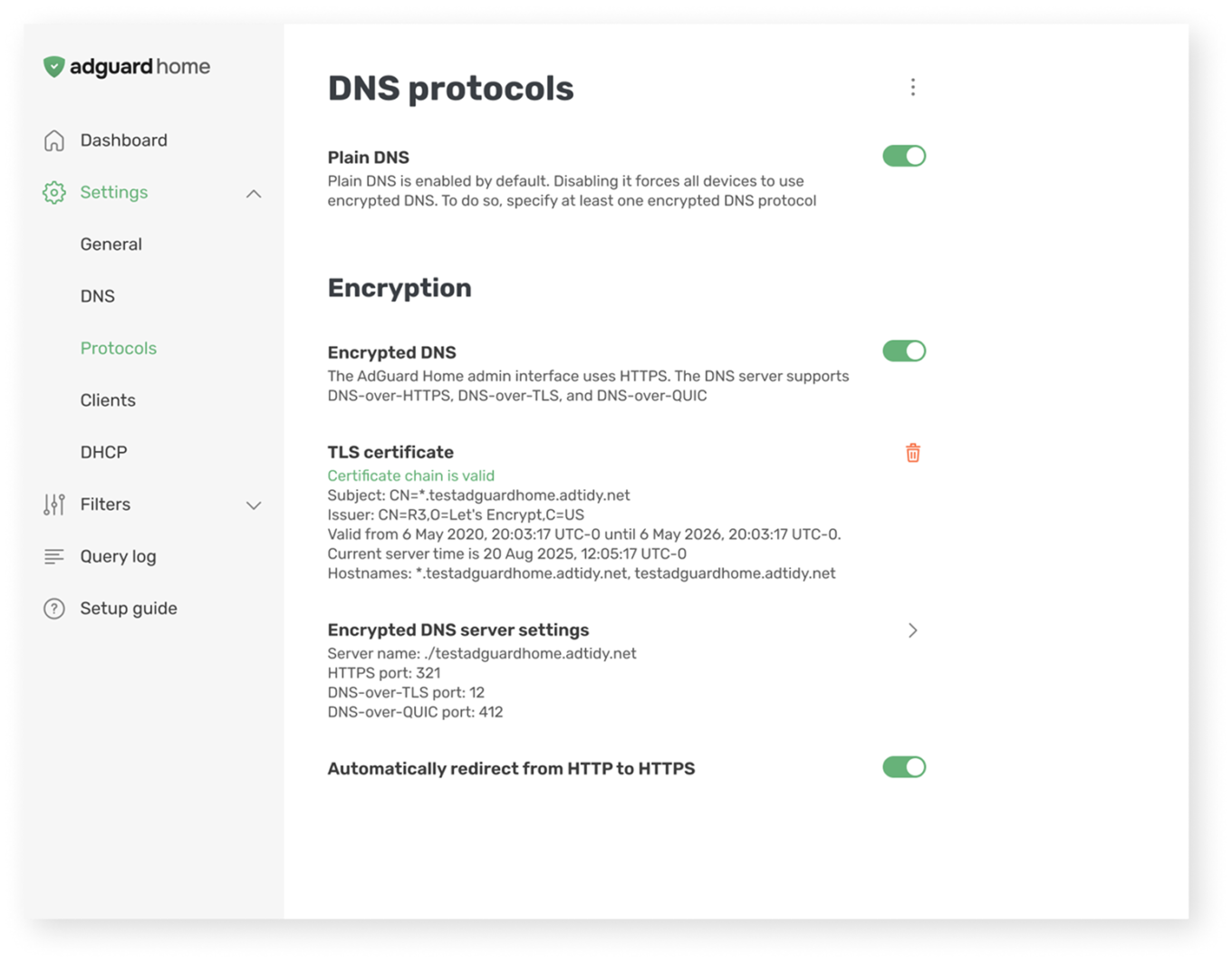
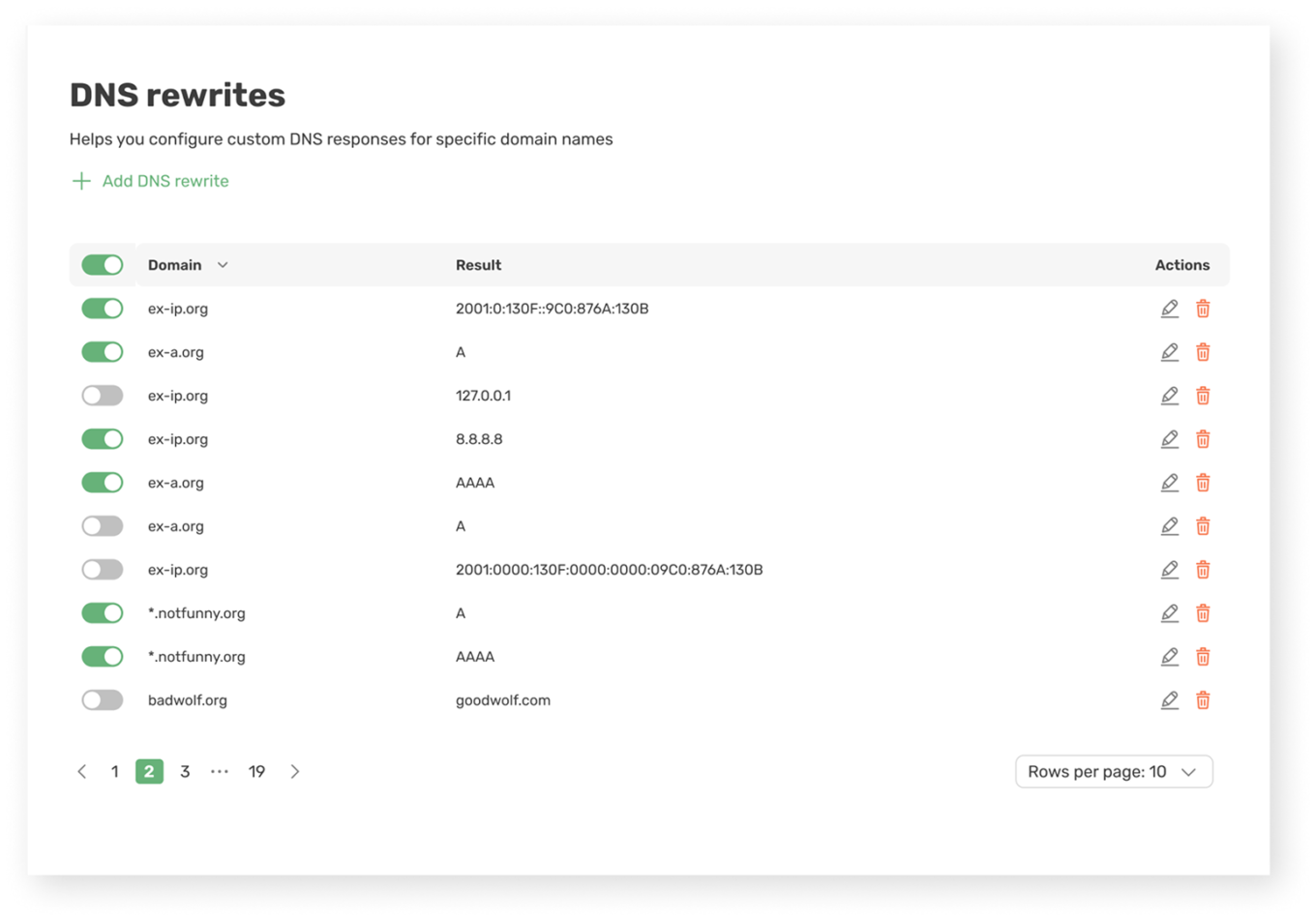
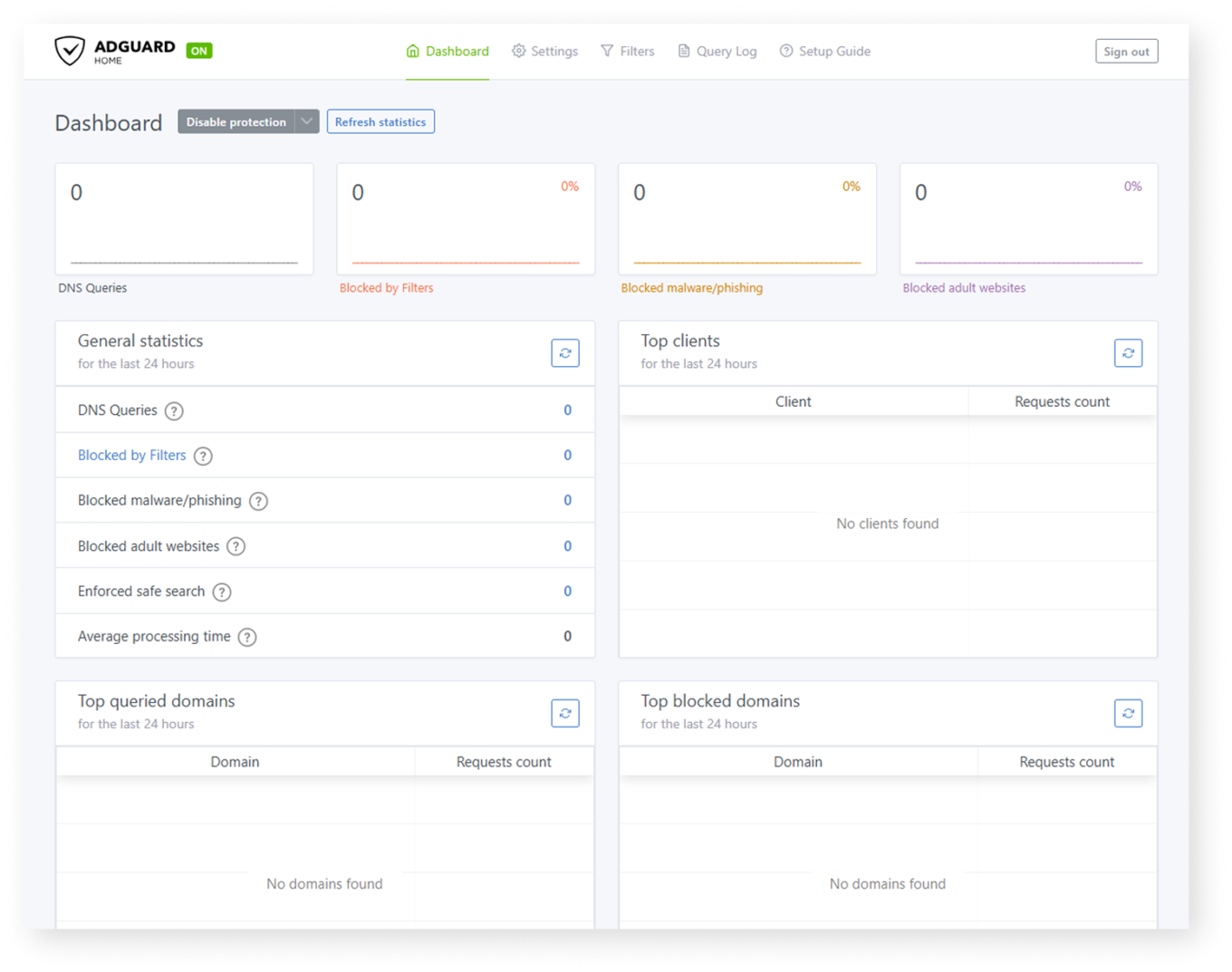
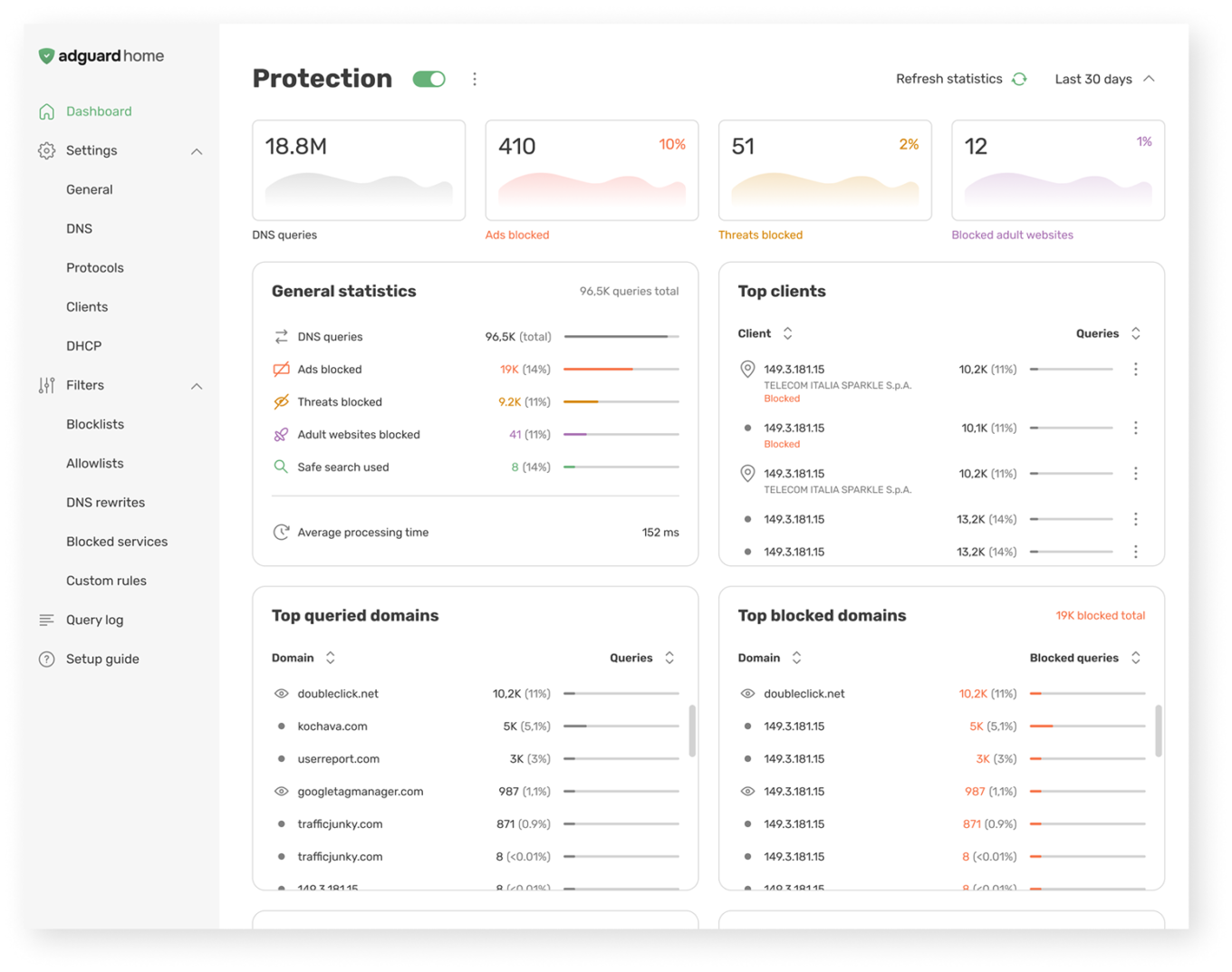
Before and after

Installation wizard and setup guide

The new onboarding process minimizes friction during deployment, making the initial configuration of your DNS server straightforward and welcoming for new users.

The updated setup guide will also help you configure your devices easily.
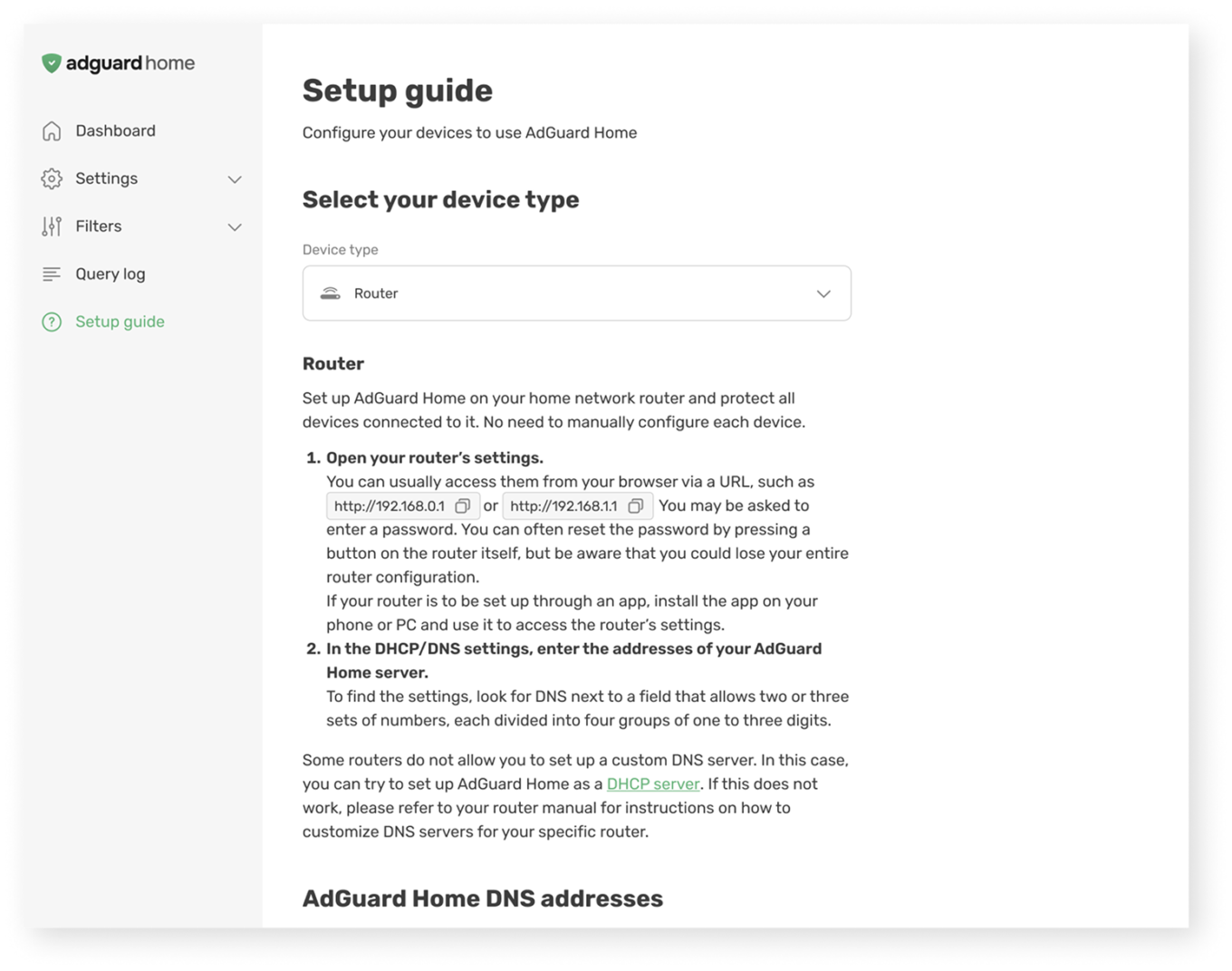
Setup guide

Dashboard

Monitoring your network statistics and server status is more straightforward, with a streamlined layout that allows you to review key metrics at a glance.
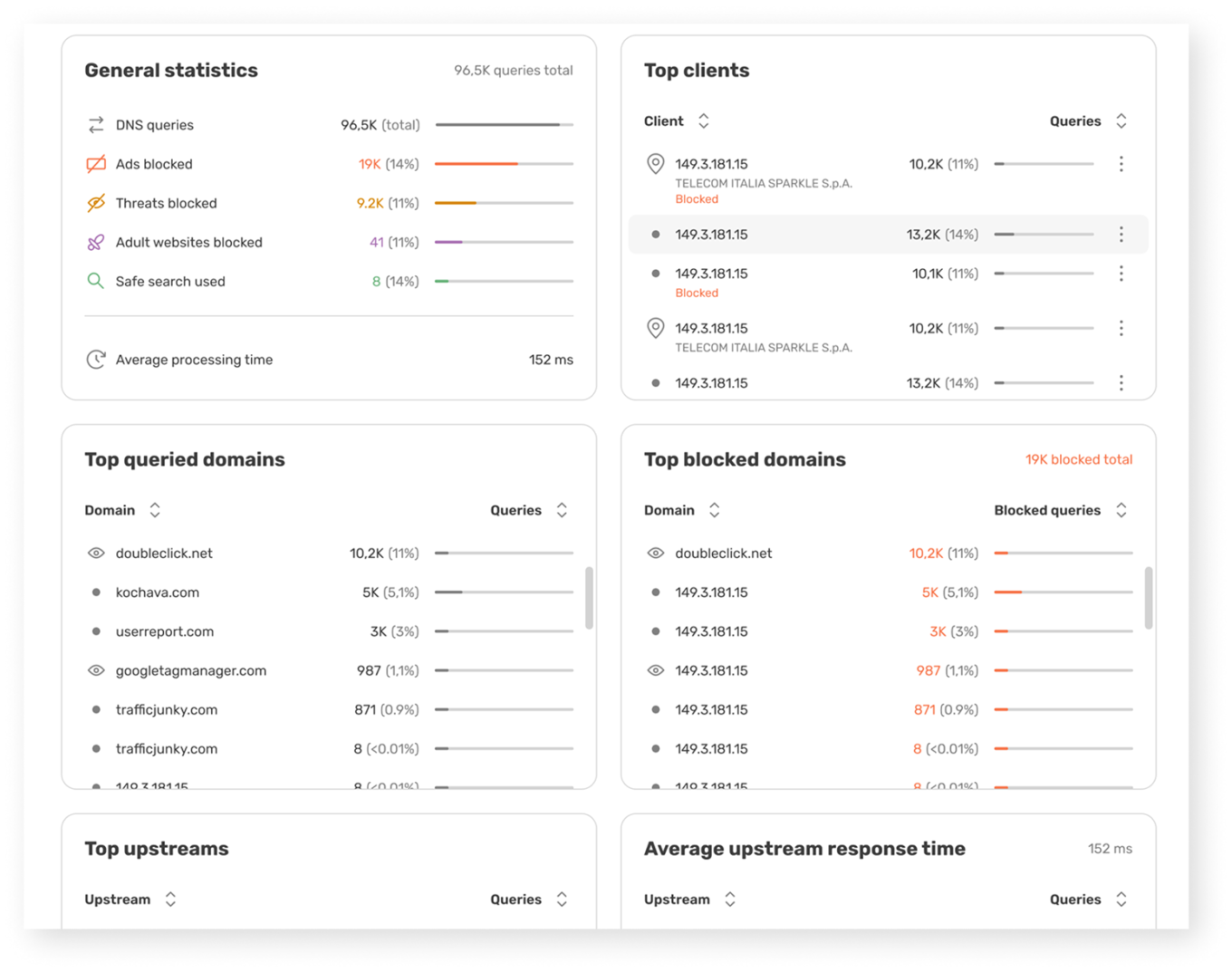
Dashboard

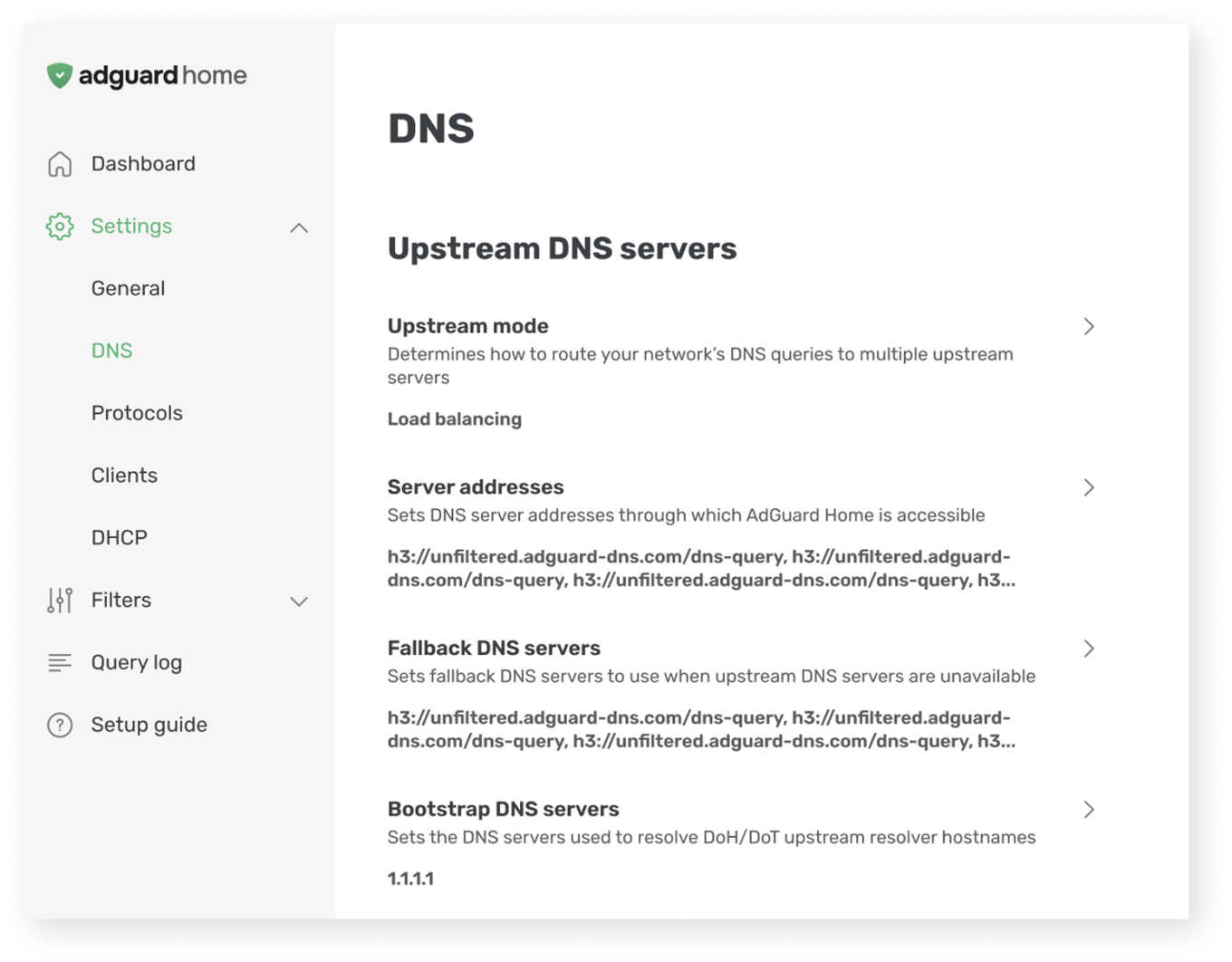
Core settings

Fine-tuning your server is now easier thanks to a logical structural cleanup covering general options, DNS, and DHCP configurations.
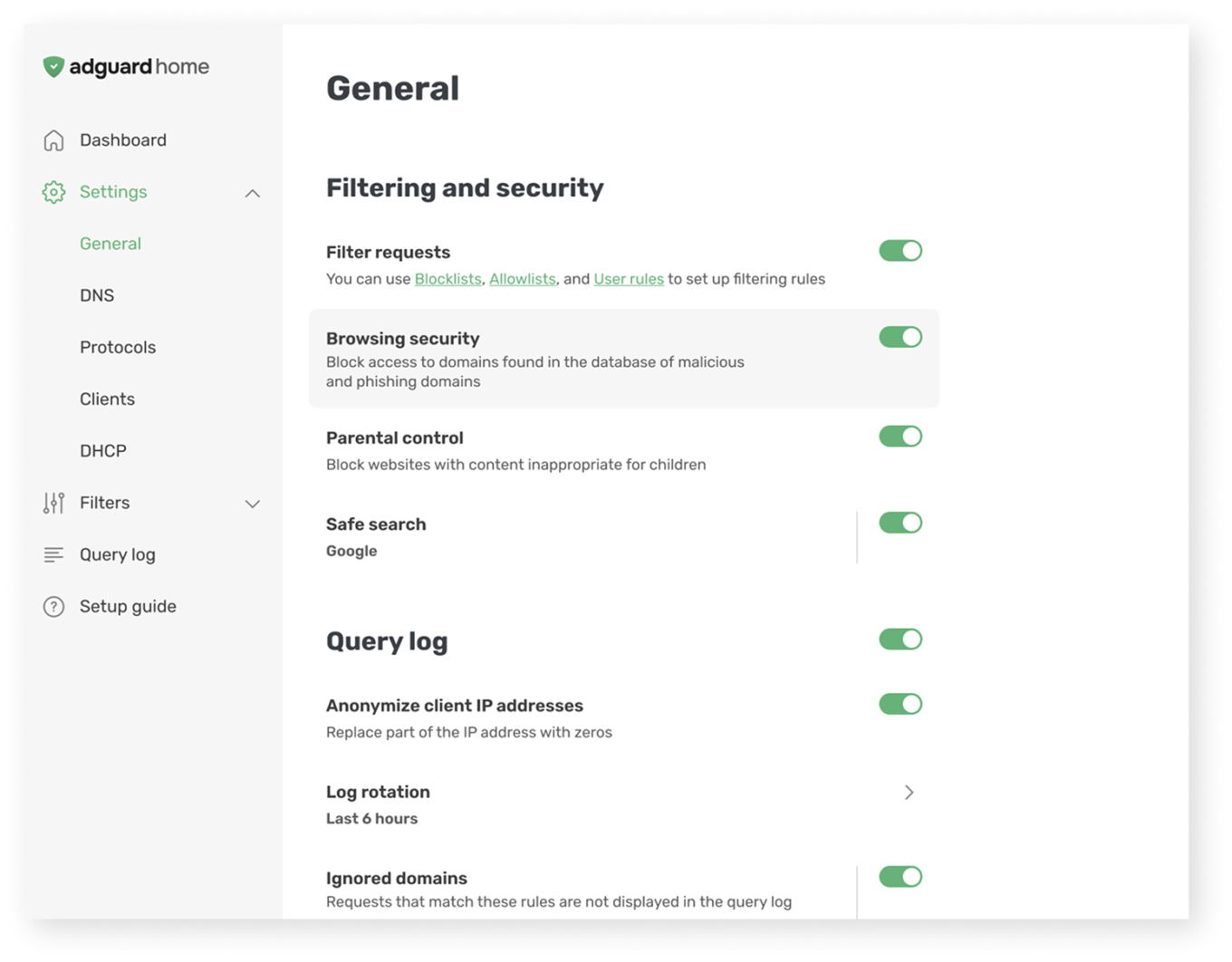
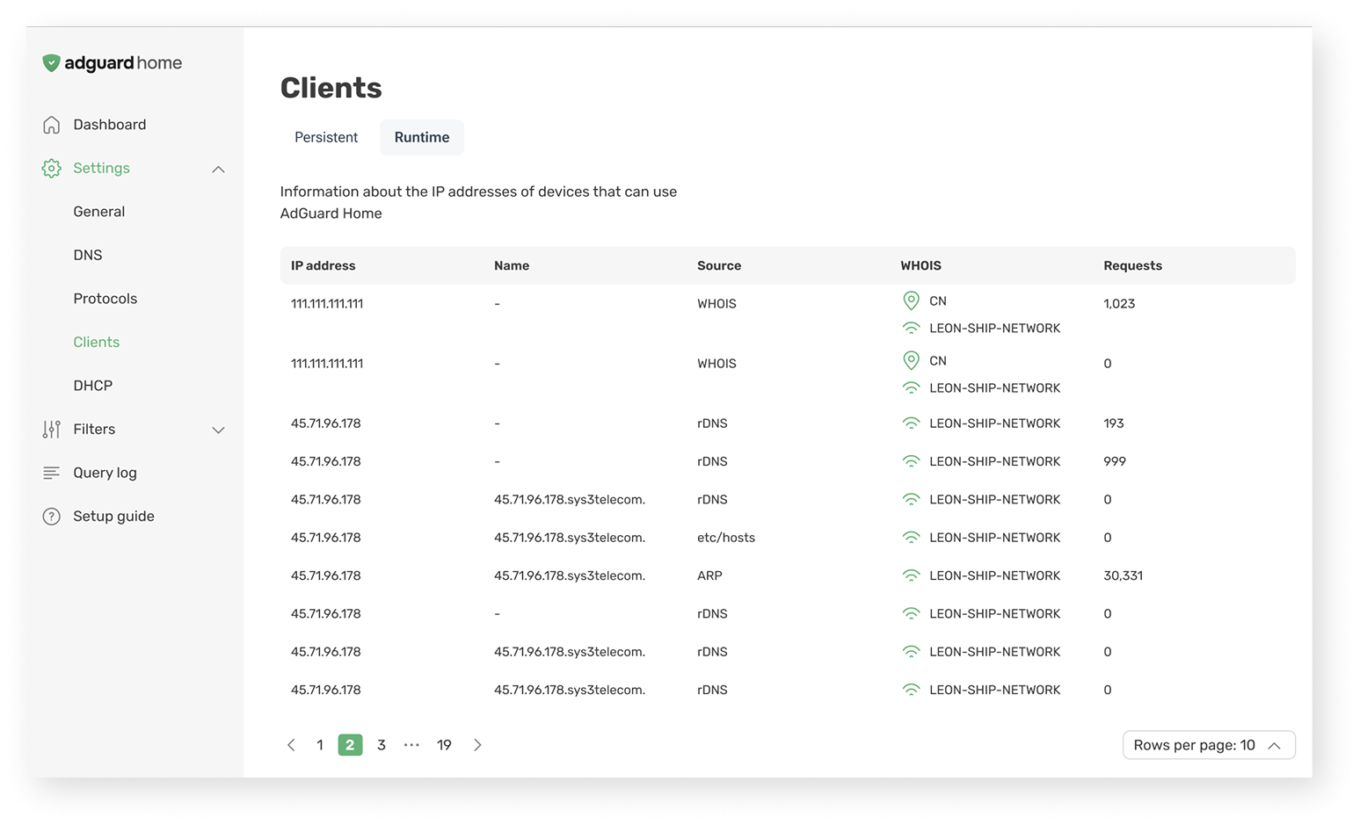
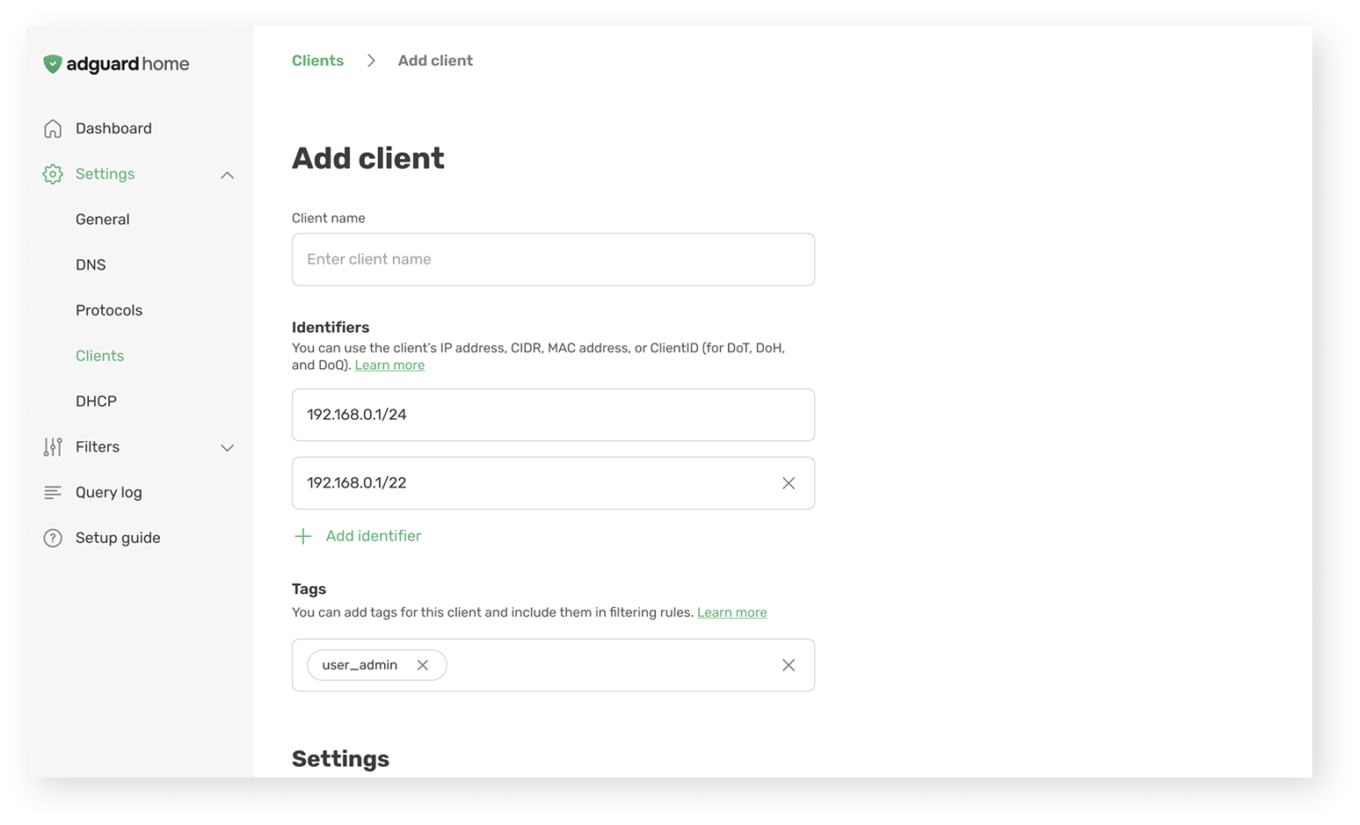
Client settings

Managing individual devices on your network is more intuitive, with a cleaner layout that helps you quickly assign profiles and specific rules.
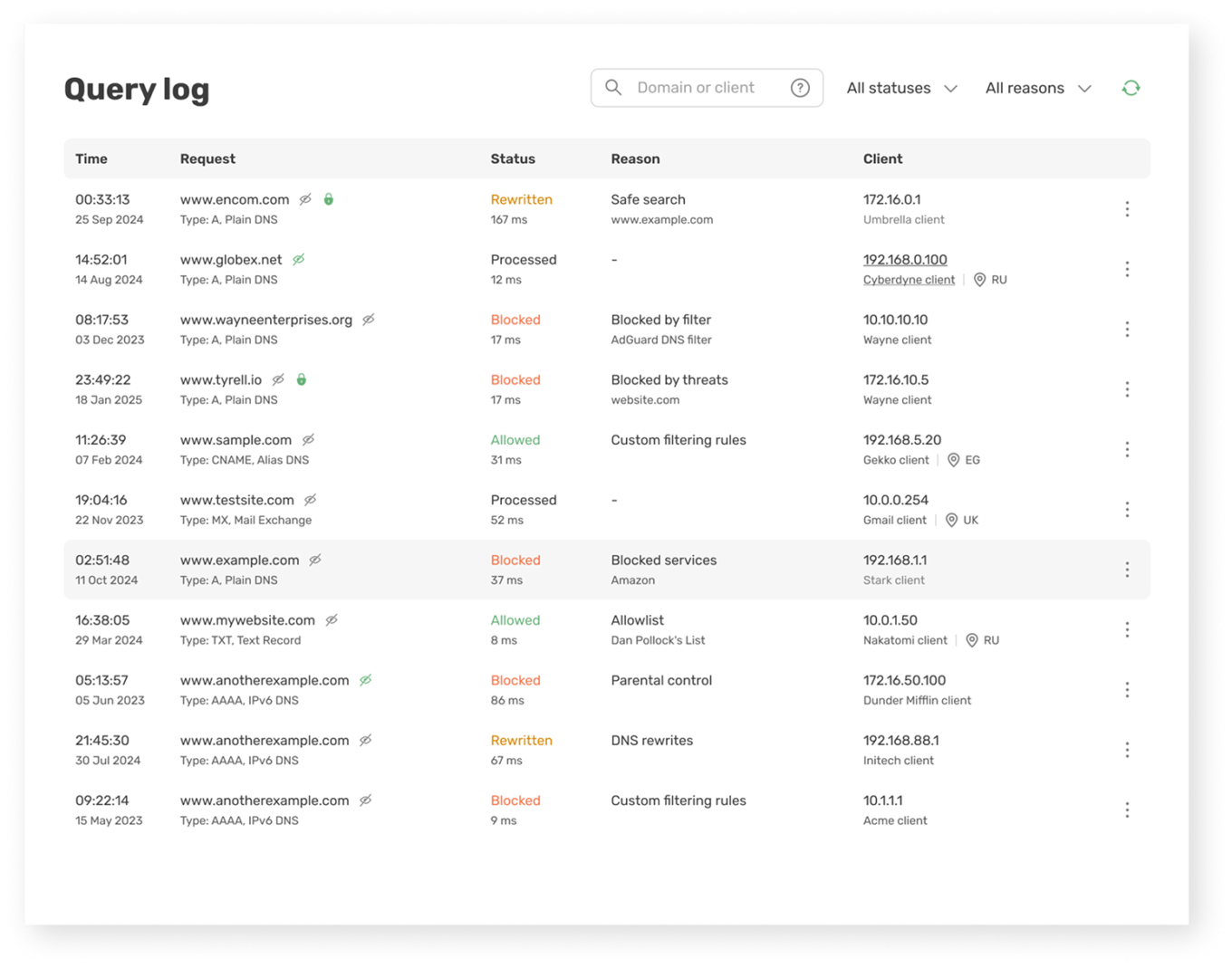
Query log

The main diagnostic tool now features expanded request data on query cards, and new sorting and filtering parameters for precise analysis.
Query log

Filters section

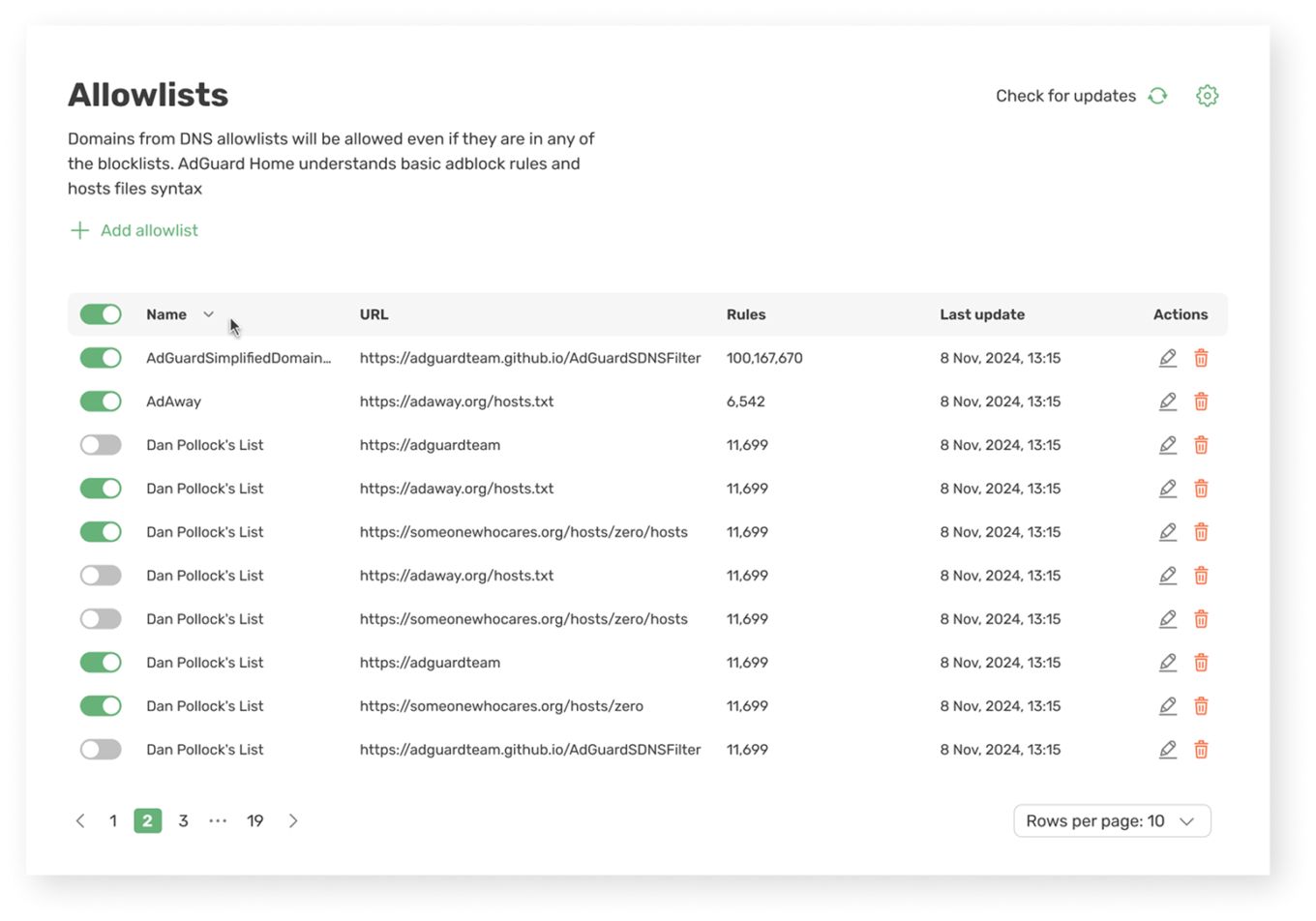
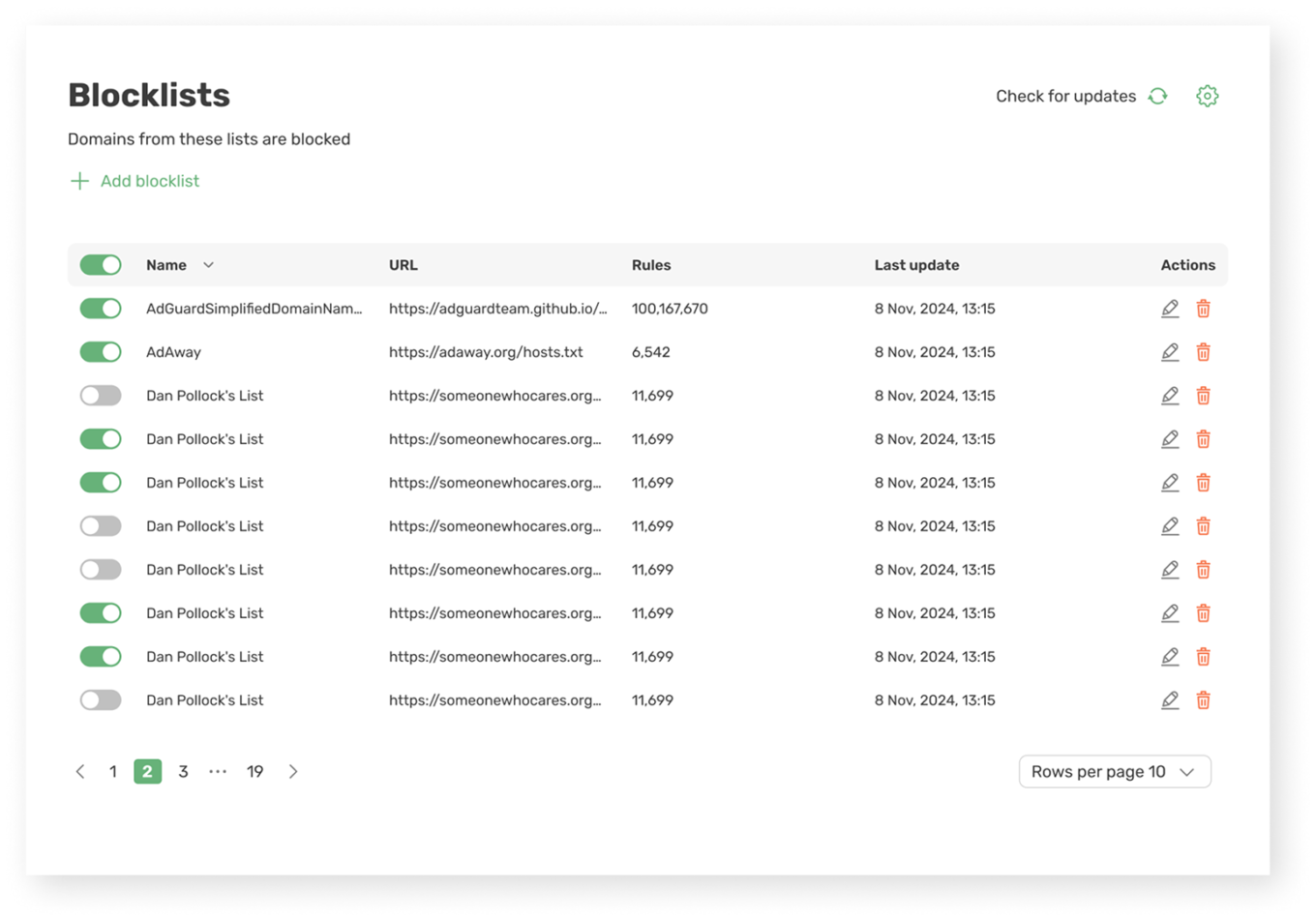
Your main instruments have been polished: Blocklists, Allowlists, DNS rewrites, and User rules. Plus, you can now configure automated update intervals for your filters.
Help us shape the final release

Because AdGuard Home runs on various hardware — from a Raspberry Pi to enterprise servers — network setups vary wildly across our community. A milestone this massive needs real-world testing across all kinds of environments, and we can’t do that without you.

How to update or switch to v1.0 beta

If you are already on the beta channel: You don’t need to do anything. The update will arrive automatically via the built-in updater.

If you are on the stable version: First, back up your settings just in case by saving your configuration file (AdGuardHome.yaml) and your data directory (data). Then, choose the method that matches your setup:

  • Docker: Change your image tag from :latest to :beta, then recreate and restart the container.
  • Automated script (Linux/macOS): Run the installation script with the beta flag:
    curl -s -S -L https://raw.githubusercontent.com/AdguardTeam/AdGuardHome/master/scripts/install.sh | sh -s -- -c beta -v
  • Manual installation (Windows and others): Stop your AdGuard Home service, download the latest pre-release build from the GitHub releases page, replace the old executable file with the new one, and restart the service.

For more detailed instructions, check our repository.

Sharing your feedback

As you test the beta, please tell us what you think. What feels right? What feels clunky? Did we miss anything? If you spot a bug or have a suggestion, let us know on GitHub.

Just a quick tip: use the search bar first to check if someone else has already reported the issue. If it’s a new one, open a ticket, and we’ll dive right into it.

AdGuard Home was built for you, but it has always been shaped by you. This project evolves hand-in-hand with its community, and we wouldn’t have it any other way.

Thank you to all our long-time contributors for staying with us on this journey, and a warm welcome to everyone deploying the software for the first time. Fire up the beta, check out the new look, and let’s make something great together.


Liked this post?
AdGuard VPN AdGuard DNS AdGuard Mail AdGuard Wallet
The main screen of AdGuard for Windows
The Protection screen of AdGuard for Windows, showing the protection features and settings
The Statistics screen of AdGuard for Windows, showing stats for blocked ads and trackers
The App management screen of AdGuard for Windows, showing the protection management options for apps installed on the device
20,342 20342 user reviews
Excellent!

AdGuard for Windows: ad blocker for PC

AdGuard for Windows is more than an ad blocker. It is a multipurpose tool that blocks ads, controls access to dangerous websites, speeds up page loading, and protects children from inappropriate content

By downloading the program you accept the terms of the License agreement
Microsoft Store
By downloading the program you accept the terms of the License agreement
AdGuard for Windows v8.0, 14-day trial period
The main screen of AdGuard for Mac
The Stealth Mode screen of AdGuard for Mac
20,342 20342 user reviews
Excellent!

AdGuard for Mac: system-wide ad blocker

AdGuard for Mac is a unique ad blocker designed with macOS in mind. In addition to protecting you from annoying ads in browsers and apps, it shields you from tracking, phishing, and fraud
By downloading the program you accept the terms of the License agreement
Read more
AdGuard for Mac v2.19, 14-day trial period
The main screen of AdGuard for Android
The Tracking protection screen of AdGuard for Android
The App management screen of AdGuard for Android, showing the protection management options for apps installed on the device
The Statistics screen of AdGuard for Android, showing stats for blocked ads and trackers
The main screen of AdGuard’s private browser for Android
The QR code to download AdGuard for Android
20,342 20342 user reviews
Excellent!

AdGuard for Android: ad blocker for all apps

Blocks ads and trackers across all browsers, games, and other apps. Protects your privacy and lets you control how your apps use the Internet. Installed via APK
By downloading the program you accept the terms of the License agreement
Read more
Scan to download
Use any QR-code reader available on your device
AdGuard for Android v4.14, 14-day trial period
The main screen of AdGuard for iOS
The Protection screen of AdGuard for iOS, showing the protection features and settings
The Statistics screen of AdGuard for iOS, showing stats for blocked ads and trackers
The QR code to download AdGuard for iOS
20,342 20342 user reviews
Excellent!

AdGuard for iOS: ad blocker beyond Safari

The best iOS ad blocker for iPhone and iPad. AdGuard eliminates all kinds of ads and trackers in Safari and protects your privacy across all apps at the DNS level
By downloading the program you accept the terms of the License agreement
Read more
Scan to download
Use any QR-code reader available on your device
AdGuard for iOS v4.5
The main screen of AdGuard Content Blocker
The Filters screen of AdGuard Content Blocker
The Settings screen of AdGuard Content Blocker
20,342 20342 user reviews
Excellent!

AdGuard Content Blocker

AdGuard Content Blocker eliminates all kinds of ads in mobile browsers that support content-blocking technology — namely, Samsung Internet and Yandex Browser. Its features are limited compared to AdGuard for Android, but it is free, easy to install, and efficient

By downloading the program you accept the terms of the License agreement
Read more
AdGuard Content Blocker v2.8
The main screen of AdGuard Browser Extension
The Tracking protection screen of AdGuard Browser Extension
20,342 20342 user reviews
Excellent!

AdGuard Browser Extension

AdGuard is the fastest and most lightweight ad blocking extension that effectively blocks all types of ads on all web pages! Choose AdGuard for the browser you use and get ad-free, fast and safe browsing.

Install
By downloading the program you accept the terms of the License agreement
Install
By downloading the program you accept the terms of the License agreement
Install
By downloading the program you accept the terms of the License agreement
Install
By downloading the program you accept the terms of the License agreement
Install
By downloading the program you accept the terms of the License agreement
Read more
Install
By downloading the program you accept the terms of the License agreement
Read more
AdGuard Browser Extension v5.5
The main screen of AdGuard Assistant
20,342 20342 user reviews
Excellent!

AdGuard Assistant

A companion browser extension for AdGuard desktop apps. It allows you to block custom items on websites, add websites to allowlist, and send reports directly from your browser
AdGuard Assistant v1.4
20,342 20342 user reviews
Excellent!

AdGuard Home

AdGuard Home is a network-based solution for blocking ads and trackers. Install it once on your router to cover all devices on your home network — no additional client software required. This is especially important for various IoT devices that often pose a threat to your privacy
AdGuard Home v0.107
The main screen of AdGuard Pro for iOS
The Protection screen of AdGuard Pro for iOS, showing the protection features and settings
The Statistics screen of AdGuard Pro for iOS, showing stats for blocked ads and trackers
20,342 20342 user reviews
Excellent!

AdGuard Pro for iOS

AdGuard Pro for iOS comes with all the advanced ad-blocking protection features enabled. It offers the same tools as the paid version of AdGuard for iOS. It excels at blocking ads in Safari and lets you customize DNS settings to tailor your protection. It blocks ads in browsers and apps, protects your kids from inappropriate content, and keeps your personal data safe
By downloading the program you accept the terms of the License agreement
Read more
AdGuard Pro for iOS v4.5
The main screen of AdGuard Mini for Mac
The Safari protection screen of AdGuard Mini for Mac
The Create rule screen of AdGuard Mini for Mac
20,342 20342 user reviews
Excellent!

AdGuard Mini for Mac — Safari ad blocker

AdGuard Mini for Mac is a powerful Safari ad blocker. This lightweight app removes ads, blocks trackers, and speeds up page loading. It helps you browse the Web in Safari without distractions and keep your data private
Install
By downloading the program you accept the terms of the License agreement
Read more
AdGuard Mini for Mac v2.3
The main screen of AdGuard for Android TV with protection enabled
The Ad blocking screen of AdGuard for Android TV, showing its features and settings
The Settings screen of AdGuard for Android TV
The App management screen of AdGuard for Android TV, showing the apps where ads and trackers are blocked
20,342 20342 user reviews
Excellent!

AdGuard for Android TV

AdGuard for Android TV is the only app that blocks ads, guards your privacy, and acts as a firewall for your Smart TV. Get warnings about web threats, use secure DNS, and benefit from encrypted traffic. Relax and dive into your favorite shows with top-notch security and zero ads!
AdGuard for Android TV v4.14, 14-day trial period
The AdGuard mascot, Agnar, holding the Linux penguin
20,342 20342 user reviews
Excellent!

AdGuard for Linux

AdGuard for Linux is the world’s first system-wide Linux ad blocker. Block ads and trackers at the device level, select from pre-installed filters, or add your own — all through the command-line interface
AdGuard for Linux v1.4
20,342 20342 user reviews
Excellent!

AdGuard Temp Mail

A free temporary email address generator that keeps you anonymous and protects your privacy. No spam in your main inbox!
20,342 20342 user reviews
Excellent!

AdGuard VPN

75 locations worldwide

Access to any content

Strong encryption

No-logging policy

Fastest connection

24/7 support

Try for free
By downloading the program you accept the terms of the License agreement
Read more
20,342 20342 user reviews
Excellent!

AdGuard DNS

AdGuard DNS is a foolproof way to block Internet ads that does not require installing any applications. It is easy to use, absolutely free, easily set up on any device, and provides you with minimal necessary functions to block ads, counters, malicious websites, and adult content.
20,342 20342 user reviews
Excellent!

AdGuard Mail

Protect your identity, avoid spam, and keep your inbox secure with our aliases and temporary email addresses. Enjoy our free email forwarding service and apps for all operating systems
20,342 20342 user reviews
Excellent!

AdGuard Wallet

A secure and private crypto wallet that gives you full control over your assets. Manage multiple wallets and discover thousands of cryptocurrencies to store, send, and swap
Downloading AdGuard To install AdGuard, click the file indicated by the arrow Select "Open" and click "OK", then wait for the file to be downloaded. In the opened window, drag the AdGuard icon to the "Applications" folder. Thank you for choosing AdGuard! Select "Open" and click "OK", then wait for the file to be downloaded. In the opened window, click "Install". Thank you for choosing AdGuard!
Install AdGuard on your mobile device