Light-side UX: How we design and write for privacy at AdGuard
At AdGuard, we develop a whole range of privacy tools: an ad blocker, a VPN, a DNS service, an email service, and soon — a crypto wallet. These products do a lot of complex things under the hood — but they need to stay simple and friendly on the outside.
Our users come from all over the world. Many of them don’t speak English natively, many aren’t tech-savvy. And yet we want all of them to feel supported while using our tools.
In this post, I want to show you how we at AdGuard approach UX design and copy:
- What our writing and design are built on
- How we handle different levels of user experience
- How feedback and real-world constraints shape the final result
- And how you can help us make it better
Let’s begin with the foundation.
What we build on: Our principles
At AdGuard, we like to say that we’re on the light side of the Internet. This idea runs through everything we do.
- We care about transparency and openness
- We actively show it — help users, explain things, or just get out of their way when needed
- We give the control to the user. We believe the product should adapt to the user — not the other way around
Here’s what it looks like in practice.
Transparency → Clean UI, clear copy
We try to keep interfaces as clean as possible, with just enough visual and textual information to help you complete the task.
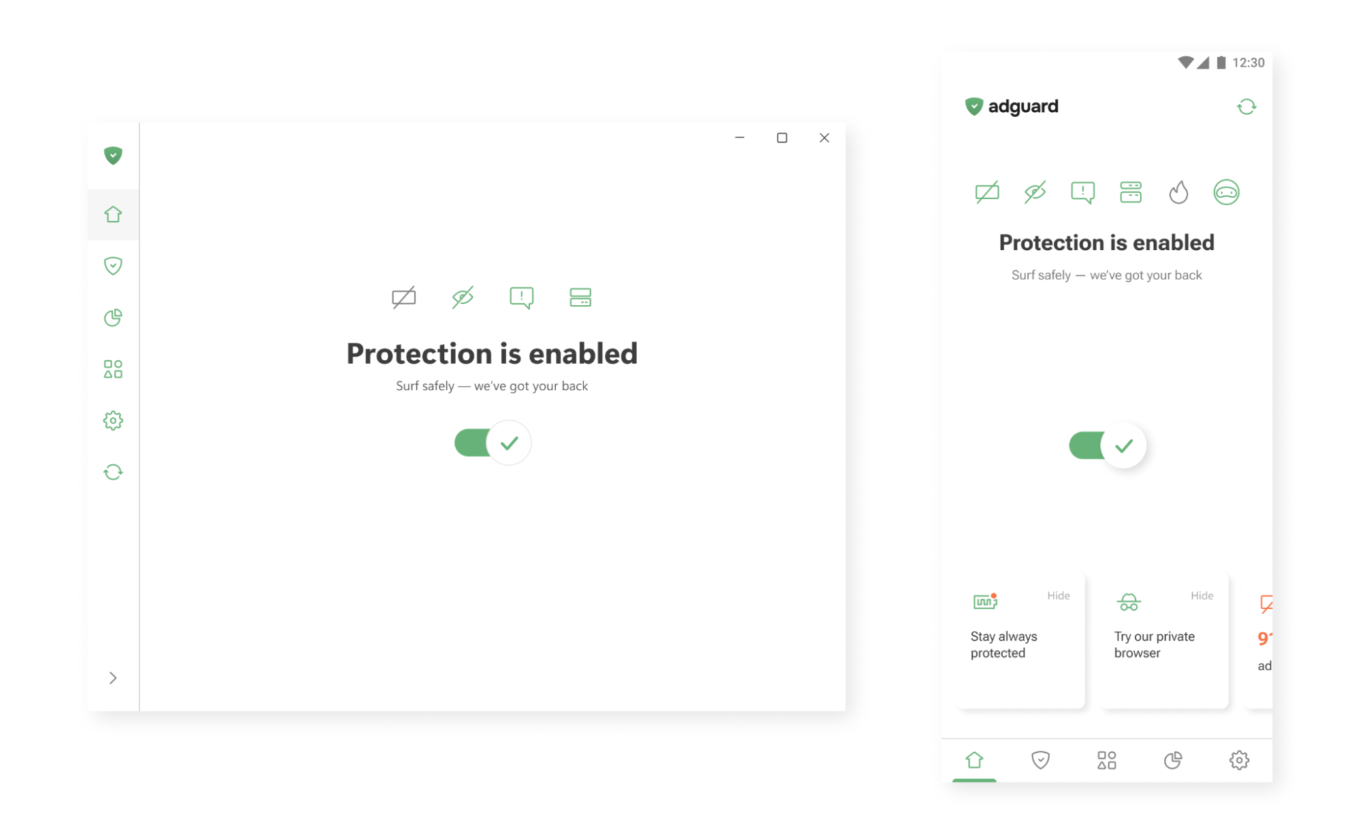
One button to enable protection
Active care → Help that’s always there
In our apps, you’ll often find small hints, tooltips, and summaries. Where needed, we add short explanations or links to longer articles — so you can dive deeper when you want to.
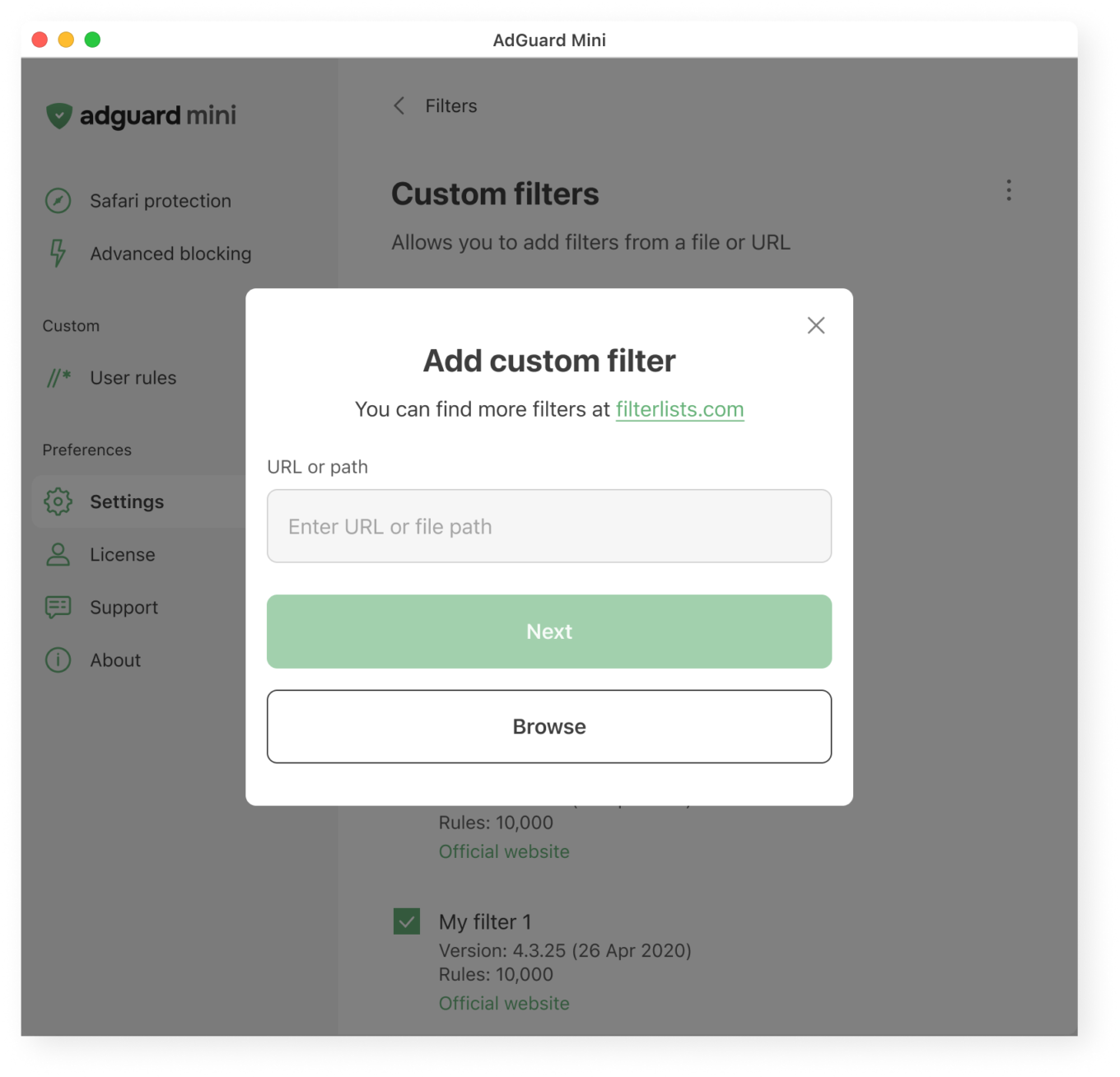
What users see when adding a custom filter
User control → Deep functionality, optional complexity
Most of our apps are layered. If you want to just turn on protection and move on, that’s great. If you want to dig deeper, you’ll find detailed settings, expert modes, and customizations. Your control is not necessary, but if you seek it, we’ll do our best to provide it to you.
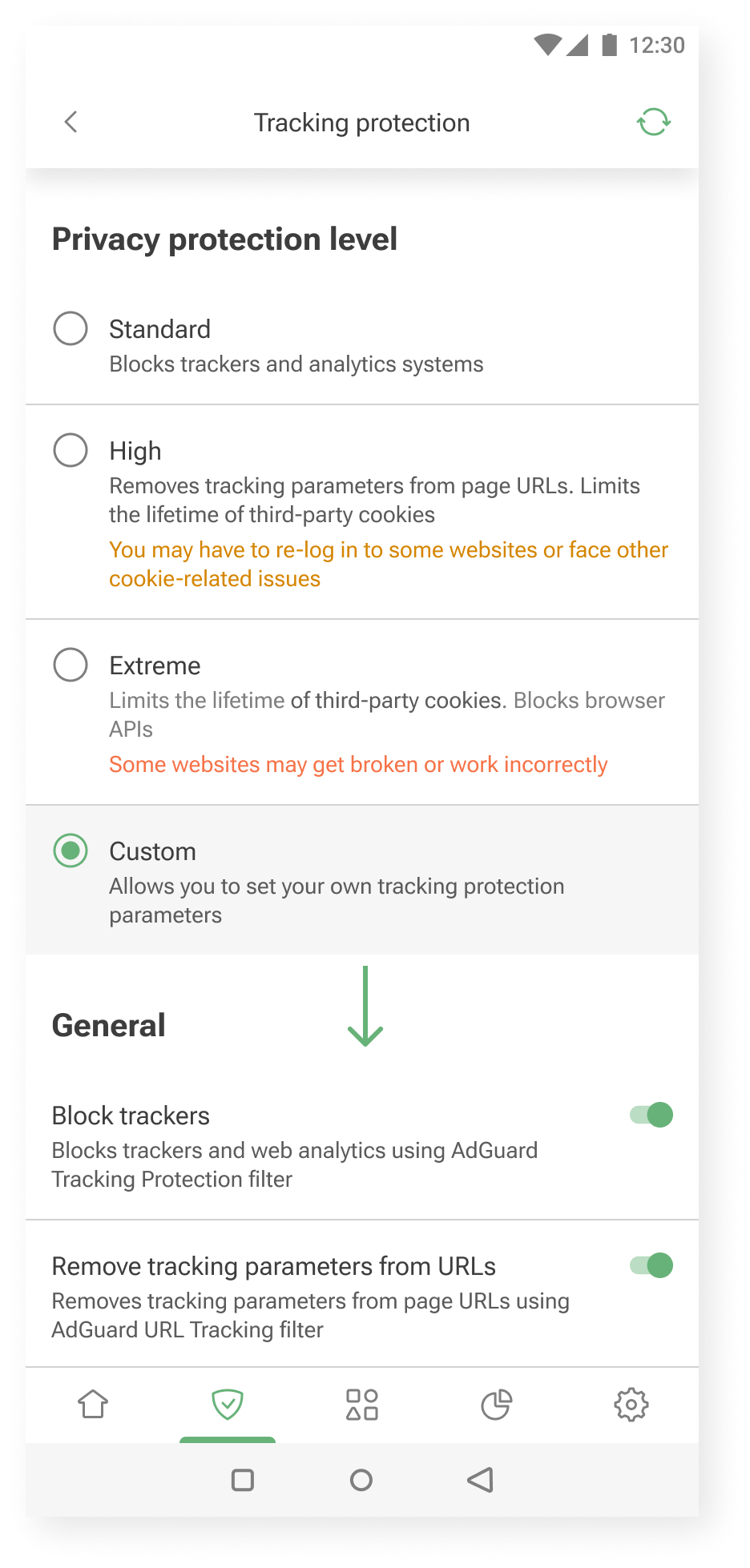
Additional settings are shown when you choose to customize further
Our audience: How we approach different needs
Not everyone uses AdGuard the same way.
Some want to set it and forget it. Others enjoy tweaking settings and learning more about how privacy works. We try to support both.
Here’s how we approach it.
Layered experience
You can think of our apps as layered systems:
- Simple on the surface — for those who want quick protection
- Customizable in the middle — for those who are curious to learn and tweak things a bit
- Deeply configurable — for power users who want full control without hand-holding
This approach helps us keep the UI clean, while still offering depth for those who need it.
One example is our User rules feature — a tool that allows users to create custom filtering rules.
Our previous approach was designed for advanced users only. There was a blank input field and a link to the documentation.
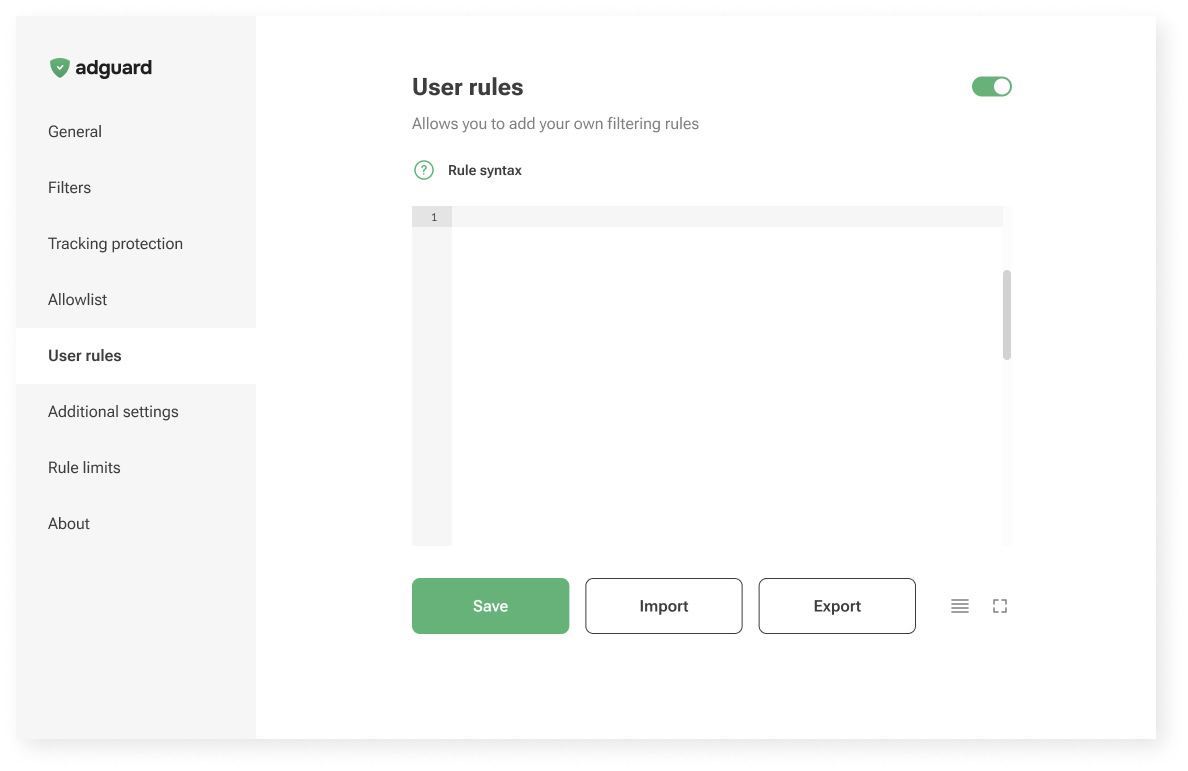
Old User rules unterface
Now, in AdGuard Mini for Mac, we’re trying something new: a guided interface that walks you through the process.
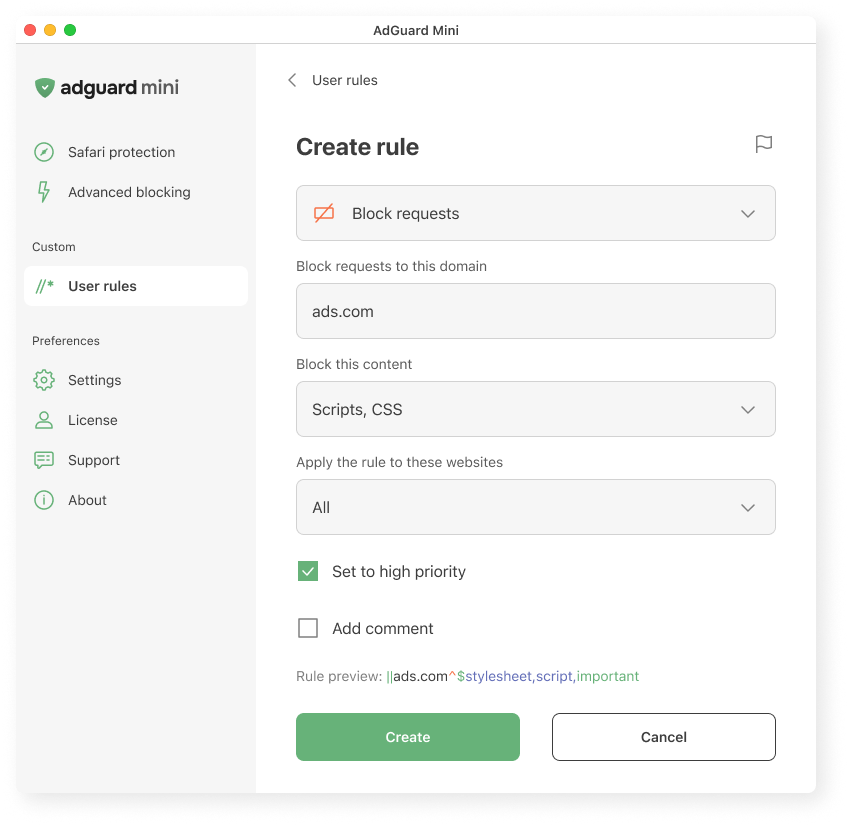
Creating a user rule in AdGuard Mini for Mac
We explain what the rule does, where it applies, and how it works. We hope this makes it easier to get started, even if you’ve never written a rule before.
Let us know what you think: is it clear? Easy to follow? Missing something? Your feedback helps us decide whether to bring this approach to other platforms too.
Vocabulary
To meet users where they are, we adjust the vocabulary based on how familiar they might be with the topic and what they’re trying to achieve.
- AdGuard protects you from ads and trackers — for those who just want peace of mind online. This works well when the user’s goal is simple: “I want the ads gone,” or “I want to feel safer.”
- AdGuard blocks known analytics and phishing domains — for users who already understand the basics of online threats and want more transparency: “I know different types of tracking and risks exist, and I want to manage them more consciously.”
- AdGuard lets you apply advanced cosmetic rules and scriptlets from custom lists — for experienced users who want full control, less explanations and more just tools: “I know what I’m doing; just let me configure it.”
Feedback: Where we learn what works
We’re constantly learning from you — and trying to reflect that in the product.
Sometimes the insights come from anonymous usage data. For example, we noticed that some users were ignoring the “card” about HTTPS filtering on the main screen. Without HTTPS filtering, however, most ads cannot be blocked. So we changed the wording on that “card” — and the result was immediate: the number of users who enabled the feature increased by about one and a half times.
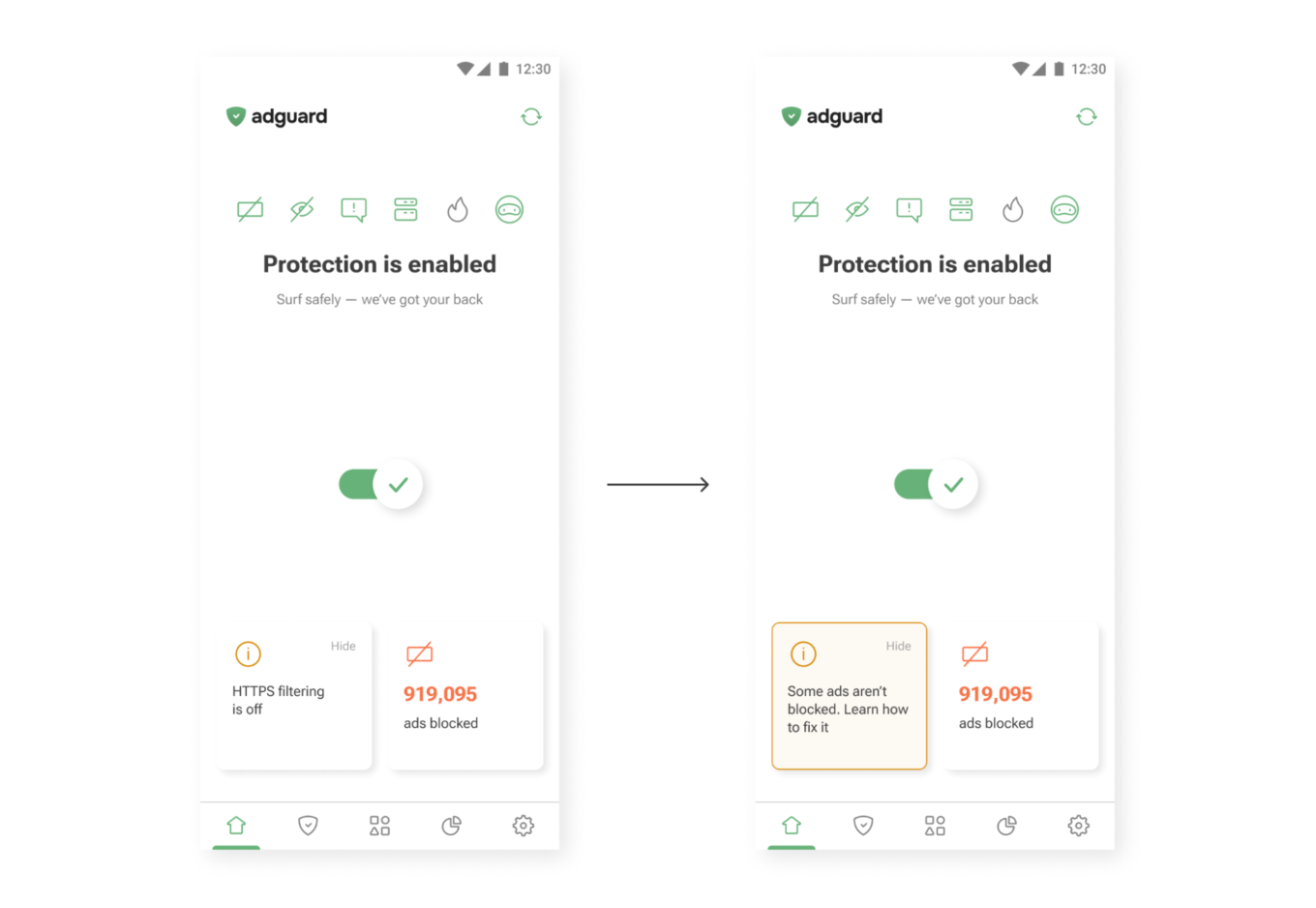
New wording (right) drives more taps than the old one (left)
Sometimes feedback comes from support requests. One user once asked where they could find their VPN license key. The thing is, AdGuard VPN doesn’t use license keys — the subscription is simply tied to the email address used for purchase. So we added a short explanation to the confirmation email that users receive after buying a license. After that, questions about VPN license keys practically disappeared.
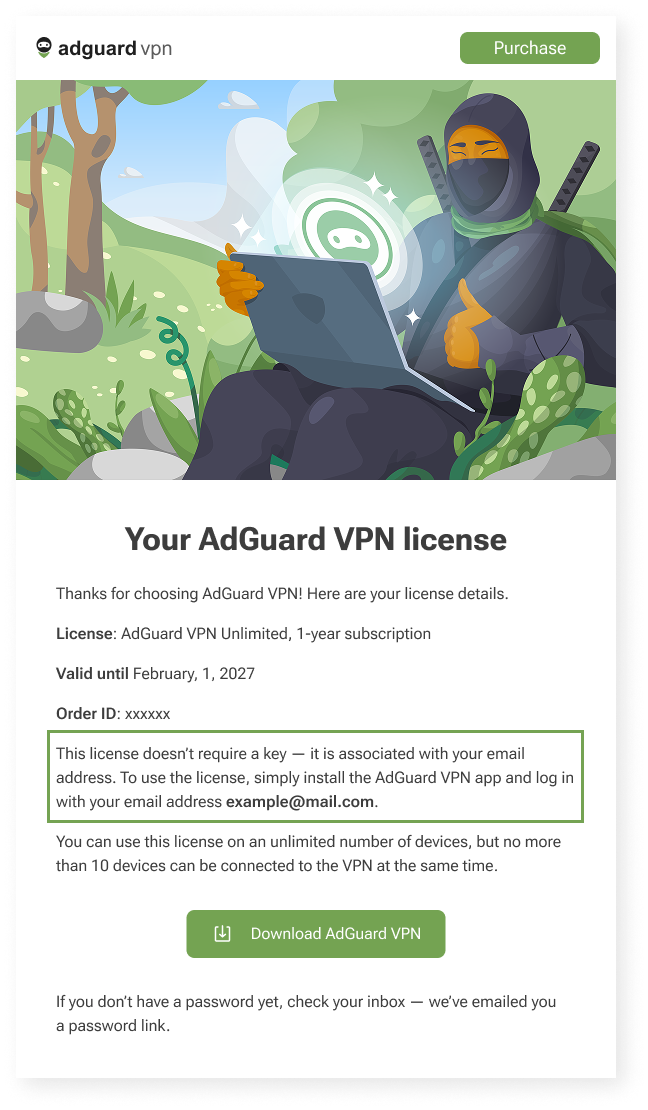
Post-purchase email for AdGuard VPN users
Constraints
We can’t implement every idea we come up with — and that’s not a bad thing. Constraints shape our work and help us better understand how and what to communicate to users. Here are a few examples of these constraints — and how we deal with them.
Legal text
We’d love for all our texts to be friendly and concise, but in some cases we need to be legally precise to avoid any ambiguity. That’s why you may come across legal wording in our products — but whenever possible, we also provide a shorter, clearer summary to help you understand it quickly.
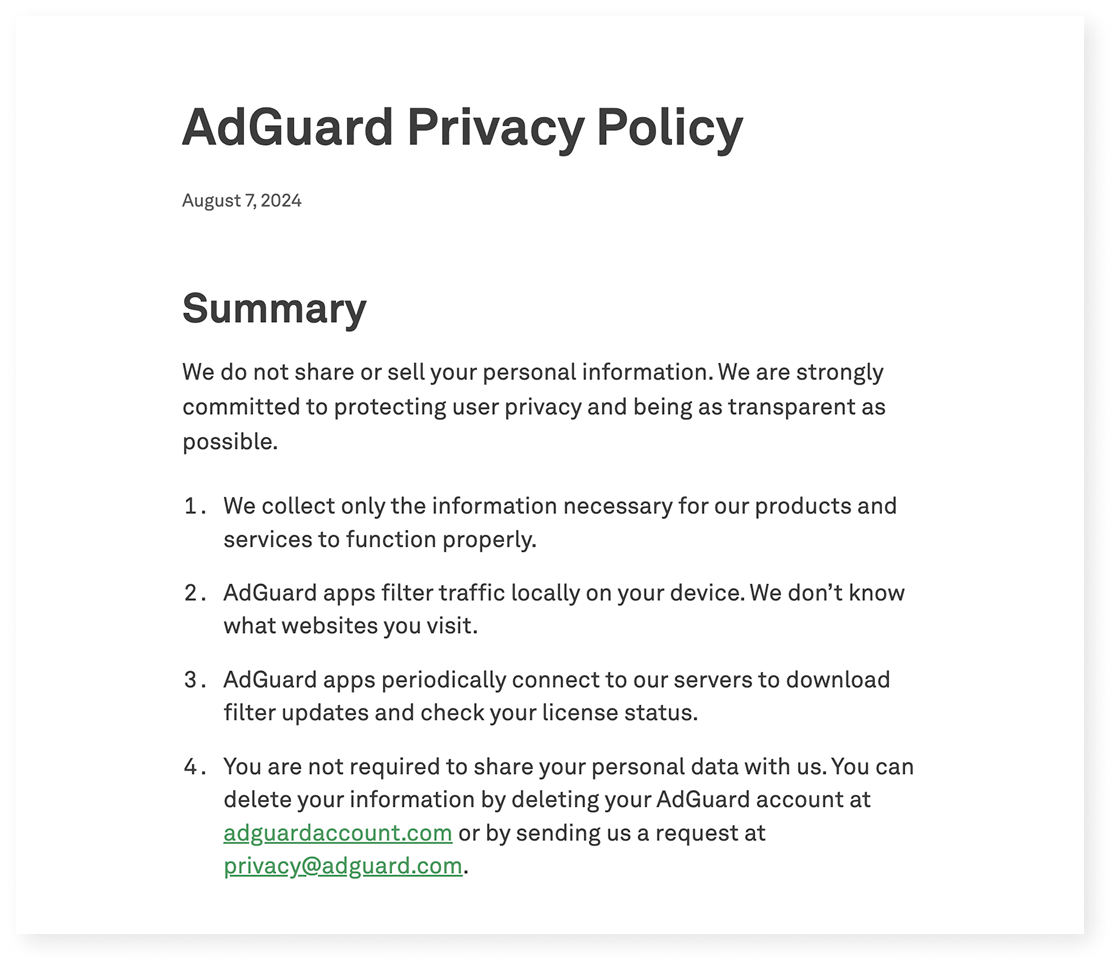
Excerpt from AdGuard’s Privacy policy
Localization
We build products for a global audience, and they are translated into 20+ languages. Even though we try to cover as many languages as possible, there will always be users who interact with our apps in a language that isn’t their native one. That means when we write in English, we have to keep in mind that not only native speakers will read it:
- Vocabulary and syntax shouldn’t be too complex
- We avoid local jokes, idioms, and wordplay that only native speakers would understand
Another constraint is how translation works in practice. We have several in-house translators and a group of dedicated volunteers who help us a lot (you can join too — read how). But in some cases, we have to rely on machine translation — and it’s much harder to provide context there.
This leads to a few additional rules:
- Limit the amount of information in one message — English words are often shorter than their equivalents in other languages
- Whenever possible, write in full sentences and avoid ending strings with prepositions — this can make translation more difficult
Let’s take another look at the User rules section.
When we were designing it, our initial idea was to make it feel like natural English: “Block request to ads.com.”
But in many languages, that structure wouldn’t work:
- Slavic languages use grammatical cases
- Turkic languages use postpositions, not prepositions
- Asian languages often require more context
So we rewrote it as “Block requests to this domain.” It’s longer, but clearer for most of the users — and translators.
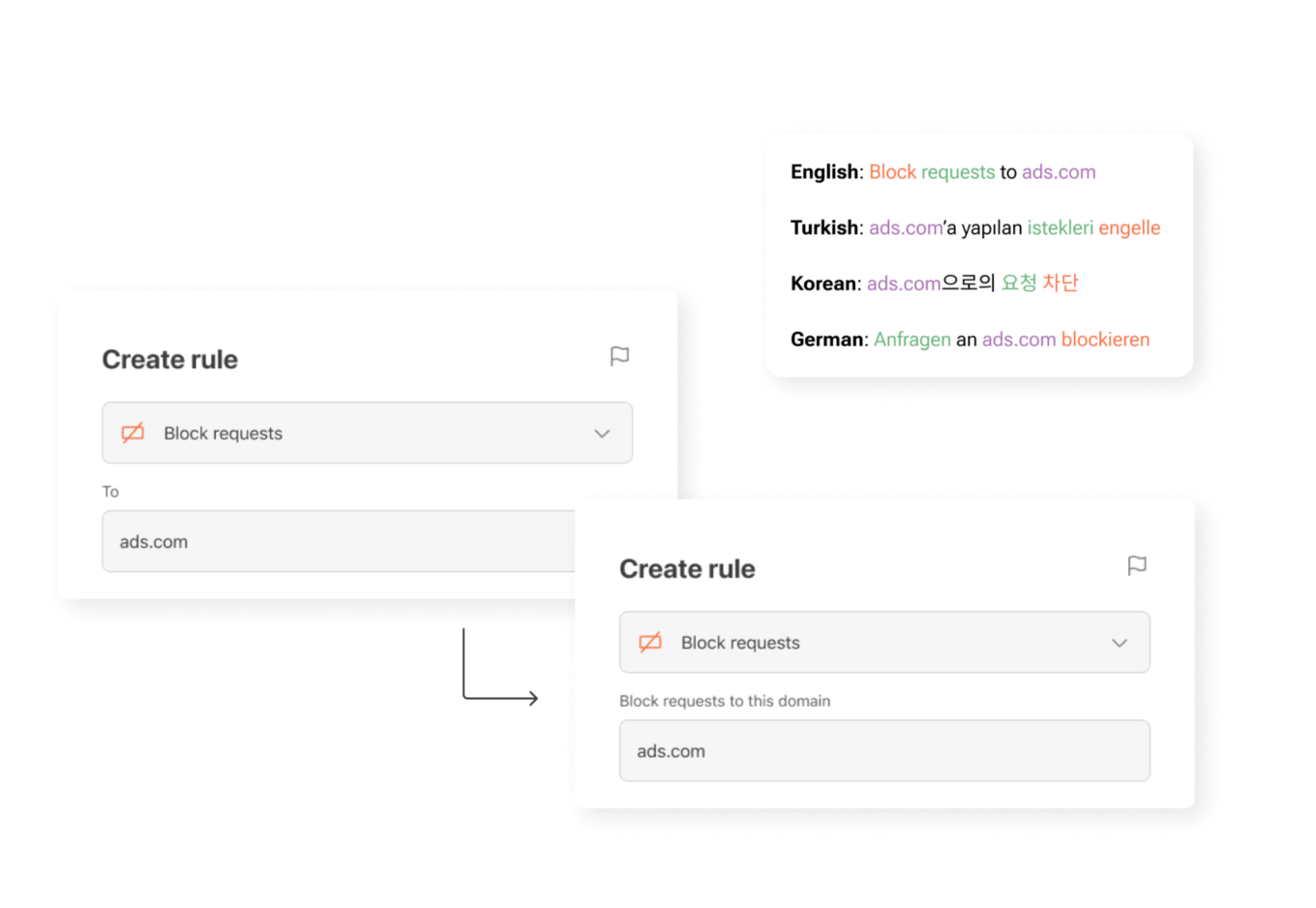
UI element for creating new rules in different languages
What’s next — and how you can help
Here’s a funny paradox: we’re a privacy company, so we collect as little data as possible. But that makes it harder to know which parts of our apps are most useful and which are confusing. We’re working on privacy-friendly ways to learn more about how you use AdGuard — so we can make things simpler, clearer, and more useful.
One small thing you can do to help: turn on the setting called Send anonymized app usage data. You’ll find it in AdGuard Ad Blocker, AdGuard VPN, and AdGuard Mail.
This option doesn’t send anything personal. We don’t collect identifiers, track you, or share your data with anyone. But it does help us see which screens people interact with — and which features need improvement.
Our next step is to rely more on insights like these when making product decisions. They help us see what really matters to users — and guide us in making AdGuard apps even clearer, more intuitive, and more helpful for you.
If you see something confusing — or something that worked well for you on our apps and websites — please let us know by clicking the button below.
We use every opportunity to make our apps clearer, more helpful, and closer to what you actually need!