Navigating the future of ad blocking: Interview with Andrey Meshkov on TechLore Talks
How much do you know about AdGuard? Whatever your answer may be, we guarantee you will know more once you read this interview with Andrey Meshkov, AdGuard’s Co-Founder and CTO, that recently went live on TechLore YouTube channel. TechLore educates people about digital rights, privacy, security, and freedom to push the world toward a safer internet, so their goals and ideals largely align with AdGuard’s.
Our paths first crossed in October 2025, when Henry Fisher, the owner of TechLore and the moving force behind it, visited Ad-Filtering Dev Summit. Henry had a presentation and took a series of short interviews with attendees, including some of the AdGuard folks. That’s when the idea of a larger-scale interview with Andrey first came up.
In this interview, Andrey and Henry spoke about AdGuard’s history, philosophy, and vision, how DNS filtering differs from local ad blocking, Apple’s new groundbreaking API, and many other topics. Enjoy the video version of the interview or find the (slightly adapted) text version below.
The interview was recorded a few weeks ago. Whenever it applies, we provide the necessary updates, taking into account the more recent events.
Andrey Meshkov on TechLore Talks podcast
The interview turned out to be over an hour long, so to help you navigate through it, we added a table of contents. If you don’t want to read through it all, feel free to use it to jump straight to the topic that interests you.
Table of contents:
The history of AdGuard
Different types of filtering
Local filtering: advantages and concerns
How AdGuard compares to other ad blockers
On AdGuard pricing
Where is AdGuard located?
AdGuard’s stance on open-sourcing its products
AdGuard’s role in the ad blocking community
Mitigating attacks on privacy
Why people use ad blockers
Apple’s new API
The history of AdGuard
(H)enry Fisher: Hello, today I have Andrey from AdGuard on Techlore Talks, and I would love to hear a little bit about yourself just to kick things off.
(A)ndrey Meshkov: Thank you for inviting me. Let me tell you a bit about myself. We started AdGuard 16 years ago, when I was a freshman, just out of university. After working at some company for a while, I thought it would be better to start something on our own. But that’s not how AdGuard actually came to be.
Initially, we tried to launch a different kind of startup. You may have heard of SimilarWeb, a company that analyzes web and app popularity using data from all over the place. About 17 years ago, we tried to do something similar.
Back then, we were on the other side of the barricades. In fact, we didn’t even know there were any barricades. We just thought it was a great idea to let people see how popular certain websites were, based on data collected from panelists. [Editor’s note: panelists are pre-selected, consented individuals who agree to have their online behaviors and browsing habits tracked over time.] But eventually, our money ran out. Even before that, we started to realize how much we knew about these panelists — just from their browsing history. At the time, there was no real data market, so we hadn’t thought much about it. But soon, it became clear: it wasn’t great that we knew so much about people who were supposed to be anonymous.
After running out of money and firing everyone, it was just the three of us left. We thought, “We should start something different.” That’s when we decided to create an ad blocker. And that's how AdGuard came to be. We made it a premium product, thinking we could make a living simply by asking people to pay for it. We launched the first version in 2009 or 2010, and I wrote it all myself. That was the beginning.
Over time, things evolved. We expanded beyond just ad blocking, aiming to have AdGuard on every device where it was possible to block ads and tracking. That led to multiple versions of the product. Once we reached the limits of devices to put AdGuard on, we decided to go beyond and created AdGuard DNS.
We then started thinking, "We’re blocking ads everywhere — what else can we do to help people protect their privacy?" That’s when we launched AdGuard VPN. More recently, we introduced AdGuard Mail, an email relay that hides your real email address when signing up for websites.
So, that’s a brief history of AdGuard.

H: It’s interesting, because of the people I’ve interviewed on the podcast that run projects and services, the most common bucket that I see is pre-Snowden and post-Snowden, in terms of their motivations.
A typical story by the people who are pre-Snowden is “I was developing an email provider and I realized I could just read everybody’s emails.” And then there are people who are post-Snowden who read what happened, got a bit spooked by it, and then decided to do something about it. So it’s always fun to chat with people who are pre-Snowden who got ahead of things.
A: When I read about Snowden and when I took a look at all the information that he showed the world, I didn’t believe it at first. It took some time to start believing in everything because it just sounded completely unrealistic. I still wouldn’t say that I believe 100% of that, but I believe much more than in the beginning. It’s still just too fantastic.
H: Yeah, it’s pretty spooky stuff.
Different types of filtering
H: So, from what I understand, you guys started with local filtering. Correct me if I’m wrong, but this is something you install directly on your computer — could be macOS, could be Windows, could be Linux. It essentially filters all the traffic, kind of like how a firewall might work, based on the filters you’ve set up.
Now, you also offer DNS filtering and a VPN, which can all be used together with the local filtering. So, these three tools can be combined. Could you expand on the different threats each of these tools addresses, and how all three might come in handy to someone?
Why not just rely on local filtering? What types of ads does it block, and why does this go beyond just ads? Could you explain what else is blocked through AdGuard?
A: Let’s start with DNS. To understand our motivation, it helps to yet again touch upon AdGuard’s history, and that will also explain the difference.
Before we developed the very first version of AdGuard DNS, we had apps for every major platform — Windows, Android, iOS, and so on. This was back in 2016 or 2017, when smart devices were becoming really popular. The problem was, there was no way to cover these devices just with installable software. So, we started thinking, “What’s the easiest way to give users control over all their devices?”
The easiest way to do that was actually DNS filtering. For anyone unfamiliar with DNS, let me explain what DNS is. Every device on your network typically works with domain names, not IP addresses. Domain names are easier to remember, and you can control them — change where they point to.
Whenever a device wants to connect to a website, it needs to contact a DNS service to figure out which IP address a domain name points to. DNS is a great place to do two things: first, you can monitor network traffic and see where your devices are trying to connect. And there is another side to it — it is a good way to prevent connections that you do not want to happen.
For example, you can make a domain point to a non-existent IP address, and the device won’t be able to connect. That was our motivation — to give people the ability to block tracking, ads, or anything else across their whole network — not just on their phone or computer, but also on smart fridges, TVs, light bulbs, all this stuff.
The problem with DNS, though, is that while it’s easy to set up, it’s not fully under your control. We run the servers, and you can trust us — or not, and that’s fine. So, we thought, “How can we give people full control?” That’s when AdGuard Home came into the picture.
AdGuard Home is basically a DNS server with filtering capabilities that you can install on your own device or server. With it, you are completely in control of your network, without relying on any third-party company or person. It’s open source, completely free, and we don’t make any money from it. It’s just proper open source, I guess. Free and open-source software.
But DNS is not enough, there are limitations. First of all, you can’t block all known trackers and ad servers on the DNS level, as some ad networks use multipurpose domains. Let’s take Facebook, for example. They use the same domain for both ads and for serving your Instagram feed. If you block that domain, you effectively break Instagram for yourself.
The other problem is, although you can block many trackers, some will still collect information about you. They can match your browsing history through your IP address.
That’s where the VPN comes in. Besides just changing your location, a VPN gives you a shared IP address, meaning it’s not tied to just you but to multiple VPN users. This way companies can’t rely on the collected IP address data because it doesn’t identify you or anyone else. This is another way to protect your privacy.
There’s one more challenge. With how the world evolves, browsers and operating systems — but mostly browsers — are not too happy about providing ways to easily track users, in the form of cookies, for instance. So they constantly work on improving their own privacy protection tools. This leads to ad companies seeking to use persistent identifiers, something that can be tied to you, something that you use in different places, something that can track you across all kinds of websites or apps.
And the ideal persistent identifier is your email address. So that’s the last thing that needs protecting. There should be a way to stop using the same email address for all your accounts, otherwise it becomes another way companies can track and identify you.
Local filtering: advantages and concerns
H: I would like to ask about your individual services and how they compare to some alternatives, but before that I just want to clarify something about the local filtering. As far as I understand, it is independent of the DNS, independent of the VPN and of the mail. How exactly is it different from the DNS or the VPN?
I have Brave browser set up on my desktop, and I have AdGuard running, and somehow AdGuard is able to block things in my browser, which is not happening via DNS, so can you explain what’s going on here?
A: Another thing going on with your computer is that you have many apps — Brave included, though it’s not limited to Brave — that try to connect to the network, whether to download something or upload information to the internet.
Depending on the operating system, there are different ways to intercept these network connections, right on your device. Each operating system offers different methods, but the main idea is that it is possible to intercept these connections. AdGuard is capable of doing that — it intercepts every network connection, inspects it, and compares the signatures to a set of rules that it downloads from the internet. But not just from anywhere.
We actually maintain all these rules in an open repository on GitHub, it’s open for inspection. Every version of AdGuard relies on a set of open-source rules, which we and other contributors maintain. So AdGuard compares your web requests to these signatures, finds the applicable rules, and then interprets them. Essentially, AdGuard, and any ad blocker for that matter, acts as an interpreter for a specific set of rules, which follow a special syntax shared by many ad blockers.
Ad blocking is an interesting field because we collaborate with other ad blocker developers. We come up with all kinds of new rule types, and we purposefully try to make them cross-blocker compatible when possible. Which is sometimes not. For example, AdGuard, as a network filter, can do things that aren’t possible at the browser extension level.
But for the most part, the core syntax remains the same. We make it the same, which is how we manage to have such a diverse community maintaining filter lists for different ad blockers. They communicate with each other and help each other, which is pretty cool, I think.
H: I’m sure a lot of people listening will go “oh, okay, so you intercept my web traffic.” So that means you now have to trust AdGuard. Do you mind clarifying what stays local on someone’s device and what’s actually internet connected? And does this pose any security or privacy concerns?
A: Yeah, yeah, that’s a good point, and it applies not just to AdGuard, but to every ad blocker. Ad blockers are powerful pieces of software, so they have very broad permissions, and that’s important to keep in mind.
It often happens that people just google for an ad blocker and install the first thing they find. They’re used to ad blockers being powerful software with broad permissions, so they blindly trust whatever they install, but that’s not a good idea. You should actually learn more about the developer first, to figure out whether you can trust them or not.
There have been many cases where people installed fake ad blockers, or ad blockers that were later sold to someone else and started collecting browsing history. It’s an unfortunate consequence of ad blockers being so powerful. But we need that power to block ads and tracking, so it’s kind of an unsolvable problem.

As for intercepting traffic, here’s what you need to know: the traffic is intercepted locally, right on your device. Nothing goes to our servers or anywhere else. What we do is decide whether your request goes through or if it gets blocked. The decision is made right on your device, by the software you use.
It could be AdGuard, it could be uBlock Origin, AdBlock Plus, Ghostery, or any other ad blocker. That’s essentially what all of us do. The difference lies in when the request is intercepted. Then, we just decide whether it goes through or gets blocked.
My point is, you need to be aware that an ad blocker has a lot of permissions. If you use a software like that, take the time to learn about the developer and decide for yourself whether you want to trust them.
How AdGuard compares to other ad blockers
H: Yeah, definitely good advice. So would it be safe if someone installs AdGuard on their devices? It downloads data, it downloads new rules, it gets updates, but it’s not going to be uploading that person’s web traffic, everything happens locally in the program? Theoretically, if there was a way to disable internet access to AdGuard, it would still function properly, assuming your traffic could still go through the network. Would that all be fair to say?
A: Yeah, yeah.
H: So back to my use case, because I have Brave and AdGuard running [simultaneously] right now. How does this compare to just Brave’s protections? Nowadays, we’re starting to see more things built out of the box. Mullvad browser has uBlock Origin built out of the box, Brave has its own shields. Some other browsers have built-in ad blockers. Why would anyone use AdGuard if their browser already has some protections in place?
A: AdGuard comes in different versions. You’re using the full-scale network filter, but there’s also a browser extension, which is pretty much an alternative to uBlock Origin with similar capabilities.
So, what’s the difference between the browser extension and the network filter? There are several key differences. The first one is that, in the browser, the extension only sees and controls what the browser allows it to see and control. In every browser — be it Brave, Mozilla, or especially Chrome — your browser extension is limited and doesn’t have visibility into certain internal requests, like those going to the browser settings. That’s the first difference.
The second difference, which is also important, is that a network filter isn’t just limited to the browser. It can also block tracking and ads initiated by your apps, which isn’t as well-studied as web tracking. Everyone knows about web tracking, like Google Analytics and Google DoubleClick, which are ubiquitous on the web. But no one studies the kind of tracking happening inside apps.
Many apps use Google Analytics, Google Tag Manager, and other similar tools. On top of that, apps have much more permissions than websites do. Any app you have installed — even something like a text editor — sees and knows far more about you than a regular website. Apps have access to your computer, and can inspect your files and properties. Imagine what kind of information, even inadvertently, could be shared with tracking services.
Lastly, browser extensions aren’t just limited in what they can see — they’re also limited in what they can do with web requests. This is especially important given the recent Manifest V3 changes in Chromium, which severely limited what ad blockers can do in Chromium-based browsers.
You probably don’t feel it right now because we’ve been able to work with the Chromium team and shape the API in a way that covers most of our needs. But what’s been crippled is the ability to improve it further. It now takes much more time to implement changes — it may take years to introduce a new feature in MV3.
A network filter isn’t limited by that. We can innovate and adapt much faster than browser extensions can.
H: Got it. So, what I’m hearing is that these tools can all be swapped out, and actually, the next section will touch on this a bit. It doesn’t necessarily matter if it’s all AdGuard; it’s just that these different threats target different parts of the stack. So, for anyone listening, there are various ways to handle these issues and different tools to use. You might have your browser and browser extensions to block things within your browser, local programs to do system-wide filtering, DNS filtering, and a VPN. Then, there are additional tools that can work on top of all of that, like email aliasing, phone number aliasing, and so on. Is that a fair way to put it?
Okay, now, the fun part. If you want to give the same answer for some of these, like, “Hey, we like our UI and we think it’s the best,” that’s fine. But I’m just curious — what do you think sets you apart from some of the competition for each of these products?
I wanted to start with your extension — the AdGuard extension. I think I can already guess, at least for iOS on Safari, because I haven’t found anything better that works as well. But I’ll let you go ahead and explain how your extension is maybe different or how your approach differs from most of the alternatives, like uBlock Origin.
A: As far as I remember, uBlock Origin takes a very different approach on iOS. Essentially, it migrated its MV3 version to Apple. AdGuard still uses the older approach — the Safari Content Blocking API. And we would actually prefer to avoid migrating to MV3 on iOS.
We don’t like how it’s implemented in iOS Safari right now. There are some minor issues that can be really annoying for users. So, we stick with an older, a bit different but more tested approach.
But other than that, uBlock Origin comes as a static bundle. It can’t change the way rules are interpreted without updating the app. This is actually a common issue on Apple devices — many ad blockers can’t update their rule sets without updating the entire app.
AdGuard took a different approach from the start. We developed our software so it could download new sets of rules and apply them without needing an app update. And in order to do that, we created a library — sorry if I’m getting into too many details, but maybe this will be interesting to some.
So one of the issues with Apple’s approach is that they invented their own method for content blocking. Instead of relying on the rule syntax the ad blocking community had been developing for years, they came up with their own syntax, which is quite limited compared to what we had before on other platforms. They essentially told everyone, “You need to use these rules. We don’t care that you have millions of rules written in different syntax for other ad blockers. You just have to redo everything.”
Of course, we didn’t like that. We didn’t want to redo all that work, so we created a library, an open-source library, by the way, that’s used by many other ad blockers (I hope they at least mention us somewhere). This library can take traditional ad blocking rules and convert them into the syntax that Safari understands.
And we continue to maintain it. It is a good, fast library, and we maintain it and improve it all the time. It gives us the ability to dynamically change the way we do the work, the way we update rules and apply the changes. It also lets us offer you different settings to customize — to add your own rules right in the app and choose what to block, what to unblock, and so on.
I wouldn’t say we’re completely satisfied with this solution at the moment. But I can say that on this platform, with the capabilities we have in Safari, this is probably the best you can do. There’s no other way to improve things further within Safari’s restrictions.
H: Yeah, and I know you talked about the new API in Cyprus [Editor’s note: at the Ad-Filtering Dev Summit 2025] that I’ll ask you about later as well. But what about for desktop? Like if someone’s just using Firefox, what are the differences in the approach between UBO [uBlock Origin] and AdGuard?
A: We use different filtering engines under the hood. So we basically have different code. But other than that, honestly, the two browser extensions are interchangeable. AdGuard’s UI is a little bit different from UBO’s, some people like ours more, some people like theirs more. But in terms of capabilities, UBO and AdGuard Browser Extension are pretty much the same.
H: Got it. And then for the filtering, are there any differences in approaches there beyond just UI and the specific block lists that you choose to use?
A: That’s basically it. We have different filtering engines, but they are very similar in what they do. Actually, we collaborate with UBO’s filter maintainers. We try to maintain cross-blocker compatibility so that their rules could work in AdGuard and AdGuard rules could work in UBO.
H: Very nice. And then there is AdGuard Home — the way I understand it, it’s kind of your own alternative to Pi-hole. Is that correct?
A: Probably, yes — you can say that. We started a couple of years after Pi-hole.
What we didn’t like about Pi-hole at the time (I’m not sure how things are now) was that it was basically a set of scripts that configured dnsmasq.
I don’t want to say anything bad about Pi-hole — it’s a great piece of software. But for me, it felt pretty complicated. It relied on different components like dnsmasq and a PHP admin interface, and those tools weren’t originally developed specifically for this purpose. So you were essentially configuring other software to do the job.
With AdGuard Home, we wanted to build something made specifically for filtering DNS. That makes it easier to extend, easier to add features, and easier to keep developing further.
And it also just looks simpler. If Pi-hole is a set of different tools orchestrated together, AdGuard Home is a single binary that you run, and it just works.
H: So I just pulled it up, and it looks simpler for sure than the Pi-hole last time I looked at it. But I haven’t used either of these, so I can’t really speak to what you said about Pi-hole and if it’s still that way.
On AdGuard pricing
H: I wanted to ask about pricing, too. So if somebody is looking at all these services, what are the pricing models across your ecosystem? It’s probably good not to use specific prices because I know this stuff changes all the time. But just in general, what are the pricing structures that you have? Because I bought, I think, an unlimited plan for filtering.
A: Yeah, we do have a lifetime license, but only for the ad blocker. There’s an option to buy a license once, and it just works — it’s not limited in time, and it’s not limited in updates. It’s a one-time purchase, and you just have it.
But for the VPN and DNS, we only offer subscriptions. Same with Mail. The reason is simple: with DNS and VPN, we have ongoing infrastructure costs to maintain these services.
With the ad blocker, we just develop the software, and the main additional expense is maintaining the filter lists. And honestly, these days, with so many users, it’s not as cheap as it used to be. But whatever — I can’t undo what was done in the past. So we still maintain lifetime licenses, and we don’t plan to change that.
Where is AdGuard located?
H: I wanted to pivot to the company as a whole. I also have a few random questions I haven’t been able to fit in yet. So first: you’re based in Cyprus, if I understand correctly. Was that an intentional decision, or is it just where you ended up?
A: The company is mostly remote. We have a pretty small office in Limassol — I live in Limassol, and part of the team also lives in Cyprus, not only in Limassol but in different parts of the island. But most of the company is remote. We have people working all over the world, honestly — in China, Poland, Germany, South Korea, Japan. Pick a country and there’s probably someone working from there.
H: How large is your team?
A: 170, I guess.
H: Wow, that’s impressive. But what about Cyprus in general?
A: We incorporated in Cyprus in 2014, more than ten years ago. The reason was that, back then, Europe was the most advanced when it came to privacy legislation. GDPR was just emerging, and it’s still a pretty modern law — no one else has really managed to write something at that level.
These days, more countries have strong privacy laws, but GDPR is still kind of the model for all of them. So we thought: okay, we need to be based in a country that actually respects privacy. And if we’re choosing somewhere in Europe, we also need a place we’re willing to live in, which also makes financial sense for running a company. Cyprus was an obvious choice, to be honest.
There aren’t that many countries that are so welcoming to foreigners. Of course, things change over time, but ten years ago it wasn’t that easy to move to, say, a Western European country, run a company there, and not have people look at you strangely. In Cyprus, people are very welcoming. I really can’t say anything bad about it — I love it.
H: Very cool. And yeah, it was beautiful when I visited.
AdGuard’s stance on open-sourcing its products
H: What of your products are open source?
A: Ideally, we’d love to have all our products open source. Unfortunately, for some of them, we still can’t make that decision, and I’ll explain why.
When it comes to open source, AdGuard Home is probably the most popular open-source software we make. Our browser extensions are open source. AdGuard for Safari — the software for macOS desktop and Safari — is also open source. And finally, the iOS version: even though it’s a premium product, it’s open source too.
But this is actually one of the reasons we’re cautious about making everything open source. With AdGuard for iOS, we’ve had a lot of cases where people simply cloned it and uploaded it to the App Store under a different name, without respecting the open-source license, without even mentioning that it’s based on AdGuard’s code. We’re not asking for anything more than that. Just at least mention us somewhere, even on the About page.
H: ‘Don't be shitty’ is the license. [laughs]
A: That’s one of the issues with making things open source. We’ve been saying for a couple of years that we’ll open-source our VPN software, and it’s going to happen very soon — either this month or next month. We’re planning to properly open-source the AdGuard protocol*, because it’s different from most other VPN apps: we have our own, state-of-the-art protocol.
How TrustTunnel differs from a regular VPN protocol
But we don’t want to just publish the code. We want to open-source it together with some client apps, so anyone can take it, set up a server that uses this VPN protocol, take the client apps, and just use them. We want it to be a real open-source project — not “open-sourcing the code” just to tick a box.
Ideally, we’d love other VPN providers to start using it as well. That’s why we’re planning to open-source it under a different name, with as few ties to AdGuard as possible. We just think it’s a good protocol, and it can be useful for others.
AdGuard’s role in the ad blocking community
H: Very cool. I also wanted to ask about your general involvement in the broader ad blocking ecosystem. One thing I learned when I went to Cyprus and attended the Ad-Filtering Dev Summit is that you get all these people in a room — and some don’t see things the same way as others. It’s like trying to satisfy a big group with different perspectives. But it also seems like everyone in the ad blocking world is mostly on the same page, and there’s a lot of collaboration — Ghostery, DuckDuckGo, AdGuard, Firefox, Brave, and so on.
So can you speak to AdGuard’s role in the broader ad blocking ecosystem?
A: It’s not like we’re trying to take a special role or promote ourselves as something. We’re just part of the community. The people who contribute to AdGuard’s filters are part of that same world of list maintainers, contributors, and developers.
And it’s not really one single community, either. There’s the community of filter list maintainers, and there’s the community of ad blocking developers. Those two groups work together all the time, because filter list maintainers — the people who actually create the rules that block ads and tracking — are also the most demanding users we have. They constantly push us to improve the software so they can block more, or block better.
So developers and filter list maintainers stay in contact all the time. We talk to each other, we exchange ideas, and we try to help each other.
As for AdGuard’s role specifically, one thing I find really valuable is the summits themselves. You saw it with your own eyes: people in ad blocking might be a bit different from each other, but they still understand each other very well. We have a lot in common. And when we meet every year, we come up with new ideas that we then take back to our companies — and that helps improve the products.
What’s different about ad blocking communities is that there’s not much competition between us. It’s more like everyone is working toward the same goal, which is pretty cool, honestly.

H: Yeah, that was the feeling I got — seeing all these different products that, to end users, feel like competition. People go online and say, “This is what Ghostery does, that’s why I hate Ghostery and I love uBlock Origin,” and someone else goes, “I hate uBlock Origin,” and so on. But then I’m in a room with all of you, and you’re all like, “Okay, how do we make ad blocking better?” There are new threats, MV3 is making things harder, here’s what we’re doing to address it — and it’s pretty collaborative behind the scenes, which was really cool to see. So I’m glad you spoke to that.
Mitigating attacks on privacy
H: I also have a few random one-off questions that didn’t fit anywhere else in the interview. The first one is this: you see some researchers at these summits talking about very sophisticated attacks. I’ve seen these kinds of things over the years, so none of it surprises me — but when you present it clearly to someone who doesn’t know what’s happening behind the scenes, it can really wake them up.
So I wanted to ask: is there a specific attack you’ve seen over the years that AdGuard had to proactively mitigate — something that struck you as an insane, clever way to spy on people? It could be from a big tech company, it could be from a malicious actor. Just curious to hear your thoughts.
A: I wouldn’t say this is something unique to AdGuard, but I do have an example. It’s not new, but it really impressed me when I first read about it. Several years ago [in 2017], researchers — I think from Washington University — published a very interesting study. To explain what they did, I need to give a bit of background first.
When you open a mobile app and there’s an ad slot — a banner, for example — the app needs a way to decide which ad to show you. So the ad network responsible for that slot runs what’s called an ad auction.
Here’s how it works: the network takes some information about you and sends it to a number of participants in the auction. Each participant looks at that data, compares it to their own database, and then submits a bid — basically, how much they’re willing to pay to show their ad in that slot.
And this happens every time the system wants to show you a banner. So what did the researchers do? They registered a company — I assume that’s the only way to participate. They paid the fee, and they connected that company to the ad network as an auction participant.
Once they were in, they started receiving these signals from the ad network — the same user data that would normally be used for bidding. But they didn’t actually bid. They just recorded the information.
And then they went further. They had a person participating in the experiment, took the identifier of that person’s mobile device, and started filtering for signals containing that identifier. So they were collecting the auction data specifically for one person, or rather one device.
And what they achieved was that they could reconstruct the person’s whole day. They produced a map: “This person lives in this house. Then they go to this bus stop. Then they go to this coffee place. Here is where they work. Here’s where they have a beer after work. And this is the route they take home.”
That’s proper surveillance, and it is very precisely targeted at a single person. And all they needed was one identifier from that person’s device. Basically, spend a thousand bucks and you can spy on someone — your wife, I don’t know.
That’s what scared me. Anyone can spend that kind of money and effectively track almost any person in the world — or more realistically, someone specific you know. You can just follow them. You can stalk them, using capabilities provided by ordinary ad networks.
H: So I assume the two-step way to avoid this is: first, download trusted apps — ideally ones without ads, with a business model that doesn’t rely on advertising in the first place. But if you do have to use an app with ads, then make sure you use some kind of ad blocker. I assume AdGuard on a mobile device would prevent this kind of thing from happening.
A: It’s not that hard to prevent. AdGuard can prevent it — or even a DNS service with ad-blocking capabilities can. So in general, it’s not some unique, unstoppable threat. It’s just scary that this kind of information can be retrieved through an ad network.
H: Right. I don’t think people realize what’s going on behind the scenes. They just see, “Oh, those are the shoes I looked up on my laptop last week, and now I’m getting an ad for them — how fun.” But it’s pretty crazy.
And actually, one of my favorite ad campaigns I ever saw — it was very short-lived, because they pulled the ads — was from Signal. I don’t know if you saw this, but they ran ads, I think on Facebook and Instagram, that used the unique identifiers being collected to generate personalized ads. The message was basically: “We can see you’re on an iPhone, we can see your location, we can see this and that about you.” It was their way of showing how much information ad platforms have. If you haven’t seen it, I recommend checking it out.
A: I haven’t seen it, but I can imagine. And what you’re describing is still a very small, simple example — an easy thing to get. It’s not even full surveillance, but it’s already scary enough. I guess people weren’t very happy seeing ads like that, right?
Why people use ad blockers
H: Right, right. And this leads into another question — I promise I’ll try to keep these brief.
When people hear “ad blocking,” I think a lot of them just think of annoyances. Like: “I don’t want to watch a one-minute unskippable ad on YouTube,” or “this website looks ugly with 30 different ads surrounding the content I actually want to see.”
But there are a lot of other reasons to use an ad blocker. Official U.S. government agencies recently started recommending ad blockers as a basic security measure, to help prevent malware from being installed on your device. And a lot of TechLore community members also see privacy as a major reason to use an ad blocker — because ad blockers can block trackers and the whole ad surveillance ecosystem you were just talking about.
So where do you see ad blocking having a role on the internet? Do you think it’s a mix of all these things? Is there one thing most AdGuard users care about the most? Is it really just that they don’t like ads? I’d love to hear your view.
A:We’ve actually asked people about this in surveys — what they think is most important. And we also watch how people react in practice: how they respond to changes in filter lists, or to cases where the ad blocker suddenly stops blocking ads on some site.
If you combine those survey results with what we see from real user reactions, I’d say blocking ads is the main driver for about 70% of people. Even when users say privacy is the most important thing, for most of them the real motivation is simple: they just don’t want to see annoying ads. That’s what pushes them to start using an ad blocker.
And that’s pretty logical, right? We’re an ad blocker. [laughs] But at the same time, people do care about privacy — they value it a lot. The problem is that they don’t really know what to do. Privacy threats are complicated, and people don’t always understand how to protect themselves. They want a simple button that at least gives them a sense of safety.
And more broadly — looking at the web and the industry — I think ad blockers also play an important role in shaping the ads that other people see.
This is one of the ways people give feedback to big companies that something isn’t okay. Companies read that signal and react. They try to make ads less annoying and more acceptable. Just seeing that signal — how many people use ad blockers — forces them to pay attention and improve the situation at least a little.
I’m not talking about creating some “acceptable ads” standard — that’s not my point. My point is simply that corporations look at ad blocker usage, and they have to react. They have to improve things.
Apple’s new API
H: Got it. And the last thing I wanted to ask about was Apple’s new API. This isn’t something I even knew was happening. It’s not the kind of thing Apple announces loudly at WWDC [Apple's Worldwide Developers Conference] — it’s pretty niche, but it’ll quietly end up on people’s phones. I’m sure people listening to this podcast will appreciate these sneak previews, because I didn’t learn about it until your talk at the Ad Filtering Dev Summit.
Do you mind explaining Apple’s new API — how it differs from what mobile operating systems have today, and what it might enable for users in the future?
A: Apple came up with a pretty interesting idea. Earlier, we were talking about local filtering — intercepting requests, controlling where your device connects, what data it uploads, and so on. Apple decided to give developers something built specifically for this purpose: an API for filtering web requests at the system level. Not just in the browser, not just in Safari, but a way to control where all apps connect.
What’s especially interesting is that they’re trying to make this API truly private. Remember how I said ad blockers usually need very broad permissions to do the job? With Apple’s API, the idea is that it can be safe and private.
So ad blockers won’t actually see the traffic. There won’t be “interception” in the usual sense. The interception will be done by the system. The ad blocker will be asked whether a request should be allowed or blocked — but in a smart way, so the ad blocker doesn’t even learn what the actual address was.
I talked about this at the summit — if someone wants the technical details, they can look that up. But the core idea is simple: give apps a way to filter traffic system-wide, while keeping it completely private — in a way where the developer can’t learn anything about your traffic.
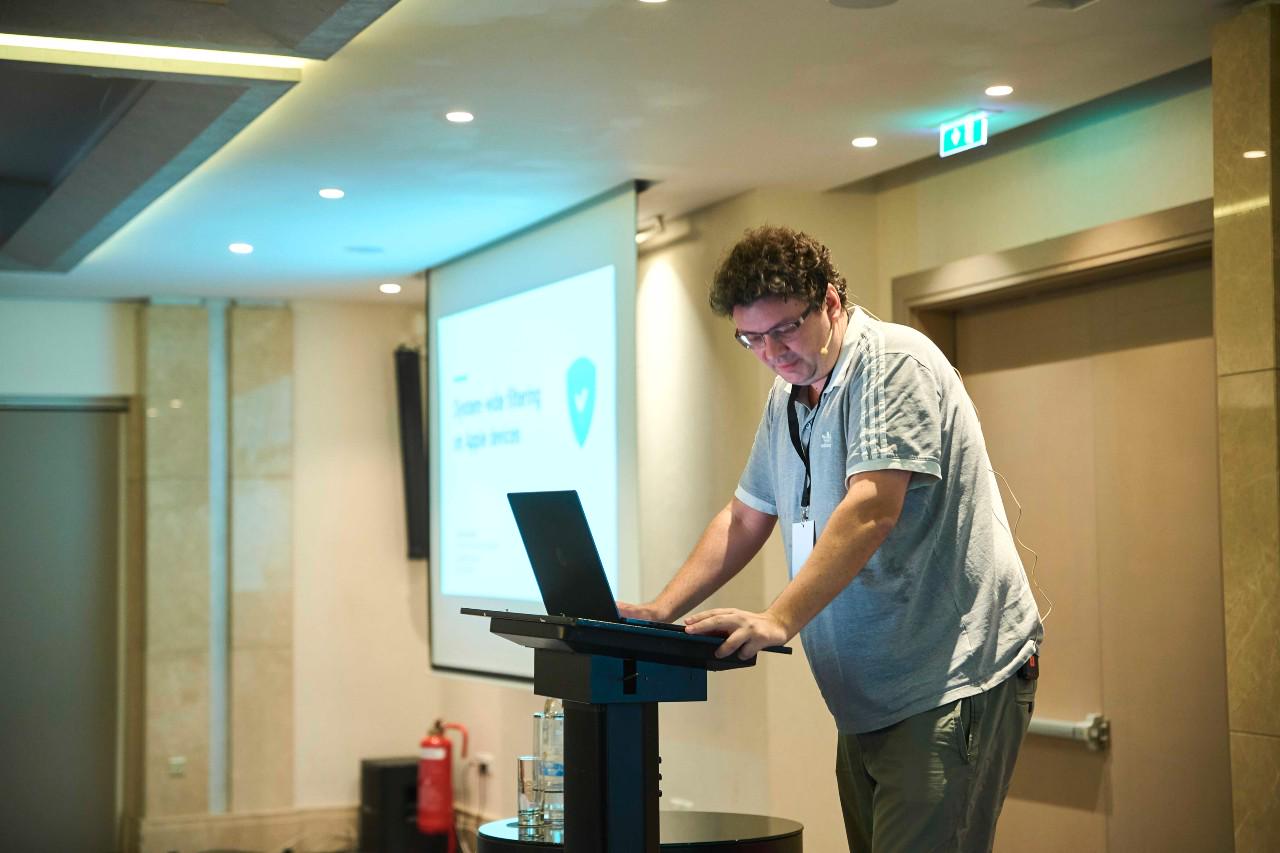
Andrey’s talk at AFDS 2025
So you won’t have to trust my word. It will be a guarantee that AdGuard doesn’t see your traffic and can’t see it — even locally. We just won’t be able to learn anything ourselves. And at the same time, the goal is still achieved: tracking gets stopped.
H: Yeah, that’s pretty cool. So how does this compare to what we can do today? Because on iOS you can already use DNS filtering, I’m using it myself. How is this new API different from DNS?
A: There are two main differences.
First, with DNS filtering, the app itself knows the domain you’re trying to connect to. That’s obviously required, because the app needs to understand whether the domain should be blocked or not.
With Apple’s new API, the app won’t even know the domain name. It sounds strange, but it will still be able to block bad domains without actually knowing which domains you’ve visited. Pretty smart and interesting solution.
Second, the new API isn’t limited to domain names. Remember how I mentioned Facebook using the same domain for both ads and normal content, like your Instagram feed? This new API would finally let us differentiate: block the ads without touching the other parts of a multipurpose domain.
H: Very cool. And do you have an ETA by any chance?
A: Yeah, the problem is that in order to start using this API, we first need to go through a special review, not just a regular App Store review. We need to apply specifically to get permission to use it.
And we did apply a month ago, or even earlier than that, but we’re still waiting for the response. And as far as I understand, it may take several months to get one. But once we get the approval, it will get implemented very fast.
H: Apple bureaucracy. And it’s funny, because Apple’s approach here feels similar to other things they’ve done: they look at the worst-case scenario — how someone could abuse a permission — and then they come up with some incredible engineering to prevent that. The downside is that it also prevents people from taking the most powerful, “maximal” approach to solving the problem.
You see this with WebKit, for example [an open-source web browser engine]. We don’t really have truly independent browsers on iOS, because everything has to use WebKit. That means you don’t get “bad” browsers — but it also means browsers like Brave can’t do more or make something more powerful. This seems to be Apple’s pattern, so I’m not surprised they did something similar with this new API. [laughs]
A: Yeah. But again, it does have downsides. Still, I have to admit, the way they decided to do it is pretty innovative. I hope they improve it over time, but even as it is, it’s interesting.
For me as an engineer, it’s a really interesting engineering problem to solve — that’s another reason I like it.
H: Yeah — and kind of the last thing. I don’t know if you’ve tested this, or if you already know off the top of your head. One thing I don’t like about Apple — and anything iOS — is that they add a lot of exceptions for themselves.
Apple says, “We’ll give you the ability to use a VPN,” but then their own domains don’t go through the VPN, which is pretty crappy — especially because VPNs on iOS are presented as system-wide, even though Apple excludes its own stuff.
With this new API, are you able to block Apple domains? Or have you tested whether they prevent that from working?
A: One downside of the API is that it’s not transparent what’s going on internally. We don’t see what’s being filtered and what isn’t. So we can only judge indirectly — for example, by checking device logs.
What I can say is that Apple didn’t add direct exceptions for themselves. But there are some limitations in how the API is implemented in general, and those limitations make it possible to bypass it in some cases, unfortunately.
For example, on macOS, the Chrome browser won’t be filtered, simply because of how the API works. It’s not because Apple decided to make a special exception for Chrome — it’s just a limitation of the implementation.
H: I want to give a massive thank you to Andrey for taking the time to explain all these technical things in a way all of us can understand. I feel like I know how to navigate this landscape a little better as a result, and I hope you got the same out of it too.
On behalf of the entire team at AdGuard, we’d like to extend a big thank you to Henry Fisher for inviting Andrey Meshkov to take part in this interview on TechLore Talks. True to the name of the podcast, it turned out to be packed with tech talk, but also with various tidbits and anecdotes from AdGuard’s history. We’re happy to find that Henry himself is a satisfied user of AdGuard products, and we wish him and TechLore only the best in their future endeavors, whatever they might be.