AdGuard for Mac v2.20: Transparency and compatibility
In v2.20, we’ve changed the UX workflow related to system permissions in the macOS 27, added new browsers to the default filtering list, renewed the app’s visual style, updated our filtering engines, and fixed a number of bugs. Let us get into more details below.
System permissions for AdGuard
AdGuard requires Files and Folders permission to install and verify AdGuard Browser Assistant in Chrome, Edge, and Gecko-based browsers.
In macOS 27, access to third-party browser profile folders has been restricted. Previously, when access was denied, AdGuard displayed a Not supported status, which didn’t make it clear for users that the issue could be resolved by granting additional permissions.
In AdGuard for Mac v2.20, we’ve improved this workflow, aiming for more transparency in system permissions AdGuard needs, and for a better understanding of our processes by the users.
Now, when you try to install AdGuard Browser Assistant on a third-party browser, you will be redirected to the Assistant tab with an Allow Access button. This way you can grant the required permissions directly.
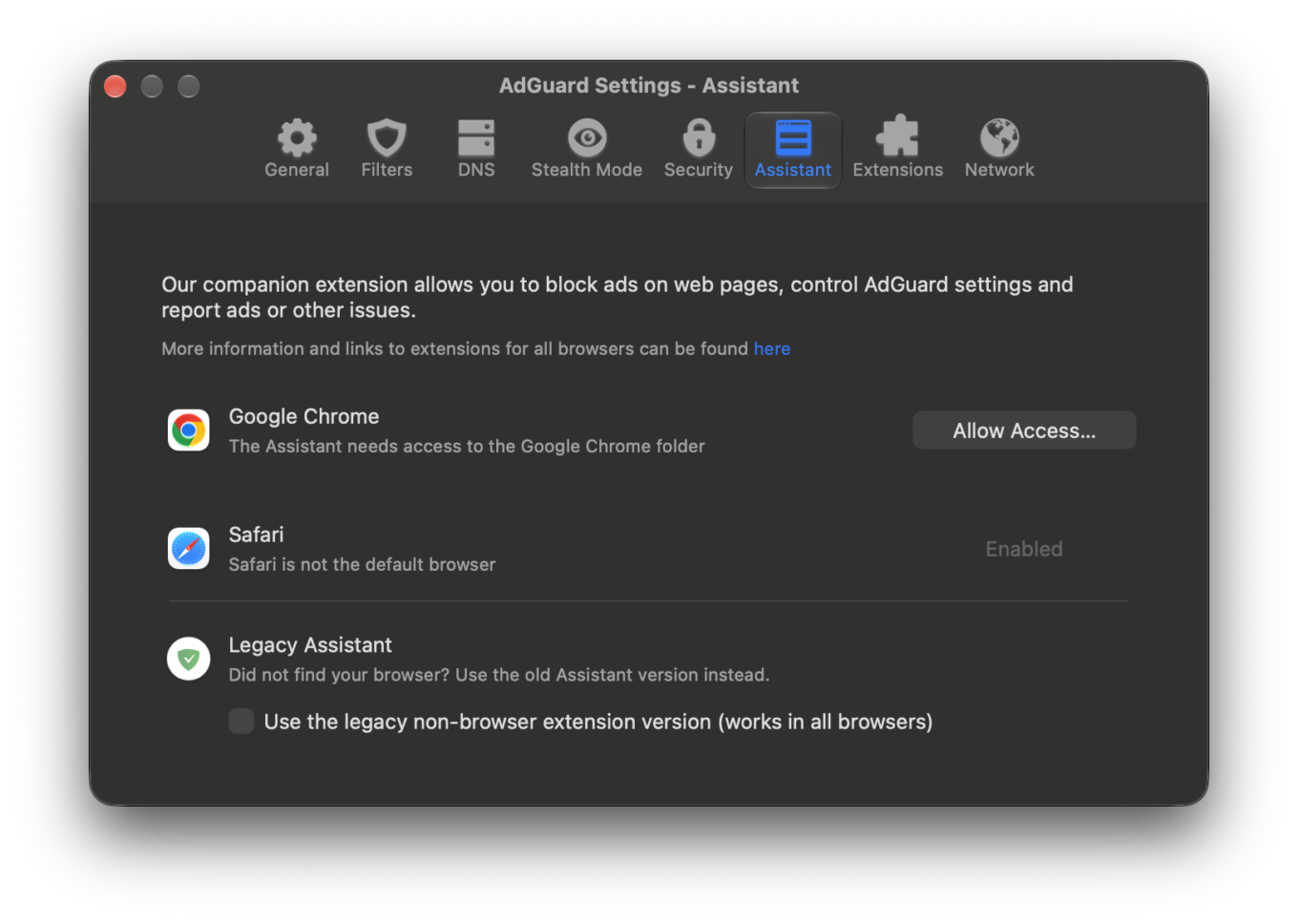
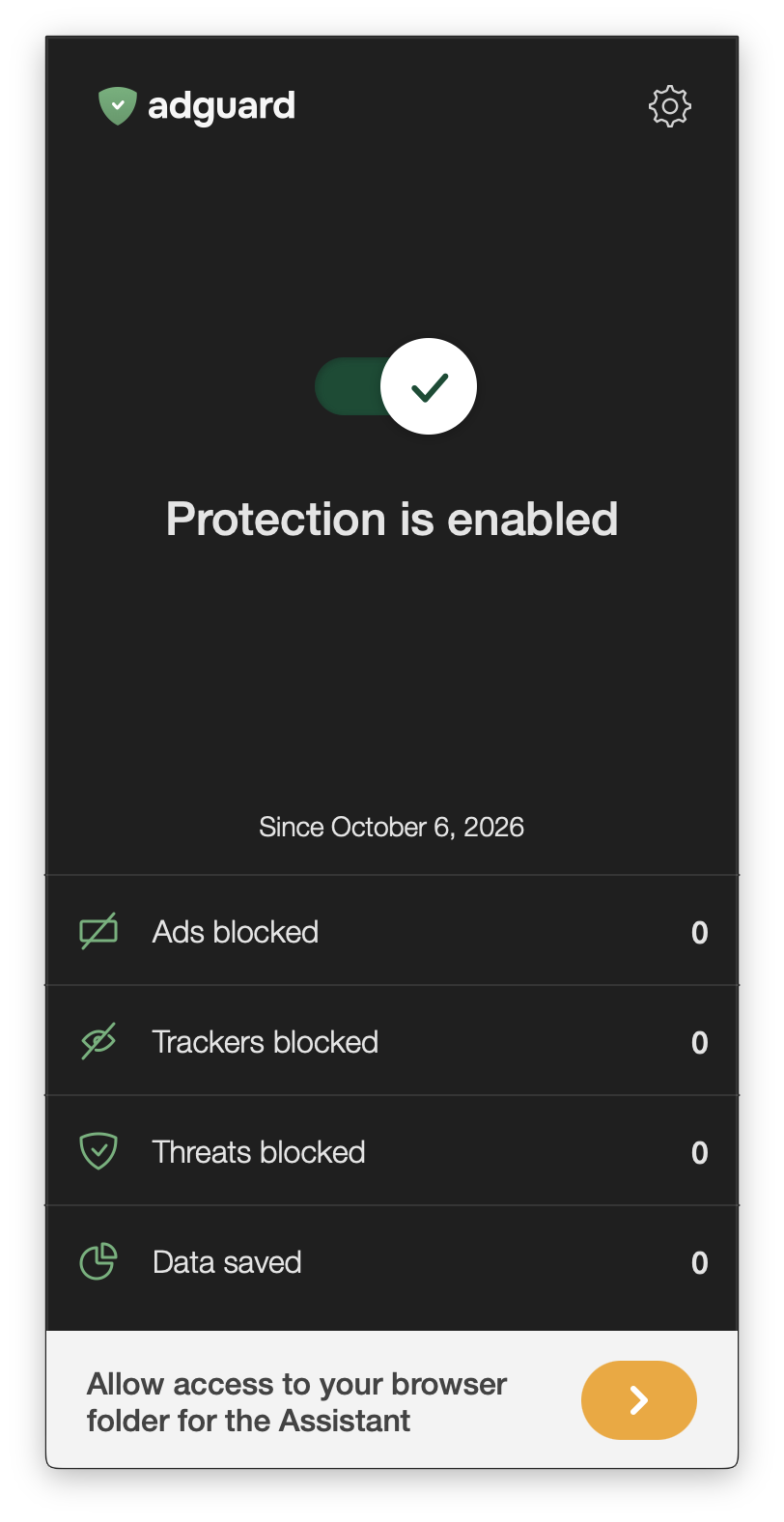
If your default browser isn’t Safari and AdGuard doesn’t have access to its folder, a notice appears on the main window and takes you to the Assistant tab.
If you do not have AdGuard Assistant installed in your default browser, you will see an Enable Browser Assistant notice. You can dismiss it by clicking on the > button.
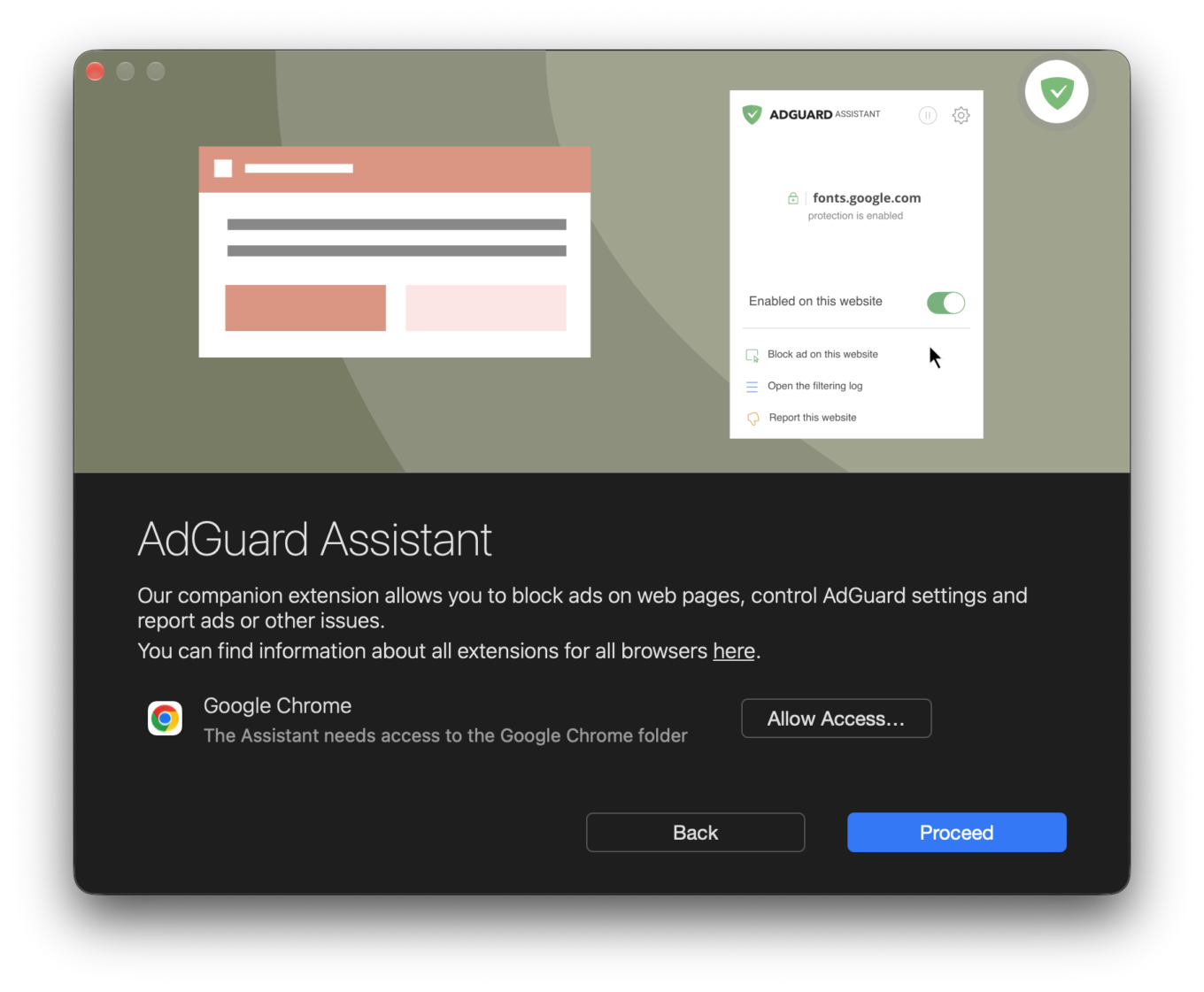
An Allow access button has also been added to the first-launch wizard for a fast access path to Files and Folders permissions.
The status updates automatically after the required permissions are granted.
These changes should make AdGuard for Mac more convenient for users who prefer third-party browsers on macOS.
What else has changed
We expanded our variety of filtered browsers, adding popular names like DuckDuckGo and Naver Whale to the default list, and also adding support for LibreWolf. Plus, we’ve set up a Compatibility repository in Github, where users can submit their browser support issues, or even open pull requests for us to review and put out the necessary changes in later updates.
We’ve also added Quad9 to the list of DNS providers that support DNS-over-QUIC.
The app’s visual style is refreshed as well: we renewed the logo and system tray icons, updated the description of the Block WebRTC setting, and removed the Block Java setting.
Lastly, we fixed a number of bugs that interfered with the app’s correct functioning and updated CoreLibs and DnsLibs.
Your feedback is important
If the app doesn’t work as you expected or if you find that some of the functions need tweaking or fixing, please let us know. Share your experience, suggestions, or bug reports on GitHub or reach us through our social media channels.